Domma CMS
  • Features
    • Features overview
    • Page building
    • Themes
    • Contacts & CRM
    • Forms
    • SEO & analytics
    • Security
    • All Tools
    • Compare CMS options
  • Showcase
    • Customer websites
    • Customer case studies
    • Live examples
    • Product tour
  • Pricing
  • Services
    • All services
    • Website design and build
    • CMS migrations
    • Domma Managed - £49/month
    • Plan your website
  • Partners
    • Overview
    • Refer and earn
    • Freelancers
    • Agencies
    • Resellers and hosting
    • Build and sell Tools
    • Let's work together
  • Support
    • Support overview
    • User manual
    • Tutorials
    • FAQs
    • Contact support
  • About
    • About Domma CMS
    • DCBW Consulting
    • Blog
    • What's new
  • Buy now
  • Free trial

Learn Domma CMS

Tutorials

Step by step, with the real screens. Most tutorials follow ACME Ltd, a Sheffield maker of workshop tools. The WordPress migration tutorial uses a real-site checklist you can apply to your own move.

33 tutorials 10 to 30 minutes eachMostly free

SupportUser manualFAQsTutorialsBlogShowcaseSites built with DommaDomma JSDomma Reactive

ON THIS PAGE

  1. Dot and Daisy
  2. Getting started
  3. Pages and design
  4. Data and forms
  5. Running your site
  6. Selling and publishing
  7. For developers
  8. Pro Tools

Let’s talk.

Tell us what you have in mind.

Get in touch ↗

Dot and DaisyGetting startedPages and designData and formsRunning your siteSelling and publishingFor developersPro Tools

New - Pro Tools

Learn by asking. Meet Dot and Daisy.

Two tutorials that start with a sentence. Follow along on a site Domma hosts: Dot comes with the Pro plan, and Daisy is £59 a month.

Build a page by asking Dot

Ask for a page in plain words, answer one question, preview the draft, ask for a change and publish. 10 minutes, Beginner.

Make a Tool of your own with Daisy

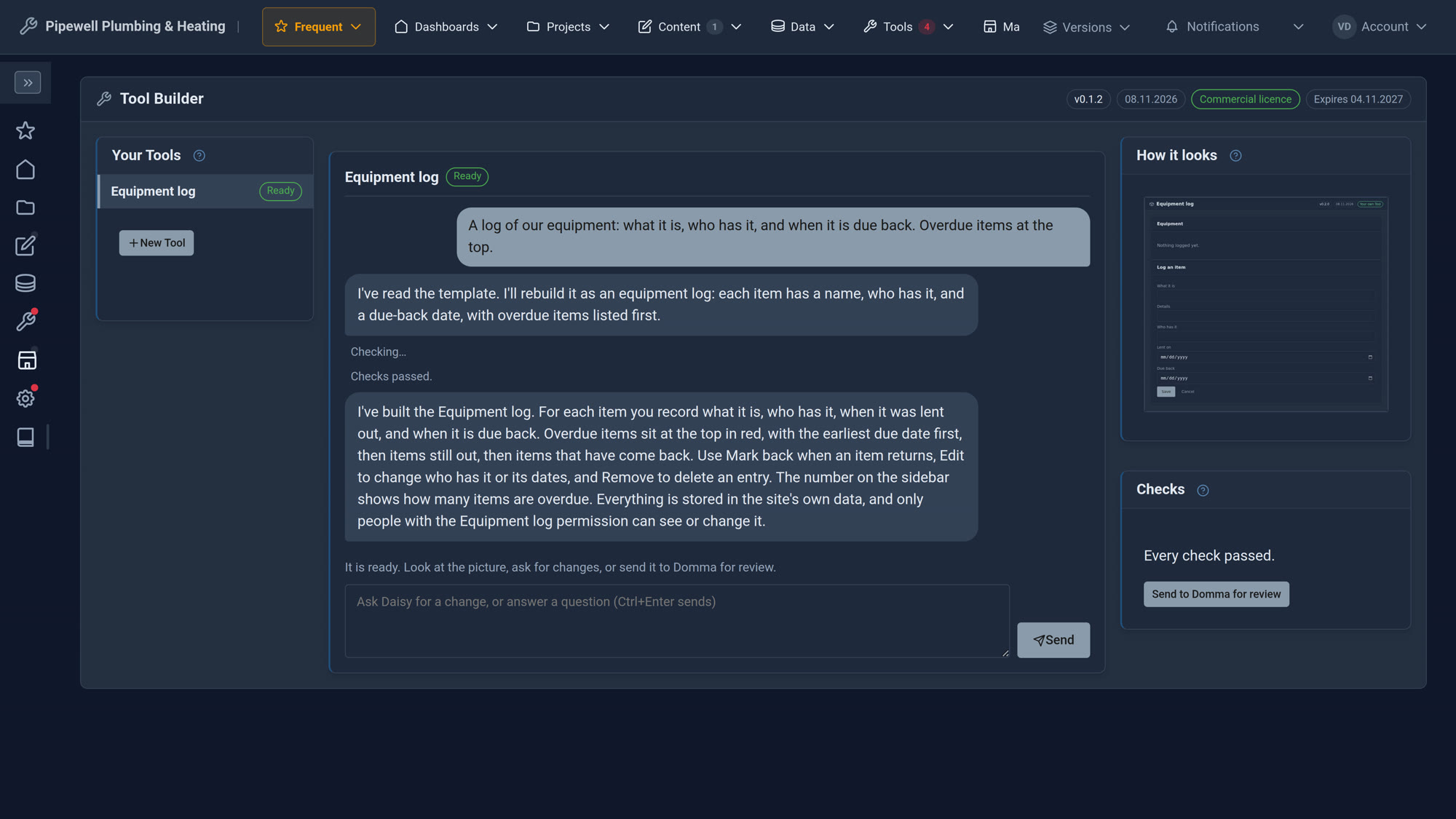
Describe a Tool, watch it written and checked, see how it looks, and send it to Domma for review. 15 minutes, Beginner.

Getting started

Install, sign in and publish - the first hour with Domma CMS.

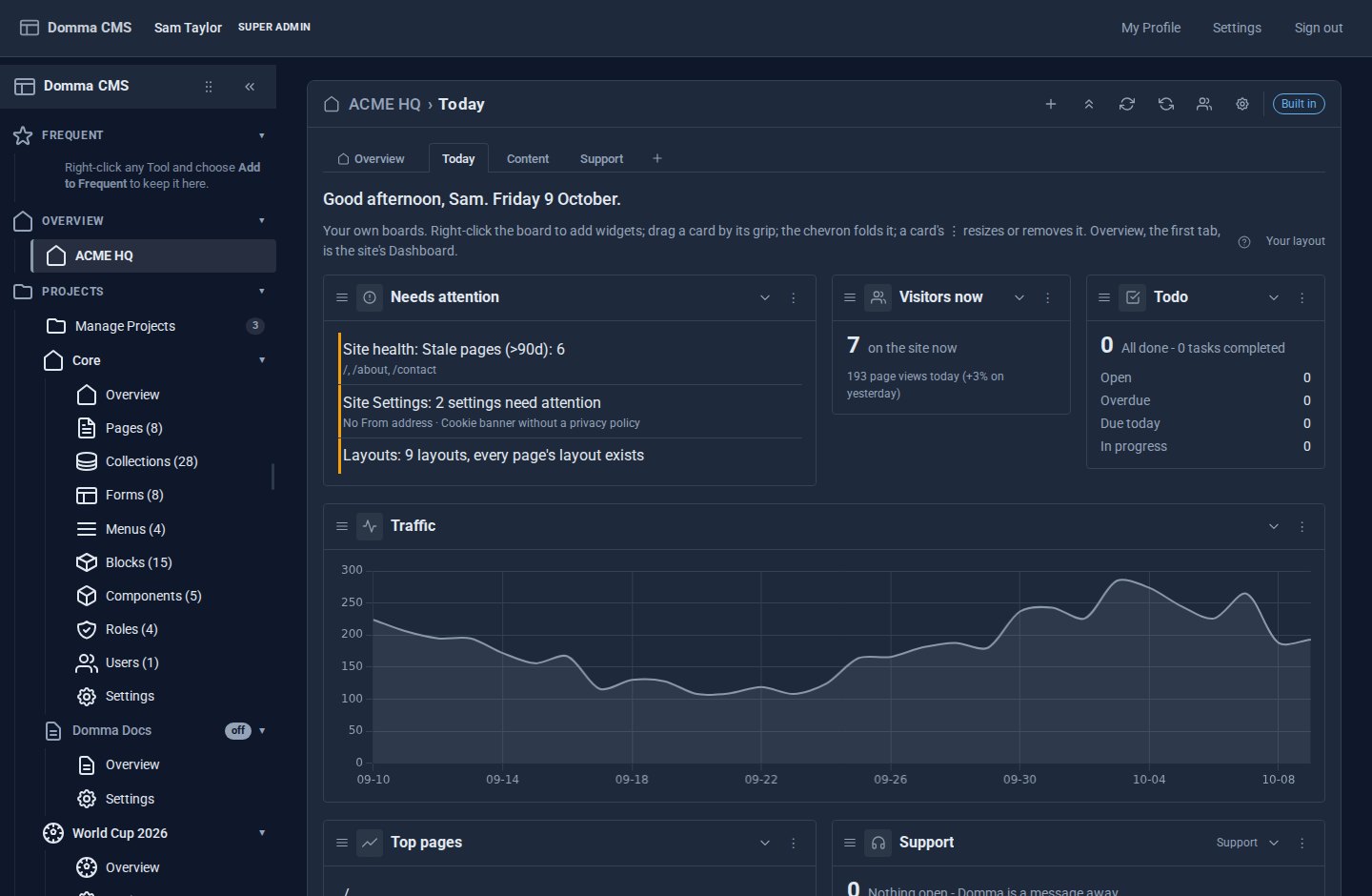
Pro Beginner 15 min Your first 15 minutes with Domma CMS Install Domma CMS with one command, sign in, and set the three things every new site needs: its address, its email and a first look at the dashboard. Start the tutorial →
Pro Beginner 10 min Build your first page Write a page in Markdown, watch it render beside you, check it at phone width and publish it to your menu. Start the tutorial →
Pro Beginner 10 min Draft, review and publish Keep a page as a draft, send a client a private preview link that expires, then publish it in one click from the page itself. Start the tutorial →
Pro Beginner 30 min Move a WordPress site to Domma CMS Inventory your WordPress content, features and URLs, build the replacement, check forms and redirects, then plan a safe cutover. Start the tutorial →
Pro Beginner 30 min Move a Wix or Squarespace site to Domma CMS Copy a live Wix site or upload a Squarespace export, check the preview and redirects, rebuild what was not copied, then switch your domain. Start the tutorial →

Pages and design

Layouts, themes and search engines, without writing CSS.

Pro Intermediate 15 min A landing page in 15 minutes A hero, a row of feature cards that reveal as you scroll, buttons and a countdown - a launch page built from shortcodes. Start the tutorial →
Pro Beginner 15 min Theming a brand Pick a theme and a font, switch between day and night automatically, give one region its own look and let visitors choose their colours. Start the tutorial →
Pro Beginner 20 min Getting found on search engines Fill in titles and descriptions, run the built-in SEO audit, fix what it finds and keep old links working with redirects. Start the tutorial →

Data and forms

Collections, forms, views and APIs - structured content without a developer.
Pro Beginner 15 min Your first collection Create a Products collection, add its fields, import entries and show them on a page as cards - no database to set up. Start the tutorial →
Pro Intermediate 20 min Build a searchable directory Turn a collection into a directory visitors can search, filter and sort - and share a filtered view as a link. Start the tutorial →
Pro Intermediate 15 min One collection, eight looks The same entries as a table, cards, a list, an accordion, a timeline, a carousel, a list group and your own block design. Start the tutorial →
Pro Beginner 10 min A contact form that emails you Build a contact form, have every message emailed to you, put it on a page and keep the bots out. Start the tutorial →
Pro Intermediate 25 min A multi-step form with conditional logic Build a trade account application in steps, with questions that appear only when they apply, an early finish for applicants who do not qualify and an email to the team. Start the tutorial →
Pro Advanced 20 min Reporting with Saved Views Group and total your data with a view, check the results as you build it and publish the report on a page. Start the tutorial →
Pro Intermediate 20 min Approve an application with an Action One button that marks an application approved, emails the applicant and tells the team - from the admin or a staff page. Start the tutorial →
Pro Intermediate 10 min Ship a public JSON API in five minutes Open a collection to /api/v1, lock writes behind a project API token and add a custom endpoint with the API Builder. Start the tutorial →

Running your site

People, permissions, Tools and security.
Pro Advanced 25 min Build a client portal with a confined role Create a role that sees only the screens you choose, gate pages to it, add a user and check the result by signing in as them. Start the tutorial →
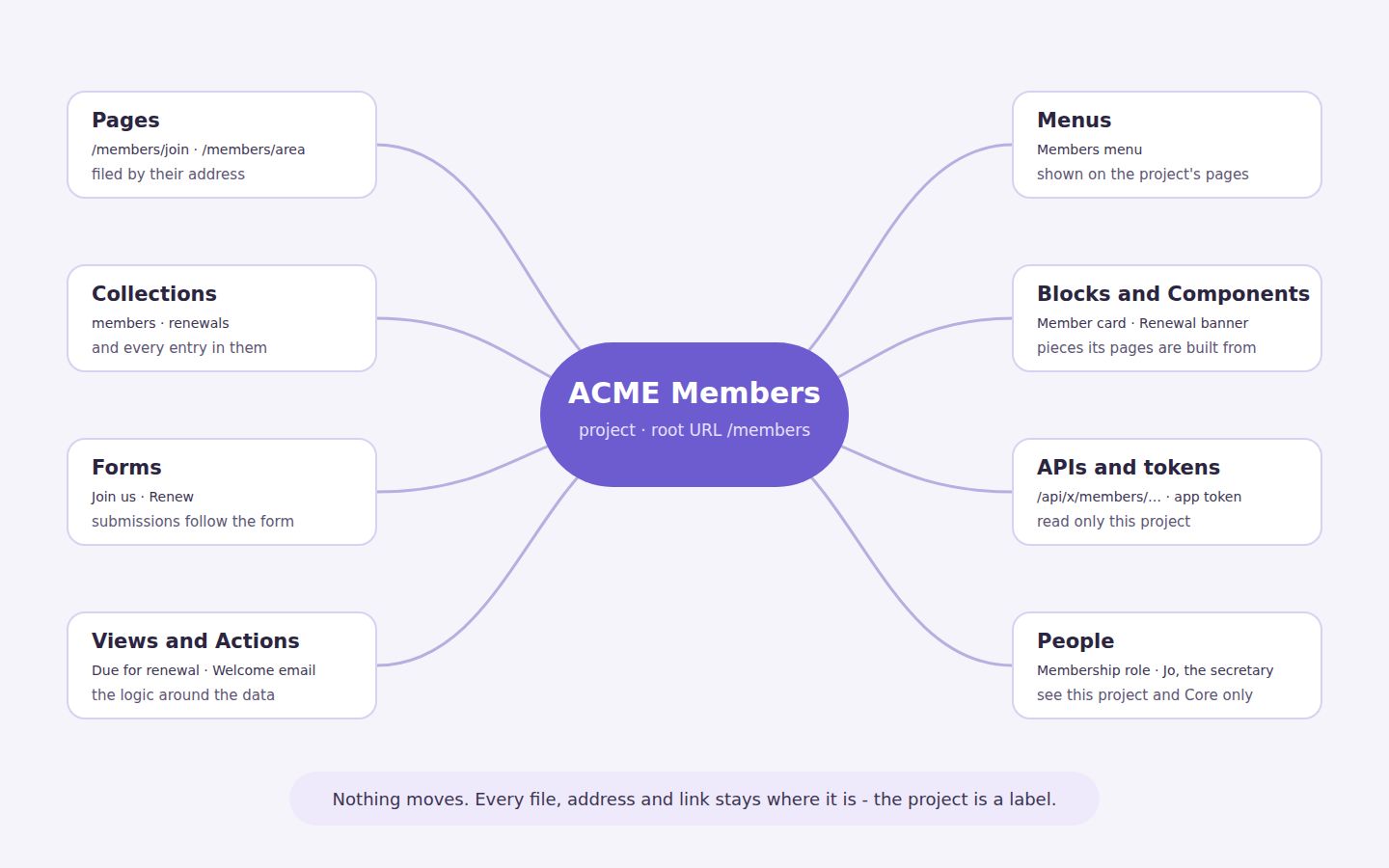
Pro Beginner 20 min Group your site with projects Make a project, let its pages file themselves by address, file a collection and a form under it, and give one person access to that project and nothing else. Start the tutorial →
Pro Beginner 10 min Switching Tools on and off Keep the admin to what you use: switch Tools off and on, see what depends on what, and arrange the sidebar your way. Start the tutorial →
Pro Beginner 15 min Locking down sign-in Read the Security health check, tune lockouts and password rules, watch the sign-in log and know how to get back in if you lock yourself out. Start the tutorial →
Pro Intermediate 60 min Run Domma CMS in production with PM2 Take your site onto a Linux server with PM2, Caddy HTTPS, startup after reboot, logs, backups and safe updates. Start the tutorial →

Selling and publishing

A shop and a blog, both free.

Pro Intermediate 30 min Selling from your site Add products with options and stock, open the storefront, take payment by Stripe, PayPal or bank transfer and fulfil your first order. Start the tutorial →
Pro Beginner 15 min Start a blog Switch the Blog on, write and schedule a post, choose how posts and listings look and moderate comments. Start the tutorial →

For developers

Extend Domma CMS with your own Tools.

Pro Advanced 20 min Build your first Tool Scaffold a Tool from the Marketplace, add an API route and a screen in the built-in code editor, give it a sidebar badge and a settings form. Start the tutorial →

Pro Tools

Get more from the Pro Tools.
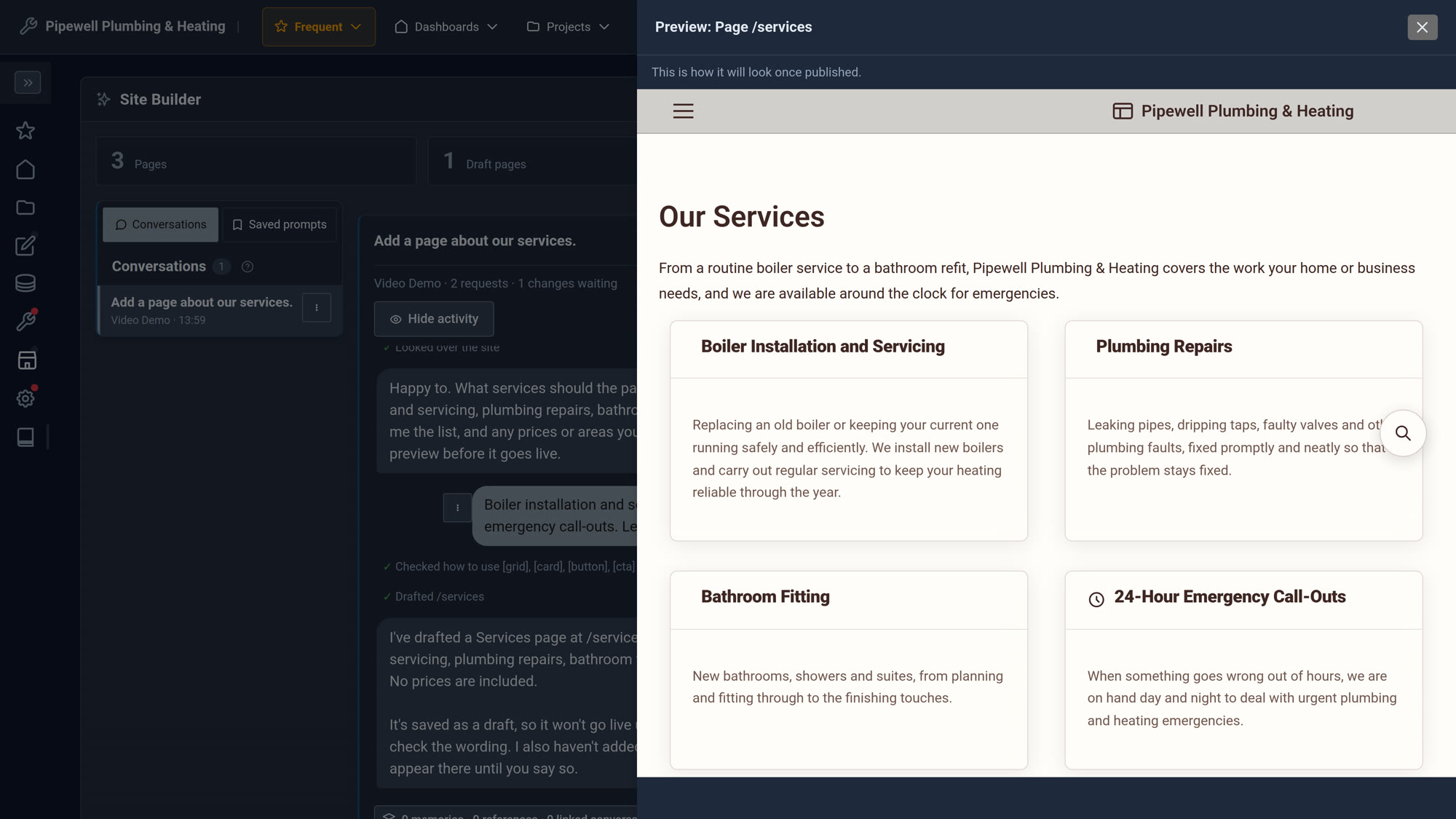
Pro Beginner 10 min Build a page by asking Dot Ask Dot, the Site Builder, for a new page in plain words, answer one question, preview the draft, ask for a change and publish it. Start the tutorial →
Pro Beginner 15 min Make a Tool of your own with Daisy Describe a Tool to Daisy, the Tool Builder, watch it written and checked, see how it looks, and send it to Domma for review. Start the tutorial →
Pro Beginner 10 min Two-factor sign-in with Security Pro Set up an authenticator app, keep your recovery codes safe and require two-factor sign-in for every admin. Start the tutorial →
Pro Beginner 15 min Fixing broken links with SEO Pro Check every link on your site every day, catch visitors who hit a missing page and redirect them with one click. Start the tutorial →
Pro Intermediate 20 min Connect Google Search Console Connect Search Console to SEO Pro with your own Google client, see what people search for, and send your sitemap to Google from the admin. Start the tutorial →
Pro Intermediate 15 min Tracking campaigns with Analytics Pro Tag your links, see which campaign and channel brought each visit, filter down to one campaign and export the figures. Start the tutorial →
Pro Beginner 20 min Build a staff handbook with Domma Spaces Publish a folder of documents as a staff handbook on your own site, with a contents list, search and a reader built for long reading. Start the tutorial →
Pro Beginner 15 min Quotes and letters from templates Start a quote from a ready-made template, fill in the customer's details from Contacts in one go, and keep your own templates for next time. Start the tutorial →
Pro Beginner 15 min Get a contract signed Send an agreement for signing from Docs: each person signs from their own emailed link, and everyone gets the signed copy with a certificate page. Start the tutorial →
Pro Beginner 15 min Review a document with comments and suggestions Get a document checked without handing over the pen: comments on the words, and suggested changes you accept or reject. Start the tutorial →
Pro Beginner 10 min Import your contacts from Google Export your Google contacts, check the preview, merge the people you already have - labels as groups, birthdays and all - and undo it for a day if you need to. Start the tutorial →
Pro Beginner 15 min Build your own Dashboard Add widgets from your Tools, arrange and size them, keep a second board for sales, and set the default your team starts from. Start the tutorial →

Follow along on your own site

Every free tutorial works on a site you can set up in minutes with one command.

Get started freeBrowse the Tools

Here if you need us.

Questions about Domma CMS? Find help and guidance.

Get in touch ↗

Your website and your business, brought together. Built by DCBW Consulting Ltd in the UK.

  • Product
    • Features
    • Tools
    • Pricing
    • What's New
    • Get Started
  • Learn
    • Support
    • User manual
    • FAQs
    • Tutorials
    • Blog
    • Showcase
    • Sites built with Domma
    • Domma JS
    • Domma Reactive
  • Partners
    • Partner programme
    • Refer and earn
    • Freelancers
    • Agencies
    • Resellers and hosting
    • Build and sell Tools
    • Let's work together
  • Legal
    • Privacy & GDPR
    • Terms of Service
    • Cookie Policy
    • Photo credits
    • Site map
  • Company
    • About DCBW Consulting
    • Services by DCBW Consulting Ltd
    • Enquire
    • Support
    • About Domma CMS
  • X / Twitter
  • LinkedIn
  • GitHub
  • YouTube

© 2026 Domma CMS. All rights reserved.