The right people in, everyone else out.
Roles you define yourself, admin access narrowed to exactly what a client needs, sign-in that is hard to attack and easy to recover from - and a Security Tool that watches the site for you.
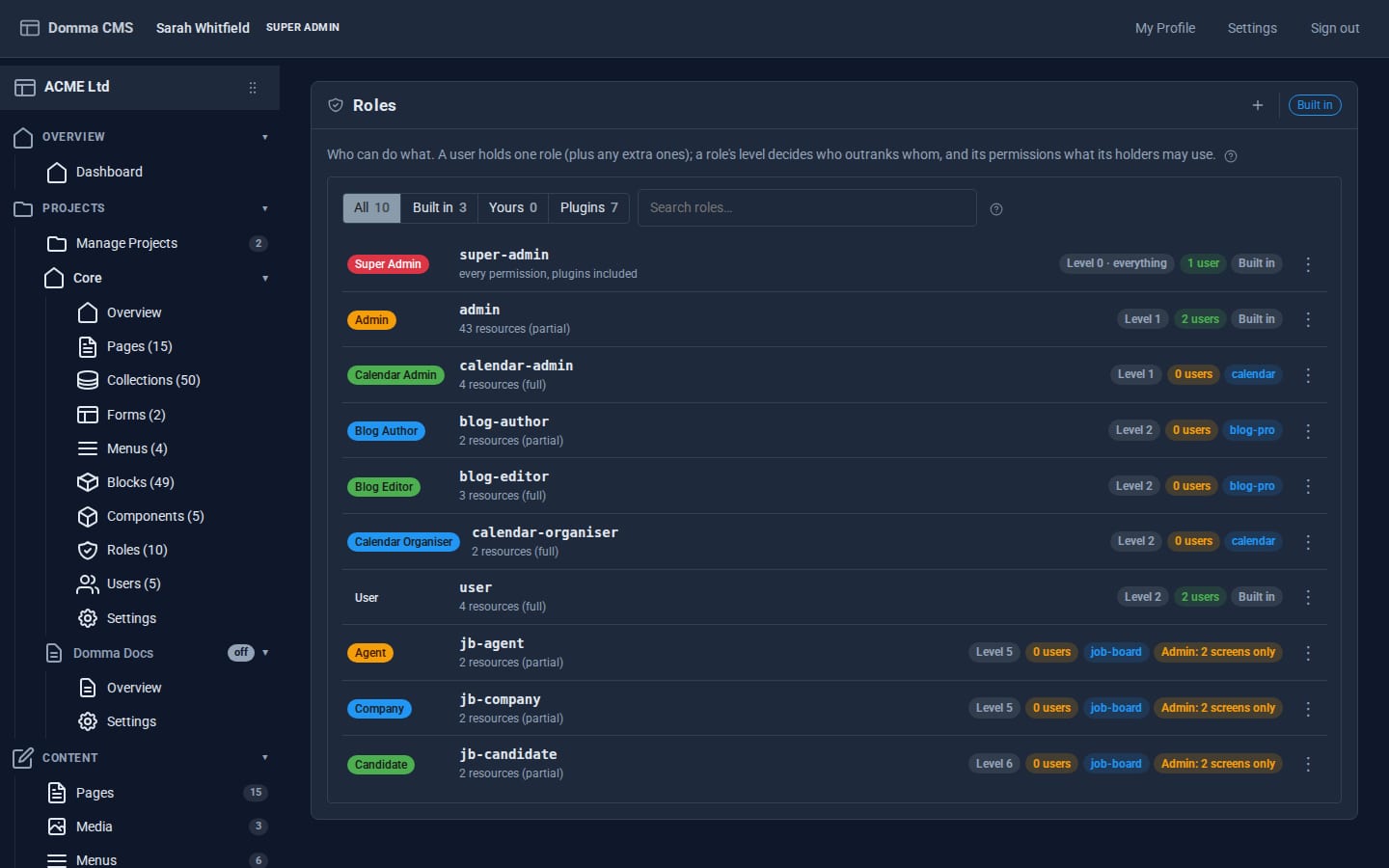
Roles are yours to define.
Every site starts with Super Admin, Admin and User. Add your own, and Tools add theirs - a blog's authors and editors, a job board's candidates and companies.
A permission grid that reads back
Tick what a role may view, create, change or delete, area by area. "What it can do" reads your ticks back in plain words, and it warns you before you remove your own access.
Client portals
Confine a role to a few admin screens with a home of its own. Its people see only that - and the server enforces it on every request, not just the menu.
Members-only pages and menus
Show a page or a menu item to "this role and above", or to one role only. Visitors who sign in see what is meant for them.
More than one role
Give someone extra roles on top of their main one. A permission passes if any of their roles grants it.
Profiles and pictures
Everyone can set their own details and a picture. Add the profile fields your site needs; a badge shows what is still empty.
Nobody outranks themselves
You can only manage people less senior than you, and you cannot lock or delete your own account.
Easy for people, hard for attackers.
- Password resets answer the same way for every address, so they never reveal who has an account, and each account gets at most three reset emails an hour.
- Admins can help - send a reset email, or copy a link to hand over, and withdraw it again.
- A note when a password changes, however it was changed.
- Signing out lasts, even across a restart. A new password signs out your other devices.
- Show and hide on password boxes, a Caps Lock warning, and straight back to the screen you were on after signing in.
- Rate limits on every route, with tight ones on sign-in and resets.

A security team in the sidebar.
Security is free with every site. Security Pro adds two-factor sign-in, a firewall and every signed-in session in one place.


Build a client portal this afternoon.
Make a role, give it two screens and a home, add a user, and sign in as them to see what they see.