
Tutorials Pro Tools
Build your own Dashboard
Turn the admin's home into the screen you actually want first thing: the Tools you check every day, in the order you read them, with a second board for sales.
15 minutes BeginnerPro
You will do
Give Sam, who runs ACME's office, a Dashboard called ACME HQ: what needs attention, visitors, pages and traffic on one board, and the sales Tools on another.
You need
- Dashboard Pro on your site (Domma CMS 1.5 or later)
- Any of the Tools you want on it - Email, Booking, Support, Forms
- To be an administrator, for the last step only
Nothing is lost
Your boards are yours alone - nobody else's changes. Reset takes you back to the site's default at any time, and switching Dashboard Pro off keeps every board for later.
Step 1: Open the board
Open Dashboards in the sidebar. With Dashboard Pro the sidebar has one entry for all of them, and it opens on the first tab, Overview - the site's Dashboard as you know it, always there and always first.
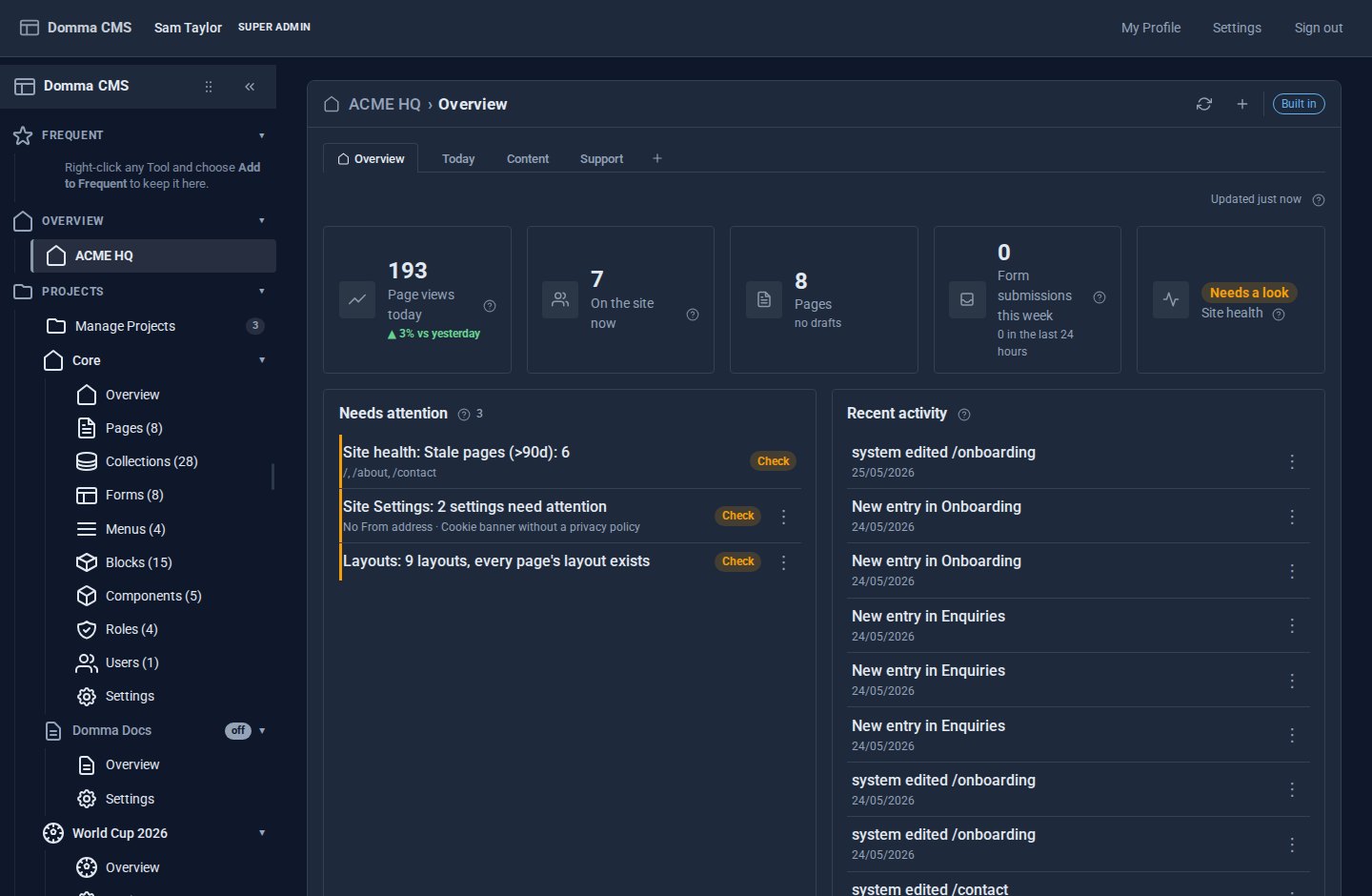
Press + after the tabs. Your first board opens - call it Today - with three parts: the banner with its buttons, the row of tabs, and the cards themselves.
Step 2: Add the widgets you check every day
Right-click anywhere on the board and choose Add widget… (or press + in the banner). The gallery lists every widget from the Tools you can open, grouped by Tool, with a search box at the top. There is nothing to connect: every Tool with widgets is in the gallery automatically, and a Tool installed later adds its widgets the moment it arrives.
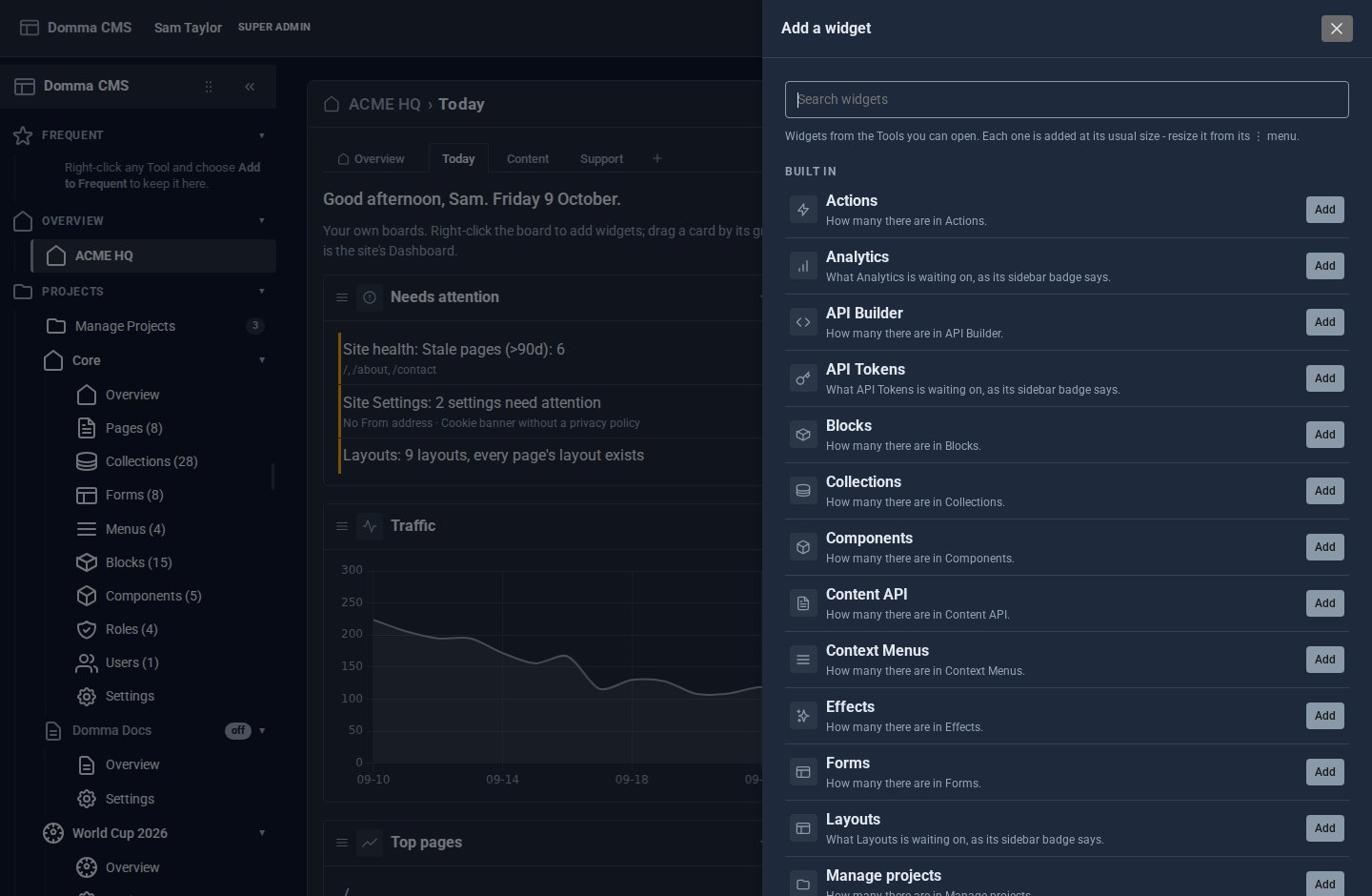
For Sam's morning, add:
- Needs attention - anything late, failing or waiting on you, from every Tool.
- Visitors now - people on the site in the last five minutes, and page views today.
- Todo - what is open, overdue and due today.
- Traffic - the last 30 days.
Each one arrives at its usual size at the end of the board. Search for "email" or "booking" to find a Tool's widget quickly.
Step 3: Arrange and size them
- Move a card by dragging its grip - the three lines at its left. Drop it before or after another card.
- Size a card from its ⋮ menu (or right-click it): Small, Medium, Large or Full width. Make Traffic full width so the chart has room.
- Fold a card with its chevron when you want it out of the way. A folded card stops refreshing until you open it.
Cards pack upwards on their own, so a short one never leaves a gap that another card could fill.
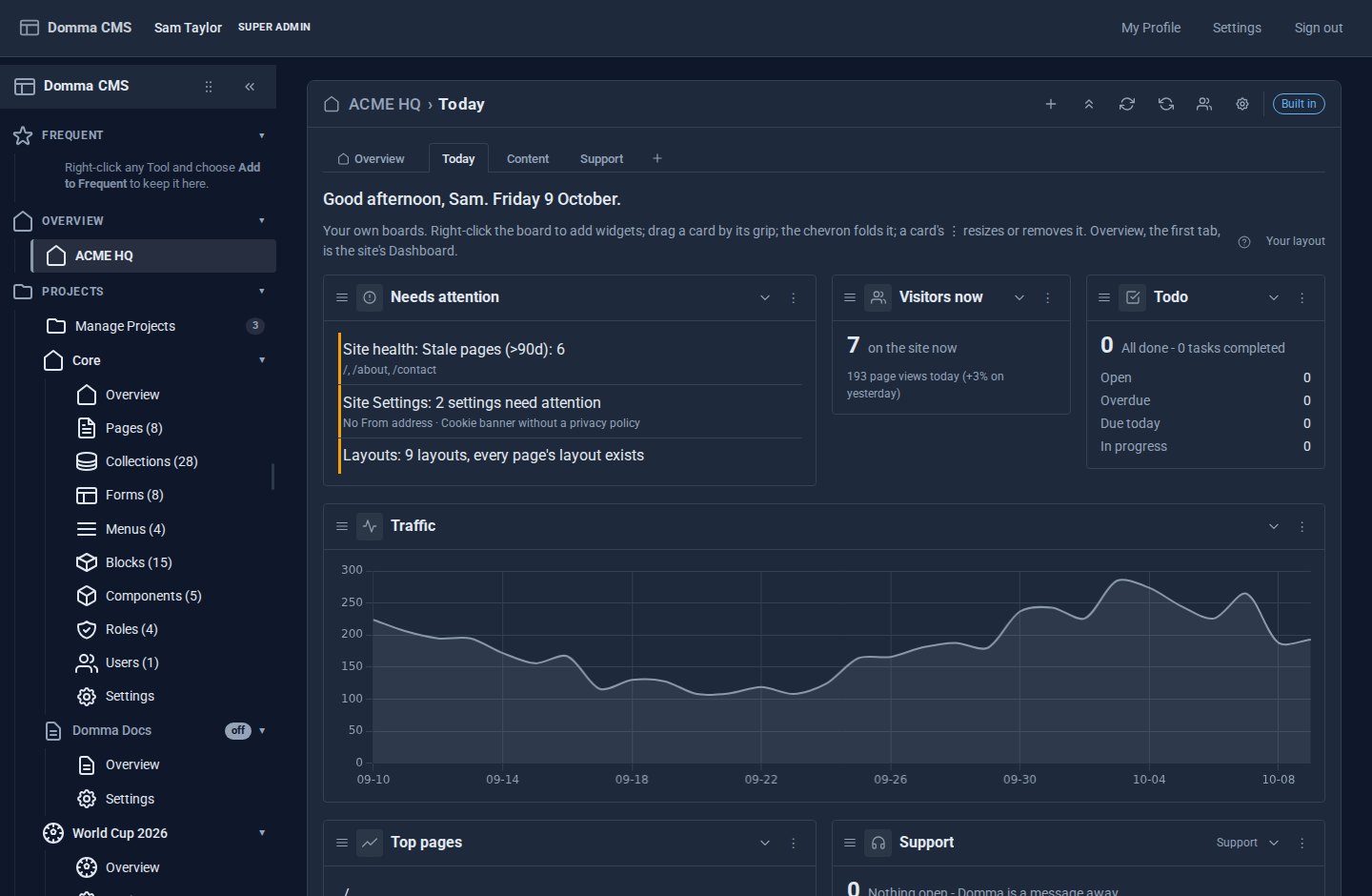
Step 4: Add a second board for sales
Press + at the end of the tabs, call the new board Sales, and add the widgets for selling - Bookings, Shopping Cart orders, Form submissions - from the gallery that opens.
Right-click a tab to rename, duplicate, move or delete it (double-click renames). Each board keeps its own widgets and its own address, so you can bookmark it. The Overview tab stays first and cannot be moved or removed.
Step 5: Make it yours
Press the cog in the banner.
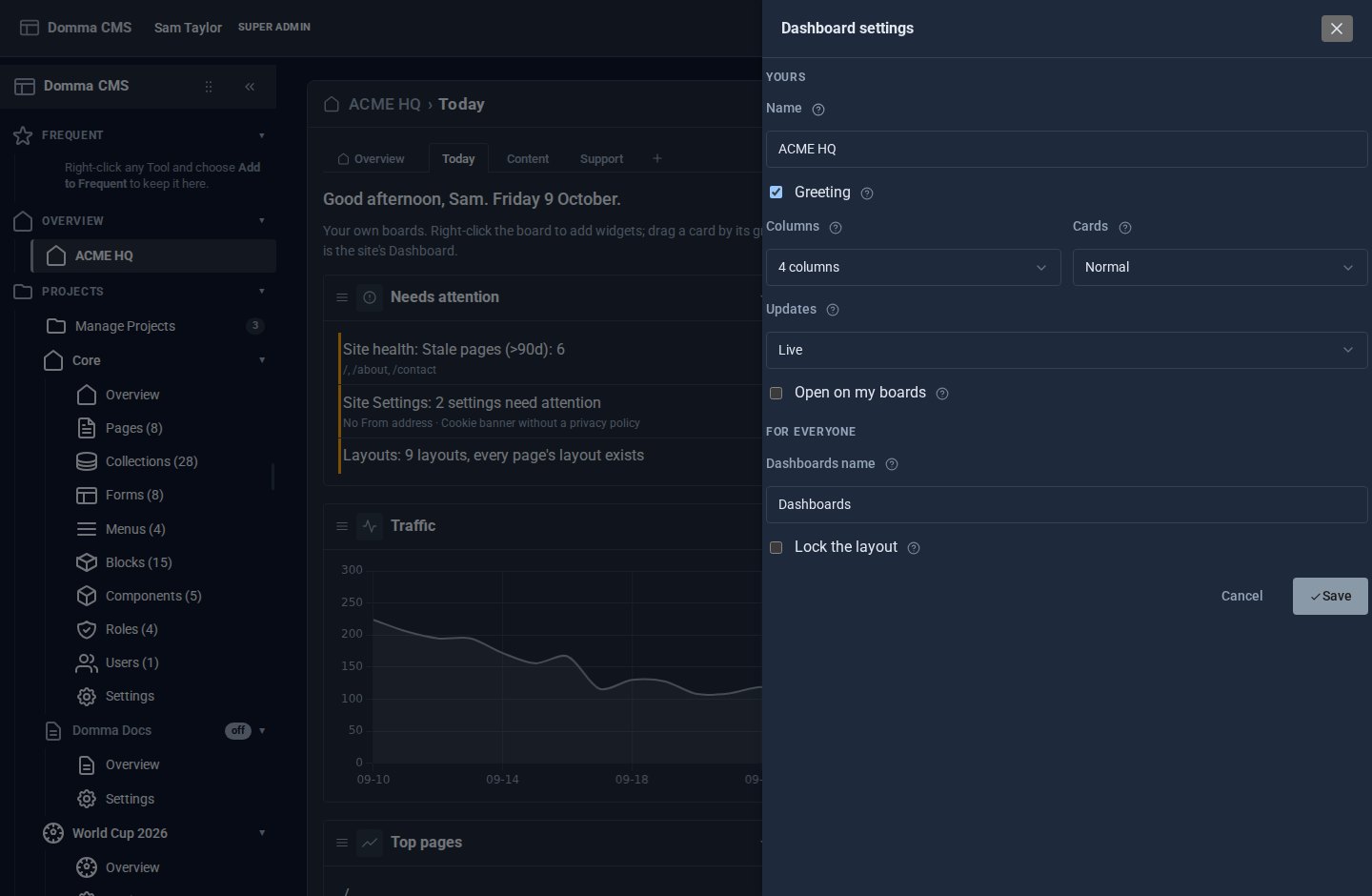
- Name your Dashboards ACME HQ - the banner, the browser tab and the sidebar entry all follow. Each board's own name is its tab.
- Leave Greeting on for a good morning and the date.
- Choose 4 columns and Normal cards (6 columns and Compact fit more on a big screen).
- Leave Updates on Live. On a slow connection, Slower waits three times as long between refreshes; Paused only refreshes when you press Refresh.
- Tick Open on my boards, and press Save. Signing in, or pressing ACME HQ in the sidebar, now opens the board you used last; the Overview is one click away.
Step 6: Set the default for your team (administrators)
Everyone else starts from the site's default board until they arrange their own. To give them a good start:
- Open the board you want them to have, and press Make this the default for everyone in the banner.
- In the cog, under For everyone, set the Dashboards name they see.
- For a client's site, tick Lock the layout: everyone but administrators sees your default board and can fold and refresh widgets, but not add, move, resize or remove them.
If something is not there
- No widget for a Tool - widgets come from Tools with a count in the sidebar, and only from Tools you are allowed to open. Ask an administrator for the permission.
- The sidebar still says Dashboard, with no tabs - Dashboard Pro is not switched on for the site. Where another Tool owns the Dashboard, that Tool's screen is the Overview tab instead.
- The tabs are there but no boards - you are on the Overview. Press +, or turn on Open on my boards in the cog.
- You cannot add or move anything - your administrator has locked the layout. You can still fold and refresh.
What you built
Dashboards that open on the things Sam checks first, in the order Sam reads them, with sales one tab away and the Overview one tab back - and a default the rest of the team starts from.
Keep going
- Dashboard Pro - everything it does, and what it adds to the built-in Dashboard
- Import your contacts from Google - fill Contacts Pro in one go
- Switching Tools on and off - the Tools you switch on bring their widgets with them
Want Dashboard Pro on your site?
Dashboard Pro is a Pro Tool, £5 a month on a site we host. Tell us about your site and we will set it up with you.