Domma CMS
  • Features
    • Features overview
    • Page building
    • Themes
    • Contacts & CRM
    • Forms
    • SEO & analytics
    • Security
    • All Tools
    • Compare CMS options
  • Showcase
    • Customer websites
    • Customer case studies
    • Live examples
    • Product tour
  • Pricing
  • Services
    • All services
    • Website design and build
    • CMS migrations
    • Domma Managed - £49/month
    • Plan your website
  • Partners
    • Overview
    • Refer and earn
    • Freelancers
    • Agencies
    • Resellers and hosting
    • Build and sell Tools
    • Let's work together
  • Support
    • Support overview
    • User manual
    • Tutorials
    • FAQs
    • Contact support
  • About
    • About Domma CMS
    • DCBW Consulting
    • Blog
    • What's new
  • Buy now
  • Free trial
Get started

Running in two minutes.

One command on your own server, or a managed plan where we run it for you. Either way you get the same Domma CMS, with every built-in and free Tool.

npx domma-cms my-site
Choose your path Follow the first-install tutorial
A developer working on a laptop
FeaturesToolsPricingWhat's NewGet Started

ON THIS PAGE

  1. How do you want to run Domma?
  2. Or just ask Dot.
  3. Up and running in four steps.
  4. What to do once you're in.

Let’s talk.

Tell us what you have in mind.

Get in touch ↗
Choose your path

How do you want to run Domma?

Self-hosted

Free forever. Your rules.

One command to get started:

npx domma-cms my-site
  • Builds the site and runs the setup wizard
  • No build step, no database to install
  • Runs on your own server
  • Built-in and free Tools included

Needs Node.js 24 or later. MongoDB optional.

Read the install guide Your first 15 minutes

Managed hosting

We run it. You write it.

Everything included:

  • Managed hosting + SSL certificates
  • Automatic updates and backups
  • Built-in and free Tools on every plan
  • Domains connected in minutes
  • Email support included from day one
Start a hosted site View pricing

A developer with a server?

Go self-hosted. Free forever, deploy wherever you like, and buy Pro Tools outright if you ever need one.

A business without a developer?

Go managed. We run the server, the updates and the backups; you write the content. See the plans.

An agency or freelancer with clients?

Explore the partner routes: build on Domma, host with us or on your own servers, and agree terms that suit you. Larger setups can go Enterprise.

Managed plans

What signing up looks like.

Pick a plan and any Tools, see the monthly total, and pay by card. No account to make: your site is built for you and you get an email to set its password. Change it later from Manage my site.
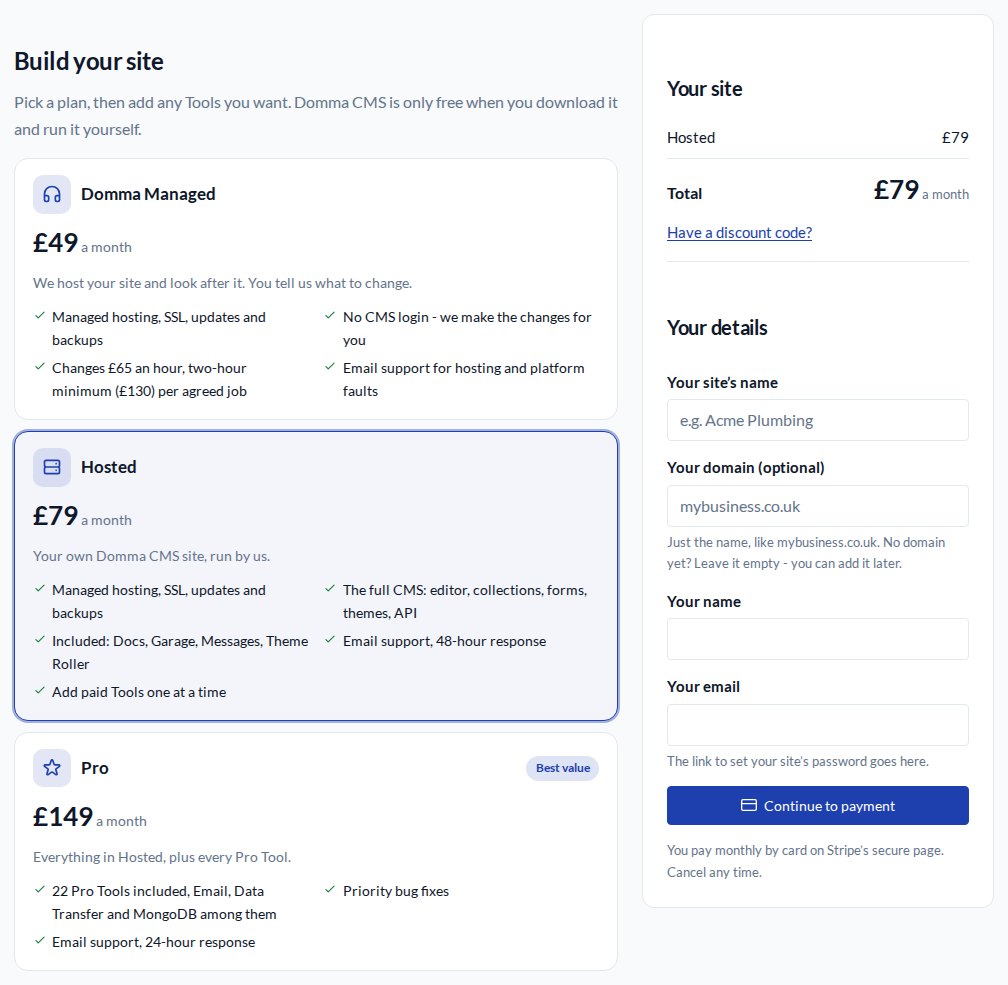
Build your site: Domma Managed at £49, Hosted at £79 and Pro at £149 a month, with the bill beside them.
Choose a plan: Domma Managed, Hosted or Pro, each with its monthly price. The bill sits beside it.
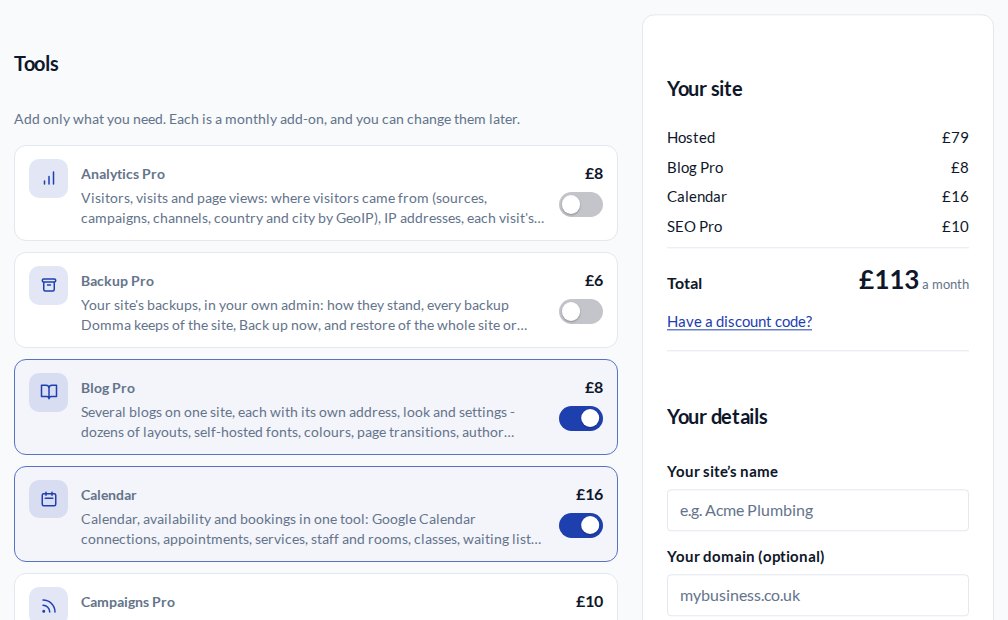
Adding Tools: Blog Pro, Calendar and SEO Pro switched on, and the bill comes to £113 a month.
Add the Tools you want. The bill updates as you switch each one on.
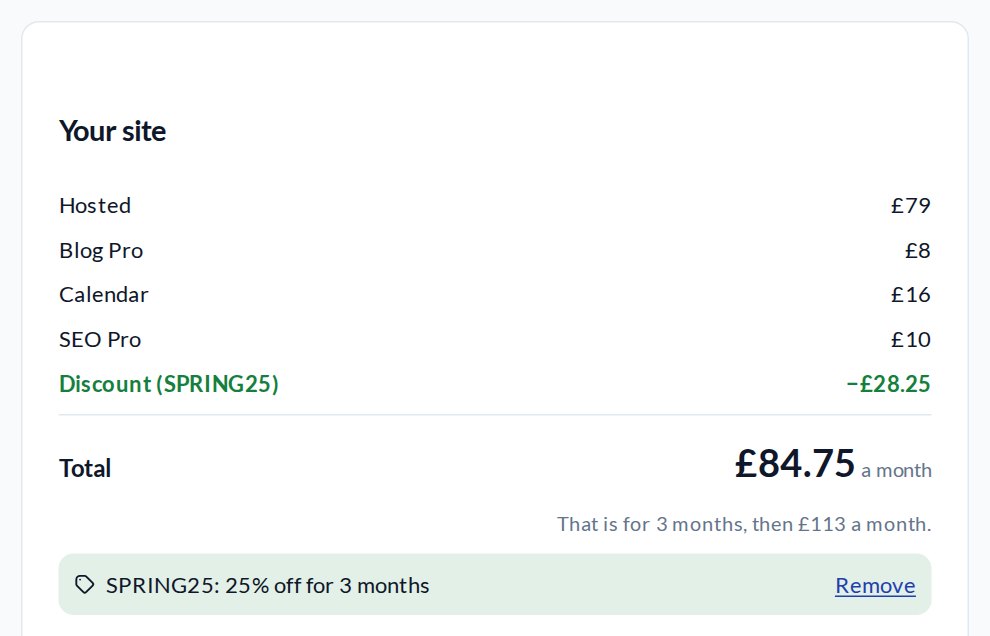
A discount code on the bill: 25% off for 3 months, then the full price.
Have a discount code? It comes off the bill, which also says how long the discount lasts.
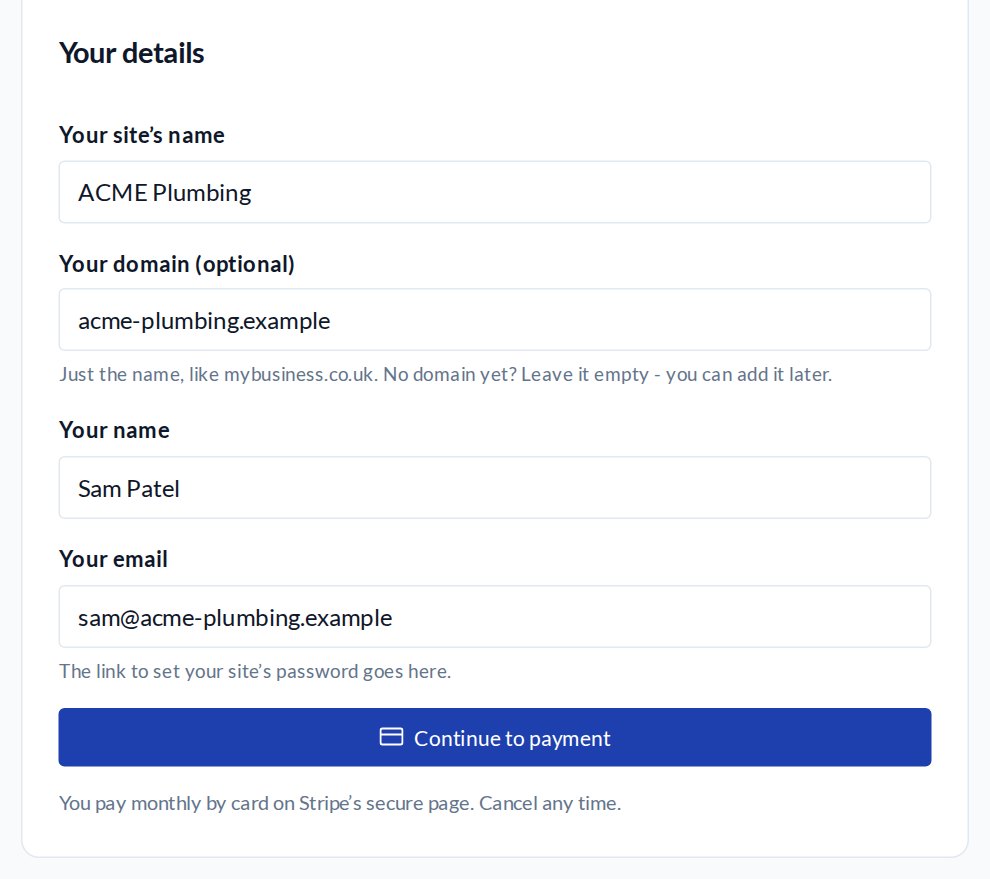
Your details: the site's name, an optional domain, your name and email, then Continue to payment.
Your details: a name for the site, your domain if you have one, and where to send the password link. Then you pay on Stripe's secure page.
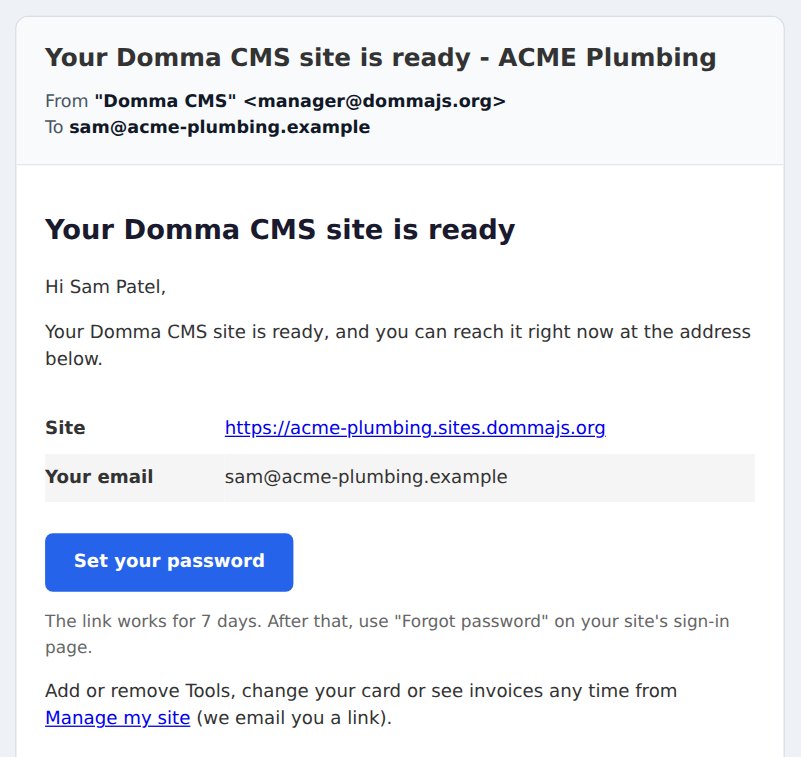
The email that says your site is ready, with a Set your password button that works for 7 days.
A minute later: an email with your site's address and a button to set your password.
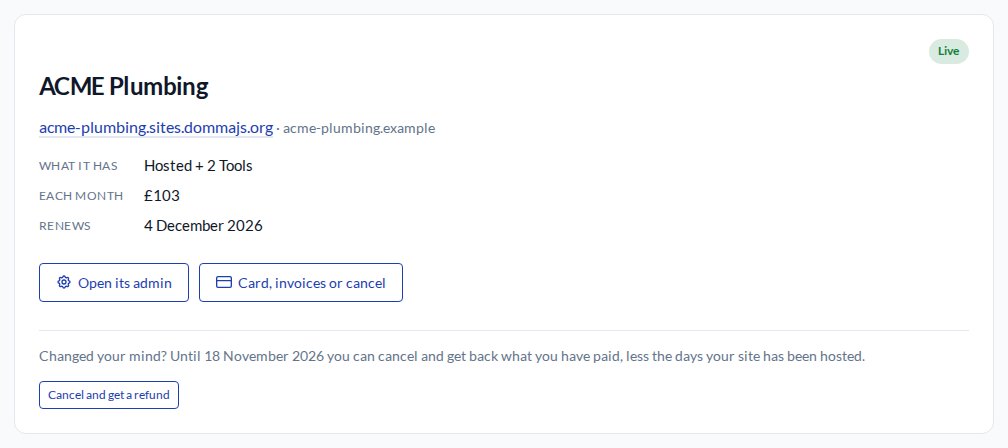
Manage my site: what the site has, the monthly price, the renewal date, and buttons for its admin and for card, invoices or cancelling.
Manage my site, from a link we email you: what you pay, when it renews, your card and invoices, or cancel.
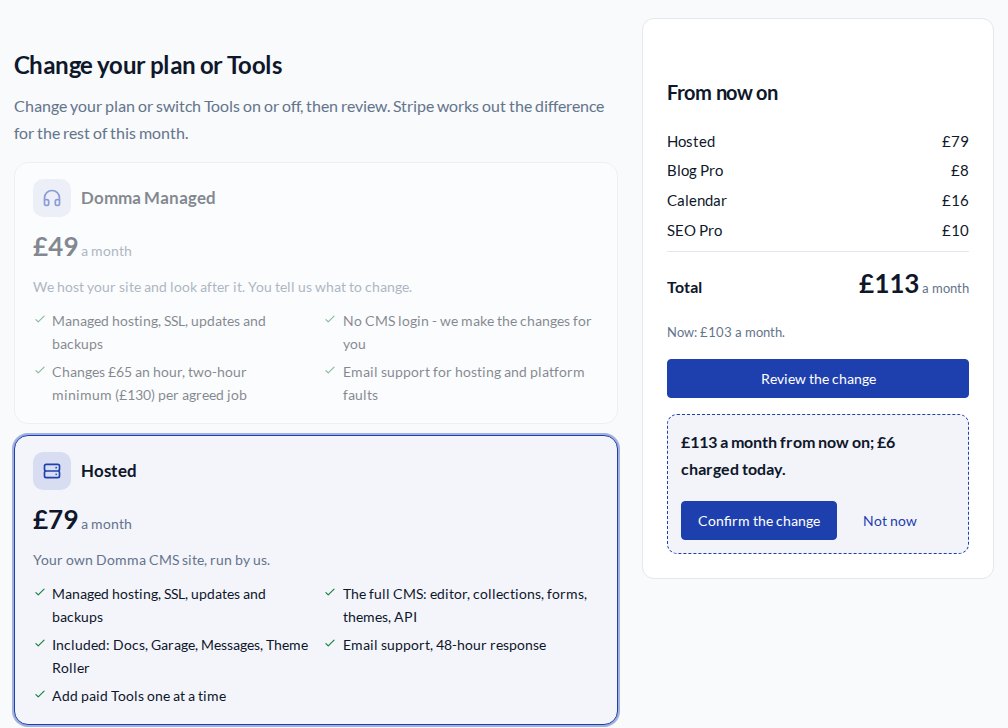
Changing Tools: SEO Pro added, the new monthly total, and what is charged today before you confirm.
Change your plan or Tools. You see the new monthly total, and anything due today, before you confirm.

Screens from a demo with a made-up customer. Every name in them is made up.

The quickest start - on sites we host

Or skip the setting up, and just ask. Meet Dot and Daisy.

On a site Domma hosts, you do not have to start from a blank page. Answer a few questions about your business and Dot, the Site Builder, shows you a plan, then builds it as drafts for you to check. When you need something no Tool quite does, Daisy, the Tool Builder, makes it. Both say plainly that they are AI.

Dot, your Site Builder

Ask for a new page, a rewrite, a warmer look or a menu change. Dot uses your own pages, blocks, menus and themes, and every change waits as a draft until you publish it.

Daisy, your Tool Builder

Describe a Tool your business needs and Daisy writes it, checks it on a test copy of a site and sends it to a person at Domma for review. It never copies a Tool Domma already has.

Dot, add a page about our servicesDaisy, an equipment log with who has whatDot, make the site feel warmerDaisy, a register for my classesDot, rewrite the About page, it sounds stiffDaisy, a tracker for jobs in progressDot, add frequently asked questionsDaisy, a stock list for the vanDot, add a page about our servicesDaisy, an equipment log with who has whatDot, make the site feel warmerDaisy, a register for my classesDot, rewrite the About page, it sounds stiffDaisy, a tracker for jobs in progressDot, add frequently asked questionsDaisy, a stock list for the van
Watch them at work Choose a hosted plan Ask about Dot and Daisy
Self-hosted quickstart

Up and running in four steps.

You need Node.js 24 or later and a terminal. Nothing else - pages are files, and MongoDB is optional.

1

Install

Run npx domma-cms my-site. It copies the site, installs its dependencies and starts the setup wizard. Node.js 24 or later; MongoDB optional.

2

Set up

Create the first admin account, name the site and pick a theme. Then set the Site URL and your email server in Settings, so reset links and form emails reach people.

3

Build

Write pages in Markdown or use the insert menu's forms and live preview. Switch on the Tools you need - Blog, Shopping Cart, Security - from the Marketplace.

4

Go live

Point your domain at the server behind a proxy with HTTPS, and ship. Or skip all of this with a managed plan - we run it for you.

Your first fifteen minutes

What to do once you're in.

  • Look at the Dashboard. "Needs attention" lists anything that is quietly wrong - no email server, a missing description.
  • Open System > Site Settings. Set the Site URL and your SMTP details, then send yourself a test email. Password resets and form emails depend on it.
  • Pick a look in Content > Theme. 37 themes, fonts, and day and night switching.
  • Write your first page in Content > Pages, check it at phone width in Live Preview, and publish.
  • Open the Marketplace and switch on the other Tools you want - Blog, Shopping Cart, Mail Reader.
  • Switch on Security in the Marketplace, run its health check and fix anything it flags.
Follow the tutorial The full install guide Go live with PM2
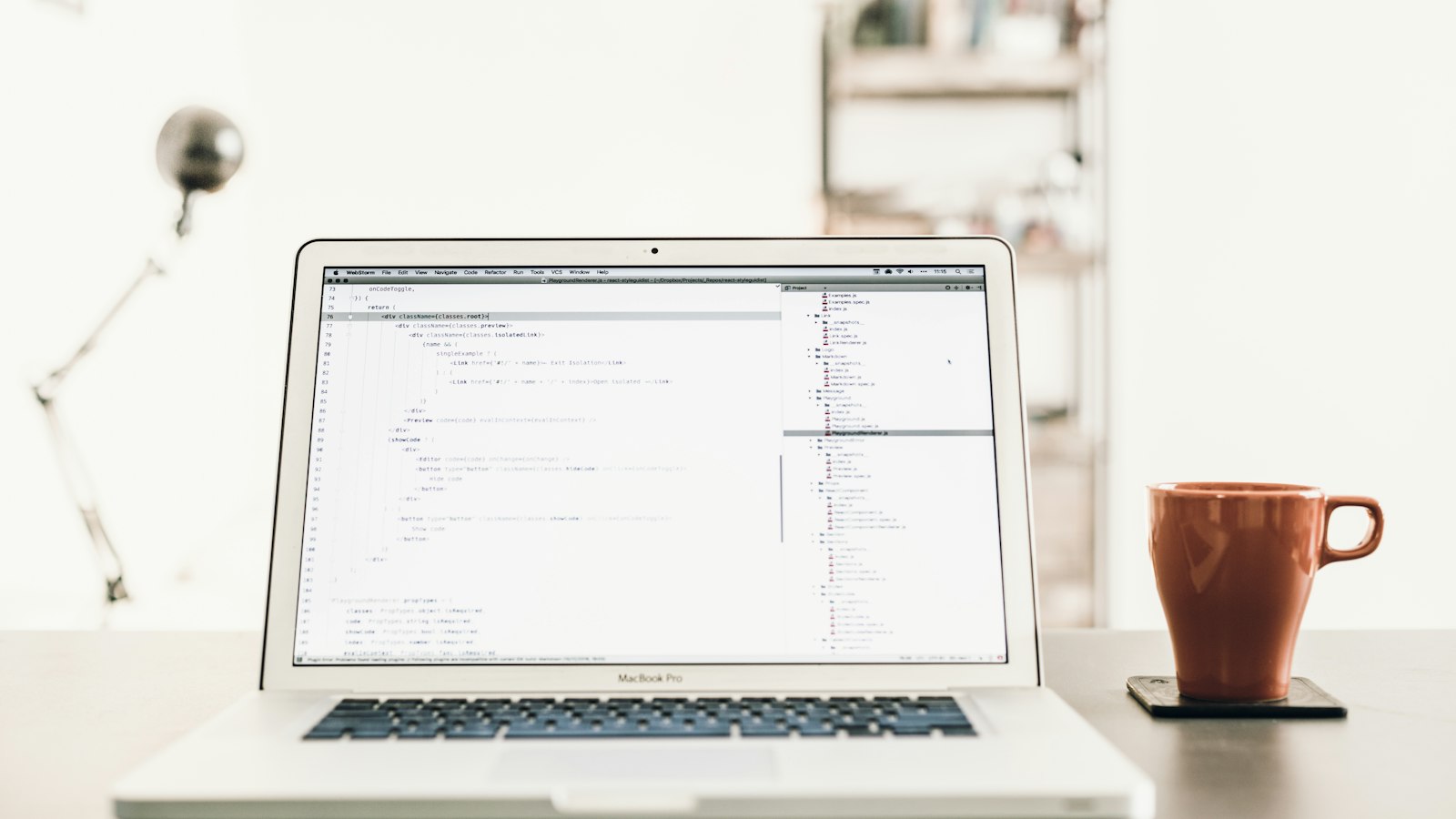
A laptop on a desk beside a mug of coffee

Tutorials

Step-by-step guides, from your first page to a shop, a directory or a client portal.

Browse tutorials →

The Tools

What each built-in, free and Pro Tool does, and how to switch it on.

Browse the Tools →

Staying up to date

npx domma-cms@latest update backs up, keeps your content and Tools, and replaces the engine. Try --dry-run first.

What's new →

Here if you need us.

Questions about Domma CMS? Find help and guidance.

Get in touch ↗

Your website and your business, brought together. Built by DCBW Consulting Ltd in the UK.

  • Product
    • Features
    • Tools
    • Pricing
    • What's New
    • Get Started
  • Learn
    • Support
    • User manual
    • FAQs
    • Tutorials
    • Blog
    • Showcase
    • Sites built with Domma
    • Domma JS
    • Domma Reactive
  • Partners
    • Partner programme
    • Refer and earn
    • Freelancers
    • Agencies
    • Resellers and hosting
    • Build and sell Tools
    • Let's work together
  • Legal
    • Privacy & GDPR
    • Terms of Service
    • Cookie Policy
    • Photo credits
    • Site map
  • Company
    • About DCBW Consulting
    • Services by DCBW Consulting Ltd
    • Enquire
    • Support
    • About Domma CMS
  • X / Twitter
  • LinkedIn
  • GitHub
  • YouTube

© 2026 Domma CMS. All rights reserved.