Everyone you deal with, in one place.
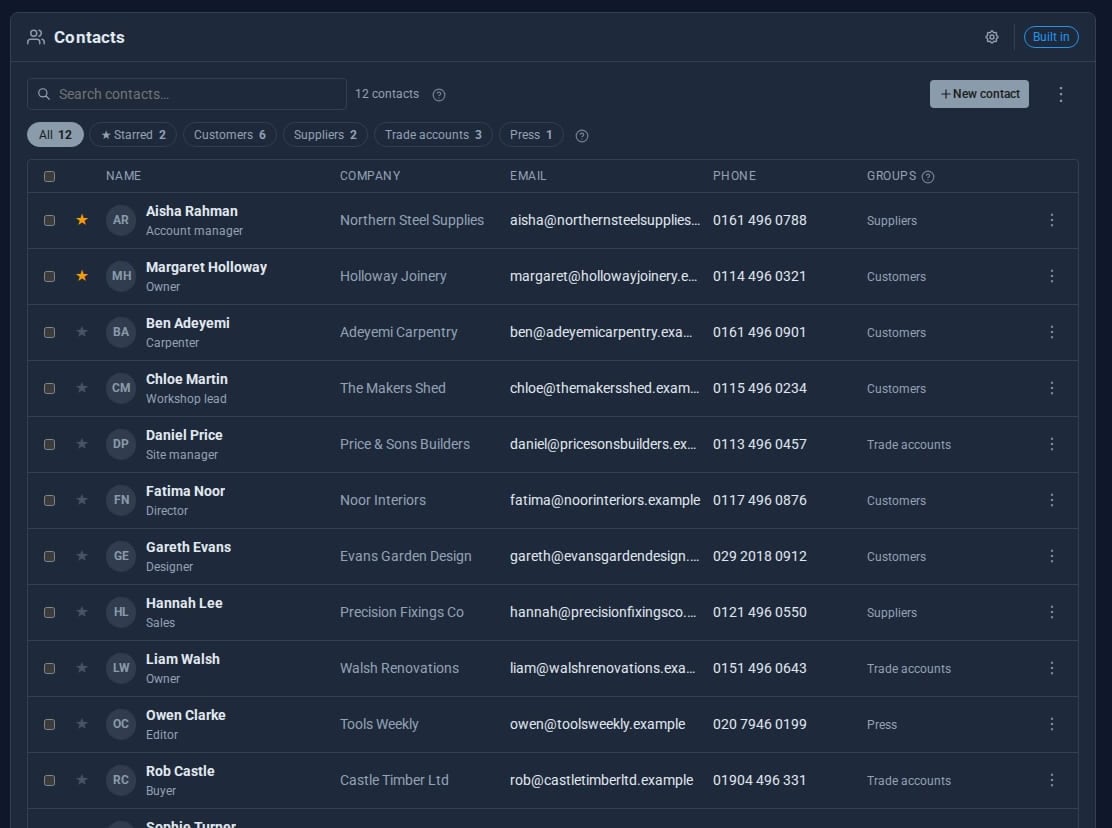
Contacts gives every person who signs in to your admin their own address book. Customers, suppliers, the plumber: names, numbers, addresses and bank details, filed into groups and found in a second.

What Contacts does for you
Everything about a contact
Name, company, job title, several emails, phones and addresses, website, notes and a reference of your own.
Ready for billing
VAT and company numbers, billing email, currency and bank details, with one address marked for invoices.
Groups and favourites
File contacts into shared groups and star the ones you use most, so they sit at the top.
Find anyone fast
Search across names, emails, phones, companies, notes and groups as you type.
One click away
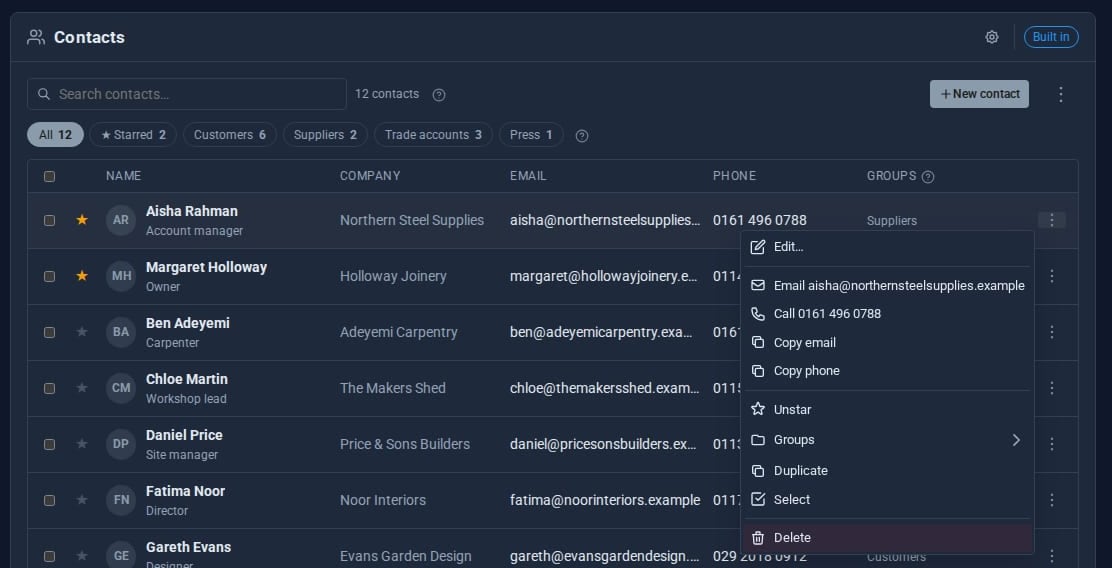
Each contact's menu emails, calls, copies, stars, duplicates or files them. Select several to group or delete in bulk.
In and out
Import and export as JSON, so an address book can move with you.
See it
Try it in 5 minutes
- Open Tools > Contacts in the admin.
- Press New and add a name, company, email and phone. Save.
- Open Manage groups, create a group such as Suppliers, then right-click the contact and add it to the group.
- Star your most-used contacts so they sit at the top, and try the search box: it matches phones and notes as well as names.
- Use the cog to choose columns and density, and Export for a JSON copy of your book.
Need more from your contacts? Contacts Pro
Contacts Built-in
- Personal address book for each user
- Groups, favourites and search
- Billing and bank details
- Bulk add-to-group and delete
- JSON import and export
Contacts Pro Pro adds
- Your own custom fields, up to three as columns
- Birthdays and ages, with reminders
- Groups with their own emblem and colours
- Sort, filter and edit cells in place
- Share contacts or whole groups with people or roles
- Works on the same contacts - nothing moves
Works with the rest of your site
Invoices
Import customers as invoice receivers, with their billing address and details.
Calendar
Invite a contact group to an event, and see a contact's events beside them.
Add the sender of an email to your contacts from Mail Reader or Email Pro.
Good to know
Each user's contacts are their own. Groups are shared, so only a group's creator, or someone given Manage groups, may rename or delete one.
What it needs
Nothing. Contacts is built in and on by default. On a site with MongoDB, contacts can be moved there without losing a record.
Questions
Not with the built-in Tool: each person has their own book. Contacts Pro adds sharing, one contact, a selection or a whole group, to view or to edit.
Yes. Import takes a JSON file, and Export gives you one back.
Learn it step by step
Goes well with
Contacts comes with every site
An address book for every member of your team, from the moment Domma CMS is installed.