Google Search Console, inside your admin
SEO Pro shows your Google searches, clicks and positions next to the pages they are about - and from 0.6 it sends your sitemap to Google whenever your pages change.
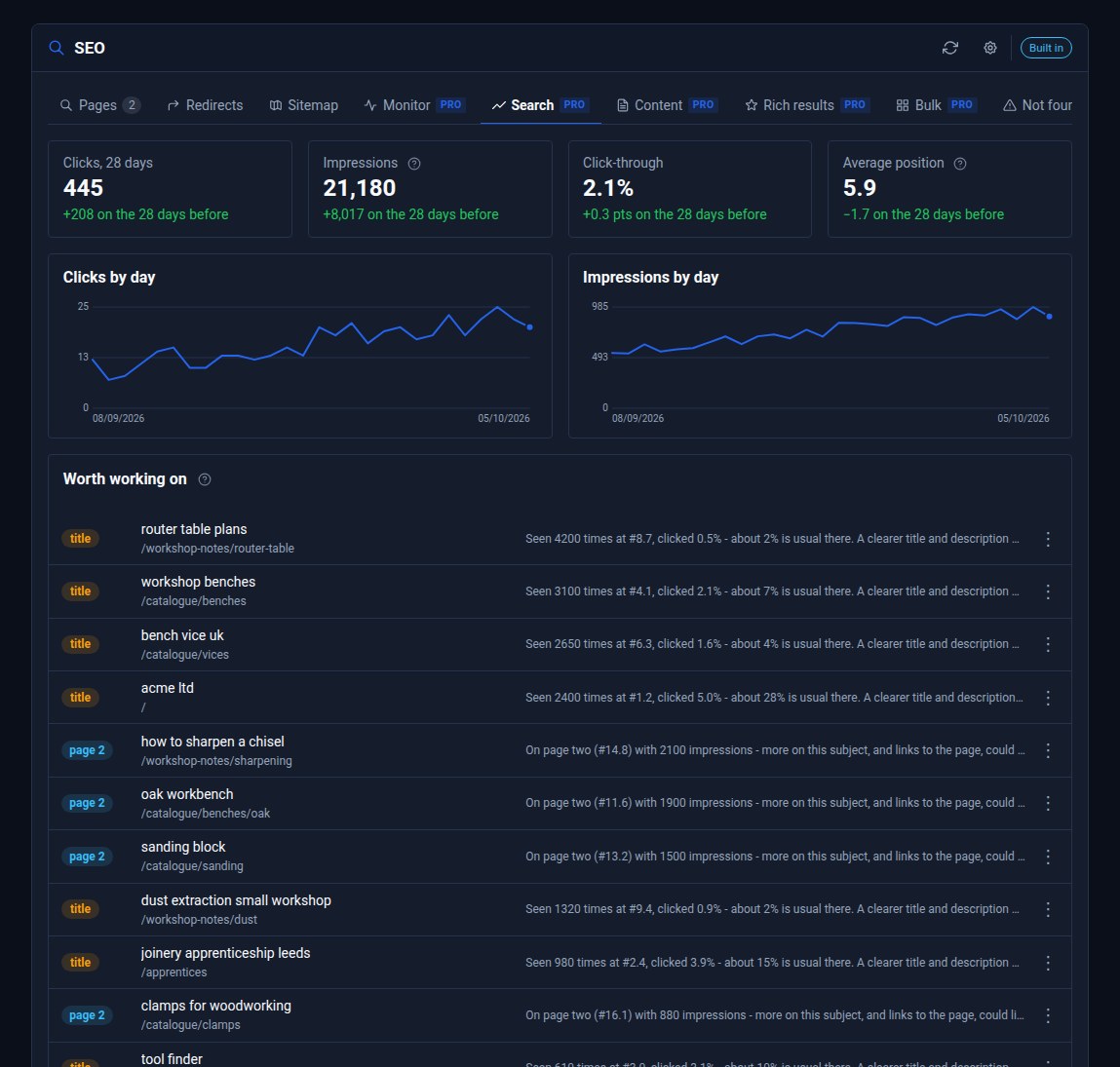
Most site owners have a Google Search Console account somewhere. Few open it. It lives in another tab, behind another login, and its reports take some reading. SEO Pro brings it into your Domma CMS admin, next to the pages it is about - and from 0.6 it hands your sitemap to Google for you.
What you see
Open SEO and click the Search tab:
- Clicks, impressions, click-through and average position for the last 28 days, each against the 28 before.
- Clicks and impressions by day, so a good or bad week stands out.
- Searches, Pages and Positions over time - your top 100 searches, tracked day by day.
- Worth working on - the searches where a small change could win more. "title" means a page is on page one but clicked far less than its place usually gets: a clearer title and description would win clicks. "page 2" means it is just off page one: a little more on the subject, and links to it, could lift it.
Right-click any page for Is it in Google? - Google's own answer on whether the page is indexed, when it was last crawled, and which address Google treats as the real one. (The screen at the top of this post is our made-up demo company, ACME Ltd - every search and figure in it is invented.)
Search Console is read once a day. Its numbers run about two days behind, so that is as fresh as they get.
Your sitemap, sent to Google
Every Domma CMS site has a sitemap at /sitemap.xml. Google still has to be told where it is. Until now that meant opening Search Console and adding it by hand.
On the Sitemaps tab, click Send to Google. Each sitemap file then shows when Google last read it, how many addresses it found, and any errors.
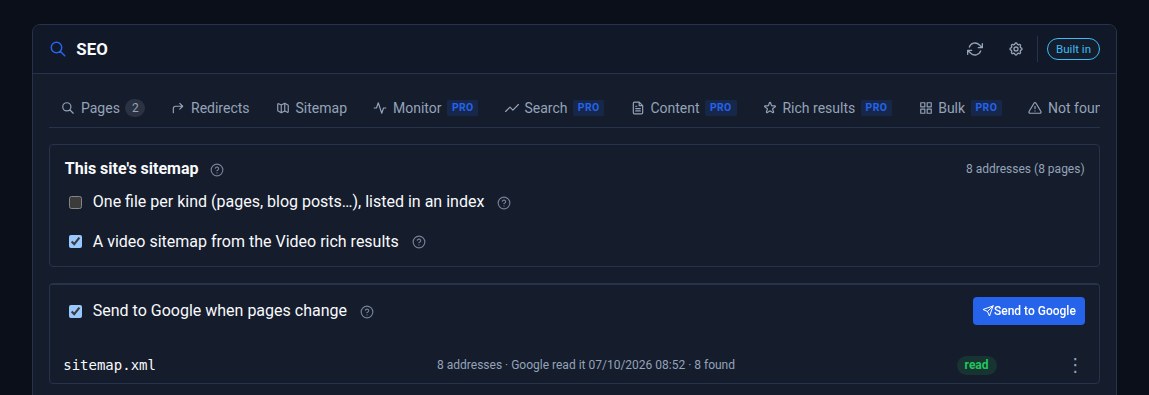
Send to Google when pages change is on unless you switch it off. Publish, change, rename or delete a page, and the sitemap goes to Google again - once a day at most. Google reads sitemaps on its own as well; this asks it to look sooner.
Your own Google client
SEO Pro does not go through us. Each site uses its own Google OAuth client, made in Google Cloud Console in a few minutes. The figures go from Google straight to your site. The client secret and the sign-in stay on your server and are never shown in the admin.
When you connect, SEO Pro finds the right Search Console property itself. It tries the site's own Domain property first, then its address, then a parent domain's property - so a site on shop.example.co.uk finds example.co.uk without being told.
Connecting a site before 0.6?
Sites connected before SEO Pro 0.6 gave read-only access, because they only read the figures. Their figures keep working. To send sitemaps, click the gear button on the Search tab, choose Disconnect Google, then Connect Google again.
Set it up
The tutorial Connect Google Search Console walks through it step by step: the Google client, verifying your domain, connecting, and what to do if Google says no. It takes about twenty minutes, most of it in Google's own screens.
SEO Pro is a Pro Tool, and comes with Social Media Pro. Tell us about your site and we will set it up with you.
Keep reading

Meet Domma Celebrations: twenty ways to bring your website to life
Take a visual tour of all twenty Domma Celebrations themes, from Christmas and Halloween to summer gardens and personal sparkler greetings, with screenshots and a quick setup guide.
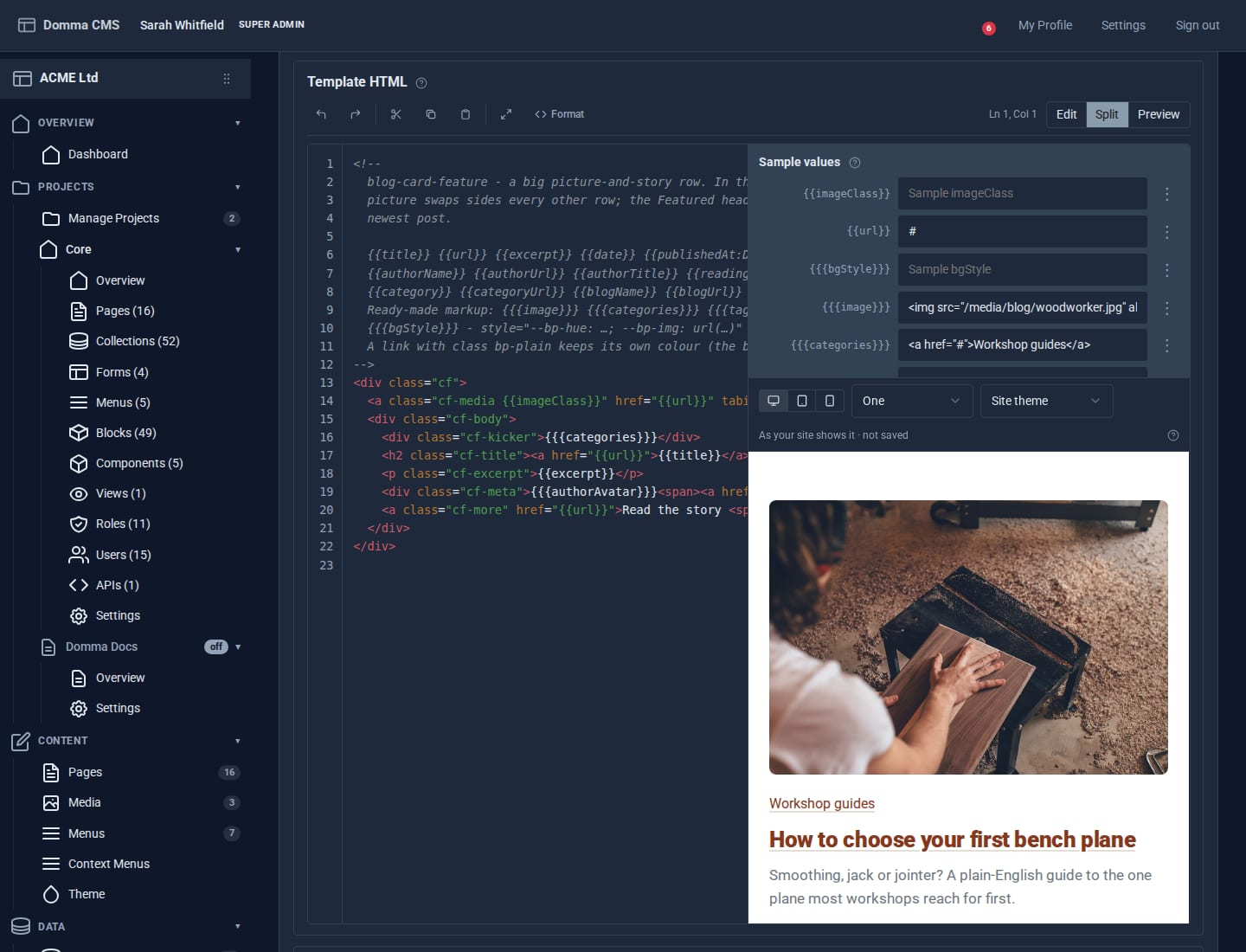
Blocks: your own design for any collection
Write a small piece of HTML once and every entry in a collection is drawn through it. Plus a new Blocks guide, and Writing a Tool.

Projects: group your site without moving a thing
A project gathers the pages, collections, forms and people for one job under one name. Nothing moves: every address, file and link stays where it is - the project is a label.