One data source. Eight ways to show it.
Define the shape of your data once. Render it as a table, cards, a list, a timeline, a carousel, an accordion, a list group, or through a template you wrote yourself.
Schema in the admin, not in a migration.
Add a collection, define its fields, and you have a full CRUD interface: search, sort, pagination, CSV export and row-level permissions. No schema file to write, no migration to run, no restart.
One attribute switches the whole display.
[collection slug="team" display="cards" cols="3" /]
[collection slug="team" display="timeline" /]
[collection slug="team" display="table" /]
Every mode is rendered on the server, so the first paint is the real content. Filter rows per page, sort them, limit them, and hang a CTA action off every entry.
table cards list block accordion timeline carousel listgroup
Your visitors get the controls too.
Right-click any collection display on the public site.
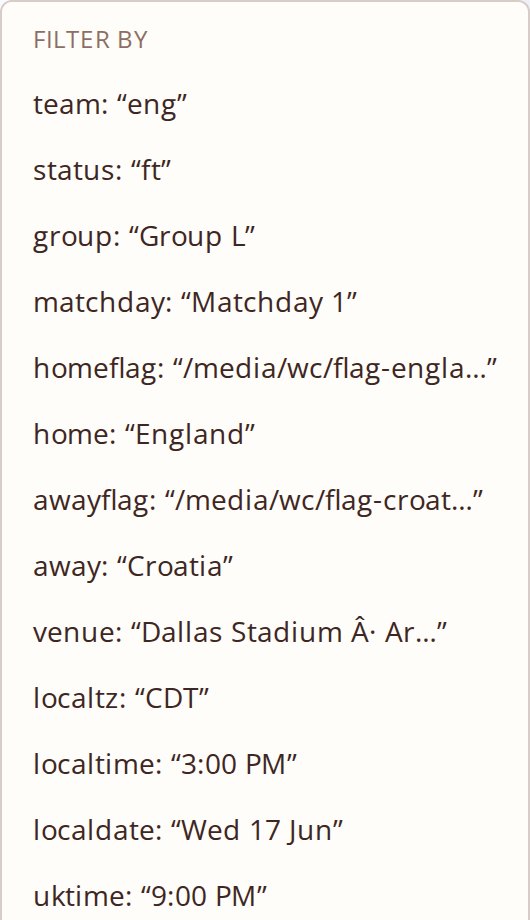
Filter by any field, or search with a field and value syntax that understands equals, not equals, greater than and contains. Each display type filters according to how it is actually built.
Sort by any column, ascending or descending. Group the rows by a field and the display reorganises itself around the grouping.
Export exactly the filtered, sorted rows on screen, or send them to the printer. The collection schema decides who is allowed to export at all.
World Cup 2026, built on collections.
Fixtures, groups, squads and results on a live customer site. Every card below is one collection entry through a block template.
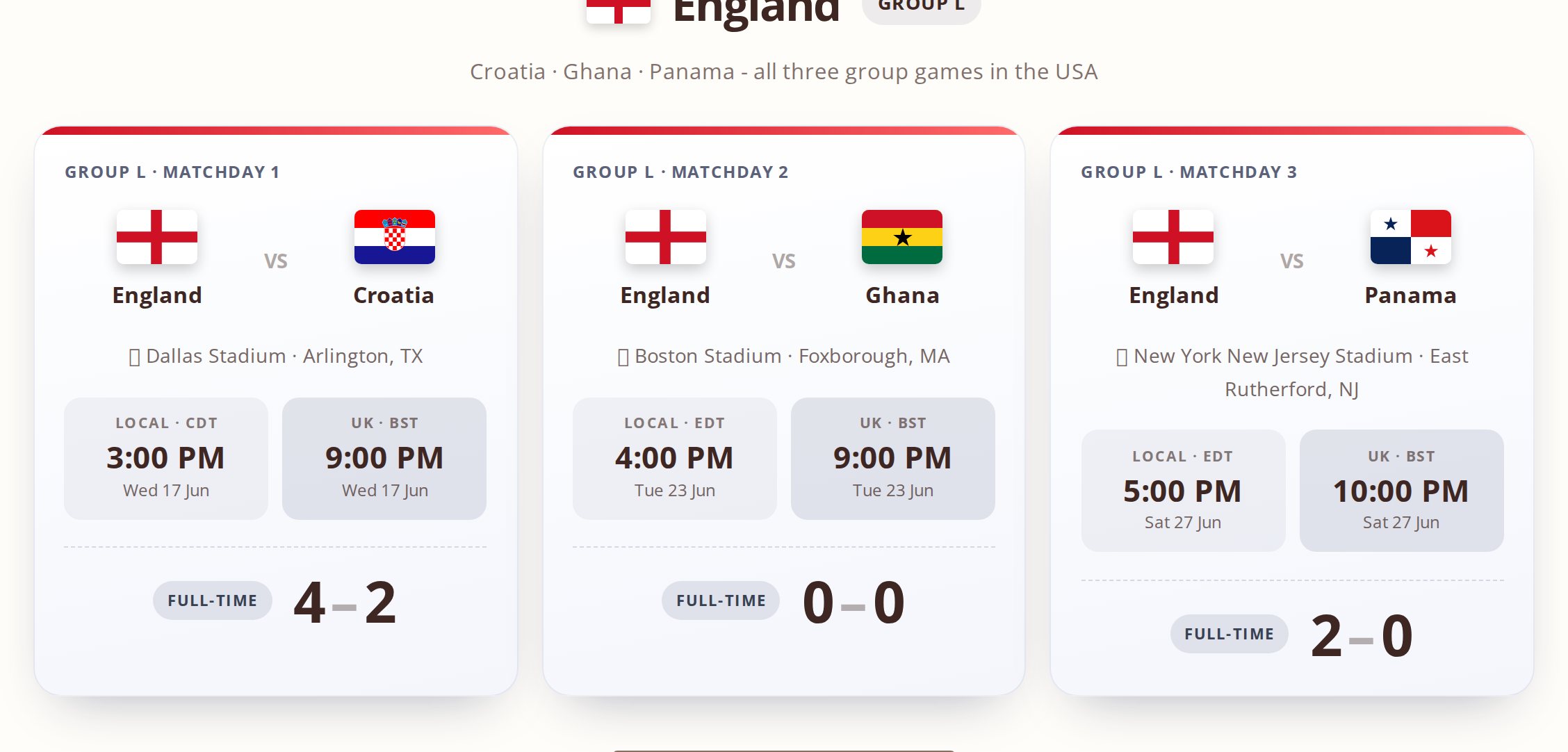
One collection, one block template. Flags, venues, dual time zones and scores, rendered server side.
Data nobody had to hand-code.
The fixtures are entries. The groups are a grouping. The squads are a second collection joined by reference. Change a score in the admin and every display that reads it updates, because none of them hold a copy.
Right-click, filter, export.
No custom front end. The same menu is on every collection display, on every site, for free.
Save the query, not the result.
A View is a named, saved query over a collection: filtered, sorted, aggregated, joined to references. Render it exactly like a collection, and change the query later without touching a single page.
Views are available on every install, with no database requirement.
When none of the eight fit.
Write an HTML template with the field names in double braces and render the collection through it. That is how the feature grid and the release feed on this site are built.
[collection slug="features" display="block" block="feature-card" cols="3" /]
The right-click menu still works. So does export.
Data that does things.
Visitors manage their own entries
Show each signed-in visitor only their own rows - applications, bookings, orders - and give them buttons to move an entry on, such as Withdraw.
Actions, configured not coded
Update a field, move or create an entry, send an email, call a webhook or notify someone - from a form, a button or a right-click. Actions need a MongoDB connection.
Files or MongoDB, per collection
Start on files. Move one collection to MongoDB when it grows - and back again - keeping every entry's id, date and references.
References that hold
Link entries to entries - jobs to applications, customers to orders - and the CMS checks the link on every save and import.
Import and export
Bring entries in from JSON with the same checks as a hand-made entry, and take them out as JSON or a spreadsheet-safe CSV.
Recipes
Apply a recipe and get the collection, form, actions and pages for a common job, ready to adjust.