Right-click the email itself
Right-click an open email in Domma CMS for Reply, Reply all, Forward and the message's other actions - or select a sentence and quote just that in your reply.
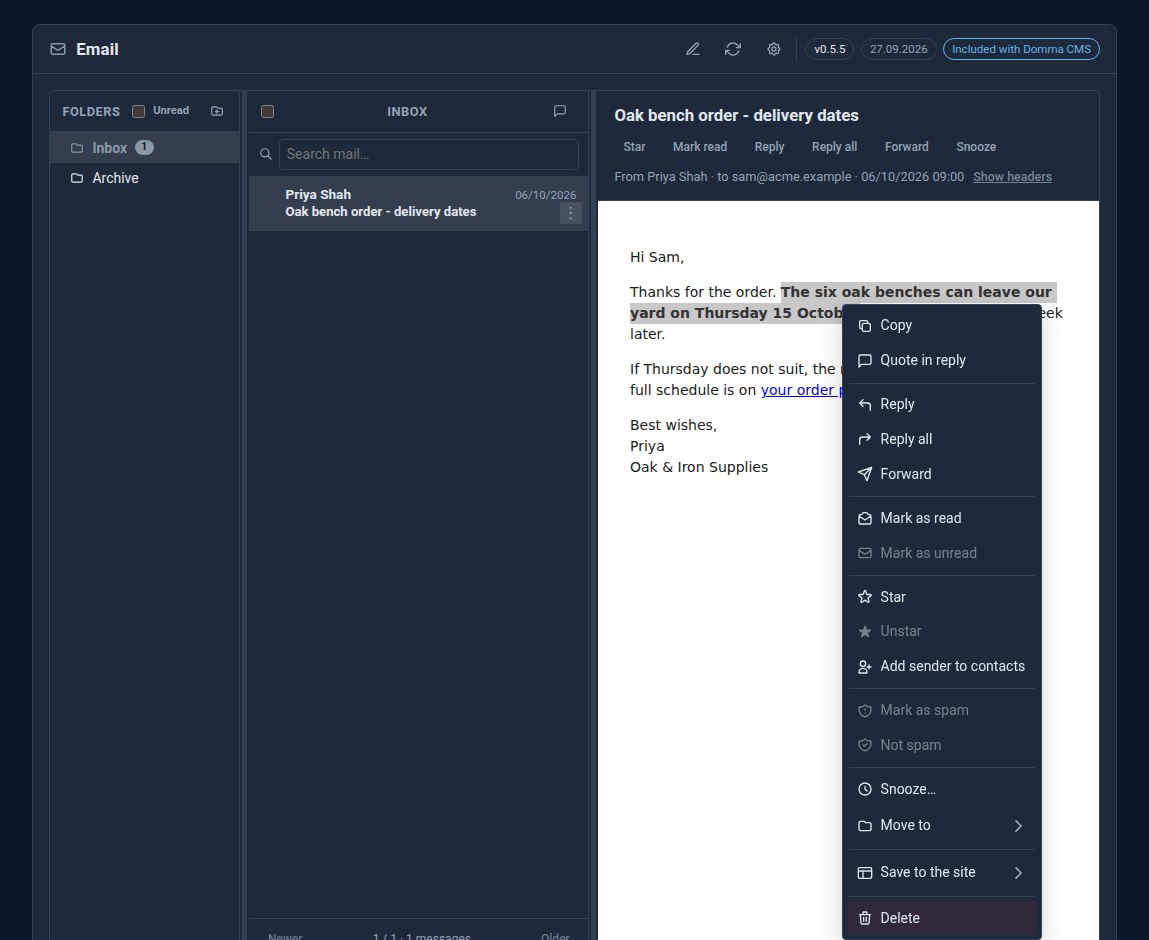
Email is where a lot of work starts. Until now, though, the message itself was a dead end for the mouse: to reply you went up to the buttons above it, and a right-click gave you only what the browser offers. From Domma CMS 0.116.5, right-click the email itself.
What the menu offers
Right-click anywhere in an open message and you get the same actions as the message list:
- Reply, Reply all and Forward.
- Mark as read or unread, Star, and Add sender to contacts.
- Mark as spam, Snooze, Move to and Save to the site.
- Delete.
- The actions other Tools add to an email, such as Call or Book, when you have them.
Items that do not apply stay in the menu, greyed out, so it keeps the same shape wherever you click.
Quote just the part you mean
Select some text first, and two more items lead the menu: Copy, and Quote in reply.
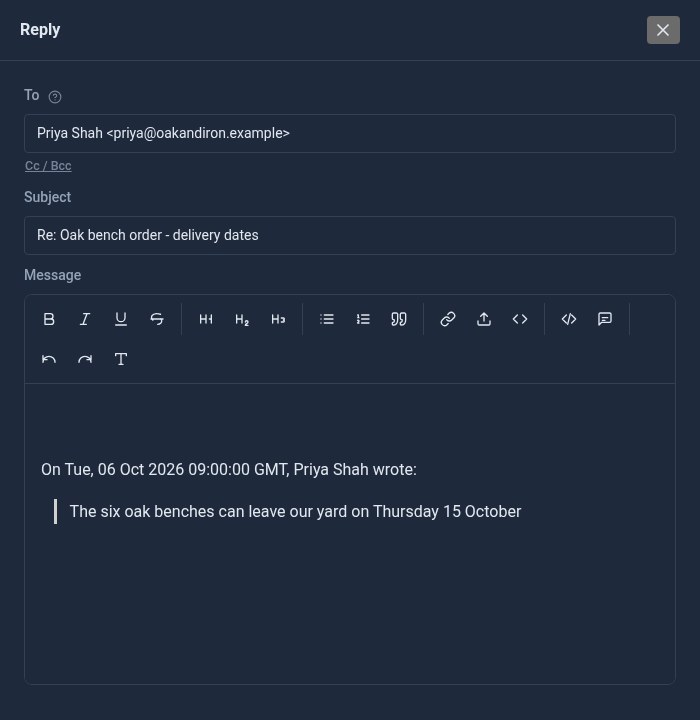
Quote in reply starts a reply with only the words you selected, under the usual "On ..., Priya wrote:" line. No more deleting a long quoted email to answer one sentence in it.
Links, pictures and the keyboard
Right-click a link or a picture in the email and you get the browser's own menu, so Copy link address and Open in new tab work as they always have.
The menu works from the keyboard too: with the message focused, press the menu key or Shift+F10. Click anywhere in the message, or press Escape, and it closes.
Safe by design
An email is shown in a sealed frame, so nothing in it can reach your admin. That also meant a right-click inside it never reached the admin either. To make the menu work, the frame now runs one short script of ours, and only that script: it is allowed by its exact fingerprint, and anything else - including any script inside the email - is still stripped out and blocked. The frame still has no access to your admin.
Where you get it
The menu is in Email Pro and in the free Mail Reader, which share the same reading pane. Hosted sites already have it. A self-hosted site gets it with npx domma-cms@latest update.
See Email Pro and Mail Reader for everything else they do.
The screens above use our made-up demo company, ACME Ltd, and an invented supplier.
Keep reading
Every Tool, a keystroke away
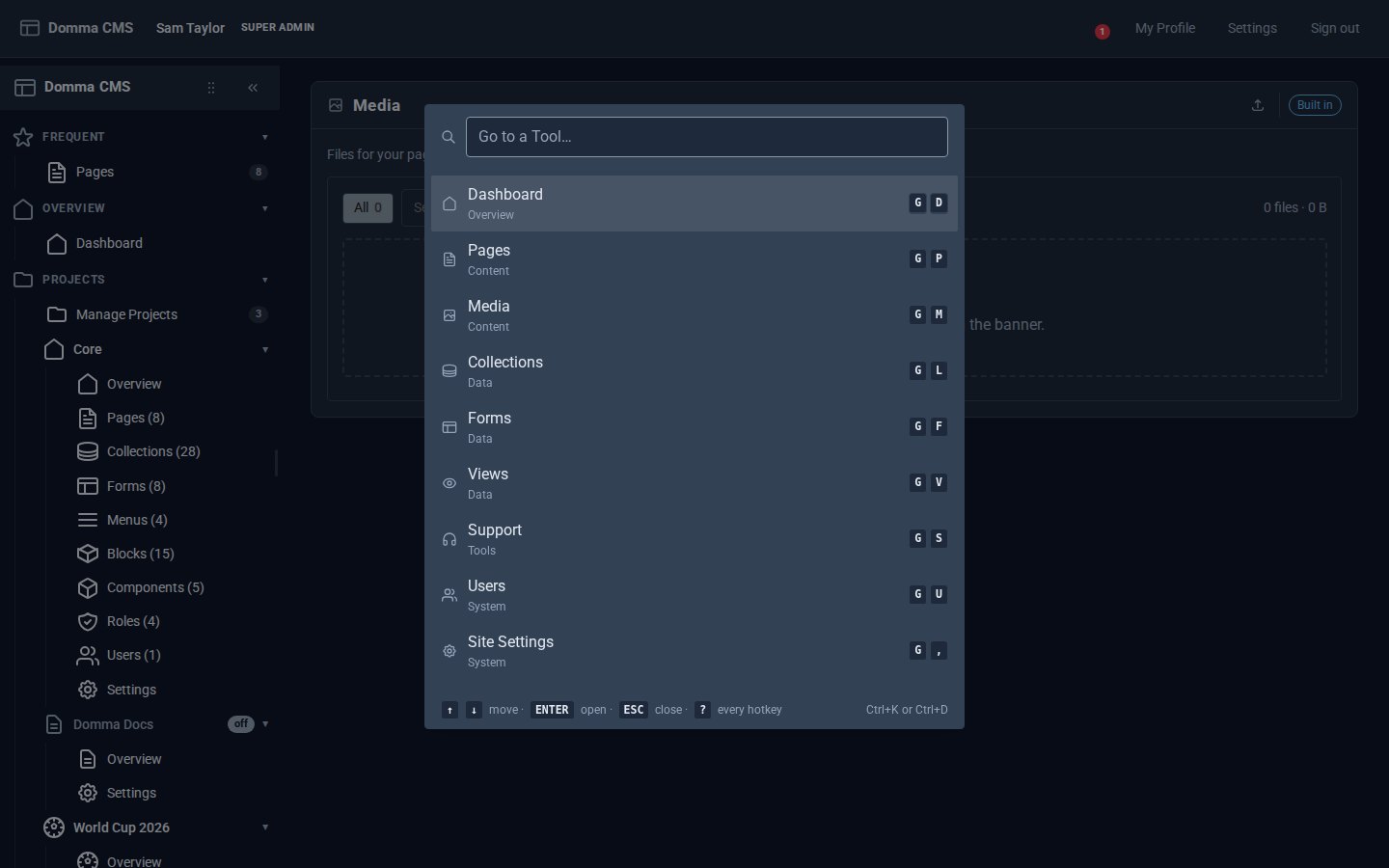
Domma CMS 1.6: press G then a letter to open any Tool, G then 1-9 for your Frequent ones, Ctrl+K to find anything by name, and ? for the list.
Bring your contacts in from Google
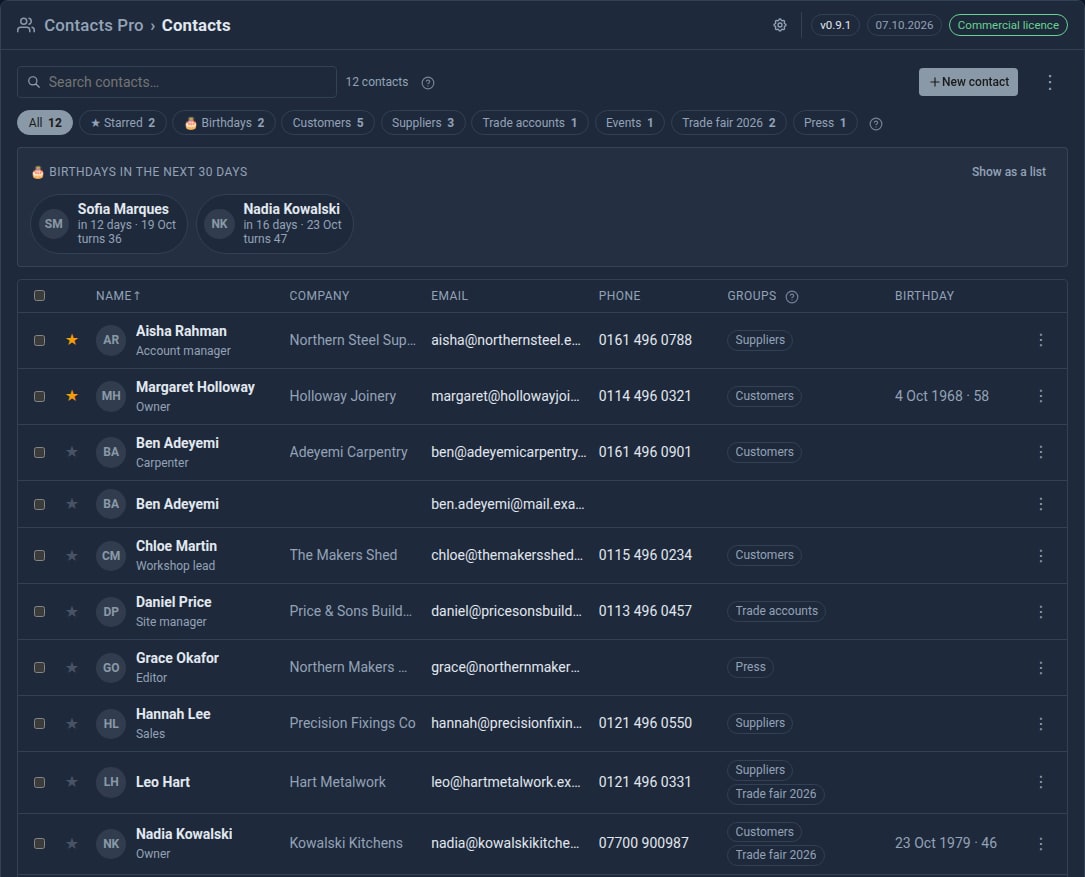
Contacts Pro 0.9 imports your address book from Google, a phone or Outlook - and merges the people you already have instead of doubling them up.

Every Pro Tool price, on the Pricing page
The Pricing page now lists every Pro Tool and its monthly price, read live from the page you buy on.