Know how you are found, and fix what holds you back.
SEO is built into every Domma CMS site. SEO Pro adds the rest: Google Search Console in your admin, rich results, pages that should link to each other, the dead ends your visitors hit, and a check of every link on a schedule.

Six new tabs in the SEO screen you already use.
Search
Google Search Console in the admin: searches, clicks and positions for the last 28 days against the 28 before, your top 100 searches tracked, and the ones worth a better title.
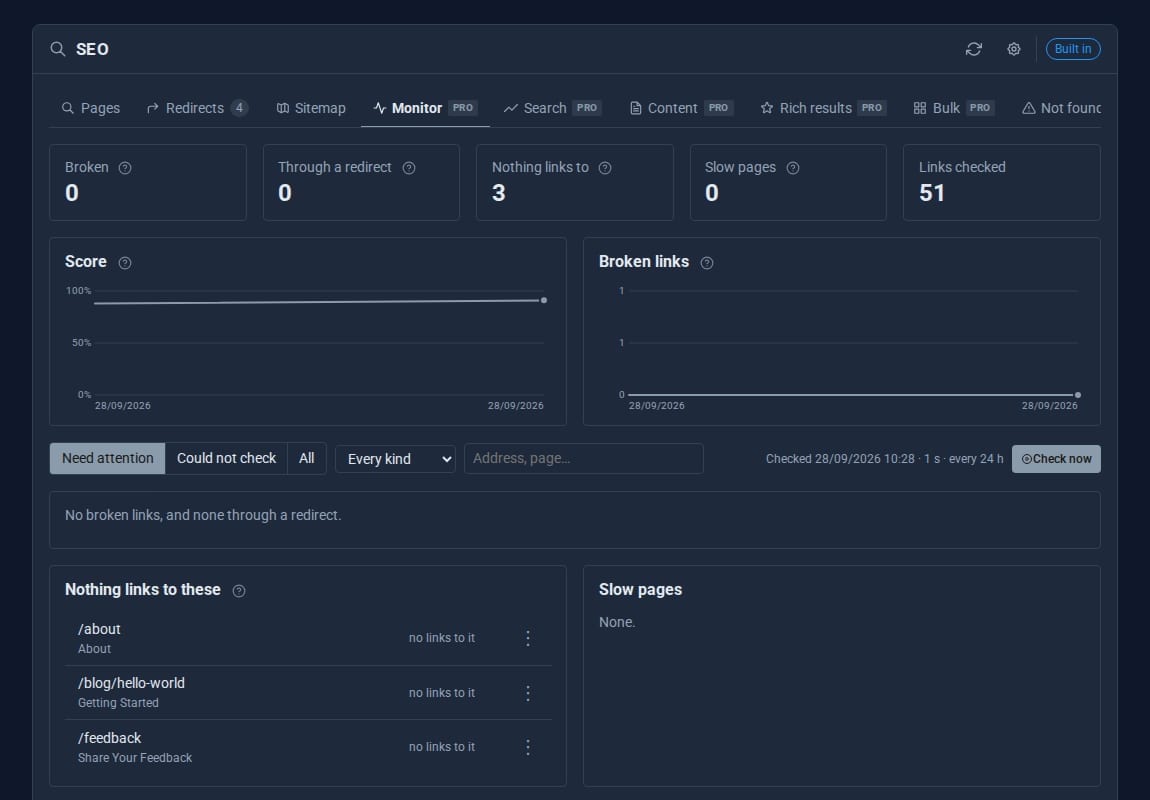
Monitor
Every page crawled each day: broken links and images, redirect chains, pages nothing links to and slow pages, with a year of history.
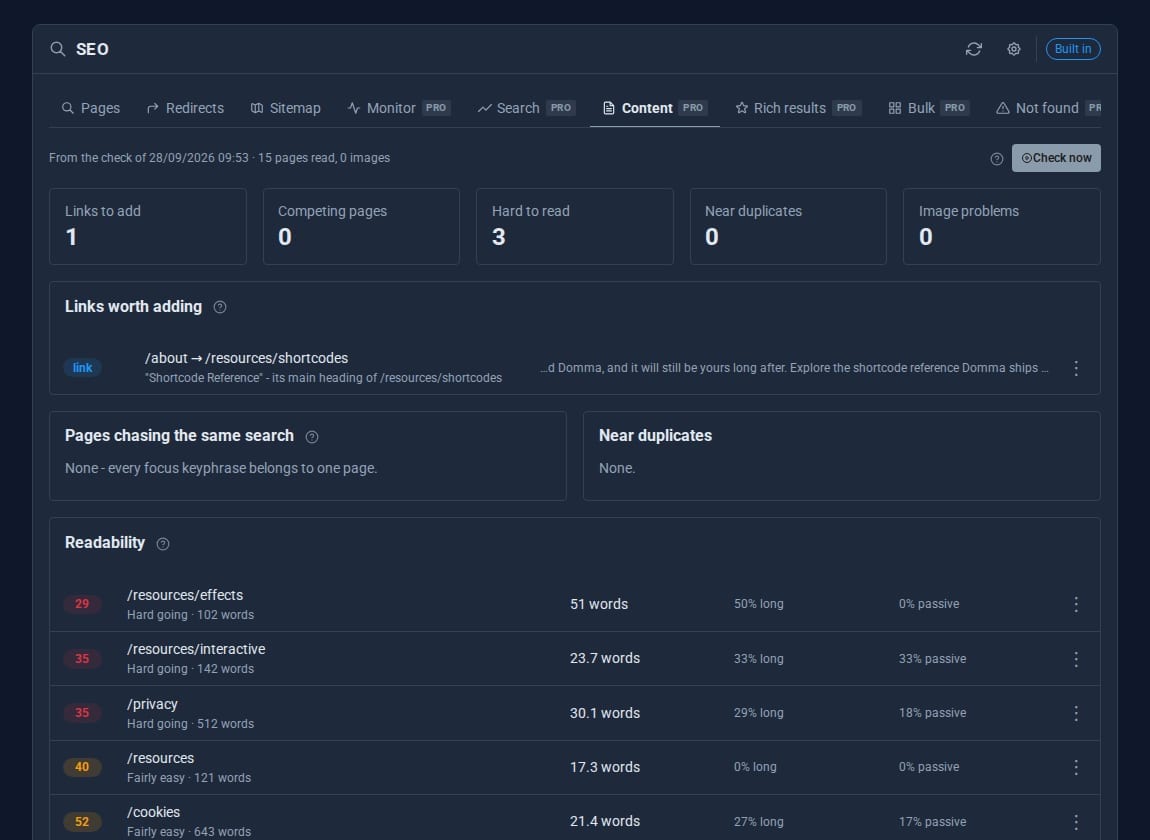
Content
Links worth adding between pages, pages competing for one search, readability, near duplicates, and heavy or badly named images.
Rich results
FAQ, How-to, Product, Event and Local business data per page, checked against Google's required fields before it goes out.
Bulk
Every page's title and description in one editable grid. Relaunching? Read your old site's sitemap and turn it into redirects.
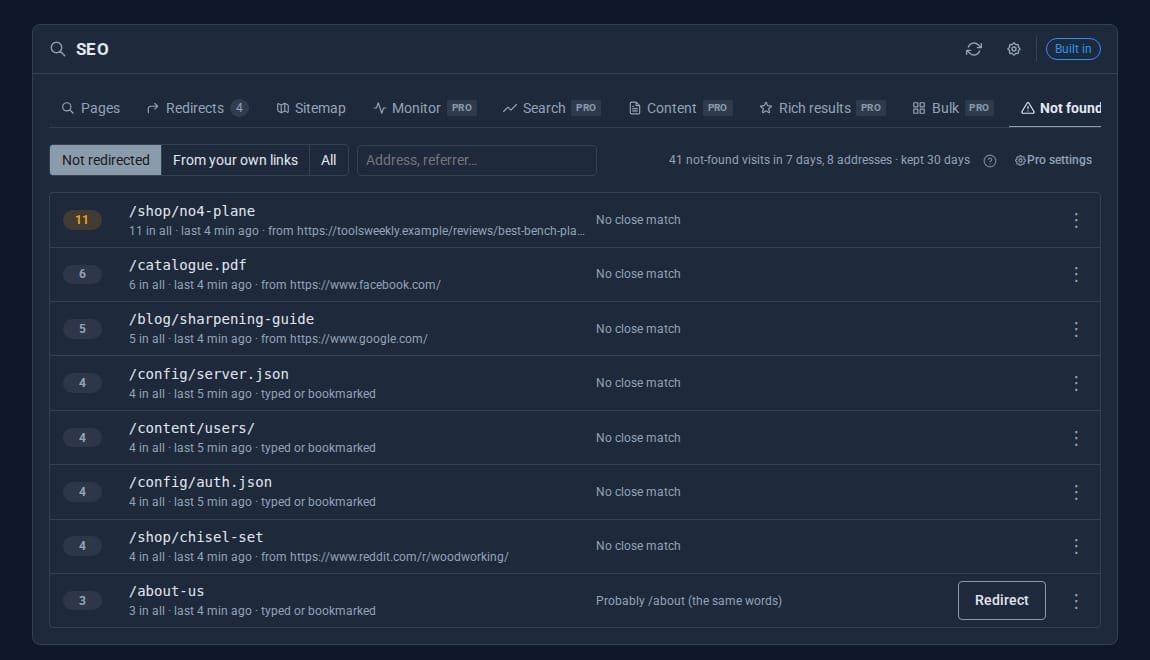
Not found
Every dead end a real visitor hit, with where they came from and a suggested page. One click makes the redirect.
See it at work
Screens from our demo company, ACME Ltd. Every name and figure in them is made up.
See it in 5 minutes
Your first full check, then the quick wins.
- Open SEO in the sidebar. The Pro tabs sit beside the built-in ones.
- Click Monitor, then Check now. Every page, link and image is checked.
- Open Not found to see missing pages visitors asked for, and redirect them in one click.
- Open Content for links to add and pages competing for the same search.
- When you are ready, connect Google on the Search tab with your own Google Cloud client.
What SEO Pro adds
SEO (built-in)
- Titles, descriptions, sitemap and robots.txt
- SEO audit and redirects
- Page, breadcrumb and organisation structured data
SEO Pro Pro adds
- Google Search Console data
- Rich results per page: FAQ, How-to, Product, Event
- Scheduled link and image checks
- Content suggestions and readability
- Bulk titles and relaunch redirects
- Not-found log with one-click redirects
- Share cards, share images and social posting: Social Media Pro, included
Straight answers.
- Social Media Pro comes with SEO Pro: share cards, drawn share images and posting to Bluesky, Mastodon and LinkedIn.
- Notices when links break, when your score falls by 10 or more, or when a missing page is visited 20 times in a day.
- Search Console uses your own Google Cloud client, so the data goes from Google to your site and nowhere else.
- Readability scores are for English.
- If the licence lapses, the built-in SEO Tool carries on untouched.
Learn it step by step
Goes well with
Get found for the right searches.
SEO Pro is a Pro Tool and comes with Social Media Pro. Tell us about your site and we will set it up for you.