You stop remembering. You start composing.
Most Markdown editors give you a textarea and a syntax cheatsheet. This one gives you a dialog for every component, filled in and previewed before a single character reaches the page.
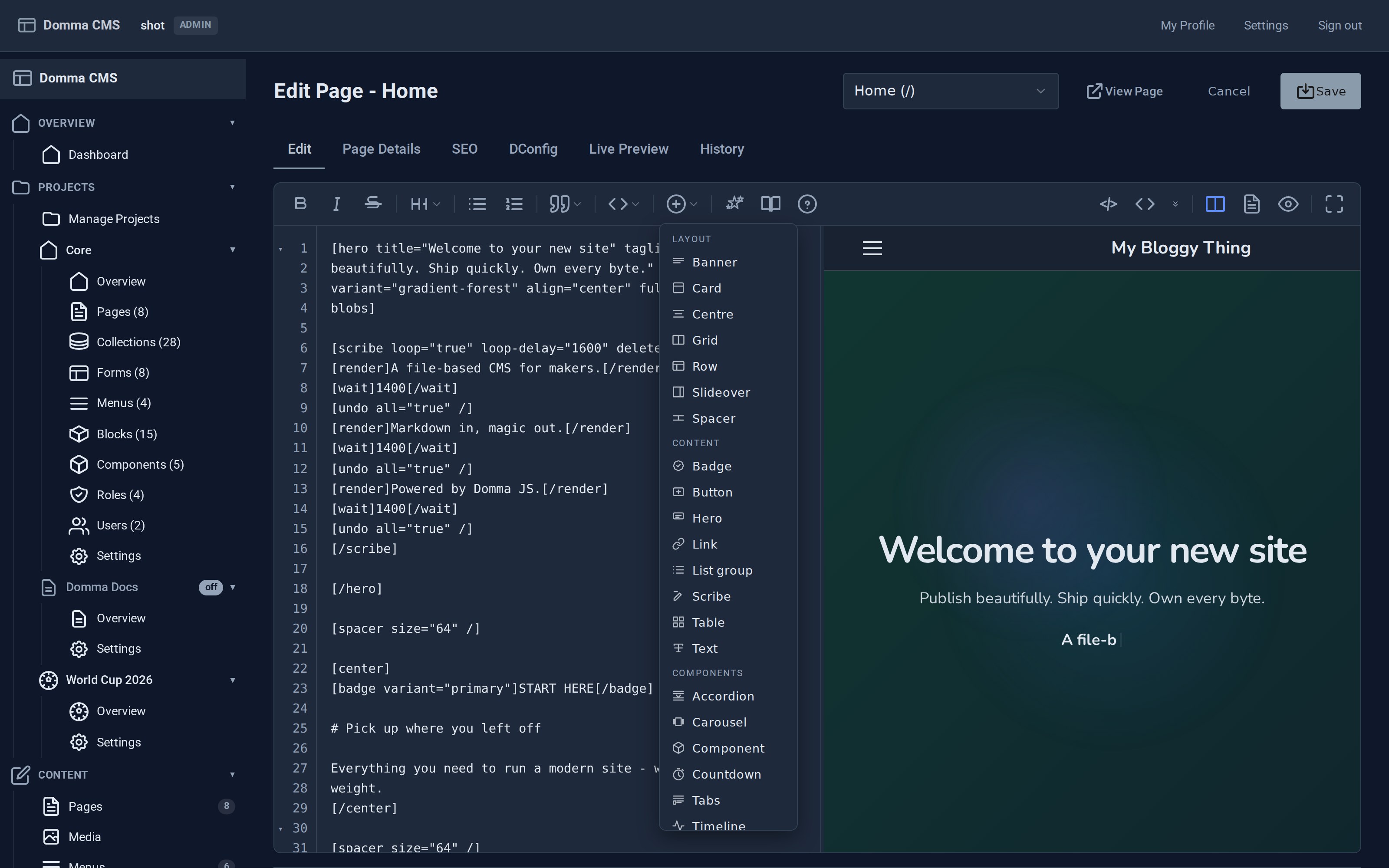
The Insert menu, grouped by kind, with the page previewing live beside it as you type.
A form, not a syntax.
Insert any of the 30+ content shortcodes from a dialog that lists its attributes, prefilled with sensible defaults, showing a live preview of the result as you change them.
The dialog is the same one from every entry point: the toolbar, a keyboard shortcut, or a right-click in the page body.
Why this matters more than it sounds.
A shortcode system is only as good as your memory of it. Thirty-odd tags with their own attributes is a reference manual you keep open in another tab, or a set of three you use and the rest you forget.
Put each one behind a form with a preview and the whole library becomes reachable. People use the carousel because they can see what it does, not because they memorised its attribute list.
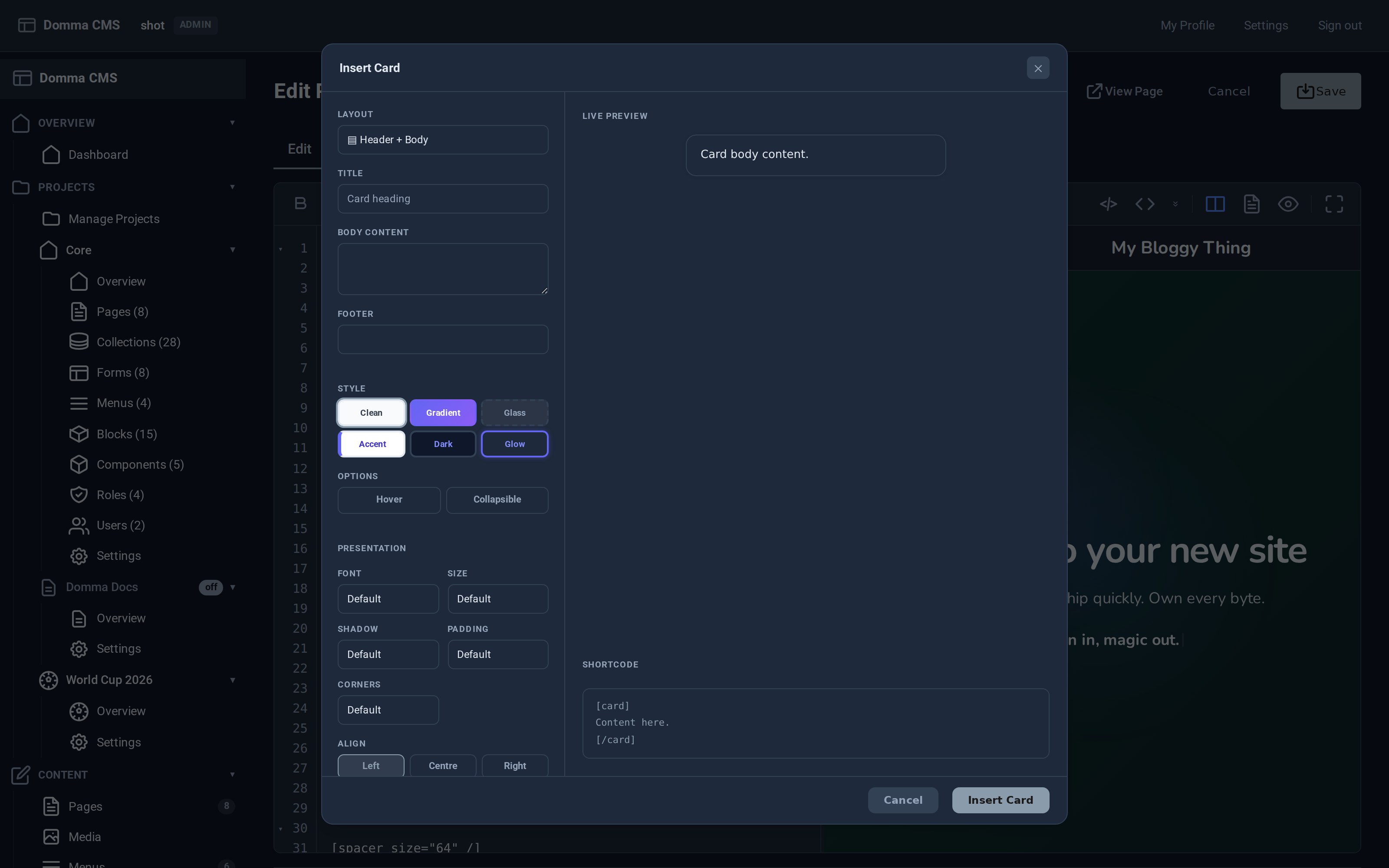
Every attribute is a real control, and the shortcode it will write is shown before you commit to it.
For the things a form cannot express.
Layout, variant, icon, image, title, subtitle, footer, hover state. Configure it and watch the card build itself, then insert the markup.
Compose a timeline event by event. Paste a YouTube or Vimeo link, browse the media library for a self-hosted video, or point at any iframe, then set aspect ratio, caption and size.
One slideover to insert, edit and preview every motion effect: reveal, breathe, pulse, ripple, twinkle, ticker tape, butterflies, strobes, fireworks, seasonal celebrations.
Scripted typing is a sequence of render, wait and undo steps. The composer gives it a live player bar and a config sidebar, so you watch the sequence play while you write it.
Browse your components in a gallery, fill a props form generated from the component's own schema, and watch it mount in a sandboxed preview before it goes in.
Crop, rotate and resize in the media library without leaving the admin, saving back over the original or as a copy.
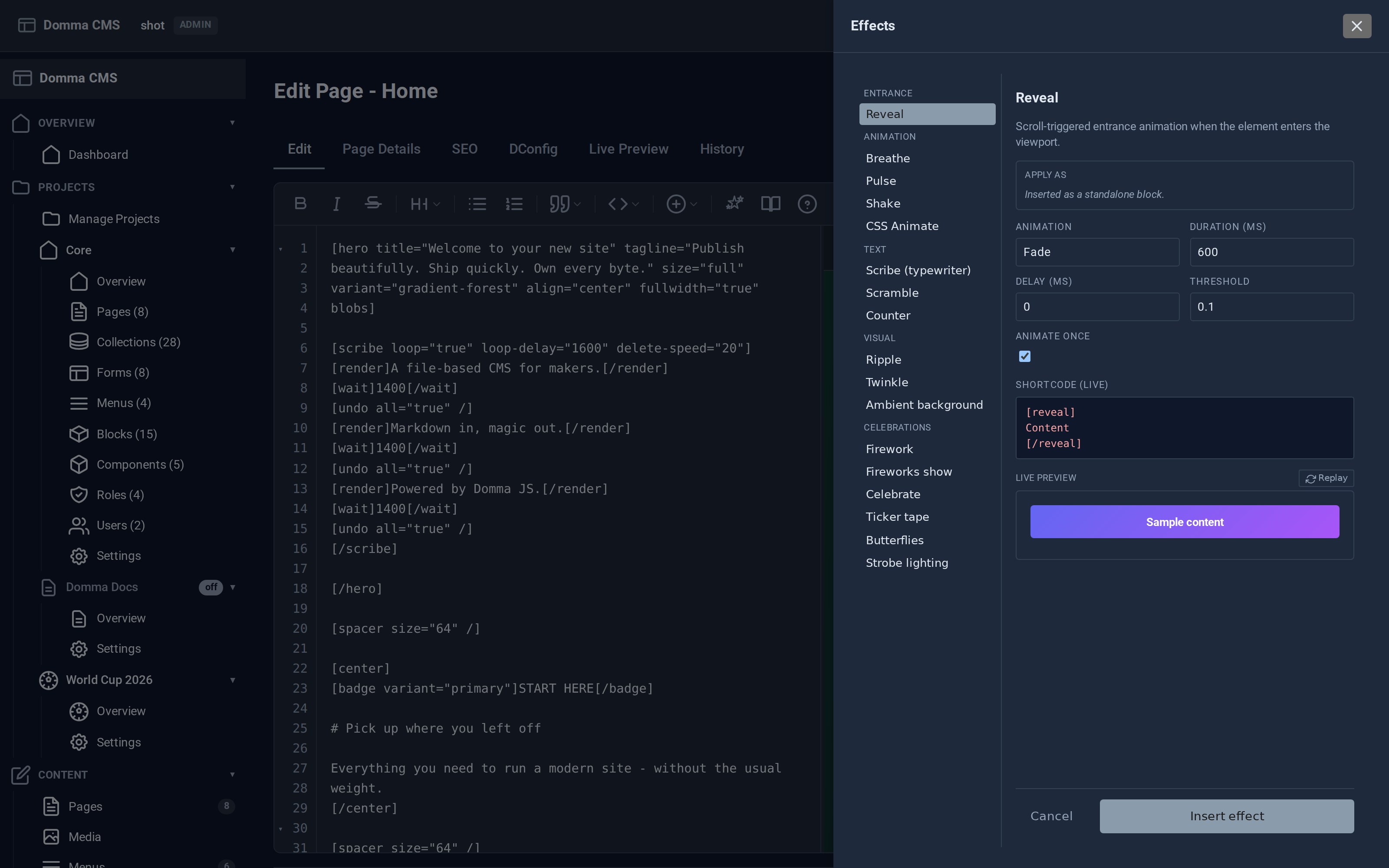
The whole motion catalogue in one place, with a replayable preview and the shortcode it writes.
The editor itself is its own subject.
Split view with a live preview, the page's own CSS in the same pane, shortcode folding, full keyboard control, a reference panel and a version of every save.
One click builds a working app.
Not a video. Pick a starter template and the CMS creates the Collection, the Form and the Actions for you, then inserts the matching shortcode at your cursor. Rename the slugs first if you want.
Contact list gives you an address book with a quick-add form and a follow-up status. Employee Onboarding collects new-starter details and tracks them through Pending, Reviewing and Approved, with a file upload and HR review actions.
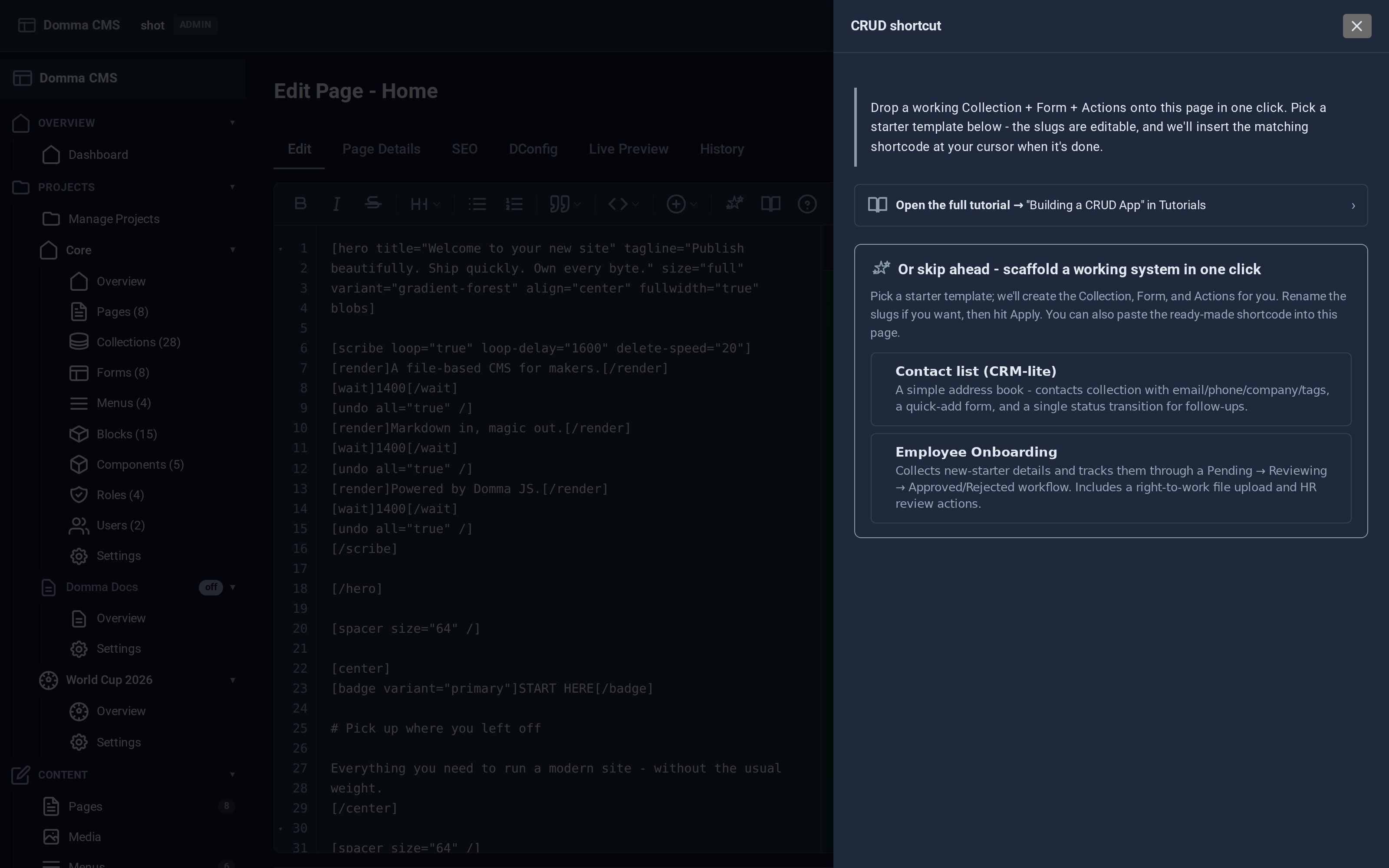
Pick a template; it builds the collection, the form and the actions, then drops the shortcode in.