Tools, added safely.
The Marketplace is where a site gets its Tools: switch the built-in ones on and off, add free and Pro Tools, update them, configure them - or build your own.
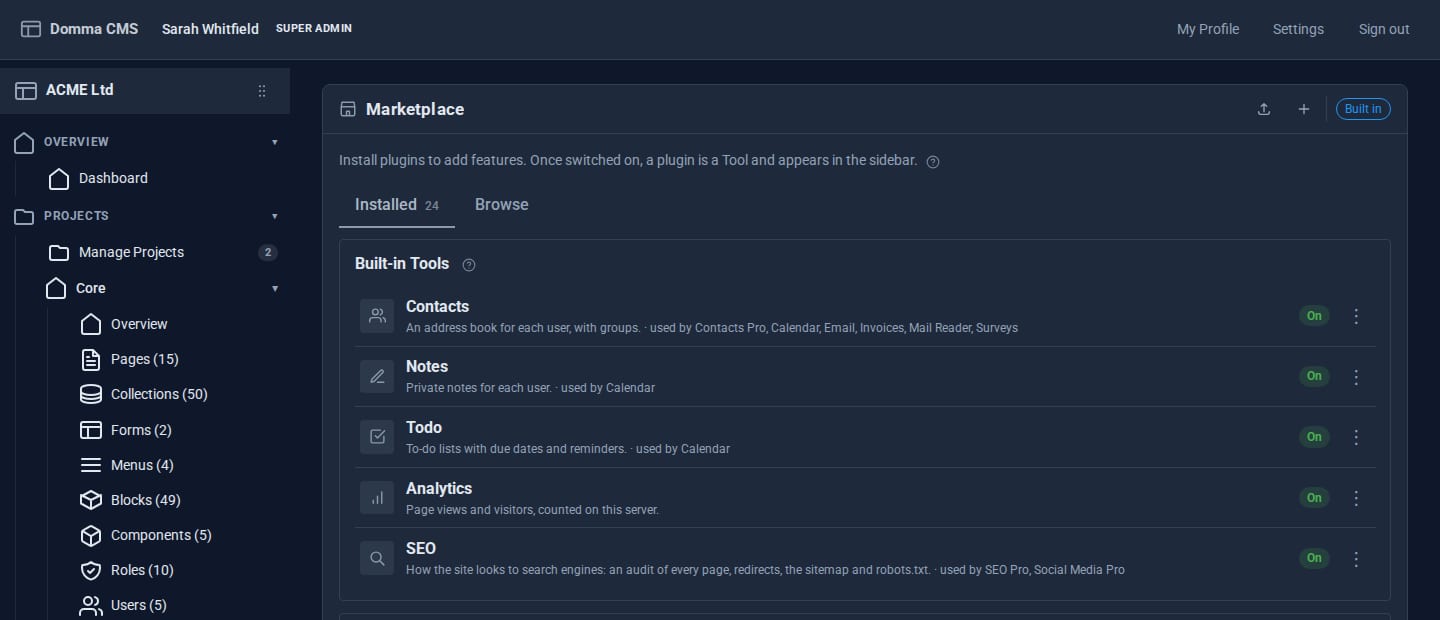
Switches that warn you first
Switch a Tool off - even a built-in one - and you are told what else it affects before anything changes. Its data waits for you.
One signed file
A Tool travels as a single signed file. A signature that does not check out is refused; an unsigned one asks first.
Updates that cannot strand you
The new version is checked before the old one is touched, its data carried across, and if anything fails the old version is put back.
Settings in a form
Configure any Tool from its details panel. Secrets such as API keys are masked and never sent back to the browser.
Honest about what it needs
A Tool that needs a newer Domma CMS says so, with both version numbers, instead of half-installing.
A guide with every Tool
Each Tool adds its user guide to the admin's Documentation folder, for the people allowed to use it.

If a licence lapses, nothing is lost.
- Hosted sites licence Pro Tools monthly, with seven days' grace.
- Self-hosted sites buy them outright; they never stop, and updates come for the support period.
- A paused Pro Tool keeps its data. Renew and it is back as it was.
- The free version steps back in - Blog, Security, Contacts and Mail Reader take over from their Pro editions.
- Checked on your server, with no phoning home.
Build your own Tools.
Scaffold a new Tool from the Marketplace and it appears in the sidebar. Add routes, admin screens, shortcodes, roles and permissions, sidebar counts, notifications and a settings form - and edit the code in the admin itself.
- Hooks for form submissions, collection writes, page changes and sign-ins.
- Declare what your Tool requires and uses, and the admin handles the rest.
- Export it as one file and install it on another site.
- Your own Tools never need a licence.