A morning at ACME HQ
A showcase: one morning at ACME Ltd with Dashboard Pro - the Overview first, everyone's own boards after it, and every Tool with widgets in the gallery automatically.
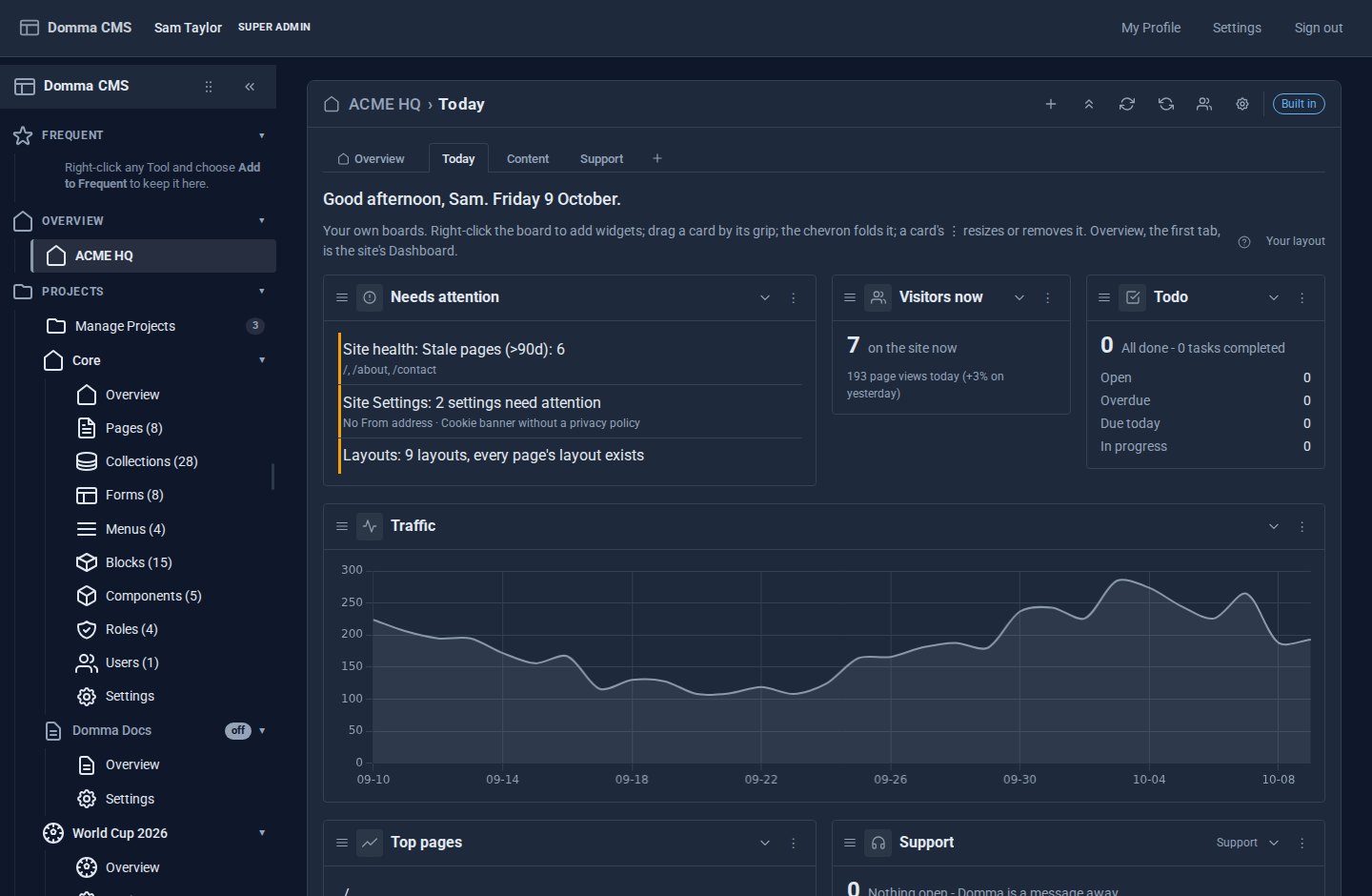
Every screen below is from ACME Ltd, our made-up Sheffield maker of workshop tools. Three people open the same admin every morning and want different things from it: Sam runs the office, Priya answers customers, and the agency that built the site looks after it for them. Here is one morning with Dashboard Pro, and how one sidebar entry serves all three.
8:02 - Sam opens the admin
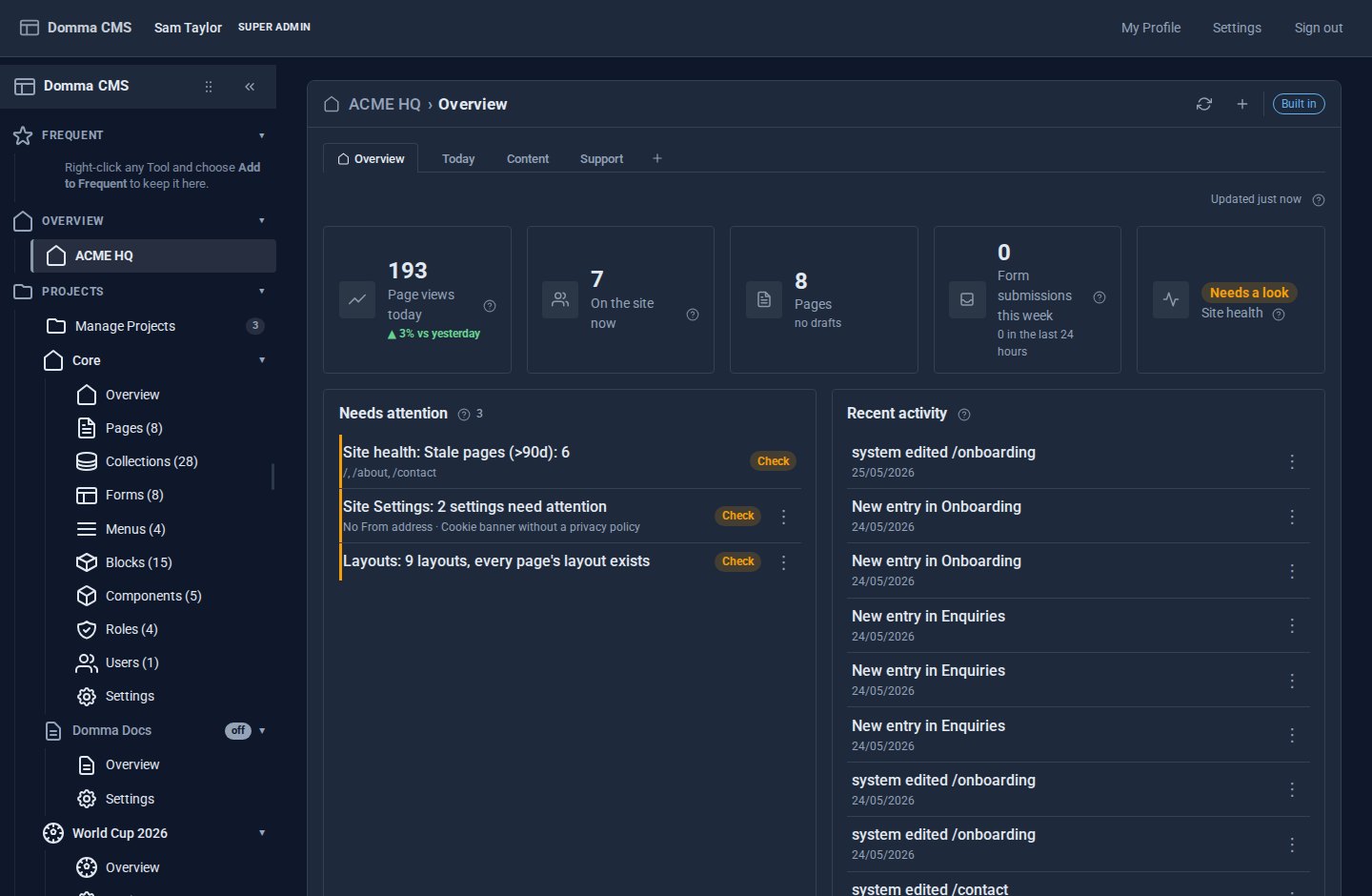
The sidebar has one entry where the Dashboard used to be. Sam renamed it ACME HQ, and it opens on the Overview - the site's built-in Dashboard, exactly as it always was: page views, visitors now, drafts, form submissions, site health and the "Needs attention" list gathered from every Tool's badge.
The Overview is the first tab and it never moves. After it come Sam's own boards: Today, Content and Support.
8:03 - The board Sam actually reads
Today is the screen Sam built in fifteen minutes the week Dashboard Pro arrived: what needs attention, who is on the site, the team's todos, thirty days of traffic at full width, top pages and the support queue. The greeting says good morning and the date; the banner reads ACME HQ › Today.
Each card refreshes on its own, and the moment its Tool's count changes - a new support request lands on the board without anyone pressing anything. The board has its own address, so Sam keeps it bookmarked, and with Open on my boards ticked in the cog, signing in comes straight here. The Overview is one tab to the left.
9:15 - A new Tool arrives, and its widget with it
ACME switches on Booking for the spring workshops. Sam does nothing else: no widget to install, no Tool to connect. Every Tool with widgets is available to Dashboard Pro automatically, so the next time Sam opens Add widget…, Bookings is there.
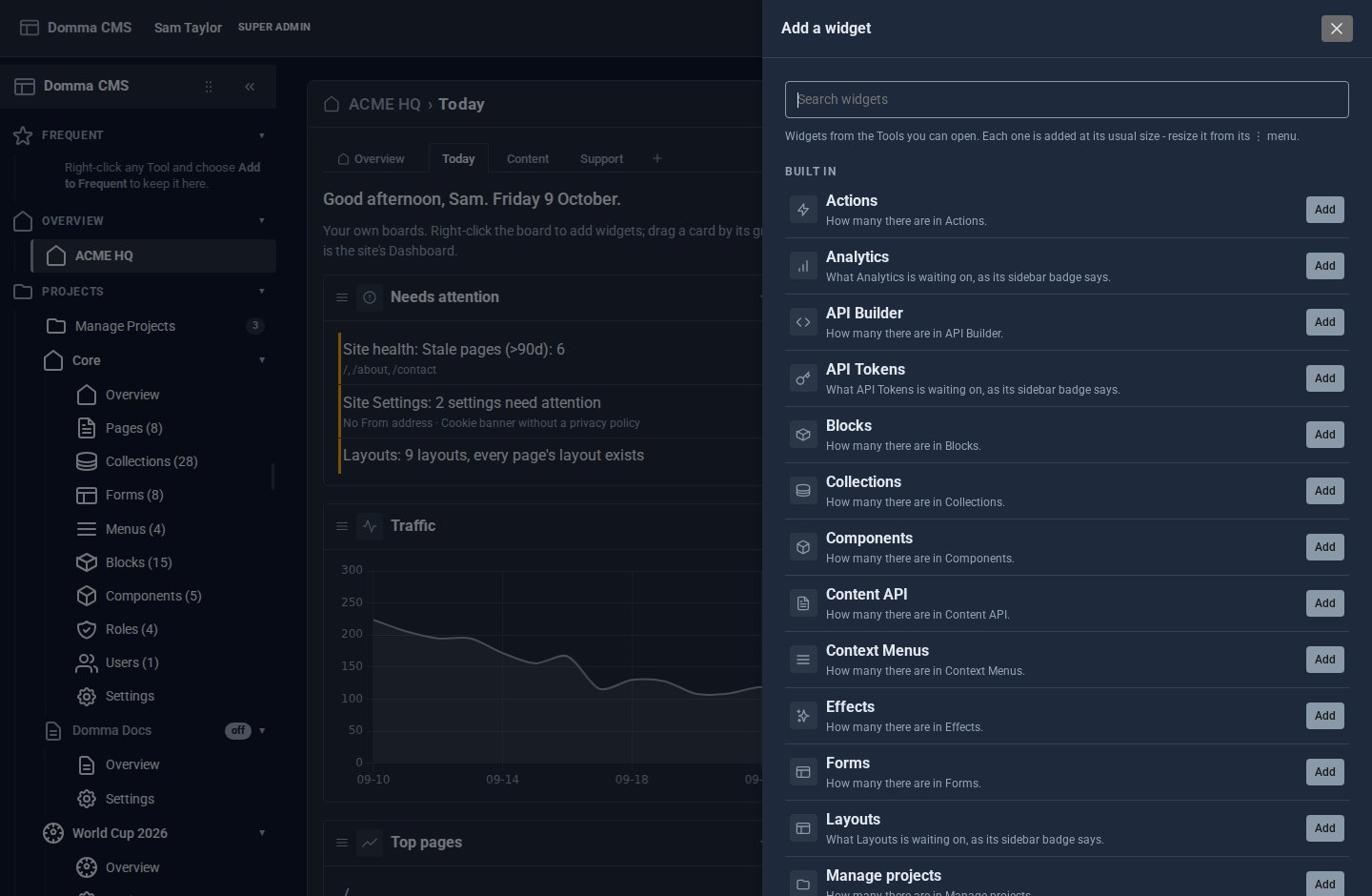
That is not a special arrangement with Booking. Every Tool with a count in the sidebar is already a widget - unread email, bookings, support tickets, form submissions, pages, media - showing the same number as its badge, with the badge's details beneath. Tools that want more describe richer widgets in their manifest - a figure, a list, a chart - and they join the gallery the same way. Sam types "book" in the search box, presses Add, and drags the card next to Visitors now.
10:30 - Priya's board looks nothing like Sam's
Priya answers customers. Her Support board is the support queue, unread email and the contact form, at full width, in compact cards on six columns - she runs the admin on a wide monitor beside her inbox.
She never sees Sam's traffic chart or the site-health widget, and not because anyone hid them. A widget is only offered to people who can open its Tool, so the gallery Priya sees is shorter than Sam's. Nothing she arranges touches Sam's boards, and Reset takes her back to the site's default whenever she wants a fresh start.
11:00 - Sam sets the default for new starters
ACME's apprentices start next month. Sam opens the Today board and presses Make this the default for everyone in the banner. Anyone who has not arranged their own boards now starts from Sam's; widgets for Tools they may not open are left out for them.
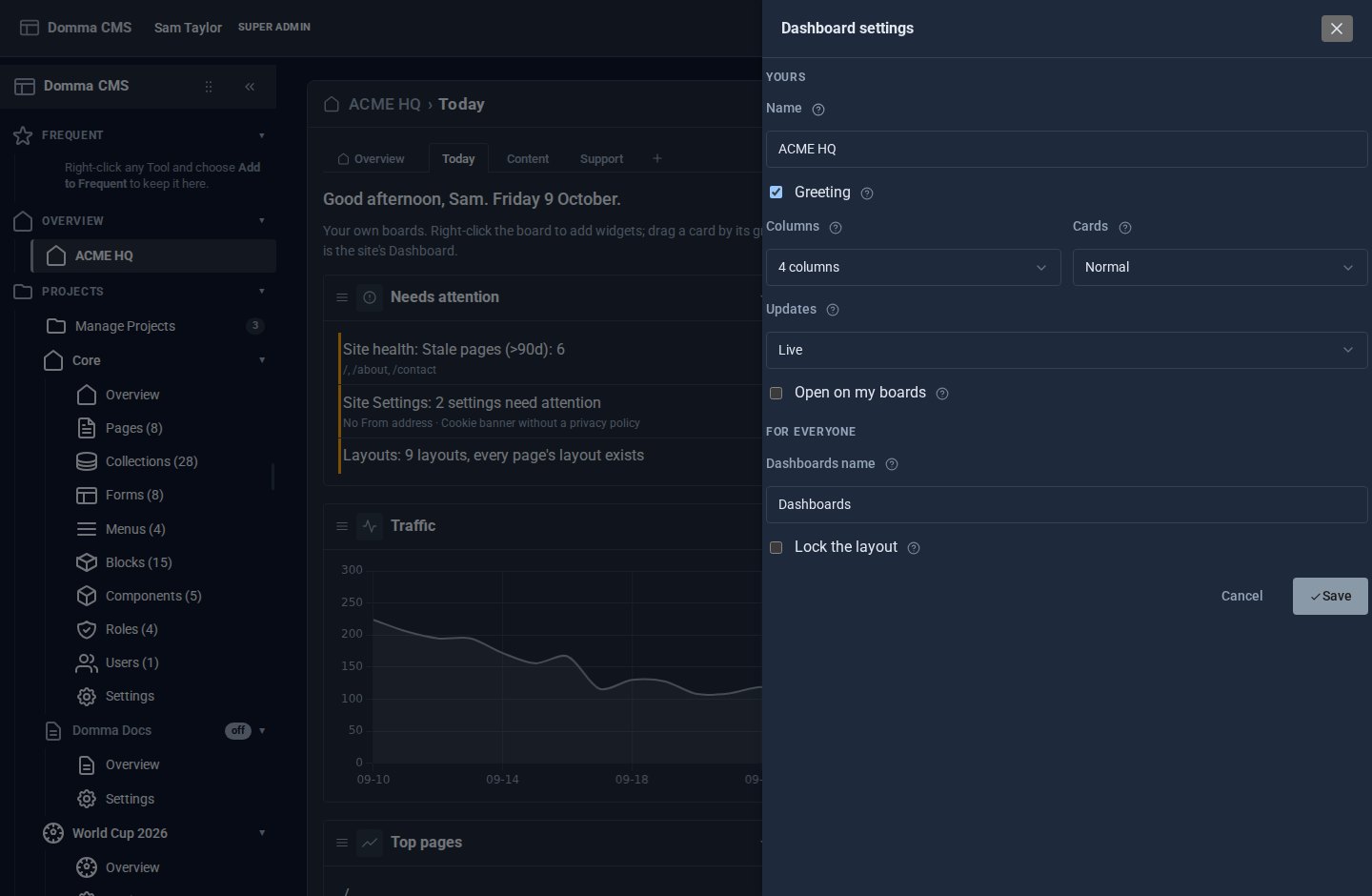
In the cog, under For everyone, Sam sets the Dashboards name the apprentices will see. Under Yours: the greeting, the column count, compact or normal cards, and Updates - Live, Slower for the workshop's patchy Wi-Fi, or Paused until Refresh is pressed.
14:00 - The agency locks a client's layout
The agency that built ACME's site looks after a dozen others. On a client's site it designs one board - enquiries, bookings, what needs attention - makes it the default, and ticks Lock the layout. The client's staff see exactly that board: they can fold a card and refresh it, but not add, move, resize or remove anything. Administrators keep their own boards, and turning the lock off hands everyone theirs back.
What made the morning work
- One sidebar entry. Dashboards replaces the Dashboard, not sits beside it. The Overview is the first tab, so nothing anyone knew has moved.
- Every Tool, automatically. A Tool with widgets is in the gallery the moment it is on the site, and the number on a card always matches its sidebar badge.
- Each person's own boards. Up to twelve each, with their own addresses, arranged by drag, sized Small to Full width, folded out of the way.
- Only what you may open. The gallery follows each person's role, and a lock never shows anyone more.
- Nothing lost. Switch Dashboard Pro off and the sidebar says Dashboard again at once; every board is kept for when it comes back.
Try it
Dashboard Pro is a Pro Tool, £5 a month on a site we host, and needs Domma CMS 1.5 for Dashboards as tabs. Build your own Dashboard walks you through Sam's Today board in fifteen minutes, the User Manual's Dashboard chapter covers every setting, and Your Dashboard, your way explains why it works the way it does. Tell us about your site and we will set it up with you.
ACME Ltd, Sam and Priya are made up; the screens are our demo site.
Keep reading

Meet Domma Celebrations: twenty ways to bring your website to life
Take a visual tour of all twenty Domma Celebrations themes, from Christmas and Halloween to summer gardens and personal sparkler greetings, with screenshots and a quick setup guide.
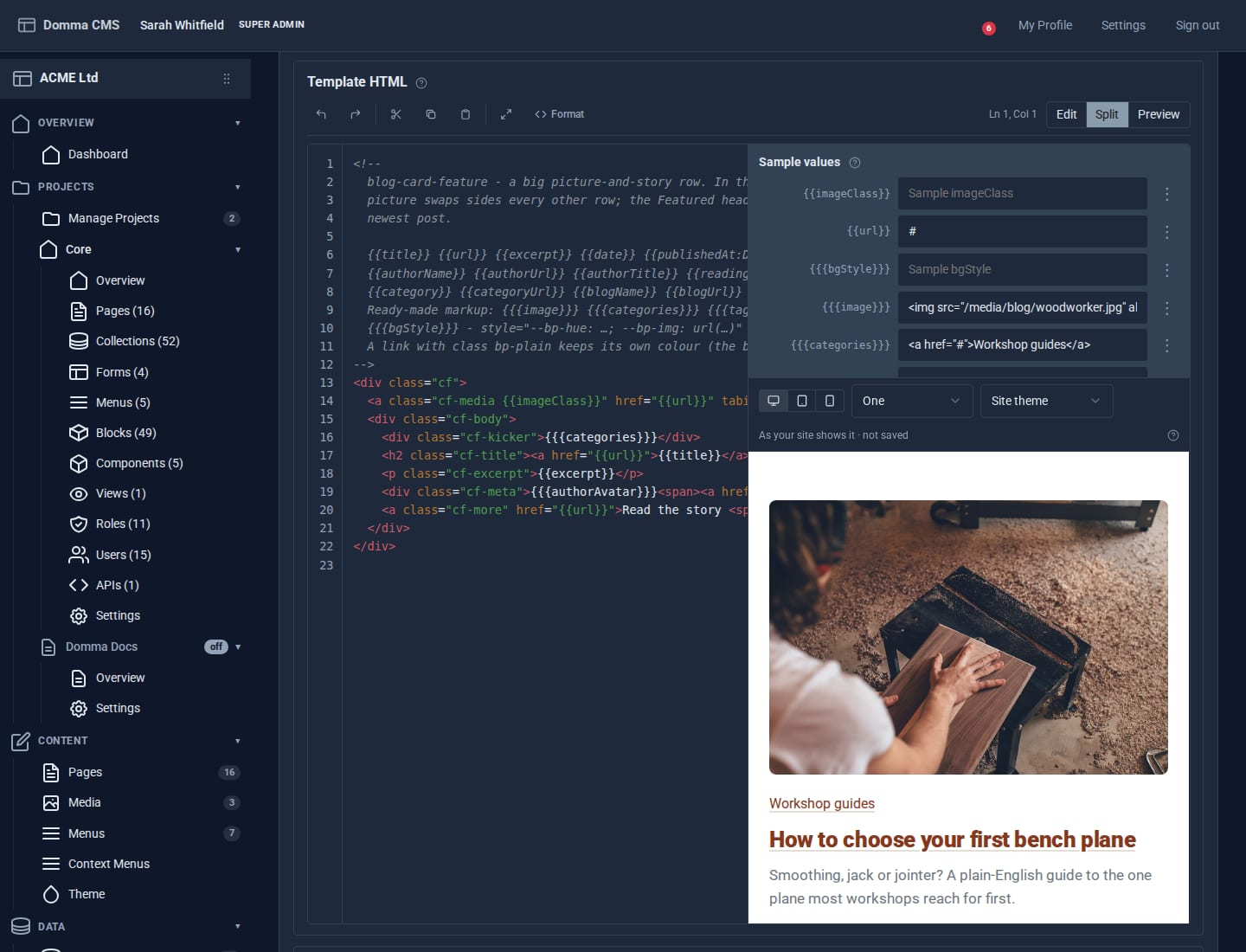
Blocks: your own design for any collection
Write a small piece of HTML once and every entry in a collection is drawn through it. Plus a new Blocks guide, and Writing a Tool.
Projects: group your site without moving a thing
A project gathers the pages, collections, forms and people for one job under one name. Nothing moves: every address, file and link stays where it is - the project is a label.