Your Dashboard, your way
You asked for it: Dashboard Pro turns the admin Dashboard into Dashboards - the Overview first, then boards of widgets each person arranges, from every Tool you use.
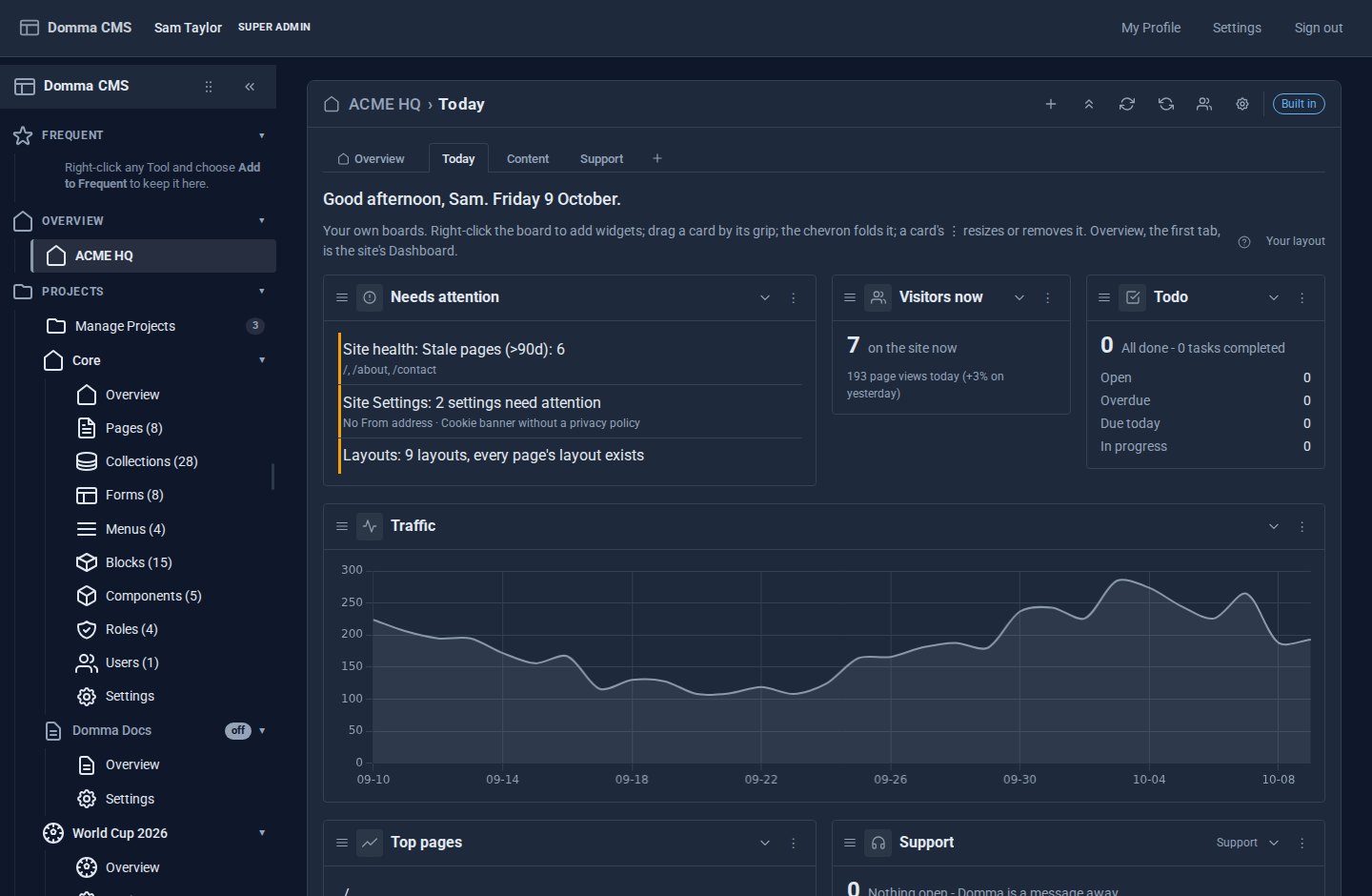
You asked for this one, more than once: let me choose what I see when I open the admin.
Until now the Dashboard was the same screen for everyone - a good one, with page views, visitors, drafts, form submissions, health checks and a "needs attention" list gathered from every Tool. But a shop owner opening the admin at eight in the morning wants different things from the person who writes the blog, and both want different things from the agency that built the site. One screen cannot be all three.
Dashboard Pro is the answer: the Dashboard becomes Dashboards - the Overview you know as the first tab, and boards of widgets after it that each person arranges for themselves.
What it does
- Widgets from every Tool you use, automatically. Nothing to install or switch on: every Tool with widgets is in the gallery the moment it is on your site. Every Tool with a count in the sidebar is a widget - unread email, today's bookings, open support tickets, form submissions, pages - alongside traffic, visitors now, site health and what needs you. Right-click the board, choose Add widget…, and pick from a gallery of everything you are allowed to open.
- Arranged your way. Drag cards by their grip, size them from Small to Full width, fold them to their title when they are in the way. Cards pack upwards, so there is never a gap to tidy.
- One entry, many boards. The sidebar keeps a single Dashboards entry. Its first tab is the Overview - the built-in Dashboard, always there - and after it come up to twelve boards of your own, Sales, Content, Support, each with its own address to bookmark.
- Settings that fit. The cog names your Dashboards, adds a greeting, sets 3, 4 or 6 columns and compact cards, slows updates down for a weak connection, and can open the admin straight onto your boards instead of the Overview.
- A default, and a lock. An administrator makes a board the default that everyone starts from. Agencies can lock the layout, so clients see the board that was designed for them and can fold and refresh it, but not rearrange it.
Why it works this way
Widgets are the Tools' own numbers. We did not build a second set of figures for the Dashboard. Every Tool already tells the sidebar what it is waiting on, so that same answer becomes its widget - which is why every Tool had a widget on the first day, why a Tool you install tomorrow is on the gallery tomorrow with nothing to set up, and why the number on the board always matches the badge in the sidebar.
You only ever see what you may open. A widget is offered to the people who can use its Tool, and nobody else. Locking a layout never shows anyone more than their role allows.
One menu entry, not two. The first version put your boards beside the Dashboard as a second sidebar entry. Since Domma CMS 1.5 they share one: the Overview is simply the first tab, so the sidebar stays short and nothing you knew has moved.
Nothing is lost. Your boards are yours: nobody else's changes touch them, Reset takes you back to the default, and switching Dashboard Pro off keeps every board for when it comes back. Free sites keep exactly the Dashboard they have.
Tools can add more. A Tool can offer richer widgets of its own - a list, a figure, a chart - by describing them in its manifest, with no code. Expect the Pro Tools to grow theirs.
Try it
Dashboard Pro is a Pro Tool, £5 a month on a site we host. The tutorial Build your own Dashboard walks through a first board in fifteen minutes, the User Manual has a Dashboard chapter, and A morning at ACME HQ shows a whole team using it. Tell us about your site and we will set it up with you.
The screens above use our made-up demo company, ACME Ltd.
Keep reading

Domma CMS 1.0
Domma CMS is 1.0. Nothing changes when you update - what changes is the promise that your site and your Tools keep working until a new major version says otherwise.
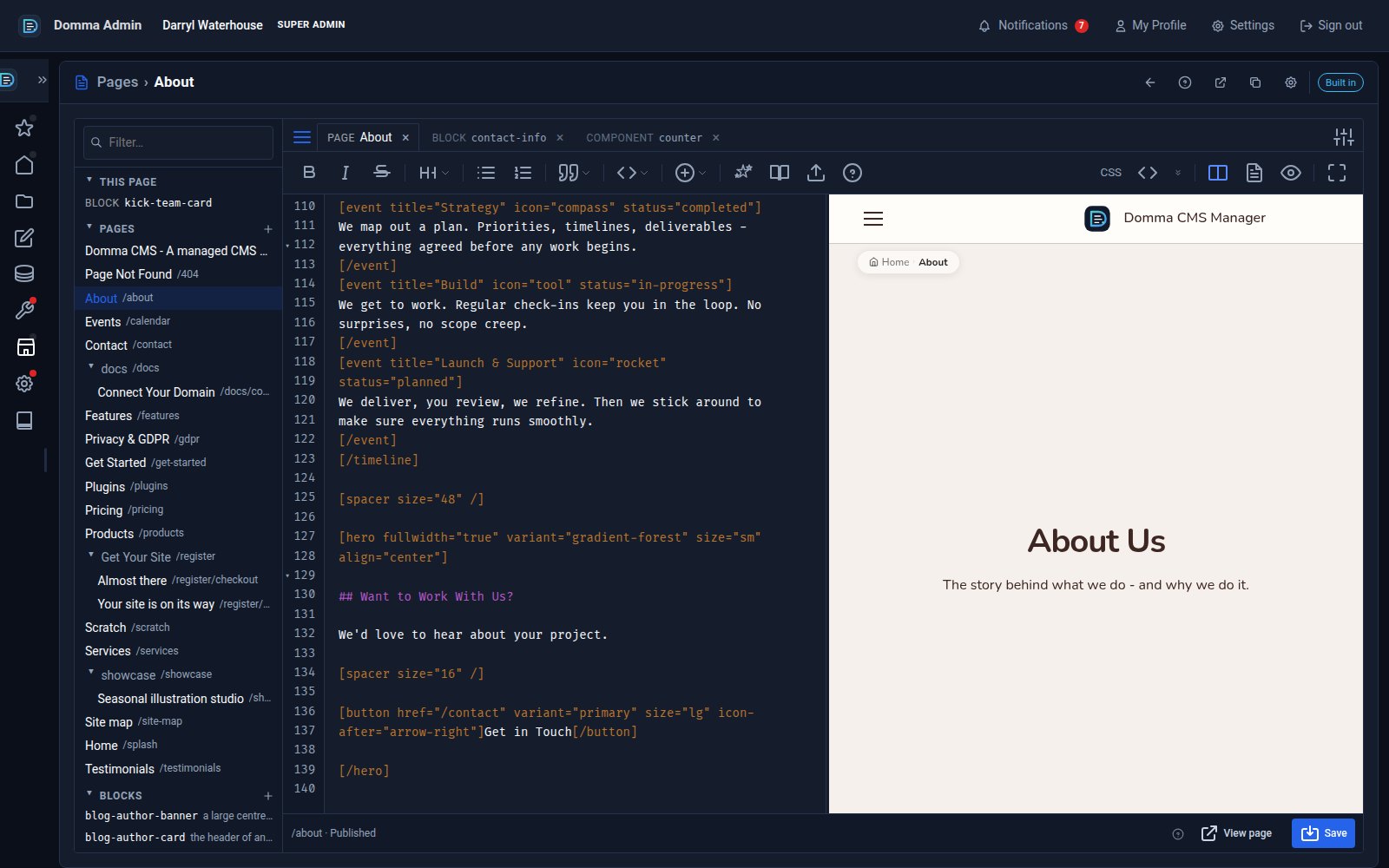
One editor for pages, blocks and components - with colour and smooth typing
Domma CMS 1.8.24 turns the page editor into a workspace: pages, blocks and components as tabs, a live preview three ways, coloured text in your own font, and a caret that glides as you type.
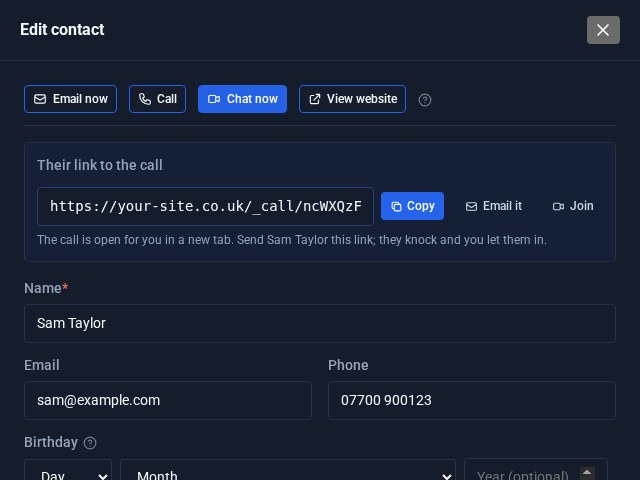
Contacts Pro: email, call or video chat in one click
Open a contact in Contacts Pro and the buttons are waiting at the top: Email now, Call, Chat now and View website. Chat now starts a video call on your own site and hands you the link to send.