One editor for pages, blocks and components - with colour and smooth typing
Domma CMS 1.8.24 turns the page editor into a workspace: pages, blocks and components as tabs, a live preview three ways, coloured text in your own font, and a caret that glides as you type.
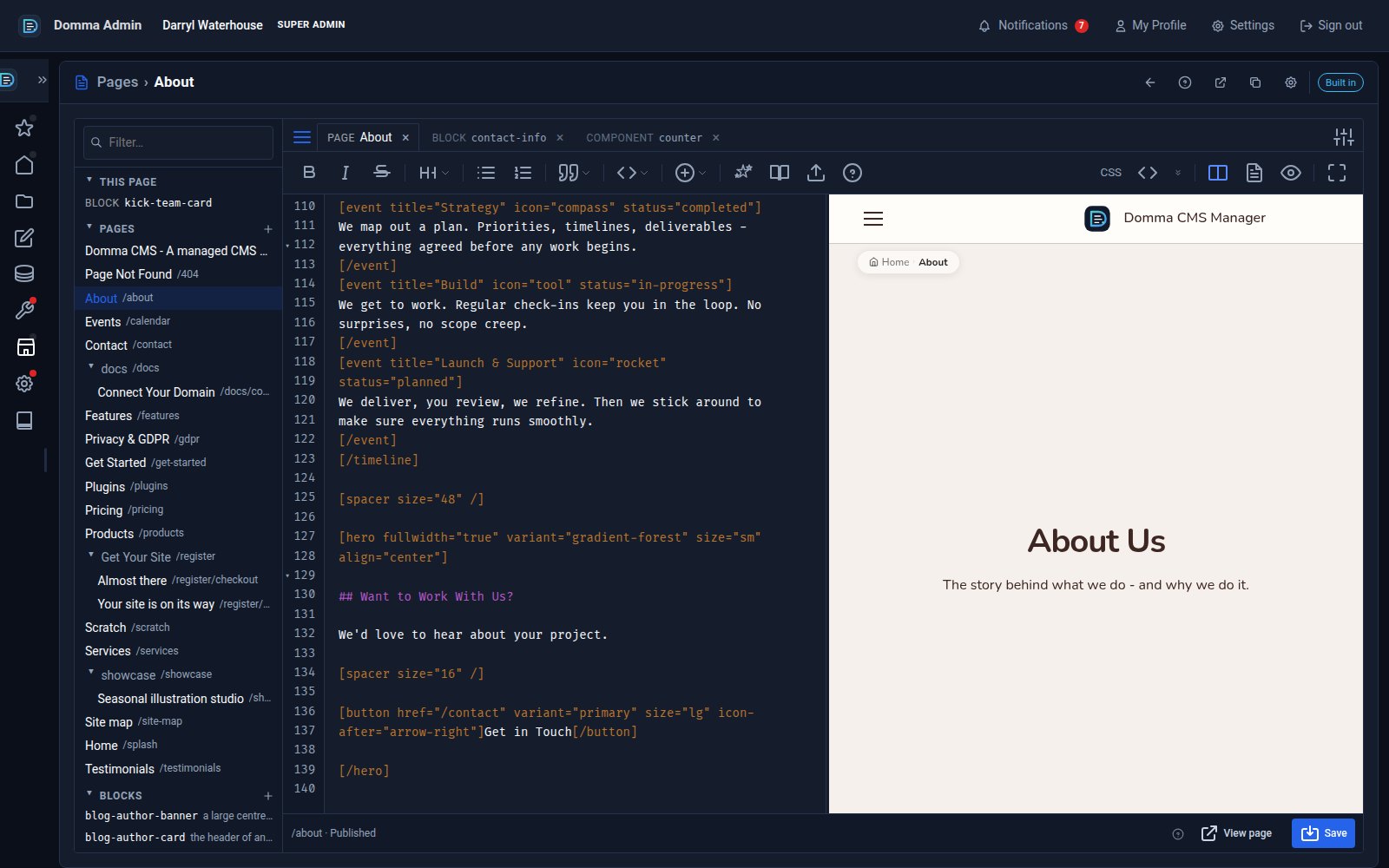
Open a page in Domma CMS today and you are in a different editor. Not a different-looking form: a workspace, the kind a developer would recognise, with everything you write on your site - pages, blocks and components - open side by side as tabs.
One editor
Until now a page had its editor, a block had another and a component a third, each with its own habits. From 1.8.24 there is one. The list down the left shows every page as a tree, every block and every component, and at the top of it, This page - the blocks and components the page you are on actually uses. Click anything and it opens as a tab next to what you already have. Edit a block while its page sits in the next tab and the preview shows the page with the block as you type it, outlined so you can see where it landed.
Tabs come back after a reload. Close one with unsaved work and the work is kept as a draft, waiting for the next time you open it. Right-click a tab to close the others, move it, clone the page, duplicate the block or component, or copy its link.
Colour, in your own font
The text is coloured now - Markdown and every [shortcode] on a page, HTML and CSS in a block, the four parts of a component - and it is coloured in the font, size and line spacing you chose in the editor settings, because the colours live in the same box as the text. Nothing drifts. The caret sits on the letter it says it sits on.
Smooth typing
While you are in those settings, try Caret movement: Smooth. The caret becomes a small light that glides from letter to letter as you type and move through the text, rather than blinking from place to place. It sounds like a small thing; on a long line of shortcodes it is the difference between knowing where you are and hunting for it. Typing, selecting and undo are untouched - it is only the caret you see. Automatic respects your system's reduced-motion setting, and the choice follows you into every text box in the admin and your site's forms.
Preview, three ways
Editor and preview together, editor only, or preview only - the toolbar's three buttons, or Ctrl+\ to cycle. Preview only gives you the phone and tablet widths and the share link, for showing a page to someone before it is published. A block that is not on any open page is previewed on its own, its placeholders filled with sample values you can change in the dock. A component is previewed on its own with the props you set.
Saving
Save saves the tab you are on. On a page that includes the blocks of its you changed - and if one of those blocks is used on other pages too, you are told where and asked first. Save all saves everything open. A component that does not compile is not saved, and the status bar tells you why.
Getting it
Domma CMS 1.8.24 is on every site now. Reload the admin and open a page. The cog in the banner has the font, wrapping, caret and the new "close the admin menu when the editor opens" switch. The user manual has a new chapter, The Editor, that walks through a whole session, and the same tutorial is in the admin under Documentation › Tutorials.
Keep reading
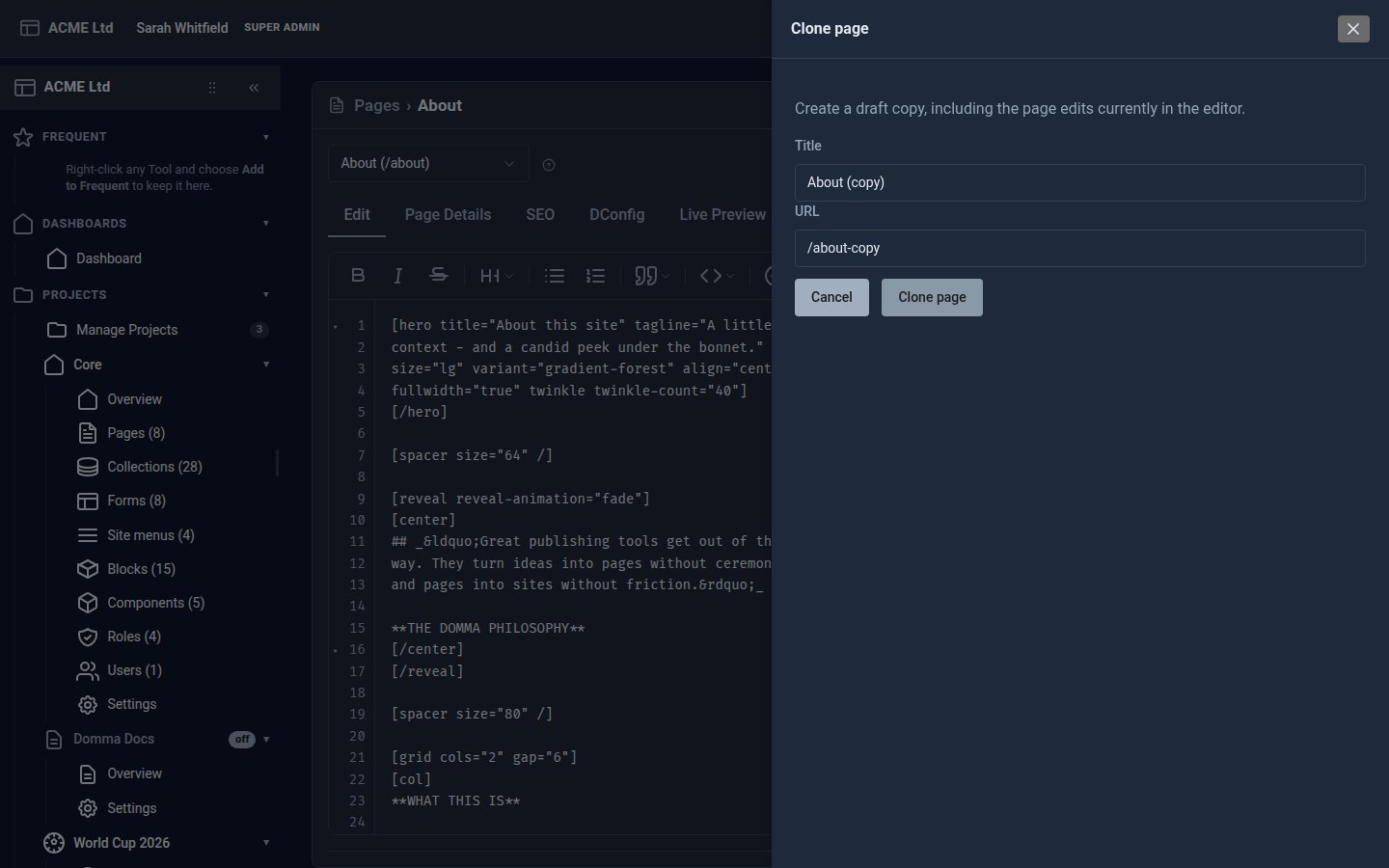
Clone pages, leave yourself notes, and let content expire
A week of page-editor improvements: clone a page, hidden notes with Ctrl+/, a Review status, images from Media, and shortcodes that expire.
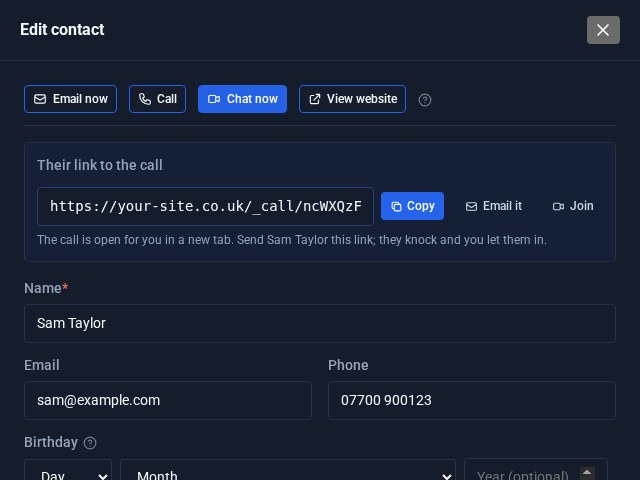
Contacts Pro: email, call or video chat in one click
Open a contact in Contacts Pro and the buttons are waiting at the top: Email now, Call, Chat now and View website. Chat now starts a video call on your own site and hands you the link to send.
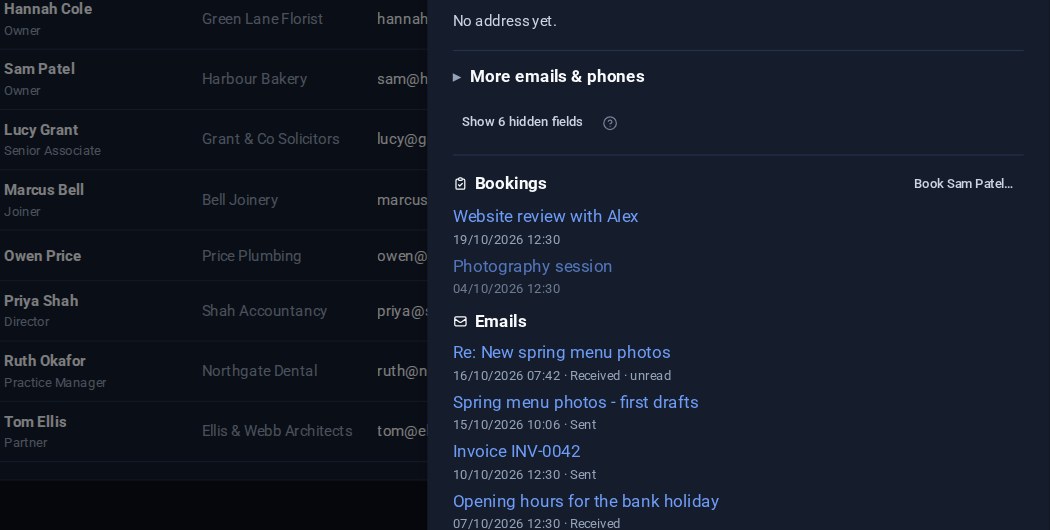
Contacts: your emails on the card, and the fields you choose
Your emails with a contact now show on their card, a click from the message itself. And Contacts Pro lets you choose which fields are columns in the list and which appear in the editor.