Domma CMS 1.0
Domma CMS is 1.0. Nothing changes when you update - what changes is the promise that your site and your Tools keep working until a new major version says otherwise.

Domma CMS is 1.0.
If you run a Domma site, nothing changes when you update. There is no migration to sit through and no setting that moves. 1.0.0 is the release before it plus one small improvement. What changes is what the version number promises.
What 1.0 means
For a hundred and twenty releases the version started with a zero, which in software says "anything may change". In practice it rarely did: sites have updated in place, week after week, keeping their content, settings and Tools. 1.0 writes that habit down.
From here:
- Anything that would break your site or a Tool you rely on waits for a new major version. That covers the plugin hooks and manifest, the shape of the config files, the shortcodes, and the REST and Content APIs.
- New features arrive in minor releases - 1.1, 1.2 and so on.
- Fixes arrive in patches - 1.0.1, 1.0.2.
So when you see a 1.x, you can update without reading the small print first.
What landed on the way
The last few releases before 1.0 were about giving you more control over how your site looks.
Your own CSS classes, everywhere a designer needs them. Every menu and every item in it can carry your own class names, on the navbar, in the footer and wherever a menu sits on a page. Forms take them too: on the form, on any field and on the submit button, step by step on a multi-step form. Type the names in the editor, style them in Custom CSS, and you no longer have to wait for a setting to exist.
A lighter start. A new site now begins on the Dreamy Light theme with a Corporate Light admin and Open Sans, under a light main bar. The item under your pointer darkens, and the page you are on darkens a little more, so visitors always know where they are. That Darkened hover is a new effect any menu or single item can use.
A Content API. Switch it on and another app - a mobile app, a static site, a kiosk - can read your pages, menus, site settings and search as JSON. It shows exactly what your site would show the same visitor, and you decide who may call it and what it returns.
Updating
Already running Domma? One command brings a site up to date in place:
npx domma-cms@latest update
It backs up first, keeps your content, settings and Tools, and replaces only the engine. Starting fresh? npx domma-cms my-site and you are a few minutes from a running site.
Every release is listed on What's new. Thank you to everyone who has built on Domma along the way - 1.0 is yours as much as ours.
Keep reading
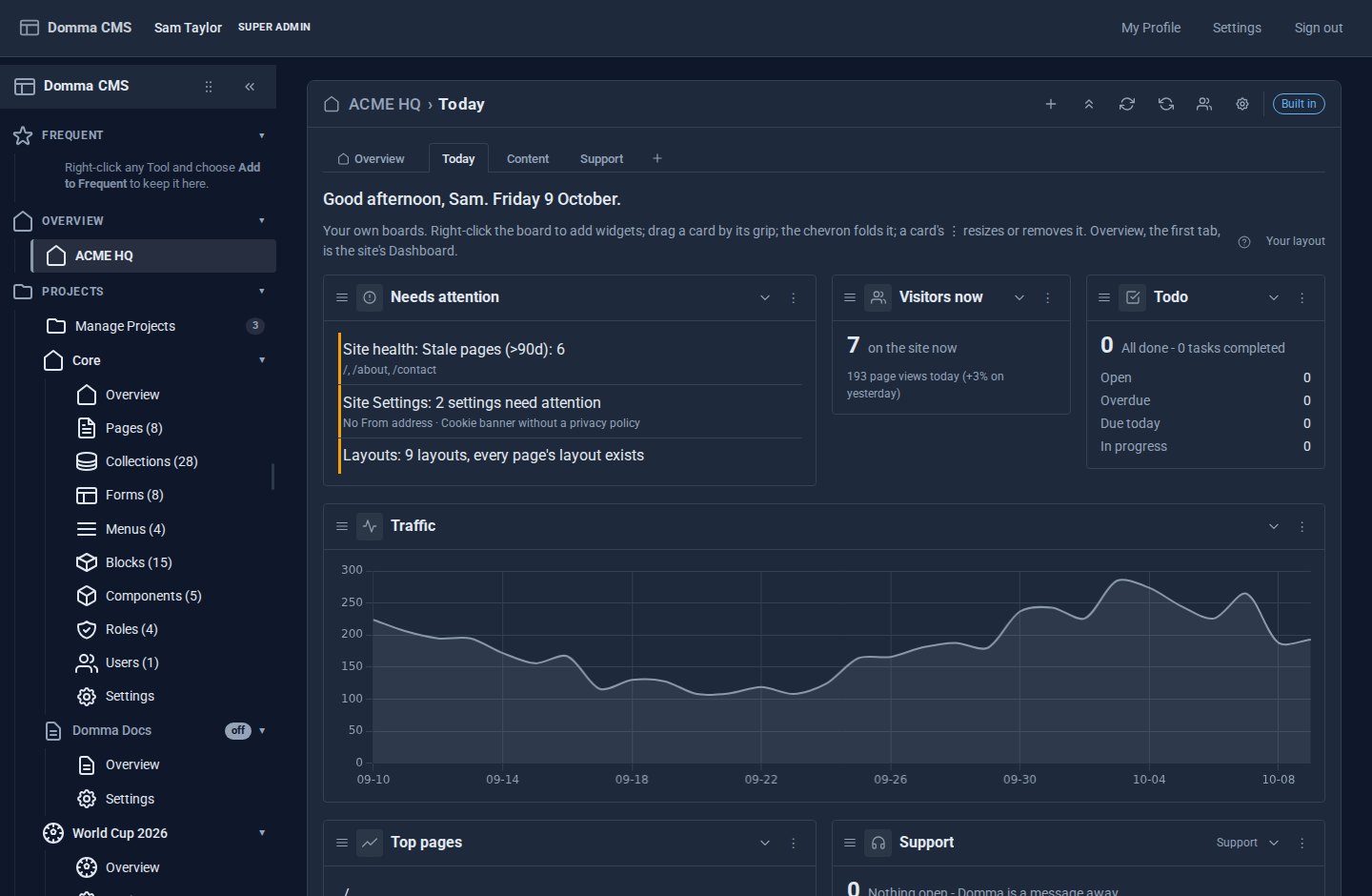
Your Dashboard, your way
You asked for it: Dashboard Pro turns the admin Dashboard into Dashboards - the Overview first, then boards of widgets each person arranges, from every Tool you use.
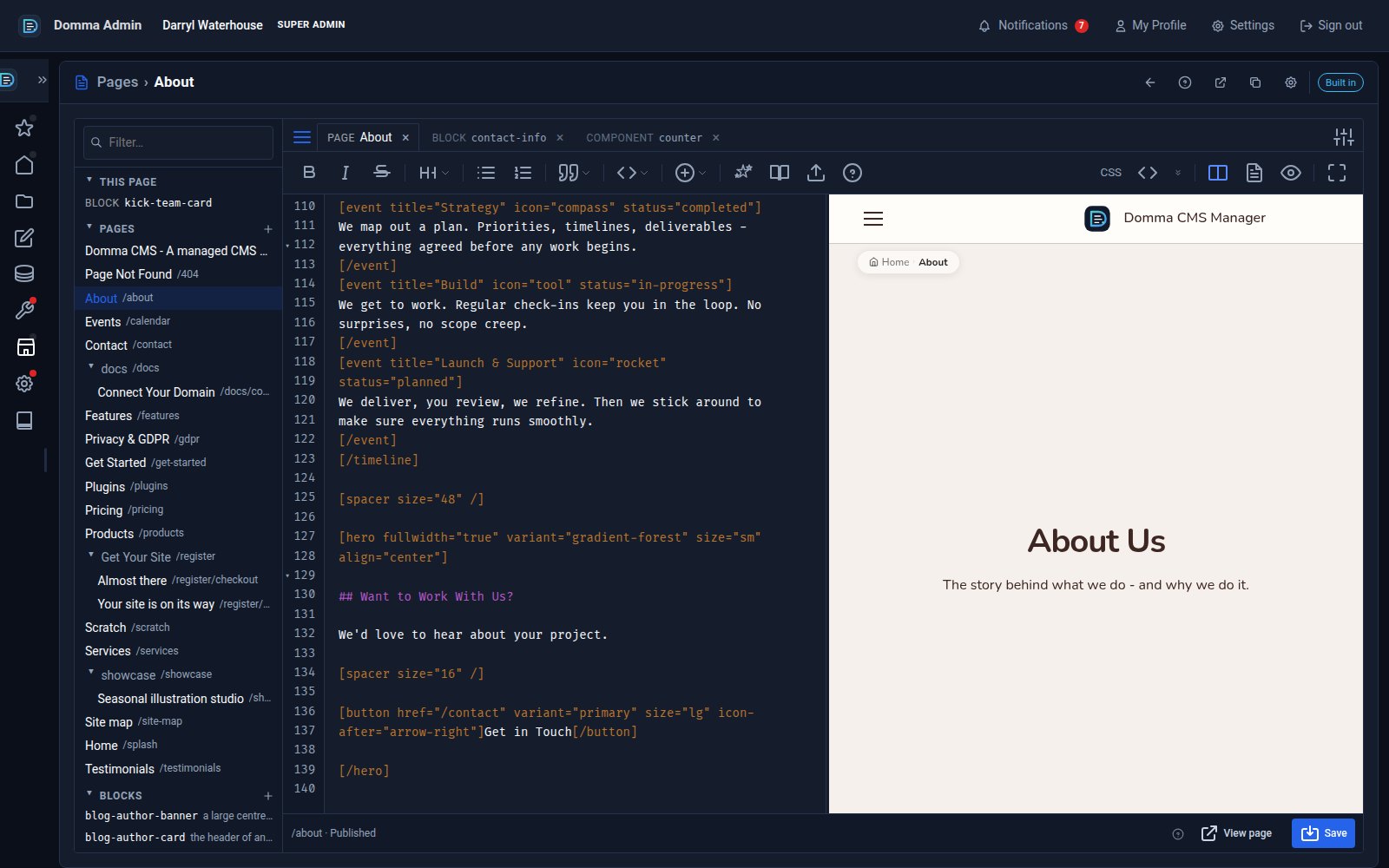
One editor for pages, blocks and components - with colour and smooth typing
Domma CMS 1.8.24 turns the page editor into a workspace: pages, blocks and components as tabs, a live preview three ways, coloured text in your own font, and a caret that glides as you type.
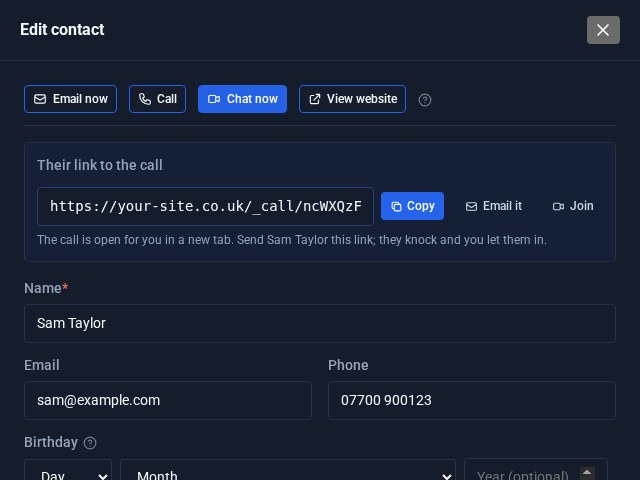
Contacts Pro: email, call or video chat in one click
Open a contact in Contacts Pro and the buttons are waiting at the top: Email now, Call, Chat now and View website. Chat now starts a video call on your own site and hands you the link to send.