Menus that stagger in, and carousels that line up
Staggered menu entrances, carousel images that share a height, cards that match, and a prompt to reload after an update.
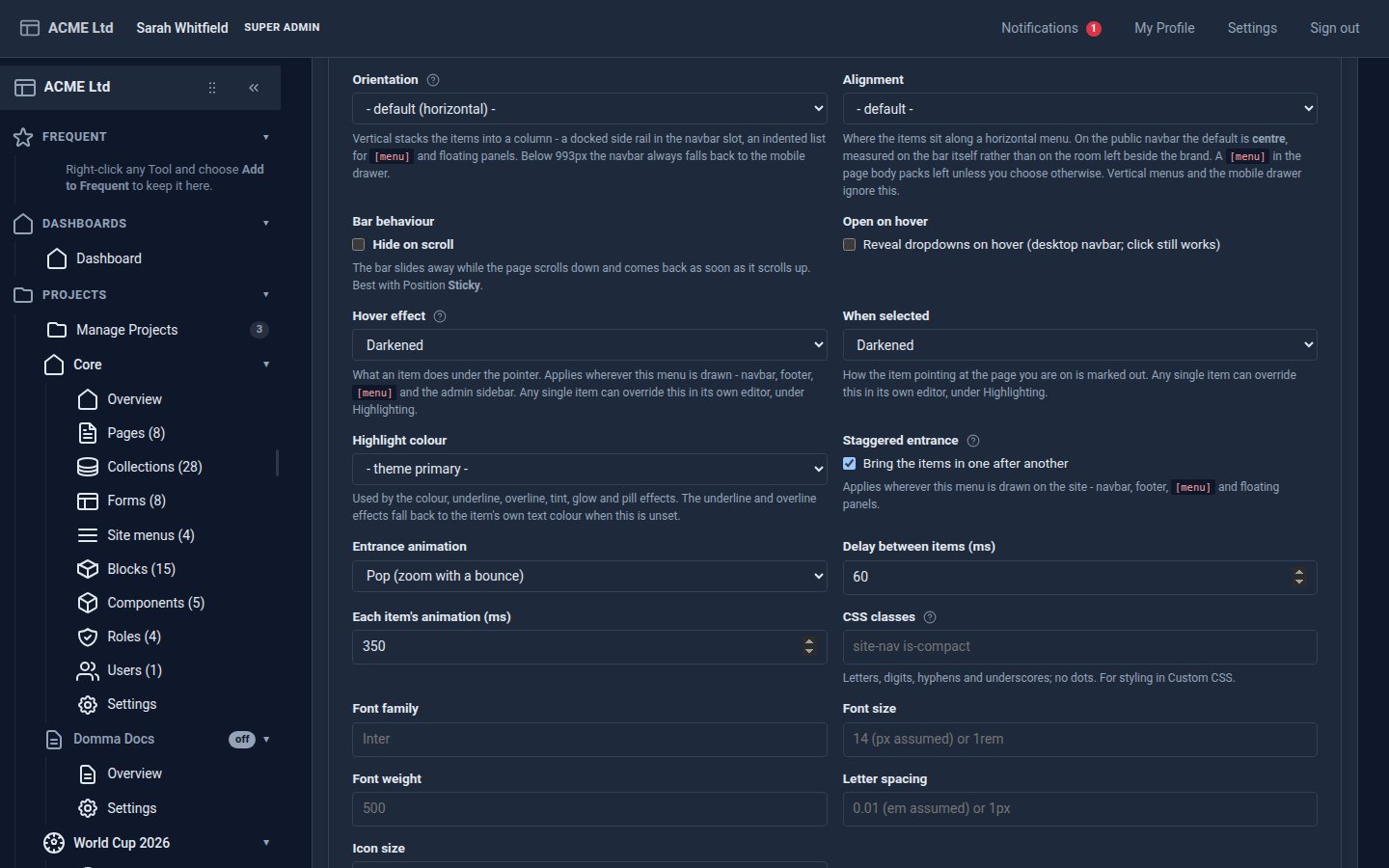
Small releases from today. Most of them you will only notice because the site looks right.
Menus that arrive in style
A menu's Behaviour tab has a new Staggered entrance switch. The menu's items come in one after another: fade, slide, zoom, pop, flip or blur, with your own timing. It works on the navbar, the footer, [menu] and floating panels, and dropdowns stagger as they open. Visitors who have asked their device for less motion see the menu at once.
A menu's own CSS classes, also on the Behaviour tab, are now saved as well.
Carousels and cards that line up
- Carousel images share a height and are cropped from the top, so a slideshow no longer jumps as it turns. Choose the shortest image, the midpoint between the shortest and the tallest, or a height of your own.
- Cards in a row match the tallest card, including collection cards and blocks, and still stack on a phone.
After an update
An admin tab left open through an update keeps running the old screens, and could save a form without its new settings. The admin now notices the new version and asks you to save and reload. Later hides the message until the next update.
Fixes
- A required drop-down in a generated form now starts on "-- Select --" rather than appearing to have chosen the first option.
- Collections shown with
scope="mine"(each visitor sees only their own entries) now pass through the same safety check as the rest of the page before they reach the browser. - Choosing an admin theme no longer changes the public site's saved theme.
Domma CMS 1.6.43 to 1.6.48.
Keep reading
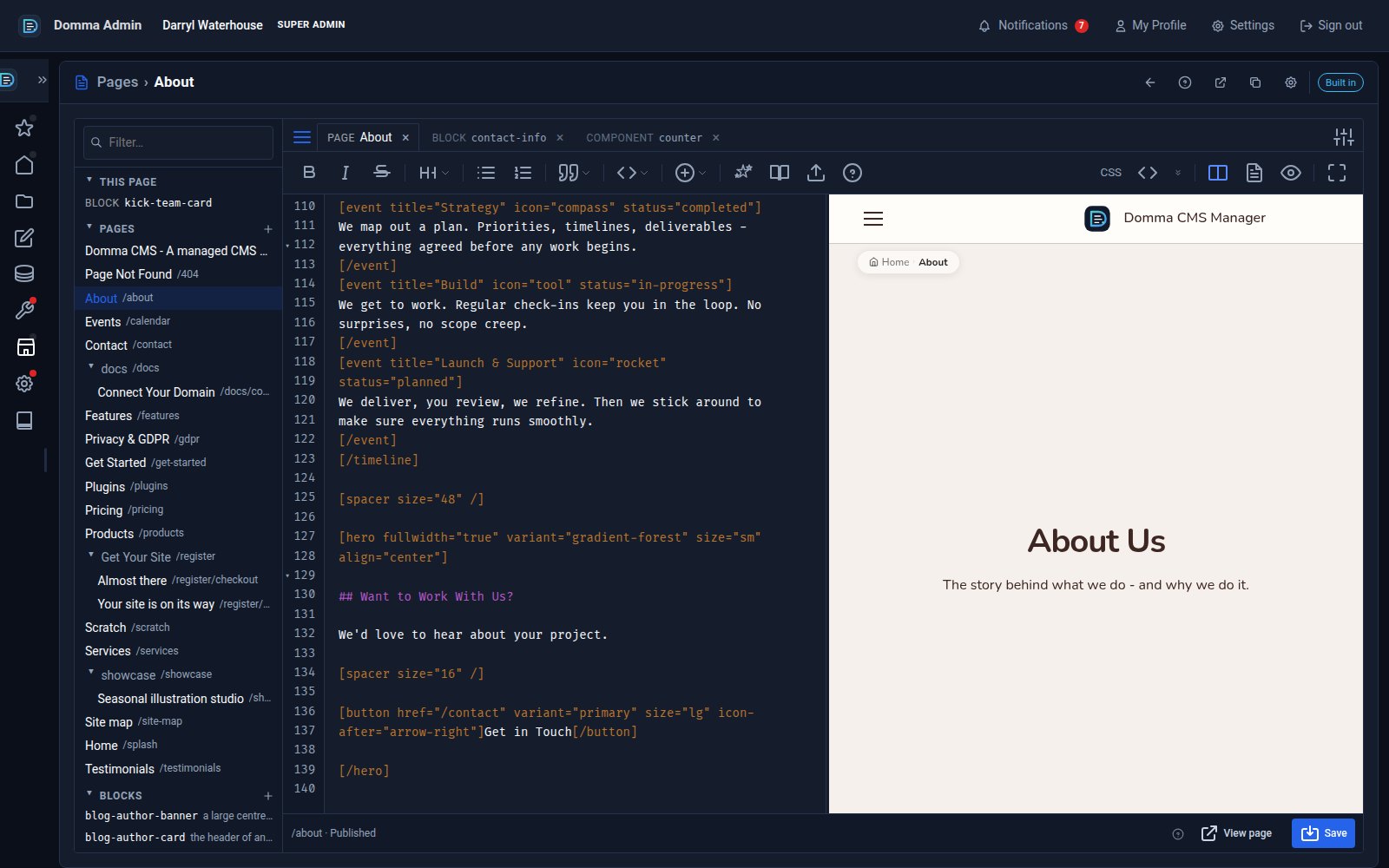
One editor for pages, blocks and components - with colour and smooth typing
Domma CMS 1.8.24 turns the page editor into a workspace: pages, blocks and components as tabs, a live preview three ways, coloured text in your own font, and a caret that glides as you type.
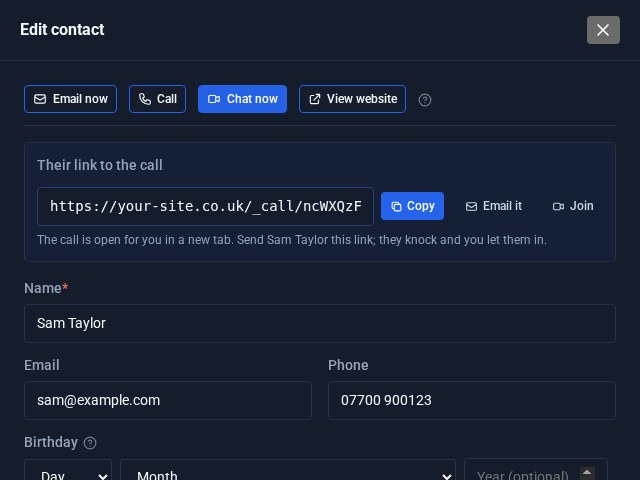
Contacts Pro: email, call or video chat in one click
Open a contact in Contacts Pro and the buttons are waiting at the top: Email now, Call, Chat now and View website. Chat now starts a video call on your own site and hands you the link to send.
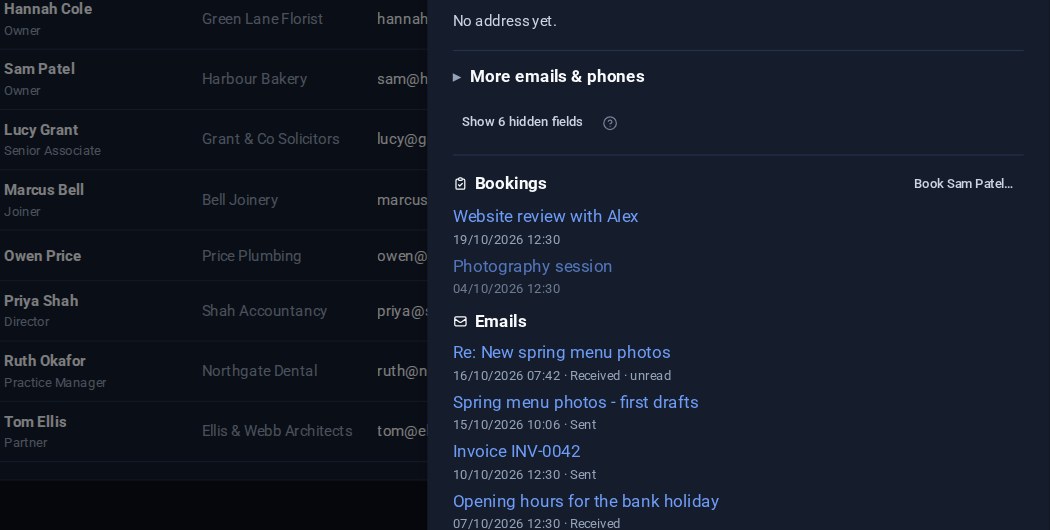
Contacts: your emails on the card, and the fields you choose
Your emails with a contact now show on their card, a click from the message itself. And Contacts Pro lets you choose which fields are columns in the list and which appear in the editor.