How to handle returns with an online form
A step-by-step guide to a returns form with Forms: ask only what matters, ask for a photo only when the item is faulty, get every return by email and in one inbox, and keep spam out.

Returns by email are untidy: no order number, no photo, and three messages before you know what is wrong. A returns form asks the right questions every time, and the Forms Tool is built into every Domma CMS site.
This guide builds one for our made-up company, ACME Ltd, which sells tools and workshop supplies.
1. Ask only what you need
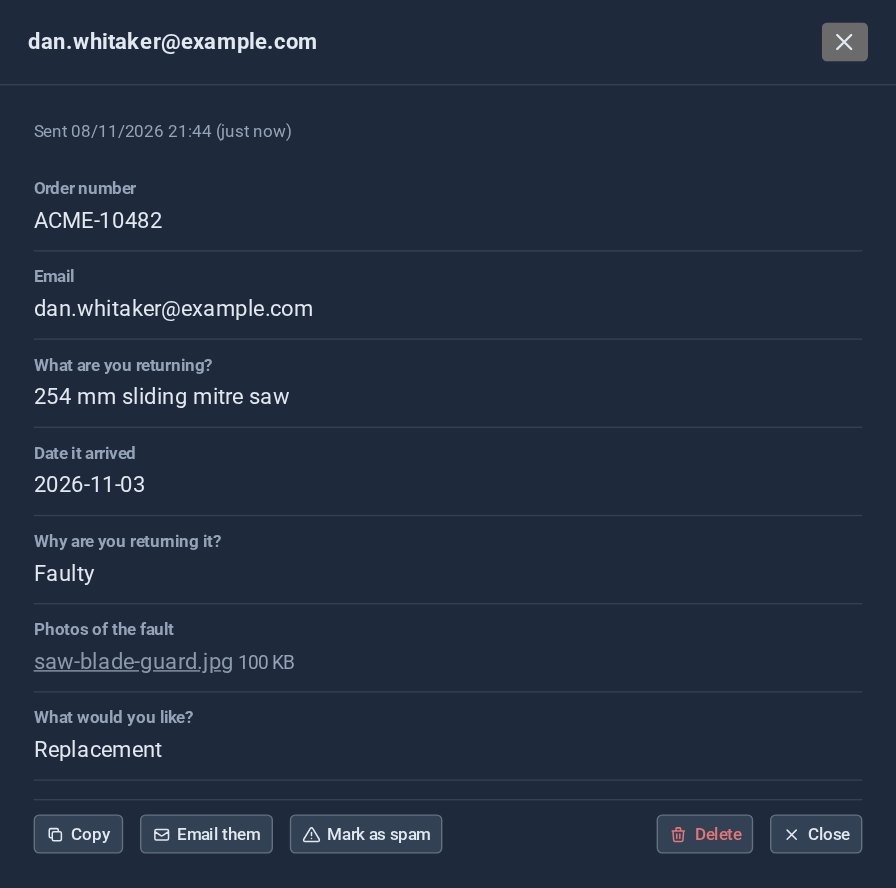
Start with the order number, the customer's email, the date it arrived, the item and why they are returning it. Make the reason a choice, not free text, so every return sorts itself: changed my mind, wrong item, faulty. Picture choices work well for "refund or replacement".
2. Ask for a photo only when it is faulty
Nobody wants to photograph a drill they simply changed their mind about. Give the photo field a rule: hidden until the reason is Faulty, then it slides in and becomes required.
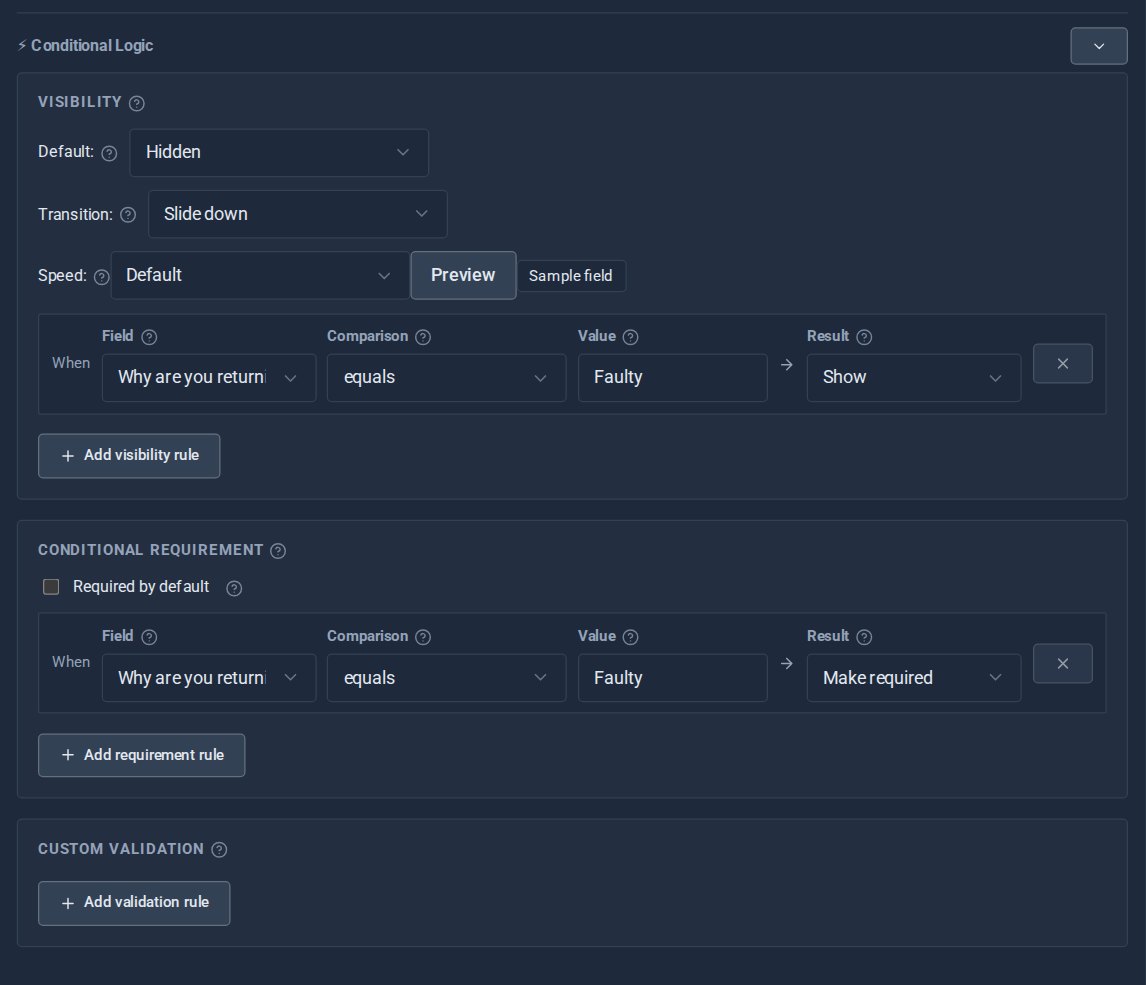
3. Put it on a page
Add the form to a returns page. Customers pick the date from a calendar and drop their photo straight in, with a preview.
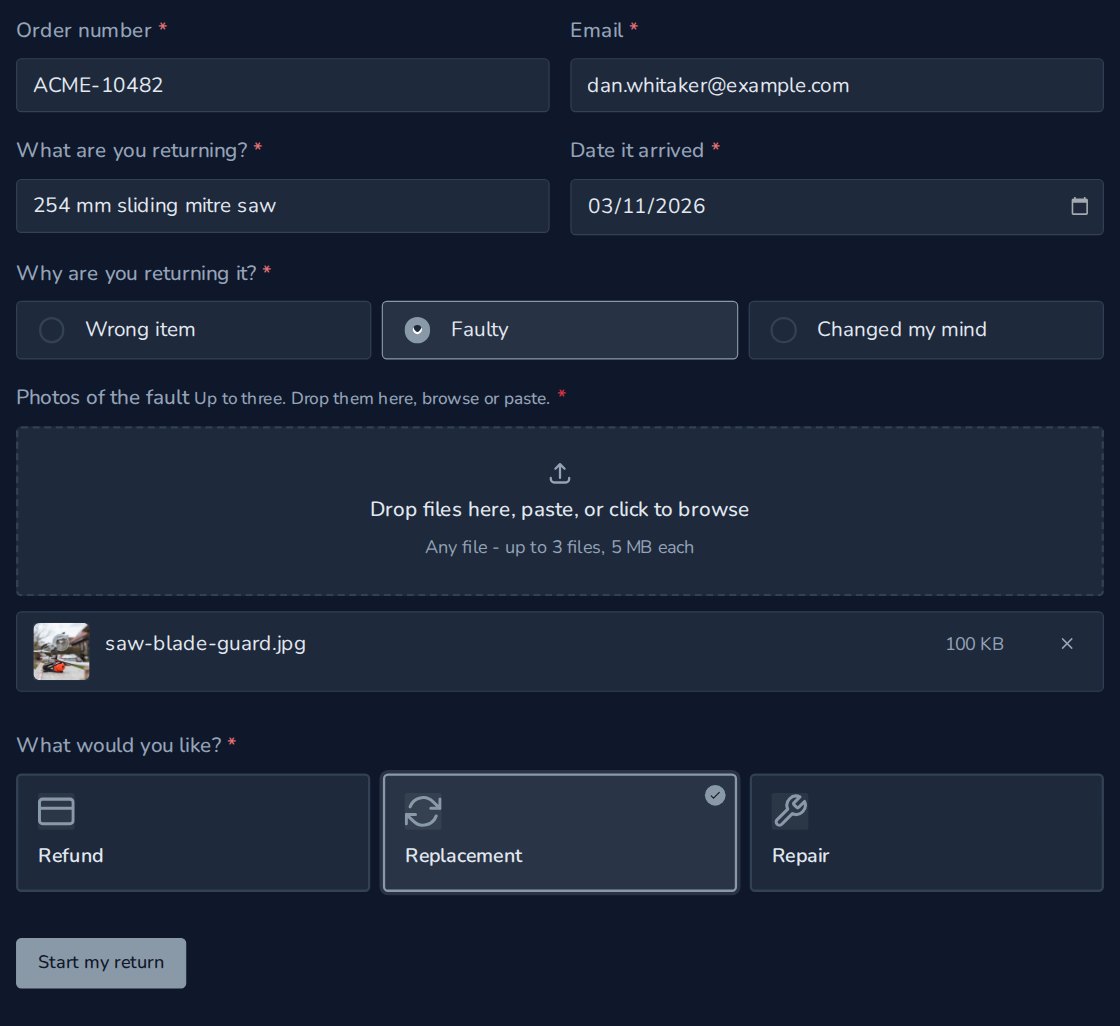
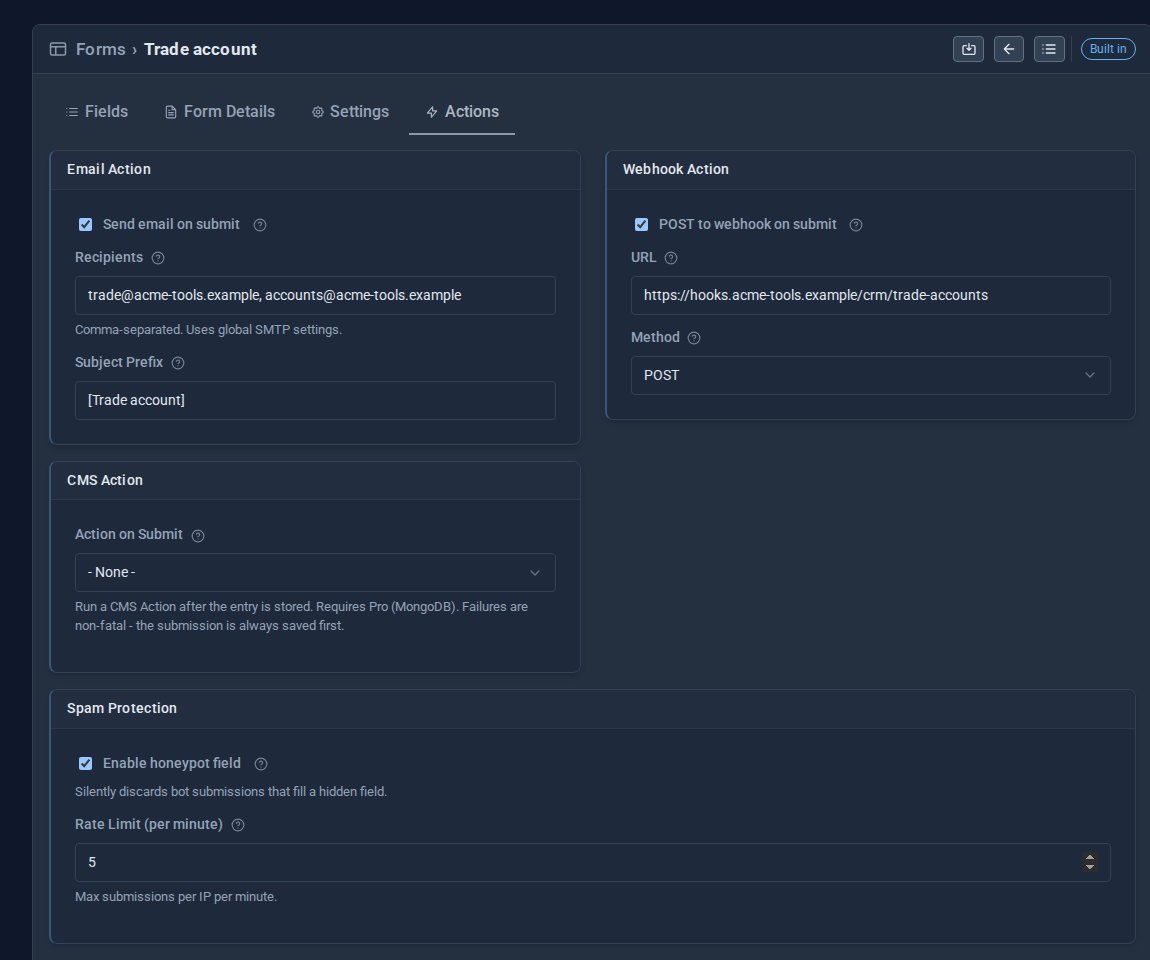
4. Decide where returns go
On the Actions tab, email each return to the people who deal with it, two addresses if you like. If you use another system, Forms can post each entry to a webhook too. Switch on spam protection while you are there: a hidden honeypot field and a limit on how often one visitor can send.
Your returns team gets every answer in a table, with a link to the photo.
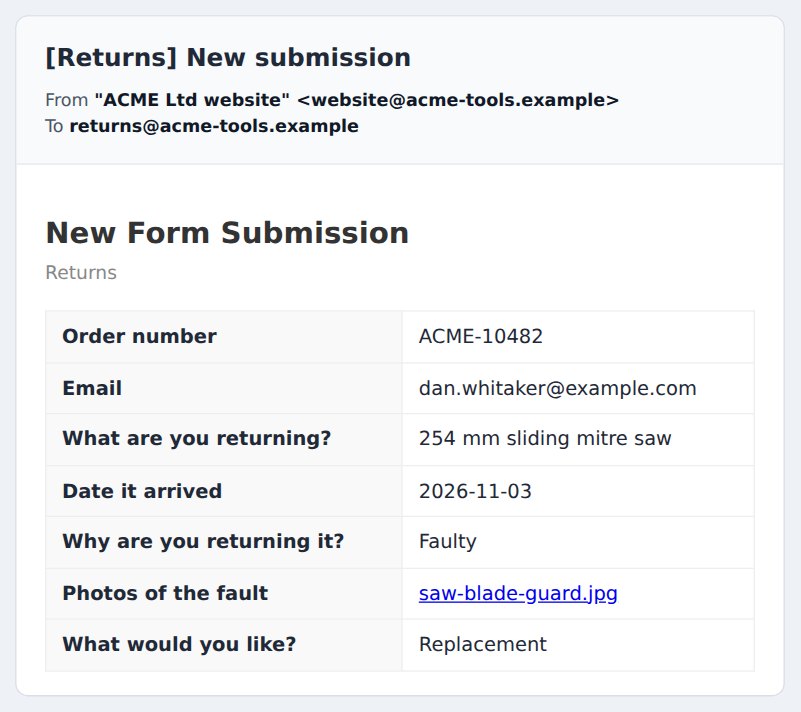
5. Work through them in the inbox
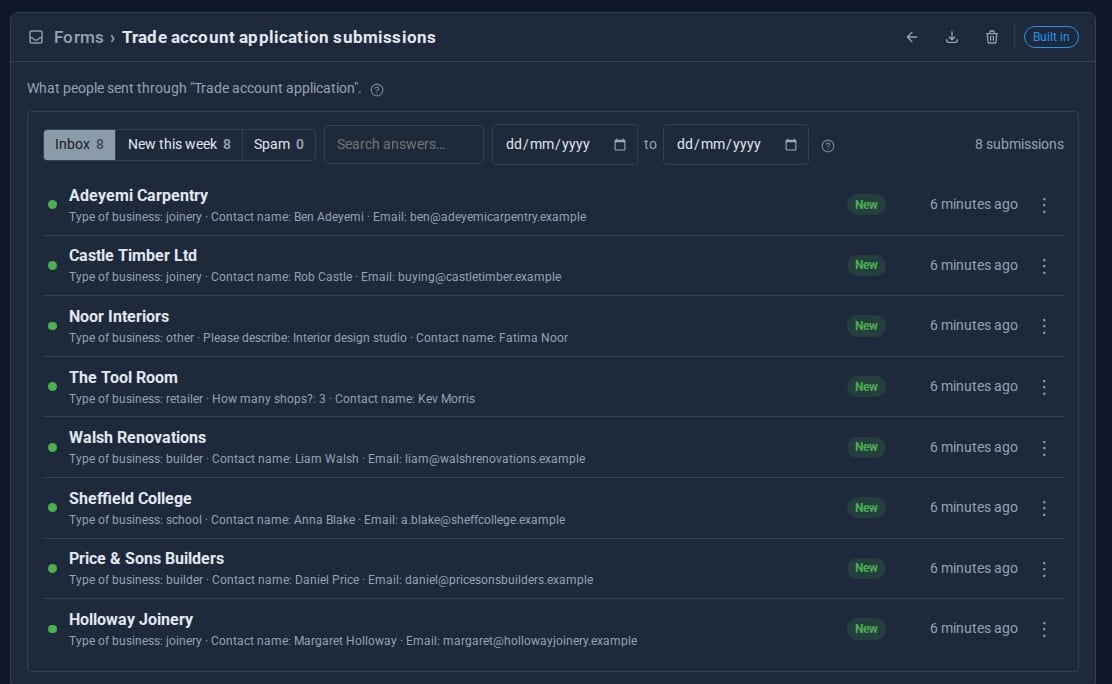
Every return is also kept in the form's inbox. Open one to see every answer and the photo, copy it, email the customer, or mark it as spam.
Quick checklist
- Make the reason a choice, so returns sort themselves.
- Show the photo field only for faulty items.
- Send each return to the right people.
- Switch on spam protection.
- Send one test return yourself.
Explore Forms, or see Forms that react for triggers and conditional logic.
The screens above come from our made-up demo company, ACME Ltd.
Keep reading

What happens when you sign up for a Domma CMS site
From choosing a plan to your first sign-in: what signing up for a Domma CMS site looks like, what it costs each month, and how you change your plan or Tools later without ringing anyone.
How to run a project with your client in the loop
A step-by-step guide to Waypoint Pro: set up a board with your own workflow, plan sprints, start issues from templates, keep a private project for one client, and let them follow along without being able to change a thing.

How to get your news shared and posted without logging in to five networks
A step-by-step guide to Social Media Pro: make every page look right when it is shared, add share and follow buttons, and post to Bluesky, Mastodon, LinkedIn, Facebook Pages and X from one composer, now or scheduled.