Forms that react to their own answers.
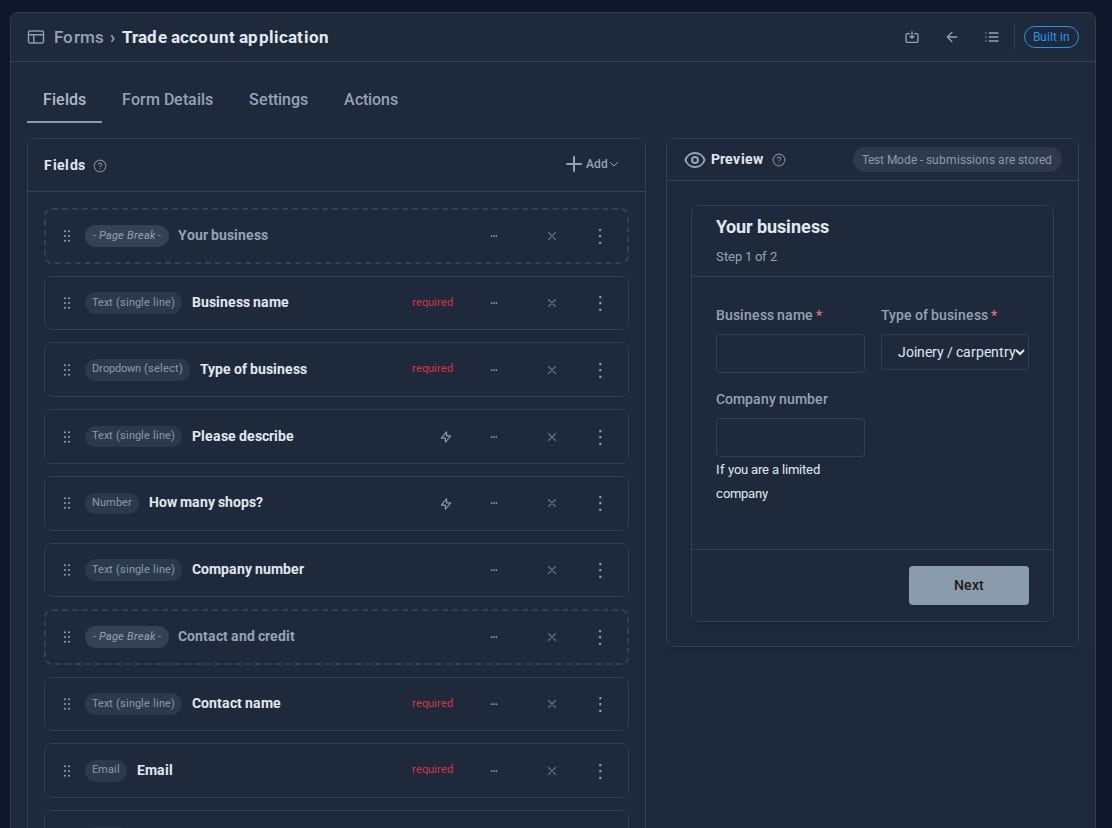
Build contact forms, applications and bookings in a visual editor, with a live preview beside you. Show a field only when it matters, split a long form into steps, and let one answer act on the whole form.

What Forms does for you
18 field types
Text, email, phone, number, dropdowns, choices, date, time, file upload, image, icon and more, laid out in two or three columns.
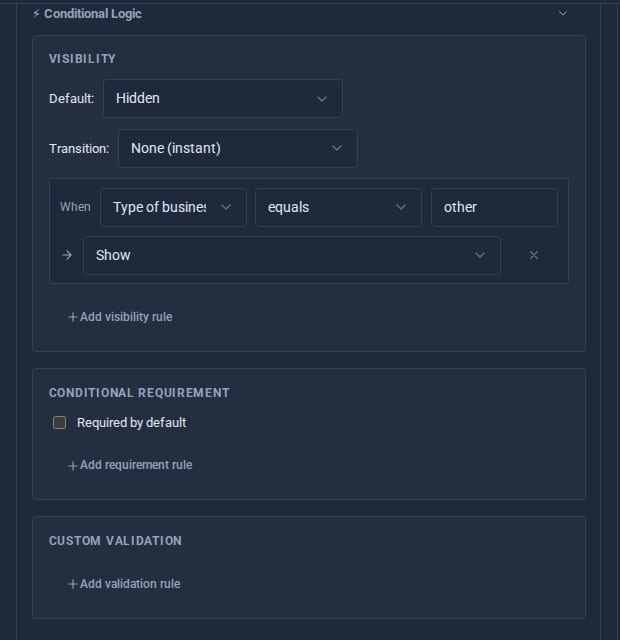
Conditional logic
Show, hide or require a field depending on earlier answers, check it against a pattern, or let one field's options depend on another.
Multi-step wizards
Add a page break and the form becomes steps, each checked before the next.
Triggers
One answer can raise a banner, hide or require other fields, refuse the submit, jump a step, end the form early or tell an admin.
Spam kept out
A hidden honeypot, a minimum time to fill in and a per-address limit. Bots think they succeeded.
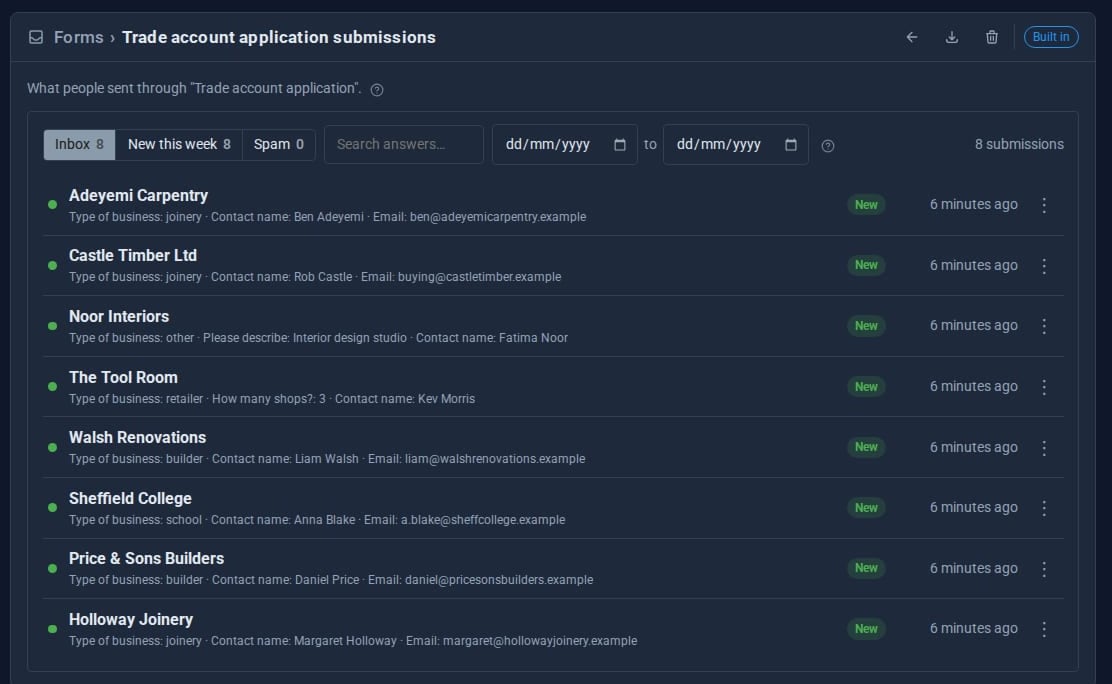
Every answer kept
Submissions are stored, emailed to you or sent to a webhook, and listed in an inbox you can search and export.
See it
See it live: A form that thinks - a three-step tool finder on this site that changes as you answer.
Try it in 5 minutes
- Open Data > Forms and press New form.
- Add a Name, an Email and a Dropdown called Enquiry type with a few options.
- Add a Textarea called Order number, open its logic panel and show it only when Enquiry type equals Returns.
- On the Settings tab, add your email address as a recipient. Save.
- Put
[form name="your-form" /]on any page, and watch the Order number box appear only when it is needed.
Works with the rest of your site
Collections
Each form stores into a collection, and several forms can share one. Show the entries with a collection display.
Actions
A form can run a CMS Action after it is stored: an approval workflow, an email, a notice.
Surveys
The Surveys Tool sends forms to chosen people with tokenised invites and reminders.
Good to know
Everything a trigger decides about submitting is checked again on the server, so re-enabling a button in the browser gets nowhere.
What it needs
Email notifications use your site's mail settings; everything else works out of the box.
Questions
The submission is still kept, and you get a Form actions failing notice so you can fix the mail settings.
Yes. Choose any collection on the Settings tab. If it is missing when someone submits, it is created from the form's fields rather than losing the answer.
Learn it step by step
Goes well with
Forms come with every site
The form builder, logic, wizards and triggers are all part of Domma CMS. No add-on to buy.