Meet Daisy. The Tool nobody sells, made for you.
Daisy is the AI in Tool Builder. Describe the Tool your business needs in plain words, and Daisy writes it, checks it on a test copy of a site and shows you how it looks. A person at Domma reviews every Tool before it reaches your site.
What Daisy does for you
Describe it
Say what it keeps, who uses it and what they do with it. If something that matters is unclear, Daisy asks one short question instead of guessing.
Checked before you see it
Each Tool is started on a test copy of a site, its screen is opened and its tests are run. You see a picture of how it looks.
Change it in plain words
"Add a phone number", "Show the oldest first". Each change is checked again. Changes to your Tools do not count towards your monthly allowance.
Reviewed by a person
Send it to Domma when you are happy. A person reviews every Tool by the next working day; once approved, it appears in your sidebar.
Never a copy
Ask for a blog, a shop, invoices or bookings and Daisy points you to the Tool Domma already has, so you switch it on instead of building it twice.
Your information is yours
Everything a Tool keeps can be exported like any Tool's. Every approved version is kept, so an earlier one can be put back.
A look inside
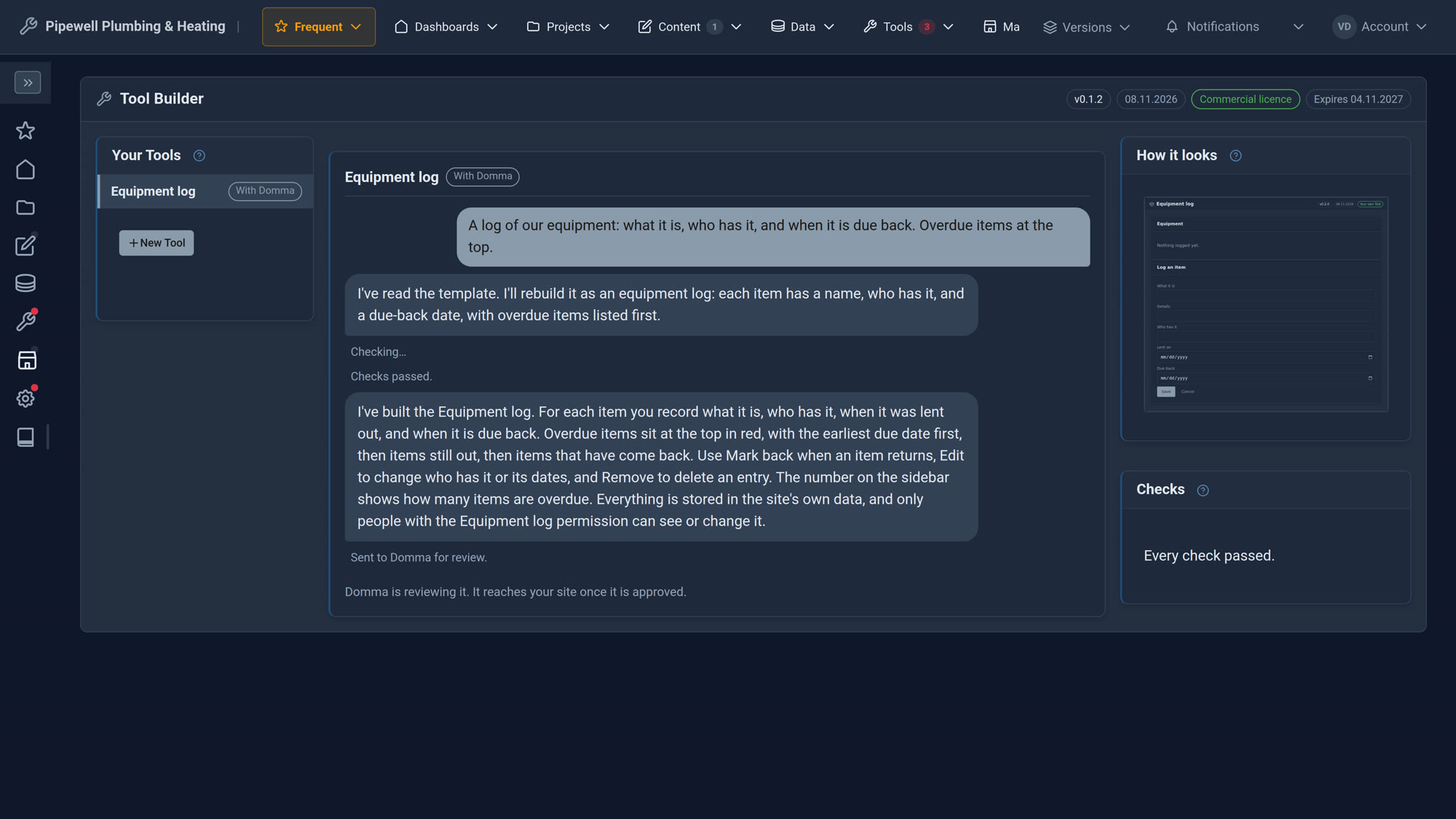
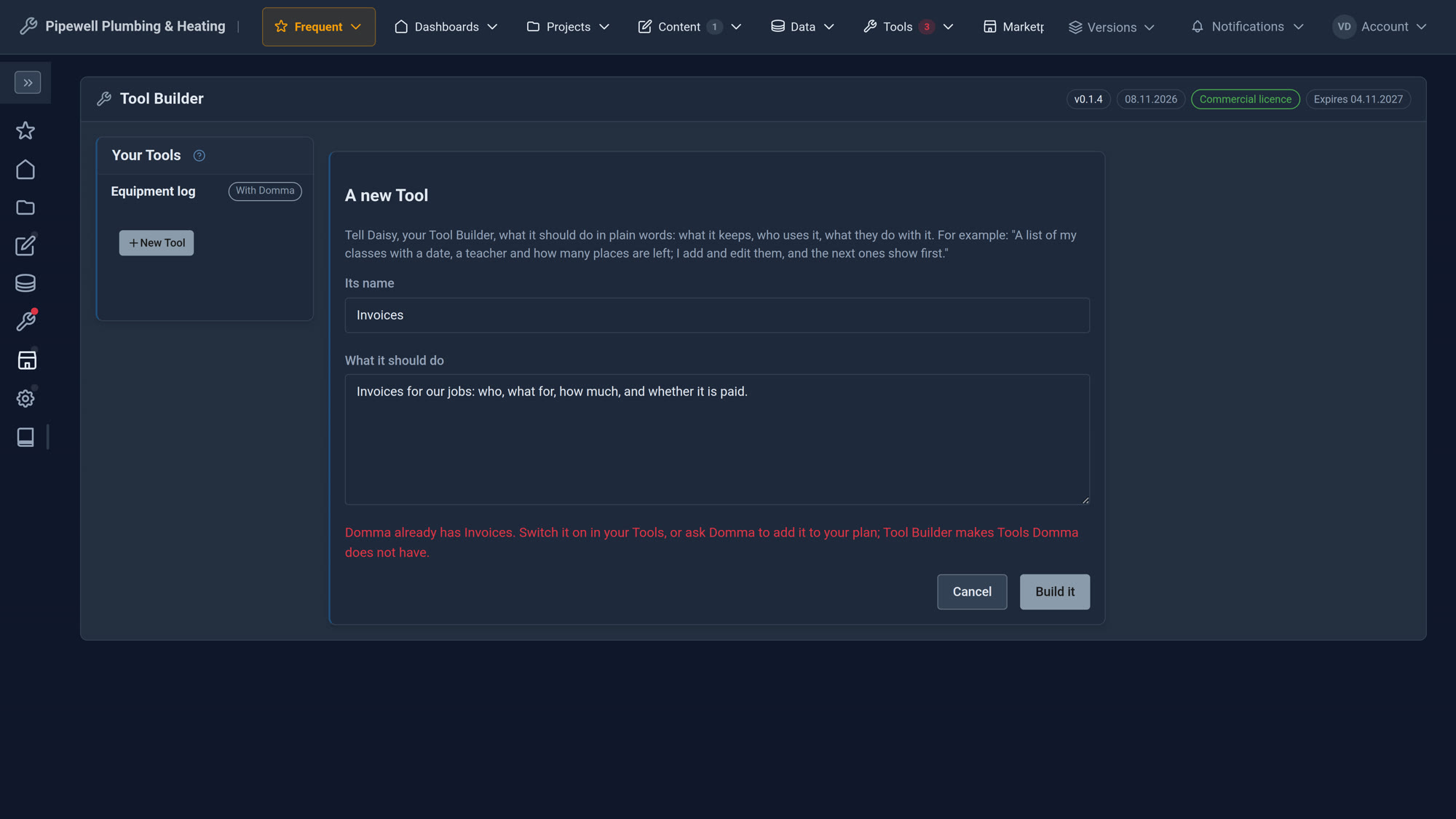
Screens from our Pipewell Plumbing & Heating demo site. The business and everything in it are made up.
See it in 5 minutes
- Open Tool Builder in the sidebar and choose New Tool.
- Name it Equipment log and say what it should do: what it is, who has it, and when it is due back; overdue items at the top.
- Choose Build it. Daisy works for a few minutes; you can leave the screen and come back.
- Look at the picture. Ask for a change if you want one.
- Choose Send to Domma for review. Once it is approved, it appears in your sidebar.
Good to know
A Tool keeps its own information and has its own screen. It cannot change how the rest of your site works, reach other Tools' information or connect to other websites unless Domma agrees. Tool Builder includes new Tools each month; changes to the ones you have do not count.
What it needs
A site Domma hosts. Tool Builder is £59 a month, runs on our servers and is not available to self-hosted sites.
Questions
A person at Domma, by the next working day. If it needs a change, the reason appears in your conversation and Daisy works on it with you.
No. Daisy is AI, and says so if you ask. The review is done by a person.
The idea and everything your Tool keeps are yours. Domma writes, holds and licenses the Tool's code, which runs on your site under your plan.
Every approved version is kept. Ask Domma to put the previous one back; your Tool's information stays as it is.
It builds Tools: their own screen, their own lists and their own sidebar entry. It will not copy a Tool Domma already has, and it does not answer general questions or write other things.
Goes well with
Put Daisy to work on your site
Tool Builder is £59 a month, on sites Domma hosts. Tell us what you need and we will set it up with you.