Guide · 3 min read
Forms that react: triggers and conditional logic
Show a field only when it matters, warn before a visitor goes further, end a form early, jump a wizard step, tell the admins - all set up in the form editor, and all re-checked on the server.
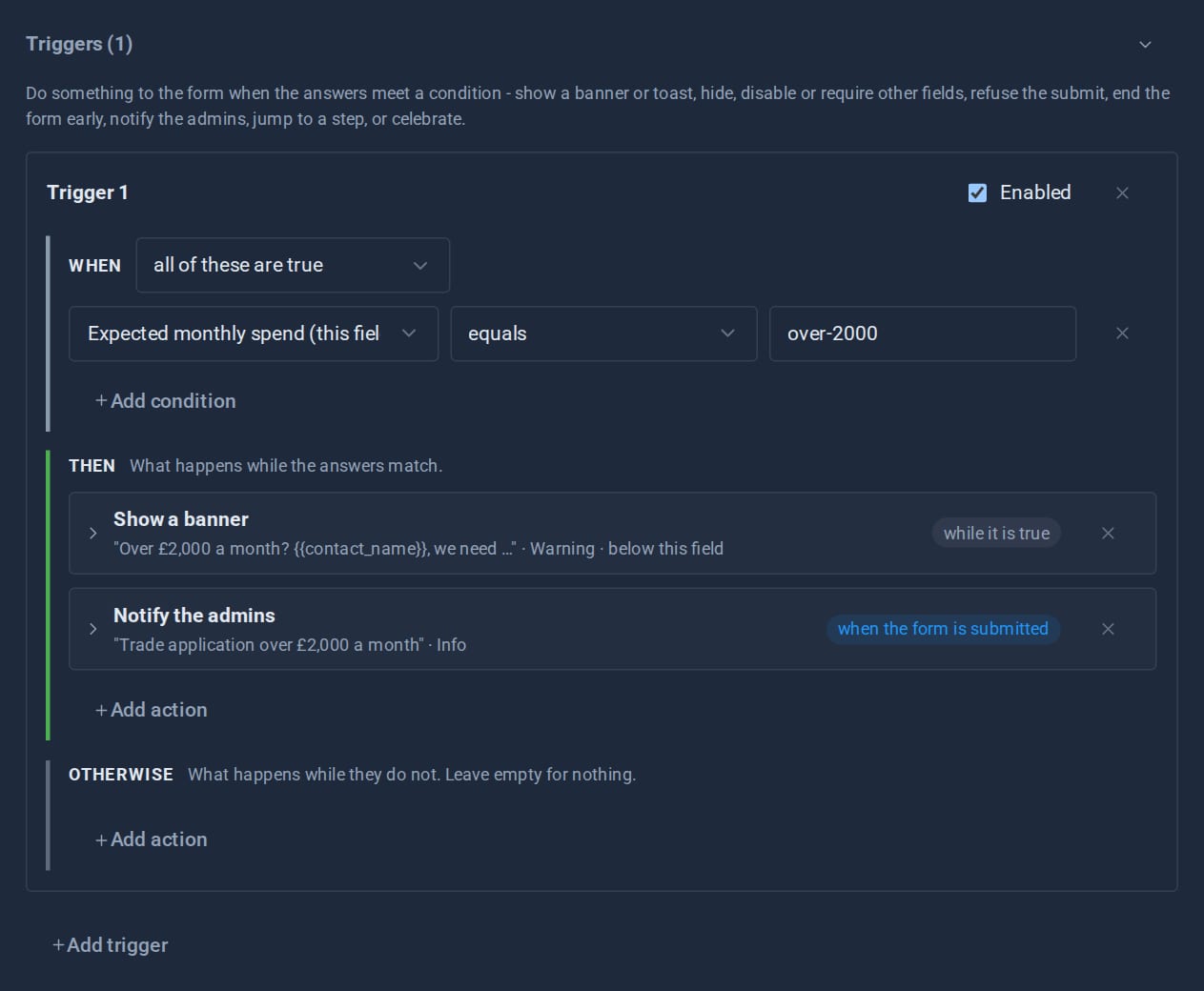
A form is a conversation, and a good one listens. Domma CMS forms have two layers of behaviour on top of their fields: conditional logic, which changes a field depending on the answers, and triggers, which change the form. Both are set up in the form editor, both are previewed live, and both are checked again on the server when the form is sent.
The builder
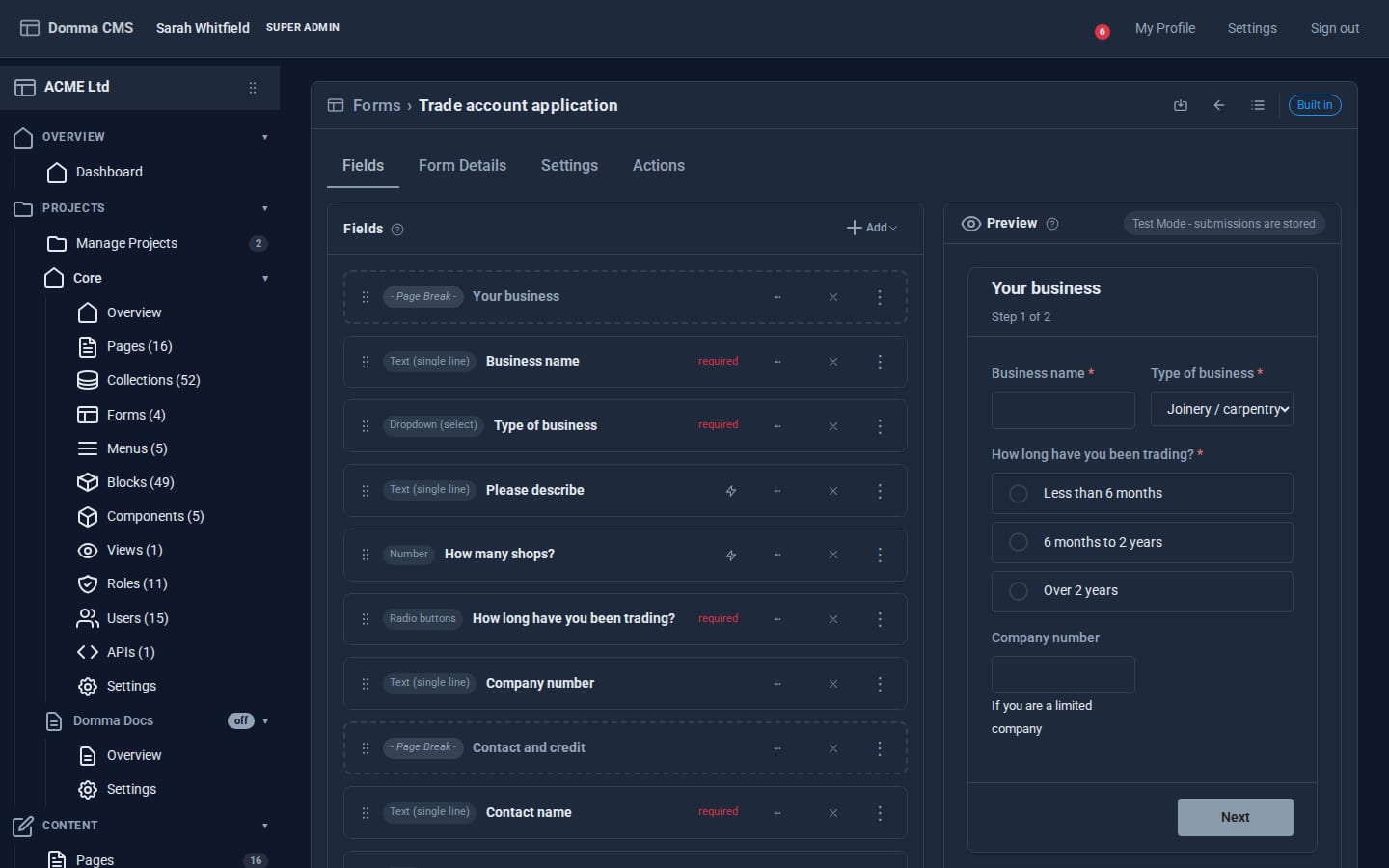
Forms are built in Data > Forms as a list of field cards - eighteen field types, from text, email and number to choosers, dates, file uploads and hidden fields - dragged into order, with a live preview that renders exactly as the public page will. A Page Break turns a form into a multi-step wizard with Previous and Next buttons; each step validates before moving on, and later steps can depend on answers given earlier.
Conditional logic: per field
Each field has a logic panel with four rules:
- visibility - show or hide it on conditions, with an optional transition
- requirement - make it required only when it applies
- validation - a pattern, or "must match another field"
- cascade - its options depend on another field's answer
Conditions compare any field's answer with operators such as equals, contains, greater than, is empty, in a list or matches a pattern, grouped as "all" or "any". A "trade references" field can appear, and become required, only when an applicant's answers call for it. The same engine runs in the browser and on the server, so a hidden required field can never block a submission and a visitor cannot skip a rule by editing the page.
Triggers: when the answers mean something
Triggers act on the whole form. Each one reads "when these conditions hold, do this, otherwise do that". Some actions apply for as long as the condition holds and undo themselves when it stops:
- banner - a message above or below the field, or at the top of the form
- hide, disable or require other fields
- block submit, with a reason
- end form - replace the rest of the form with a message and turn the button into Finish, keeping the answers so far or nothing at all
Others fire once, as the answers move into a branch:
- toast, celebrate (which respects reduced motion), jump to a wizard step
- redirect after sending
- run a CMS Action on the server once the entry is stored
- notify the site's admins, through their notifications
Messages can include the visitor's own answers: "Thanks {{name}}, a trade account for {{company}} usually takes two working days" fills in as they type.
Why the server checks it too
Anything a trigger decides about submission - blocking it, hiding or requiring fields, ending the form, redirecting, running an action, notifying - is decided again on the server with the same rules. Re-enabling a disabled button in the browser's developer tools gets a refusal, not a submission. Form logic that only runs in the browser is a suggestion; this is a rule.
After submission
Entries land in the form's own collection, where the submissions screen filters by date, searches and exports. Actions can email the team, call a webhook, or run a CMS Action - an approval workflow, a welcome email, an entry in another collection.
See it working
- The forms showcase is a three-step tool finder with conditional questions and an early ending.
- The tutorial A multi-step form with conditional logic builds one from scratch.
- The Forms feature page has the full list of fields, operators and actions.
Keep reading
The Pro Suite: one umbrella, not nineteen apps
A small business usually pays for a mail app, a CRM, an invoicing service, a shop, a project board and a survey tool - and copies data between them. The Pro Tools share one admin instead.

Theming a site without a designer
Built-in themes, automatic day and night, re-theming one region of a page, and - with Theme Roller - themes of your own. How far you can take a Domma site's look without writing CSS.

Why Domma never uses eval
Knockout-style bindings usually mean compiling strings into code at runtime. Domma Reactive parses them by hand instead, so it runs under a strict Content Security Policy.