Make a page move: a five-minute recipe
Gradient words with a shine, text that lights up as you read, and cards that swoosh in. Here is how to put all three on one page, with the shortcodes to copy.
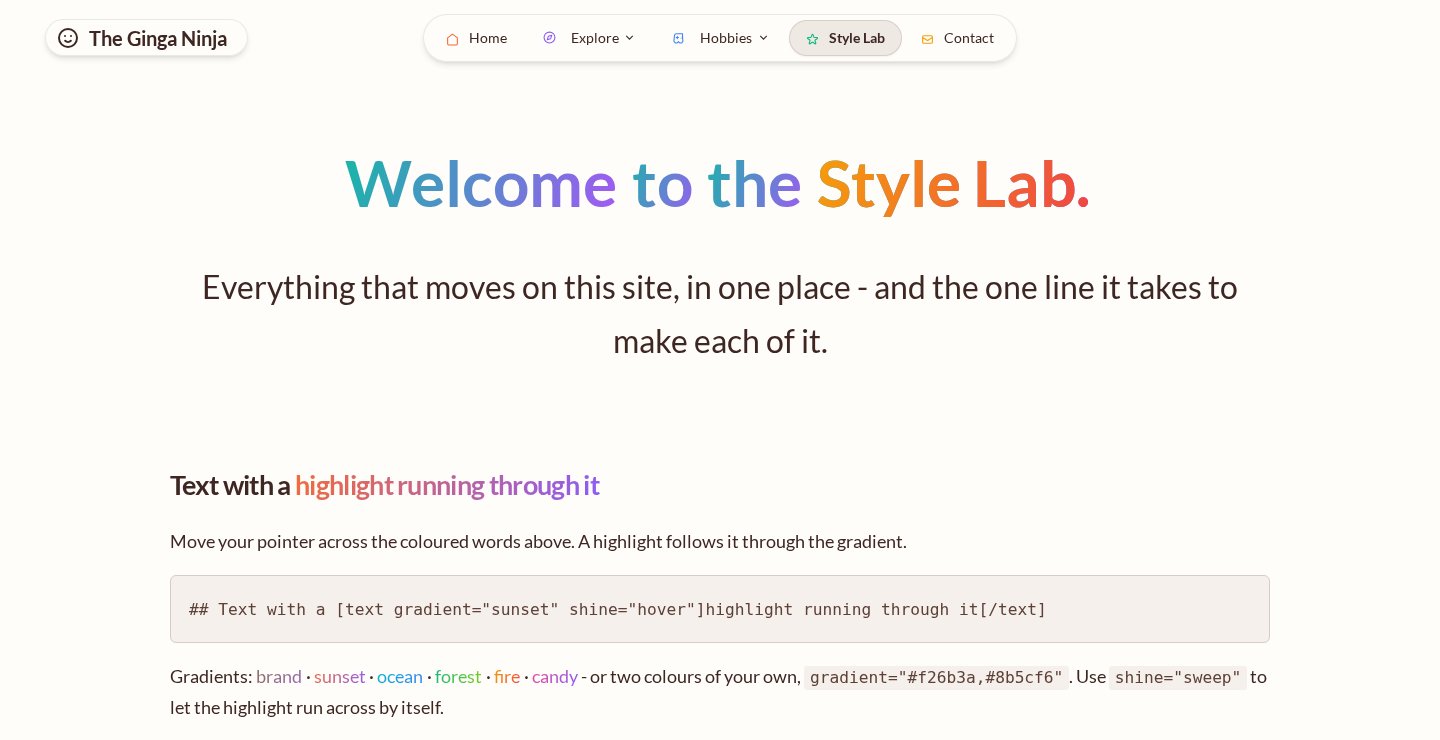
Last week Domma CMS learned to move: words painted in a gradient with a highlight running through them, text that lights up as you read down the page, and rows of cards that swoosh in and lean toward the pointer. This is the short version of how to use them, with markup you can copy.
See every effect on a live site
1. A headline that catches the eye
Select a few words in the page editor, right-click and choose Wrap in... > Highlight text. You get the [text] tag with a gradient and a shine already chosen. Or type it:
## Websites that [text gradient="sunset" shine="sweep"]work as hard as you do[/text]
shine="sweep" runs a highlight across the words every few seconds; shine="hover" follows the pointer instead. There are 22 gradients to pick from, among them ocean, forest, aurora, rose-gold, newspaper and midnight, or give it two colours of your own: gradient="#f26b3a,#8b5cf6".
2. Text that rises or lights up
Two more looks for a [text] tag:
[text words]brings the words in one after another as the page opens.[text light-up]starts the text dim and lights it word by word as it scrolls up the window. It suits a short statement in the middle of a page.
Tags nest, so a heading can rise in word by word and end on a gradient:
## [text words]Nothing goes out [text gradient="sunset" shine="sweep"]without you.[/text][/text]
Already have a [text] tag? Right-click it for one-click Highlight, Sweeping highlight, Light up as you read, Rise in word by word or Plain.
3. Cards that swoosh in
Put reveal on a row and its columns come in as it scrolls into view. The two new animations are the showy ones:
[row reveal reveal-animation="swoosh" tilt]
[col][card title="Plan"]We listen first.[/card][/col]
[col][card title="Build"]Then we make it.[/card][/col]
[col][card title="Grow"]And keep it working.[/card][/col]
[/row]
swooshlifts each card out of a soft blur.swoosh-sidesbrings the first card from the left, the last from the right and the middle ones up.tiltmakes each card lean toward the mouse and settle flat when it leaves.reveal-replayplays it again every time the row comes back into view.
4. Leave visitors in charge
Some people find motion uncomfortable. Every one of these effects stands still for a visitor whose device asks for reduced motion, and Content > Appearance > Reduced Motion lets you add a Reduce motion switch to the footer, the navbar or a floating button, and choose what a new visitor gets.
Where next
The full list of options is in the user manual's Shortcodes chapter.
Keep reading
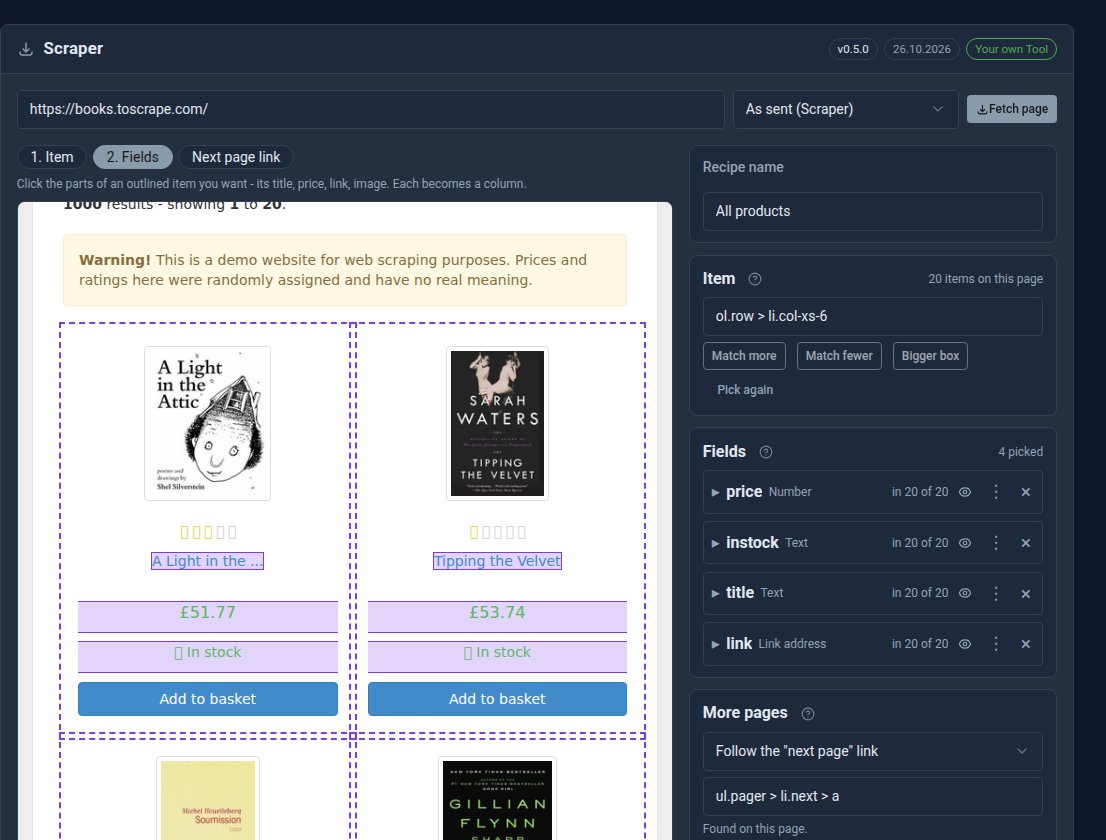
Your first Scraper recipe, step by step
Build a working Scraper recipe in about ten minutes: pick the items, choose the columns, follow the pages, and show the results on your site.
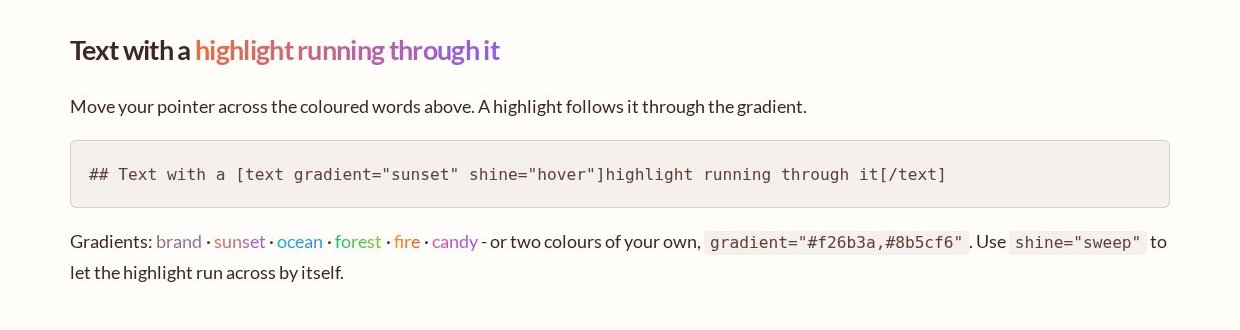
Highlight text, one right-click away
Gradient text with a running highlight is now a right-click in the page editor: select the words and Wrap in › Highlight text.
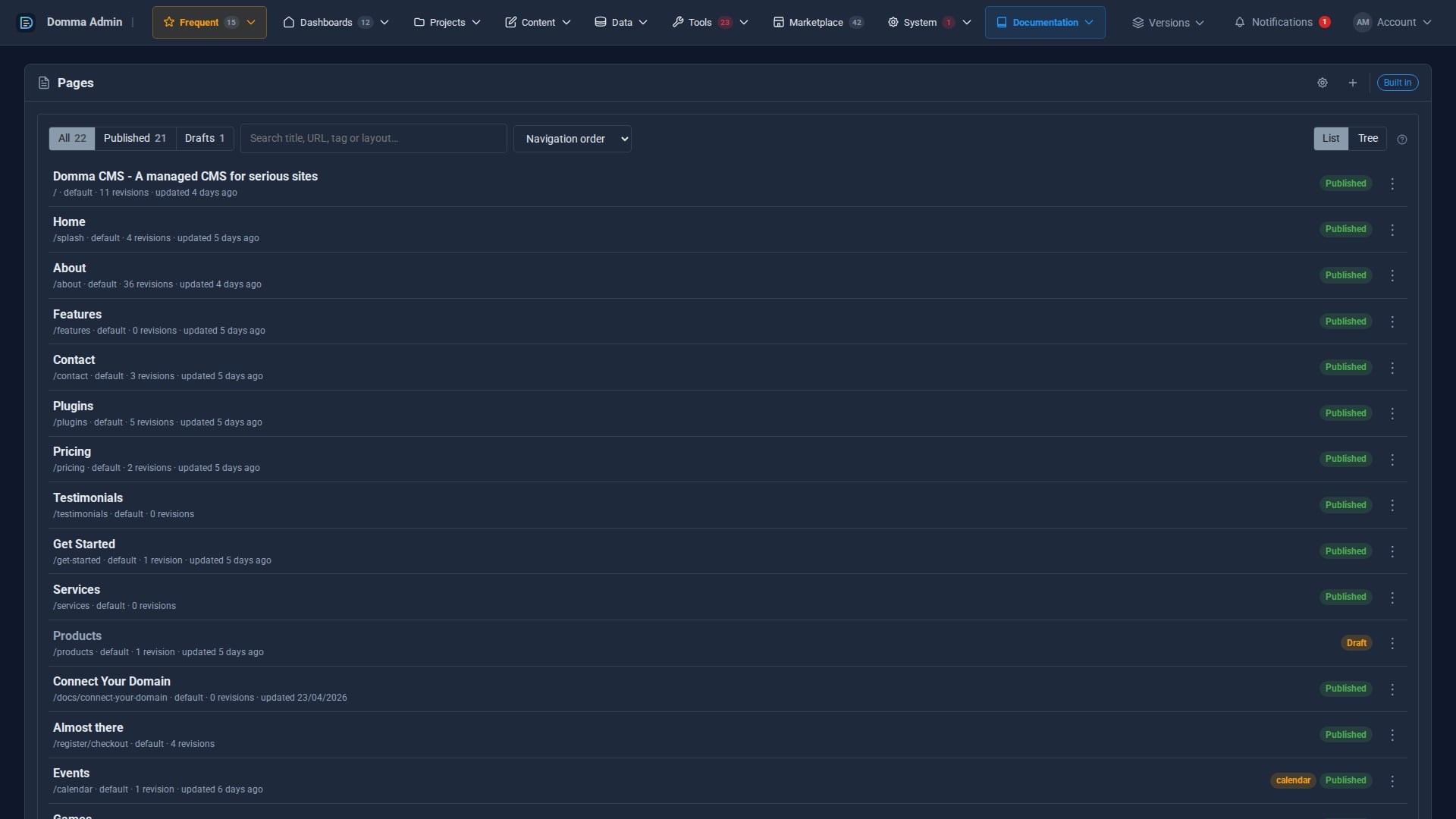
A cleaner admin: the new top menu
Every admin section now sits in one menu bar across the top, with your Frequent shortcuts, live counts and account menu, so your work gets the full width of the screen. The side menu is now a switch.