Card menus, a showcase footer and text that moves
A navbar that opens into colourful cards, a footer that finishes the page with a flourish, and text and cards that move as you scroll. Built in, free, and off until you switch them on.
Three new ways to make a Domma site feel finished: a navbar that opens into cards, a footer that closes the page with a flourish, and text and cards that move as visitors scroll. All three are built in, free, and off until you switch them on.
A pill bar with card dropdowns
In Content > Menus, open a menu and go to the Behaviour tab.
- Bar shape: Pill gathers your links into one rounded capsule. The link under the pointer, and the page you are on, get a soft pill of their own.
- Dropdown style: Cards opens each dropdown as a large rounded card under its link. Every entry gets a coloured tile round its icon and a short line of description, laid out in columns.
- Icon tiles colour those tiles: a rainbow, your theme's colour, or neutral.
- Slide from one card to the next grows the next card out of the last as you move along the bar.
Then edit any item to give it a description and its own tile colour. A top-level item can give its card a small heading with a "See all" link, a strip of chips along the bottom (handy for things coming soon), and a side box with a title, a few ticked points and a button. On phones the same entries open in the menu drawer, tiles and descriptions included.
A showcase footer
In Site Settings > Footer, the new Showcase footer card adds:
- a big call to action, with a few words drawn in a colour gradient,
- your name drawn huge and faint behind the footer, drifting as the page scrolls,
- your email and address under your brand,
- a row of short facts with a small green status dot, and a tagline opposite the copyright.
Each part shows only when you give it words. The Showcase look adds a glowing line along the top.
Moving text and swooshing cards
In the page editor:
[text gradient="sunset" shine="hover"]paints words in a gradient, with a highlight that follows the pointer across them.shine="sweep"runs it by itself.[text light-up]starts a paragraph dim and lights it word by word as the visitor reads down.[text words]brings a headline in word by word.[row reveal reveal-animation="swoosh-sides" tilt]sweeps a row of cards in out of a soft blur, and makes each one lean toward the pointer.
Visitors who ask their device for reduced motion get everything still and fully lit.
Every option is in the shortcode forms, and the details are in Documentation inside your admin. Your site already has them.
Keep reading
A pill for your branding, and a navbar with no strip
Your logo can sit in a pill of its own, and a pill bar now floats over the page on frosted glass - no strip, no line.

Domma CMS 1.0
Domma CMS is 1.0. Nothing changes when you update - what changes is the promise that your site and your Tools keep working until a new major version says otherwise.
Meet the Scraper: other websites' lists, in your collections
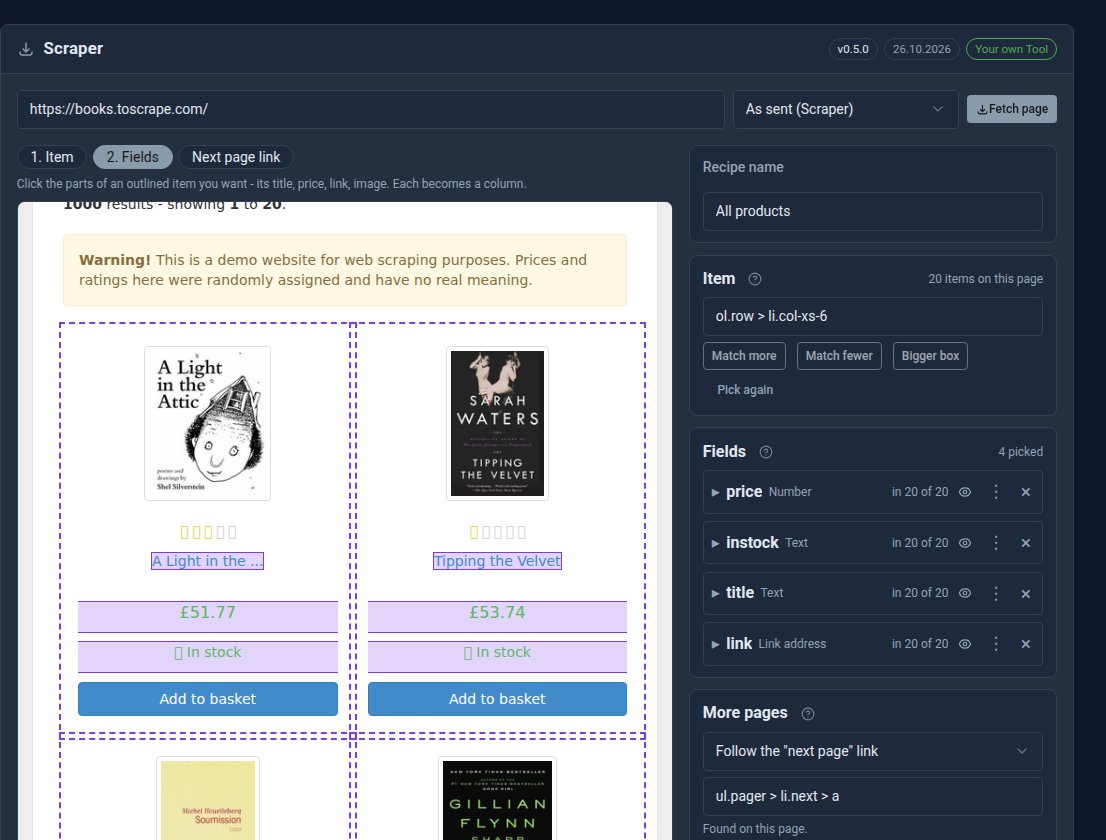
The new free Scraper Tool collects products, prices and listings from other websites into a collection on yours. Click what you want once, and let it run by hand or on a schedule.