Footer and Appearance get their own Tools, and Site Settings gets shorter
Footer and Appearance are now Tools of their own under Content, Site Settings is down to the essentials, footer links pick up the menu bar's colours, and SEO can read your Google Business Profile.
Site Settings had become the place everything went. This week it was split up so each thing lives where you would look for it.
Footer and Appearance, under Content
- Footer is now its own Tool under Content: layout, the Showcase footer, footer blocks and social links, with its own Save.
- Appearance sits beside it and holds the things that change how the site looks and moves: Favicon, Navigation, Breadcrumbs, Reduced Motion and Search. Search's settings now sit side by side on one screen.
Both keep your unsaved changes as a draft and ask before you leave with changes unsaved, like the other Tools. Each one saves only its own settings, so two people working in different Tools no longer undo each other.
A shorter Site Settings
What is left in Site Settings is the site itself: its name, branding and the like. The Email tab is now called SMTP, because that is what it sets. SEO defaults and the default share picture moved into SEO, and Google Analytics into Analytics. Your saved values came with them, and old bookmarks still open the right place.
Branding has two new switches: hide the brand on the public site, or in the admin, without losing the name and logo for later.
Google Business Profile in SEO
In SEO's settings you can now connect your Google Business Profile, choose the account and location, and see its details beside what your site says. Tick the ones you want and they fill the SEO form, ready to save. You can reconnect or disconnect at any time.
Footers in colour
Footer links now show their menu item's icon, and the footer menu's Bar icons setting colours them Rainbow or Accent, as on the menu bar. A row of links that would wrap first tightens up (less space, a smaller size, then no icons) and only wraps if it still will not fit. The bottom row also keeps clear of Back to top, Reduce motion and a floating Search button.
Keep reading
Menus that warn before you overwrite
Save a menu that someone changed after you opened it, and Domma CMS now asks first instead of quietly undoing their work.
Reduce motion, wherever your visitors look for it
Reduce motion gets its own Site Settings tab: put the control in the footer, a corner or the navbar, and choose what new visitors get.
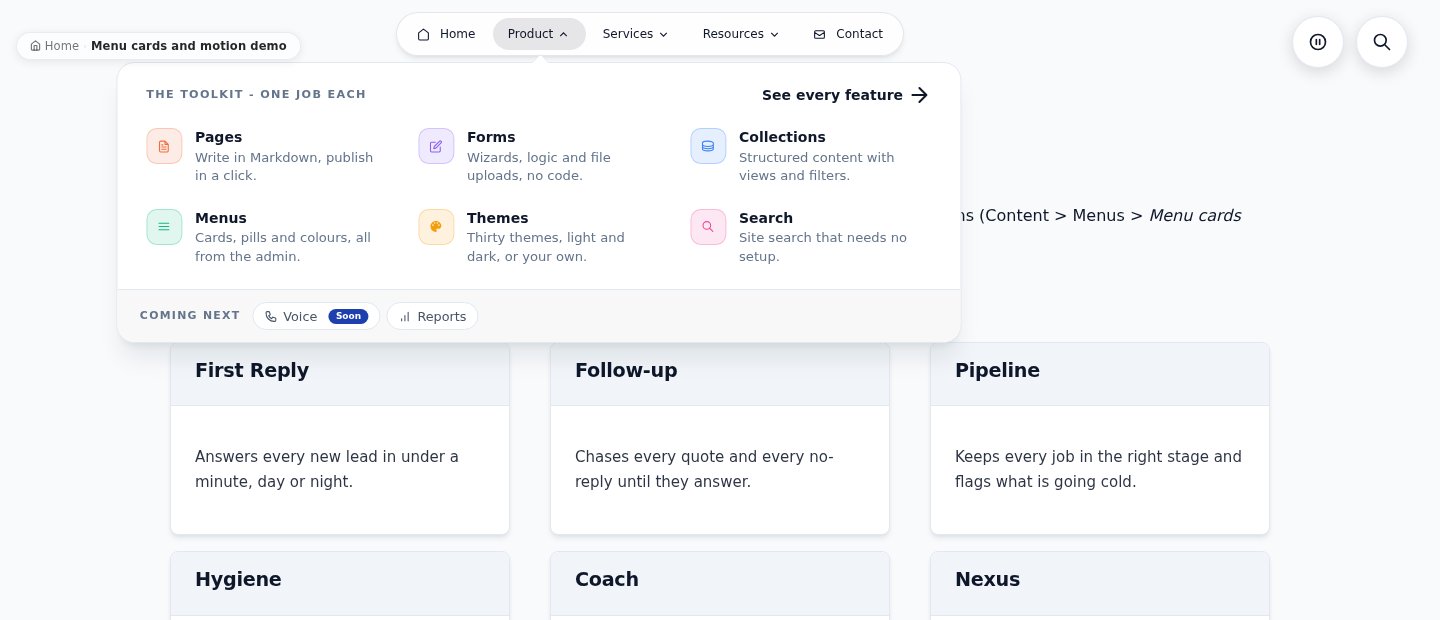
Card menus, a showcase footer and text that moves
A navbar that opens into colourful cards, a footer that finishes the page with a flourish, and text and cards that move as you scroll. Built in, free, and off until you switch them on.