Job Board now has public job listings
Job Board 2.2.0 puts your jobs on your own site for anyone to search: filters for IR35, day rate and remote work, a page for every job that Google's job search understands, and confidential roles that stay confidential.
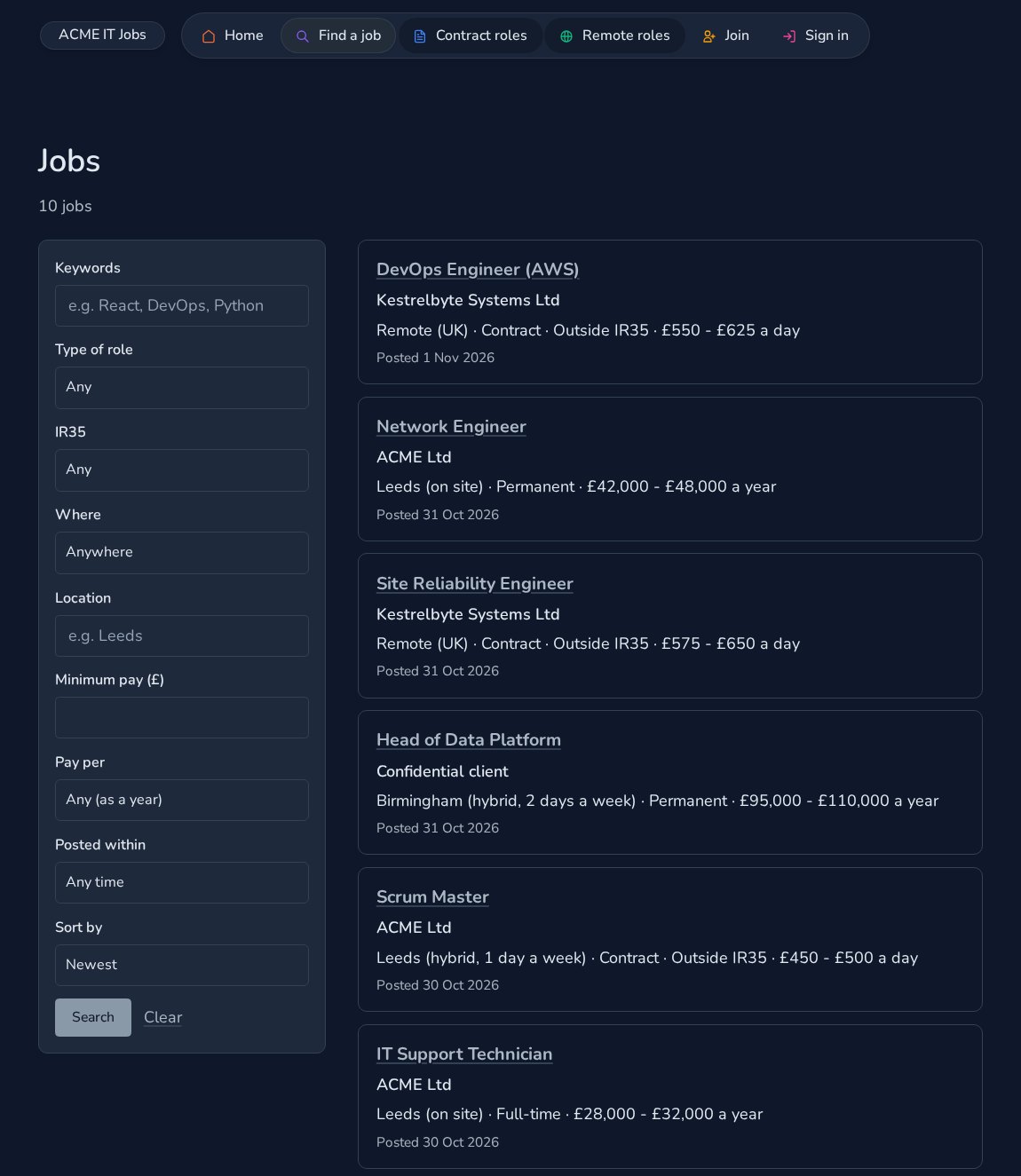
Until now, a Job Board site showed its jobs to people who had signed up. From Job Board 2.2.0, anyone can browse and search your jobs on your own site, and every job has its own page that search engines can find.
We built it with IT recruitment in mind: contract and permanent roles, IR35, day rates and remote work are all first-class.
A job list anyone can search
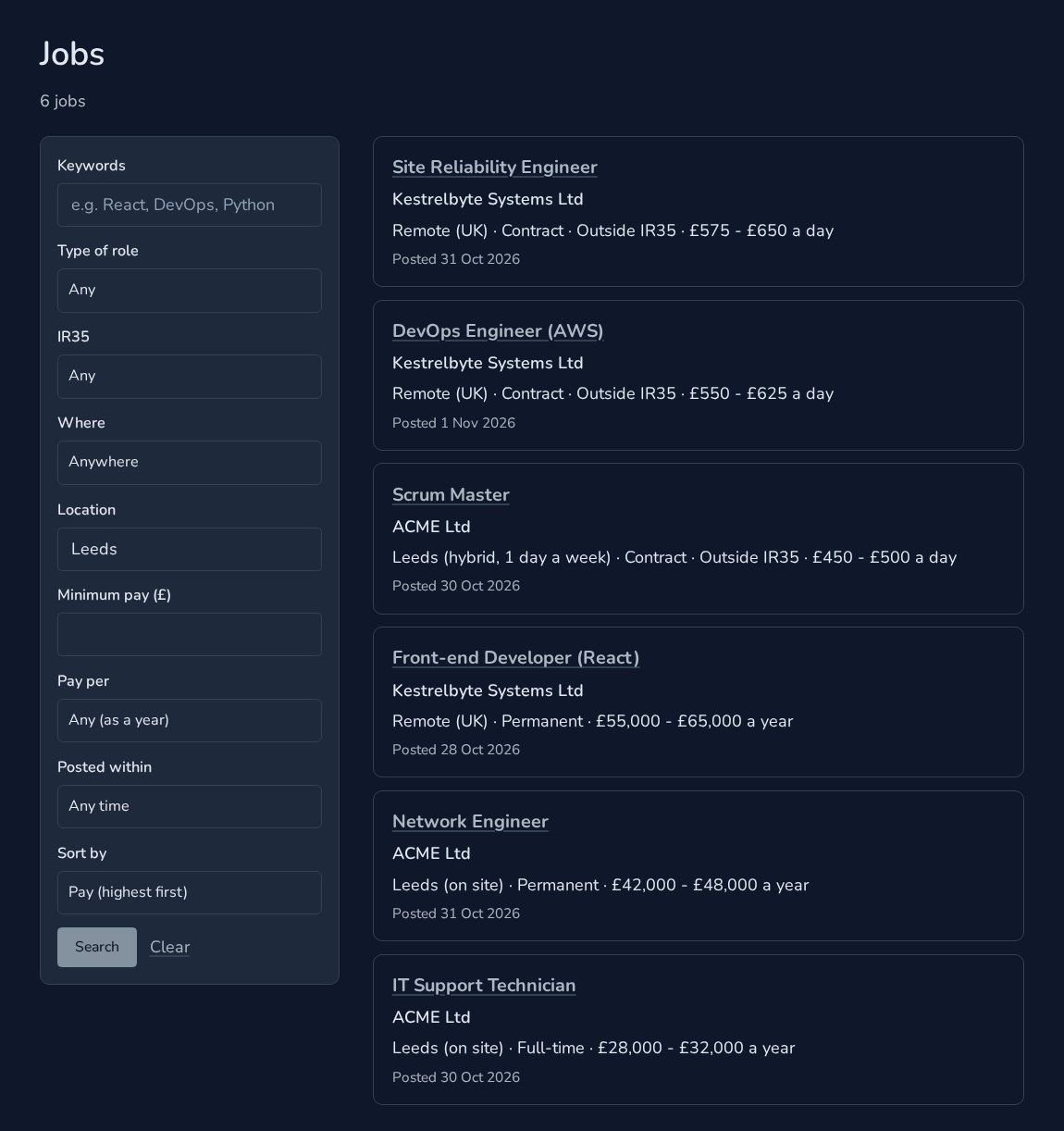
Switch on Public job listings and your site gets a jobs page, at /jobs unless you choose another address. Visitors filter by keywords, type of role, IR35, on site, hybrid or remote, location, minimum pay or day rate, and how recently a job was posted, then sort by newest or by pay.
Every search has its own link, so a contractor can bookmark "outside IR35, remote, from £500 a day" and come back to it. Search for a place and remote roles are included, shown as Remote (UK), and "Permanent" includes full-time roles too.
A page for every job
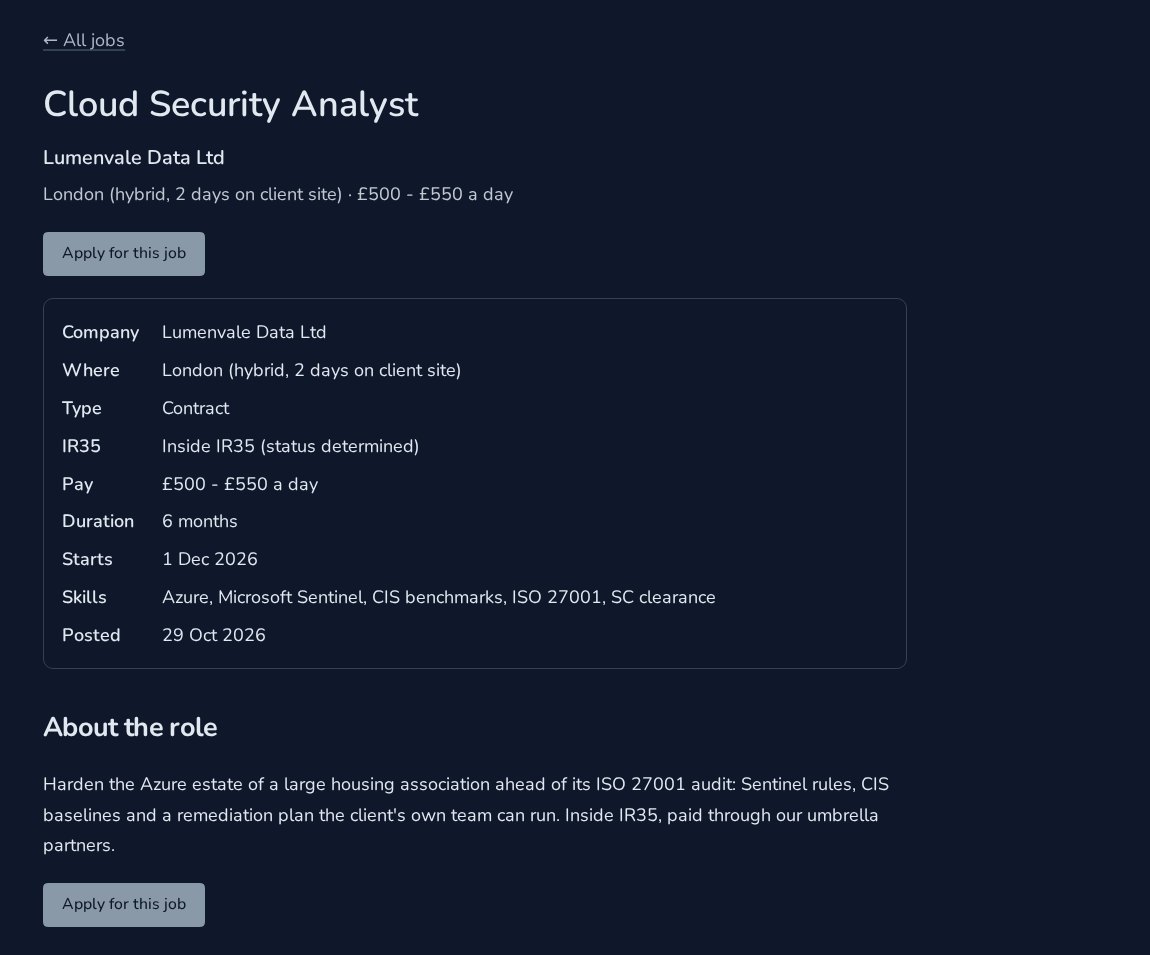
Each job has its own page with the full description, the details and Apply. It also carries the structured data Google uses for its job search: title, pay per year or per day, remote or the location, and the closing date. When a job closes, its page says so and it leaves your sitemap.
Apply in a click, or sign up first
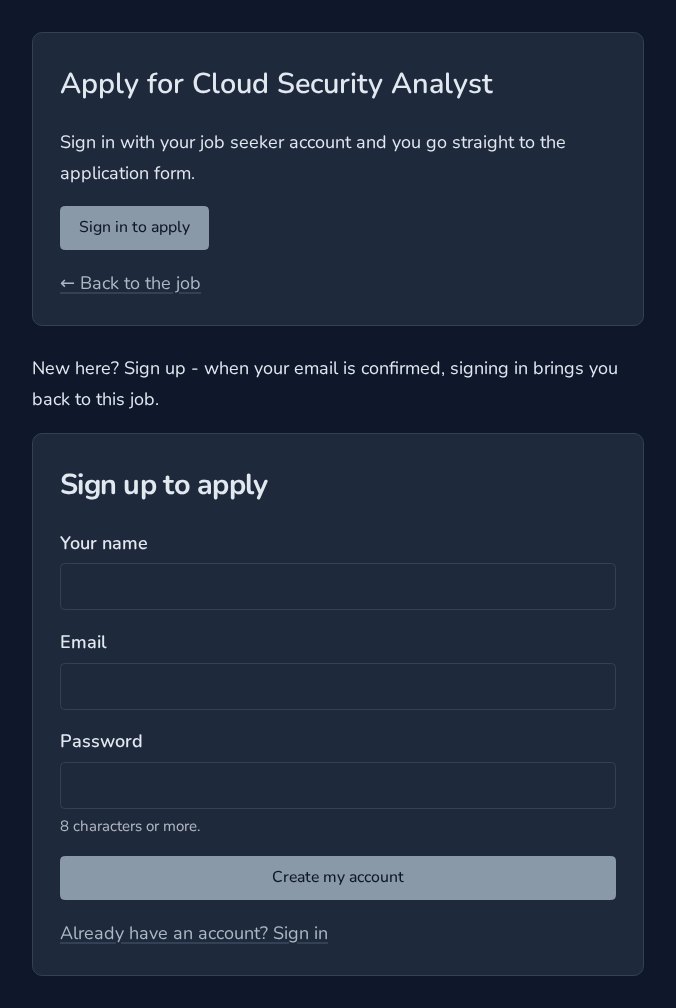
A signed-in job seeker goes straight to the apply form. Anyone else can sign in, or sign up as a job seeker, and lands back on the same job afterwards.
Confidential roles stay confidential
Tick Confidential on a job and the public sees "Confidential client" instead of the company, everywhere: the list, the job page and the data Google reads. Signed-in candidates see it too, until they are shortlisted. Then the company is revealed to them.
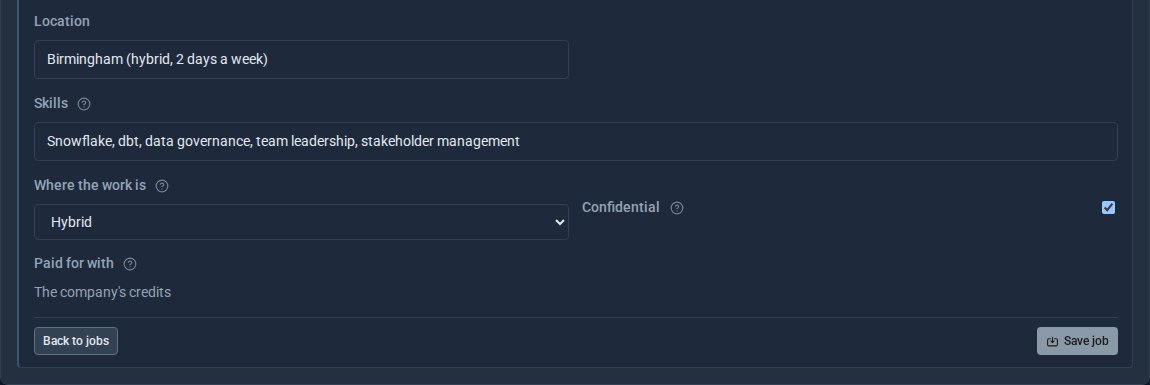
Put jobs on any page
Two shortcodes put jobs anywhere on your site: a search box, and a list you can narrow by type, IR35, remote or company. Here is a home page using both.
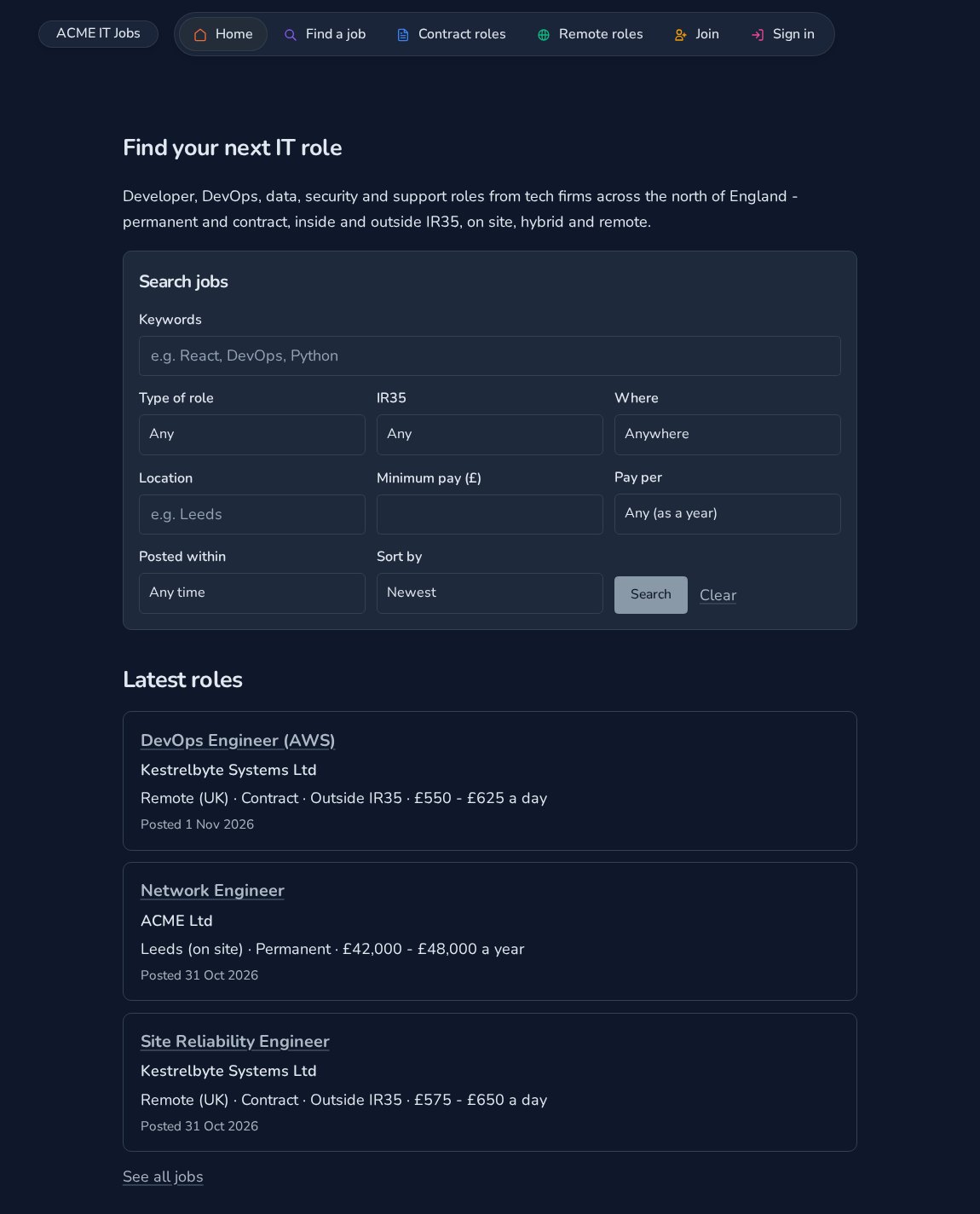
Switch it on
Open the Job Board settings and turn on Public job listings. Choose the address, and whether company names are shown at all.
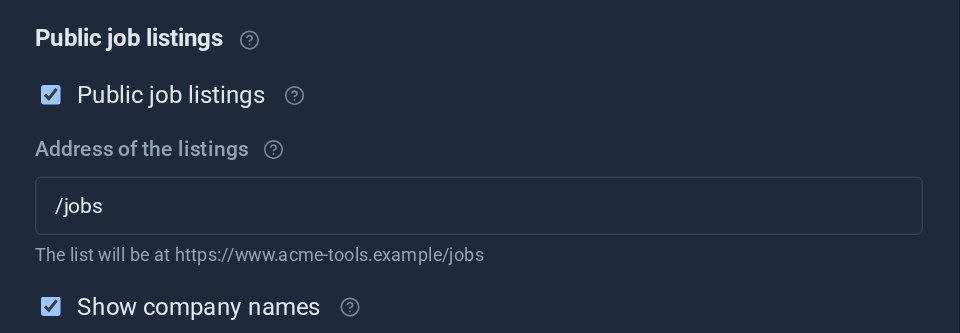
Only published jobs from approved companies are ever shown. Applicants, candidates, credits and notes never appear on the public pages.
Explore Job Board, or read How to find your next IT contract on a Job Board site.
Every company and person in the screens above is made up.
Keep reading

See every Tool as it is today
We have refreshed the screenshots on more than thirty Tool pages, so each one shows the Tool as it works now - including two months of new features.

How to find your next IT contract on a Job Board site
A step-by-step guide for IT contractors and job seekers on a site that runs Job Board: set your day rate and IR35 position, let Matches me find the roles, apply, confirm interviews and build a profile that gets you hired.
Meet Dot and Daisy, your Site Builder and Tool Builder
Our two AI helpers have names. Dot builds and changes your website when you ask in plain words; Daisy builds Tools of your own. Both stick to their jobs, and both tell you they are AI.