Email a whole group, from Contacts or your own mailbox
Campaigns can now go straight to your Contacts groups - read when they send, nothing to import - and a small one can go out from your own mailbox.
Sending the same email to a group of people used to mean copying them into a campaign audience first. Now a campaign can go straight to your Contacts groups, and a small one can go out from your own mailbox.
Send a campaign to a Contacts group
In Contacts, right-click a group and choose Send a campaign to this group…. Campaigns Pro opens a new campaign with that group already picked. Tick some contacts instead and the bar's Campaign… button does the same for just those people.
In the campaign itself, the Audience card now lists your Contacts groups next to the campaign's own audience groups, and counts how many people it will reach as you pick.
- Always up to date. The group is read when the campaign sends. Add someone to the group tomorrow and a campaign scheduled for next week reaches them. There is nothing to import.
- Everyone gets their own copy, with their own link and an unsubscribe link - never a long Bcc list.
- One email each. Someone in two of the groups you picked gets the campaign once, and anyone who has unsubscribed is skipped.
Campaigns use your own contacts. Contacts someone has shared with you stay theirs to email.
Send from your own mailbox
With the Email Tool on your site, a campaign's new Send from setting can pick one of your mailboxes instead of the site's sending. Each person still gets their own copy with their own links, but it comes from your address, a copy of each lands in your Sent folder, and replies come straight back to you. It feels like a personal email because it is one.
Personal mailboxes are not built for bulk mail, so this is for small lists - up to 50 people a campaign. For anything bigger, keep the site's sending, SendGrid or Mailgun.
Only you can send from your mailbox: a colleague who opens your campaign sees "Another person's mailbox" and can move it to the site's sending if they want to take it over.
Where is it? Campaigns Pro 1.6, Contacts Pro 0.13 and Email 0.13 are on every site that has them now - reload the admin if you had it open. To send from your mailbox, set up outgoing mail for it first under Email > Settings > Outgoing.
Keep reading
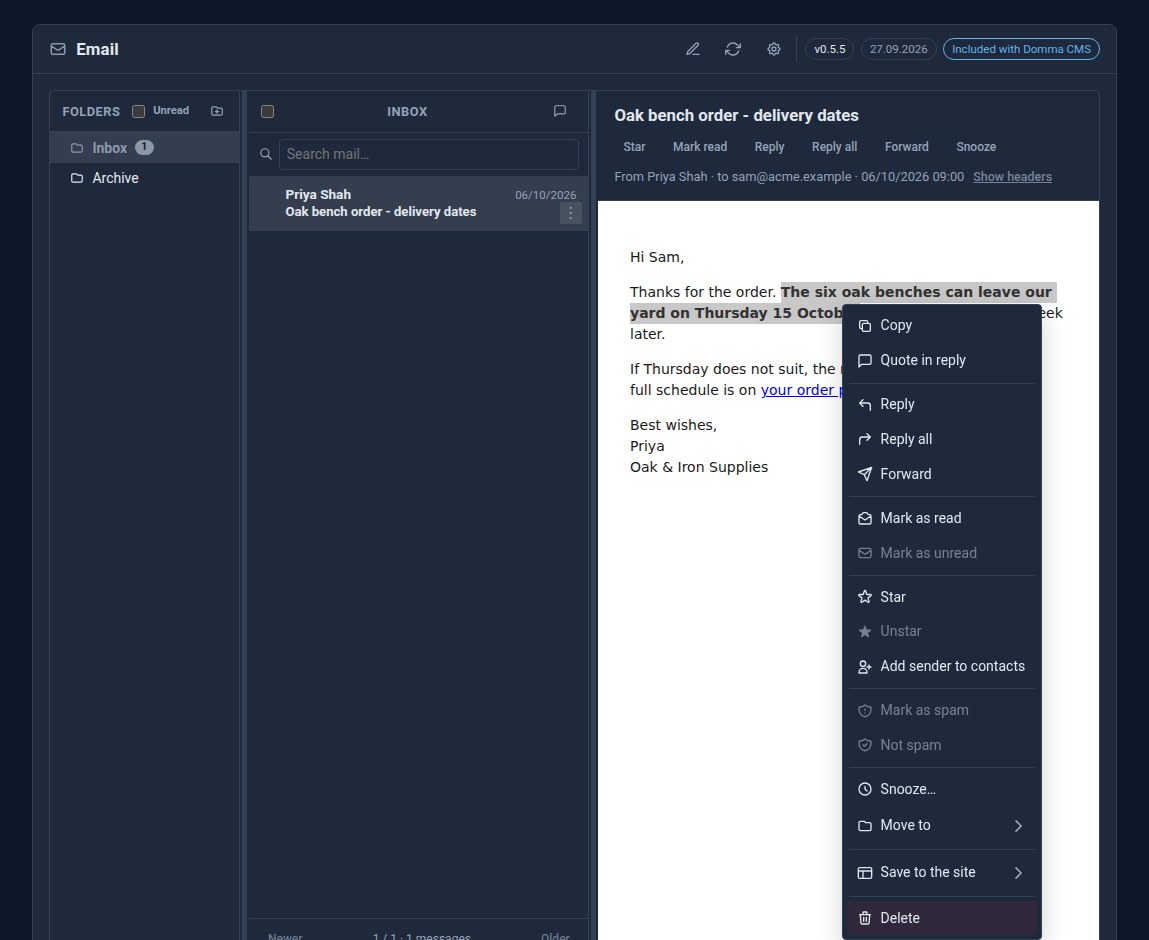
Right-click the email itself
Right-click an open email in Domma CMS for Reply, Reply all, Forward and the message's other actions - or select a sentence and quote just that in your reply.
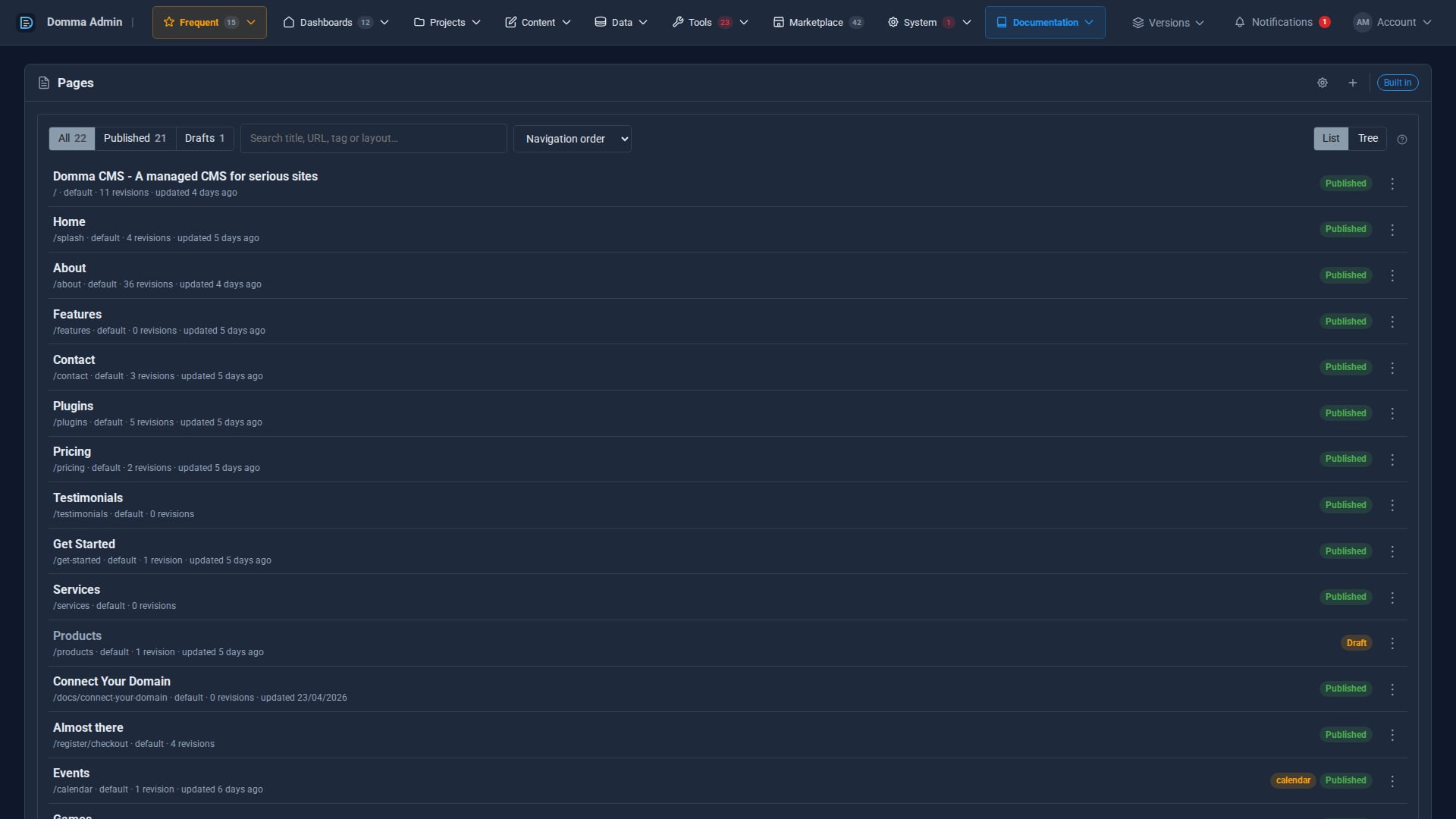
A cleaner admin: the new top menu
Every admin section now sits in one menu bar across the top, with your Frequent shortcuts, live counts and account menu, so your work gets the full width of the screen. The side menu is now a switch.
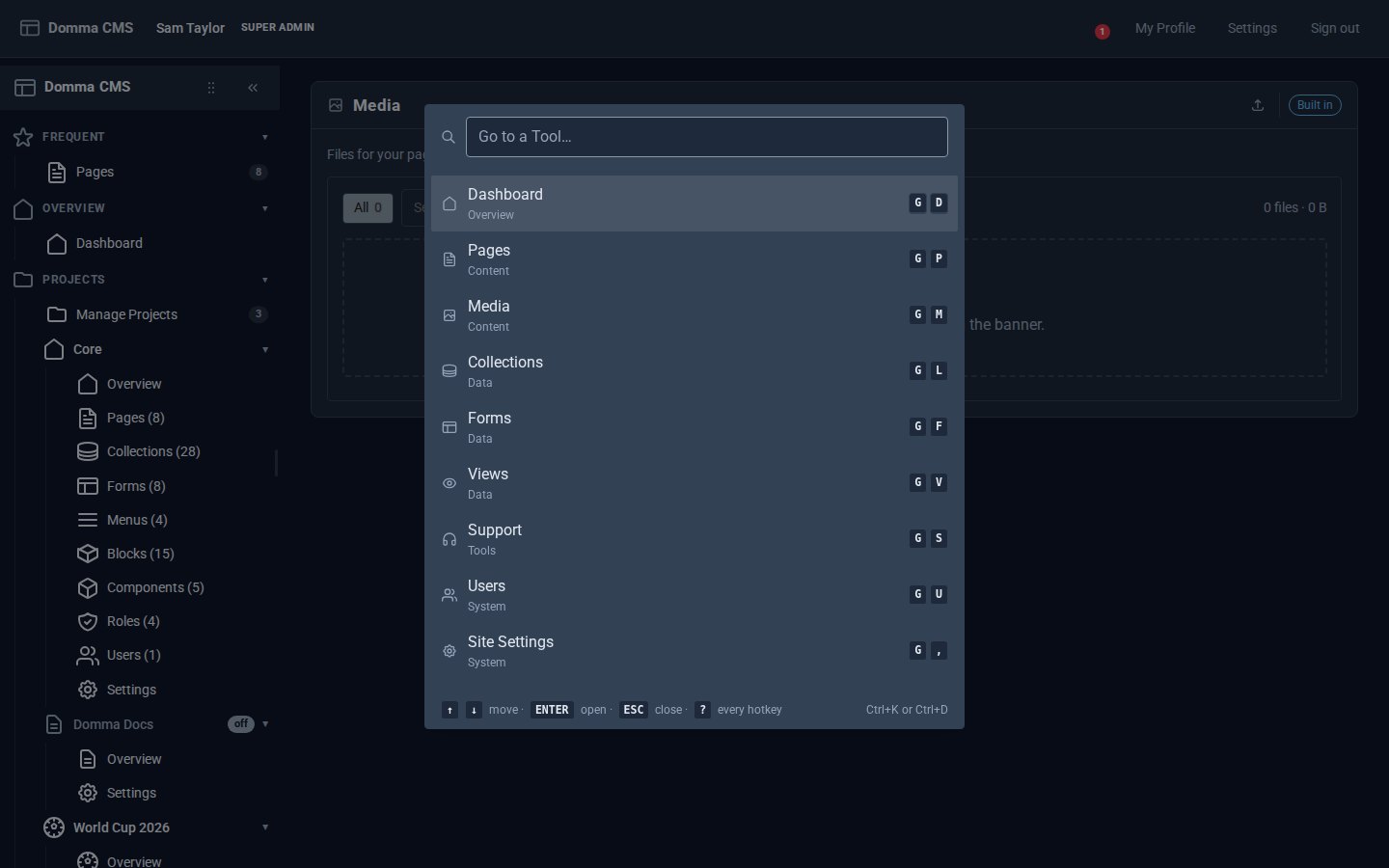
Every Tool, a keystroke away
Domma CMS 1.6: press G then a letter to open any Tool, G then 1-9 for your Frequent ones, Ctrl+K to find anything by name, and ? for the list.