All Tools
Waypoint ProPro

Plan the work. Track it. Finish it.

A project tracker inside your admin: projects with their own workflow, issues on a board or in a list, a backlog you plan into sprints, and comments and mentions that tell the right people when something moves.

A small team planning work around a table

Everything a team needs to ship.

Your workflow

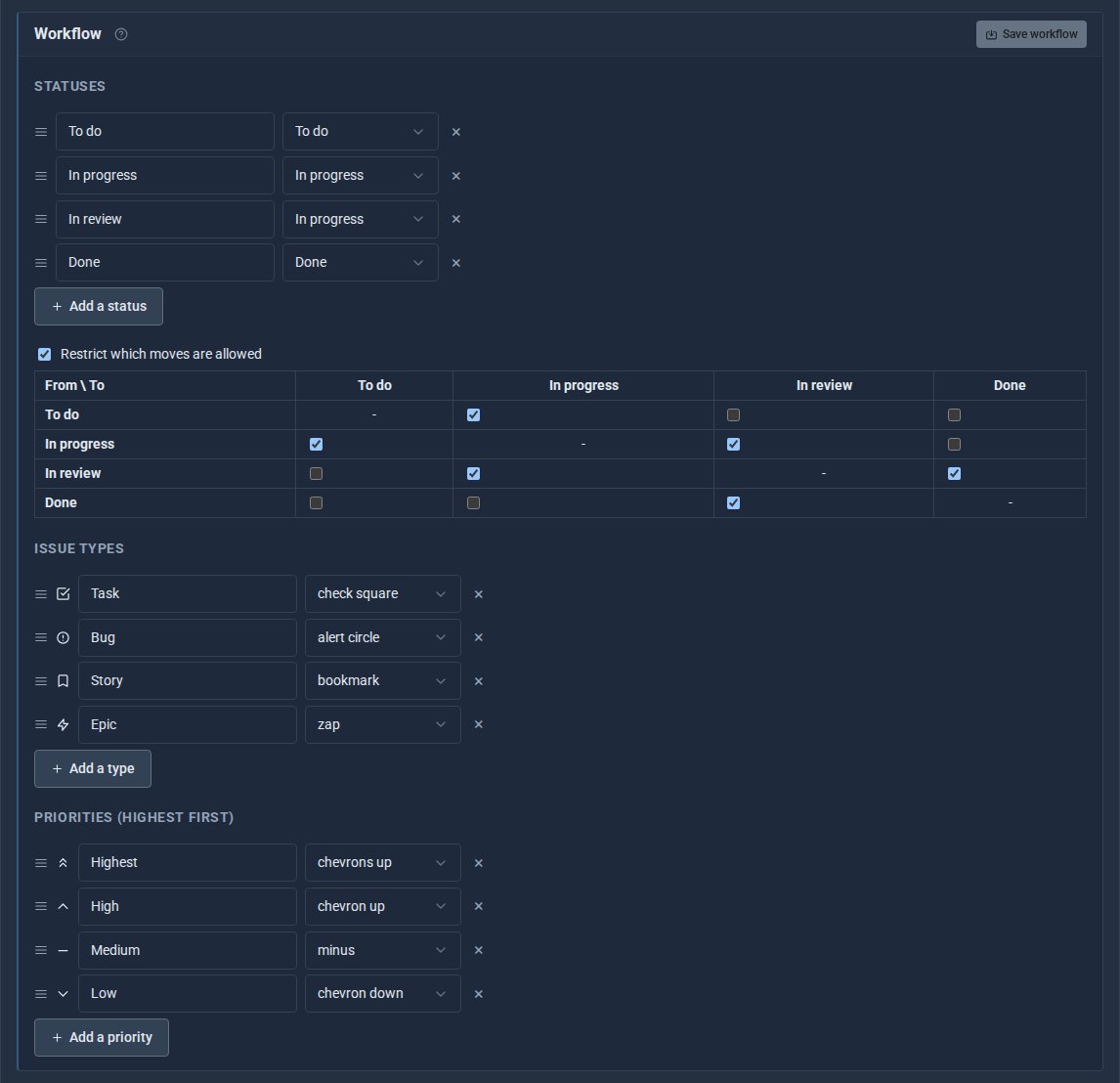
Each project has its own statuses, the moves allowed between them, issue types and priorities. A move the workflow forbids is refused by the server too.

Board, list, backlog

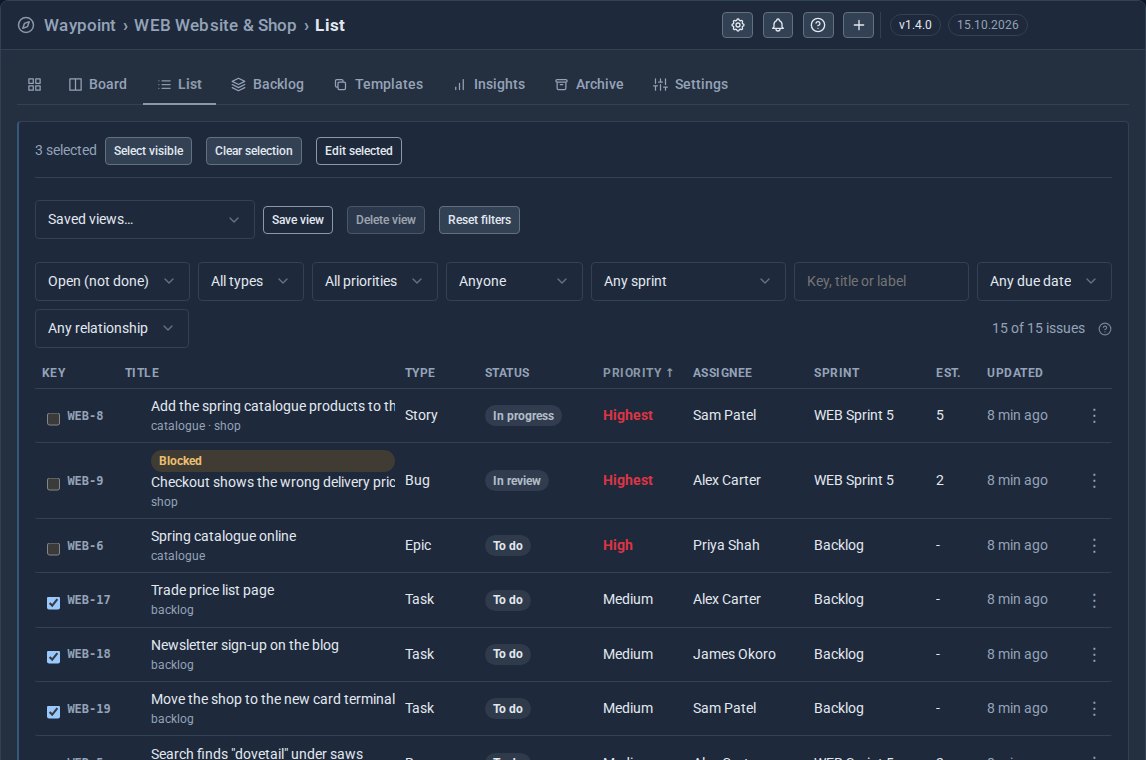
Drag issues across a board, filter and sort them in a list, and rank the backlog by dragging.

Sprints and burndown

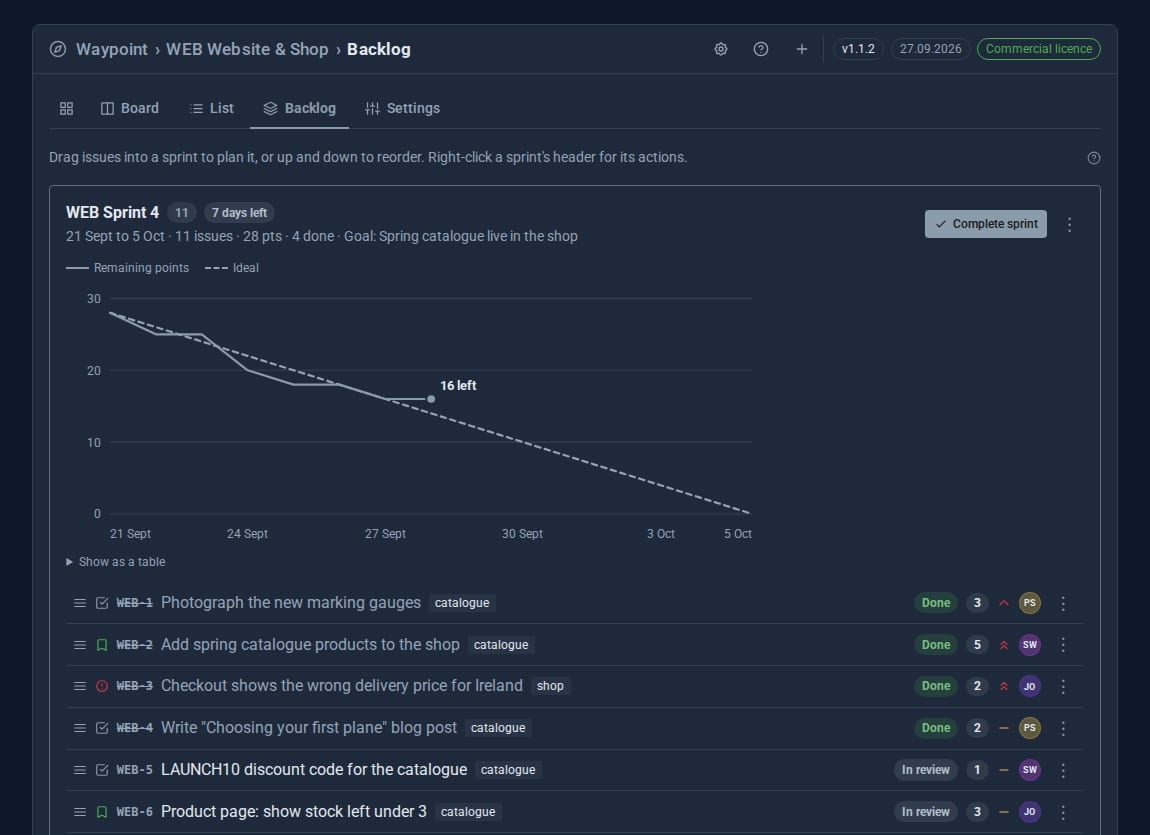
Plan a sprint from the backlog, start it, and follow the burndown - by story points when you estimate, by issue count when you do not.

Issues with everything

Type, status, priority, assignee, sprint, epic, estimate, labels, due date and watchers, with full history.

The right people told

Watchers, the assignee and anyone @mentioned get a notice, and an email when you turn it on. Nobody is told about their own change.

Your work at a glance

The sidebar badge counts the open issues assigned to you, and turns red when one is overdue.

See it at work

Screens from our demo company, ACME Ltd. Every name and figure in them is made up.
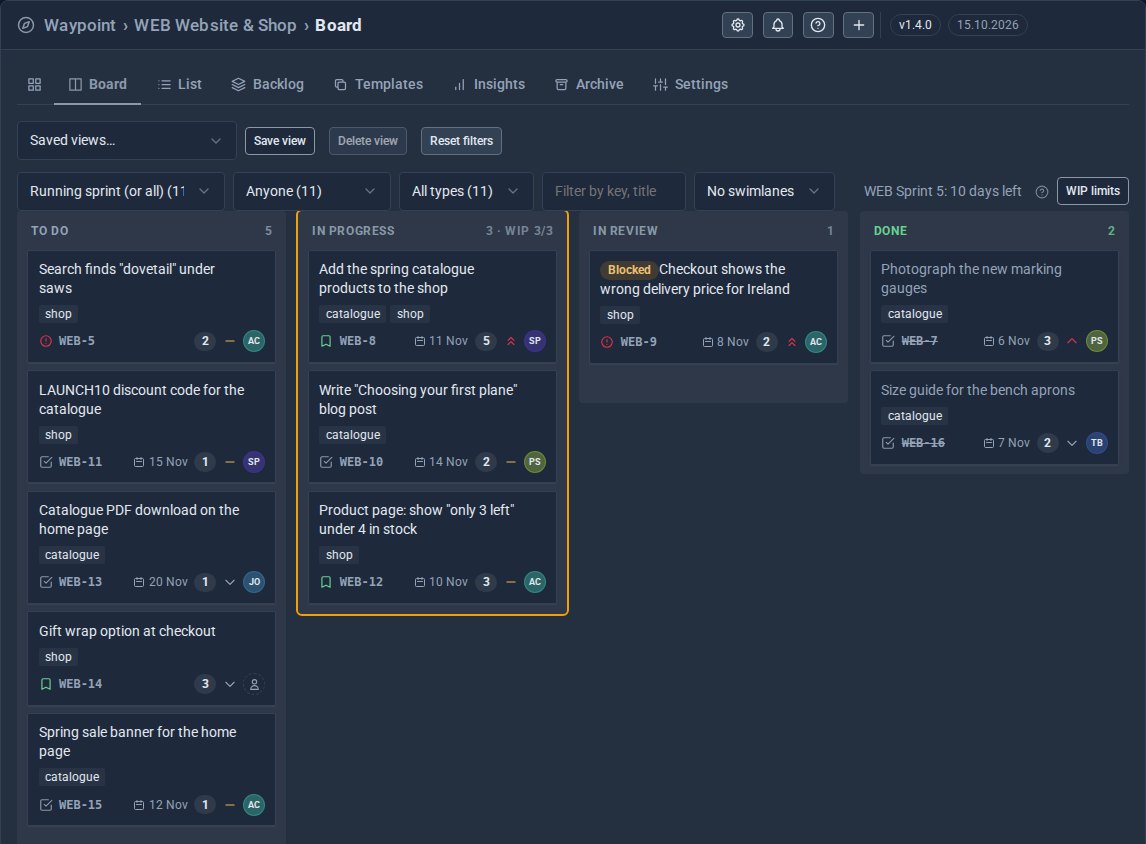
A Waypoint board with To do, In progress at its limit of three, In review with a blocked issue, and Done
The board. The running sprint, a column at its limit and a blocked issue. Saved views, filters with their counts and swimlanes along the top.
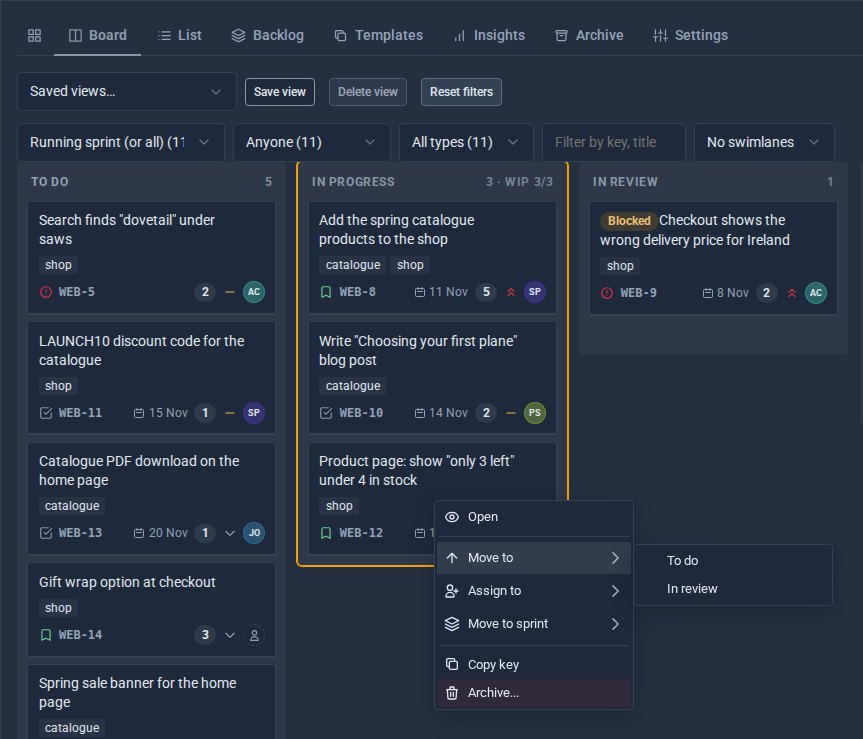
The menu of a board card with Move to open, offering only To do and In review
The issue menu. Right-click any issue, or use its menu button or Shift+F10. Move to offers only the moves the workflow allows.
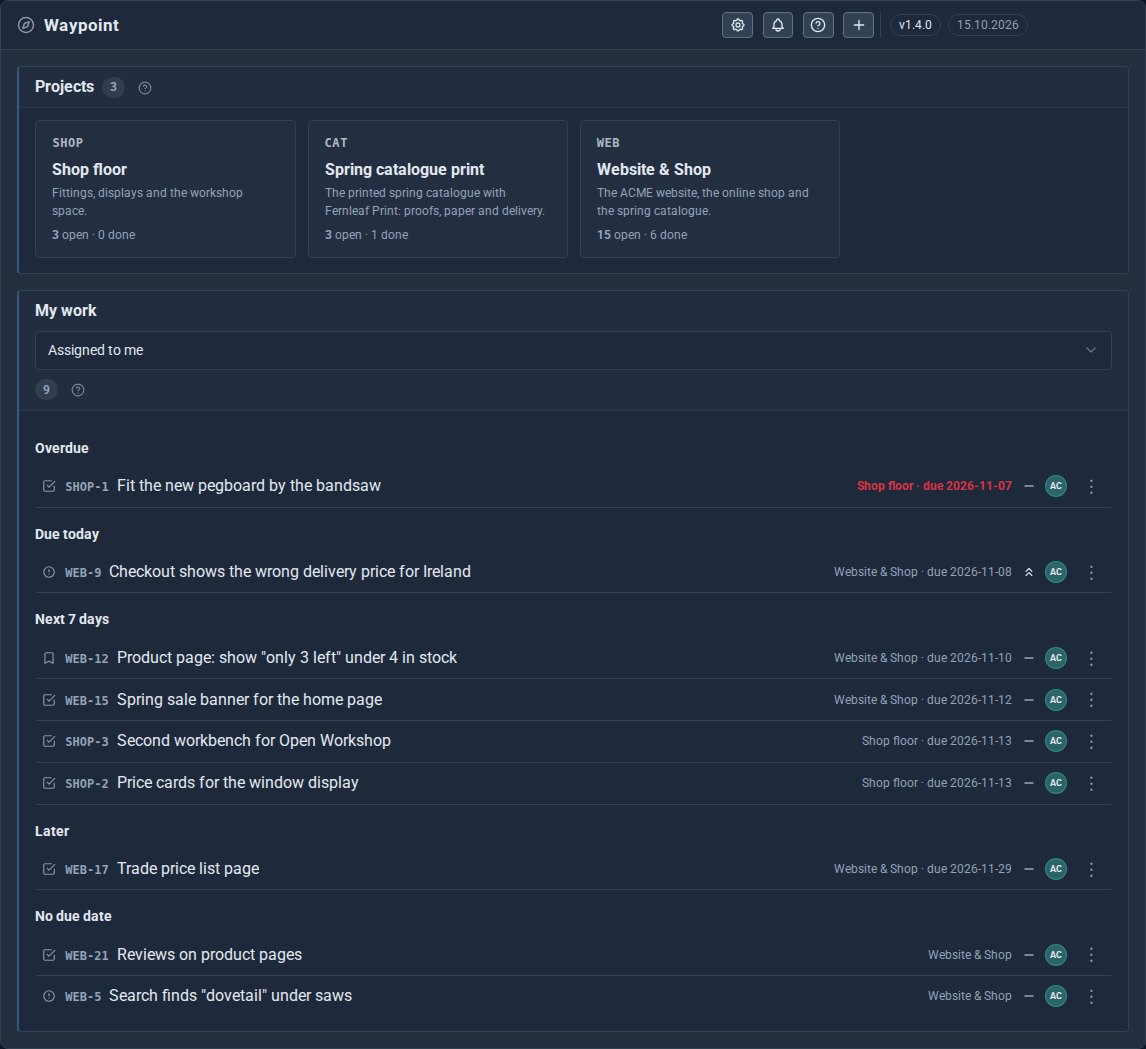
The Waypoint home screen with three project cards and My work grouped into overdue, due today, next 7 days, later and no due date
Home. A card for each project, and your own work in every project, grouped by when it is due. Overdue work is red.
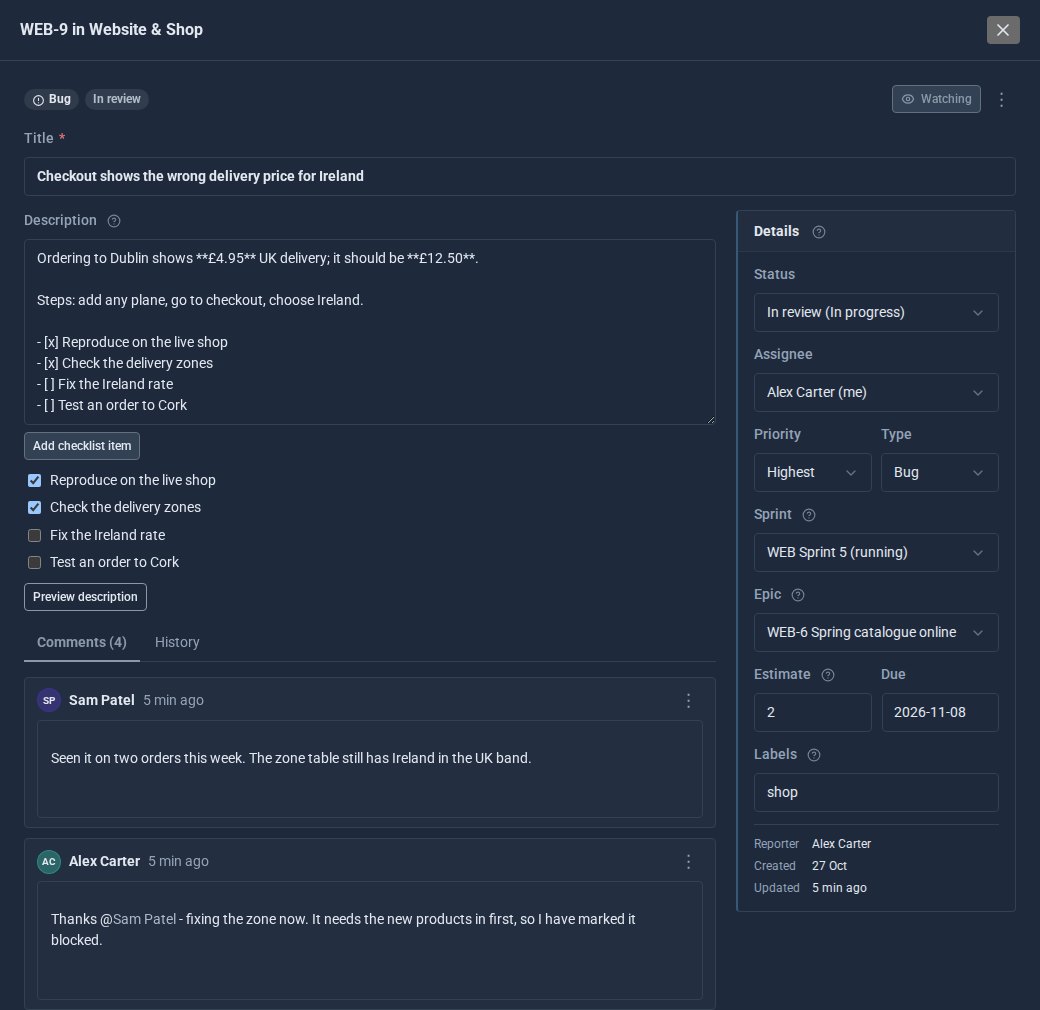
An issue with its description, a checklist, details and comments from two colleagues
An issue. A checklist you tick as you go, the details on the right and the conversation underneath.
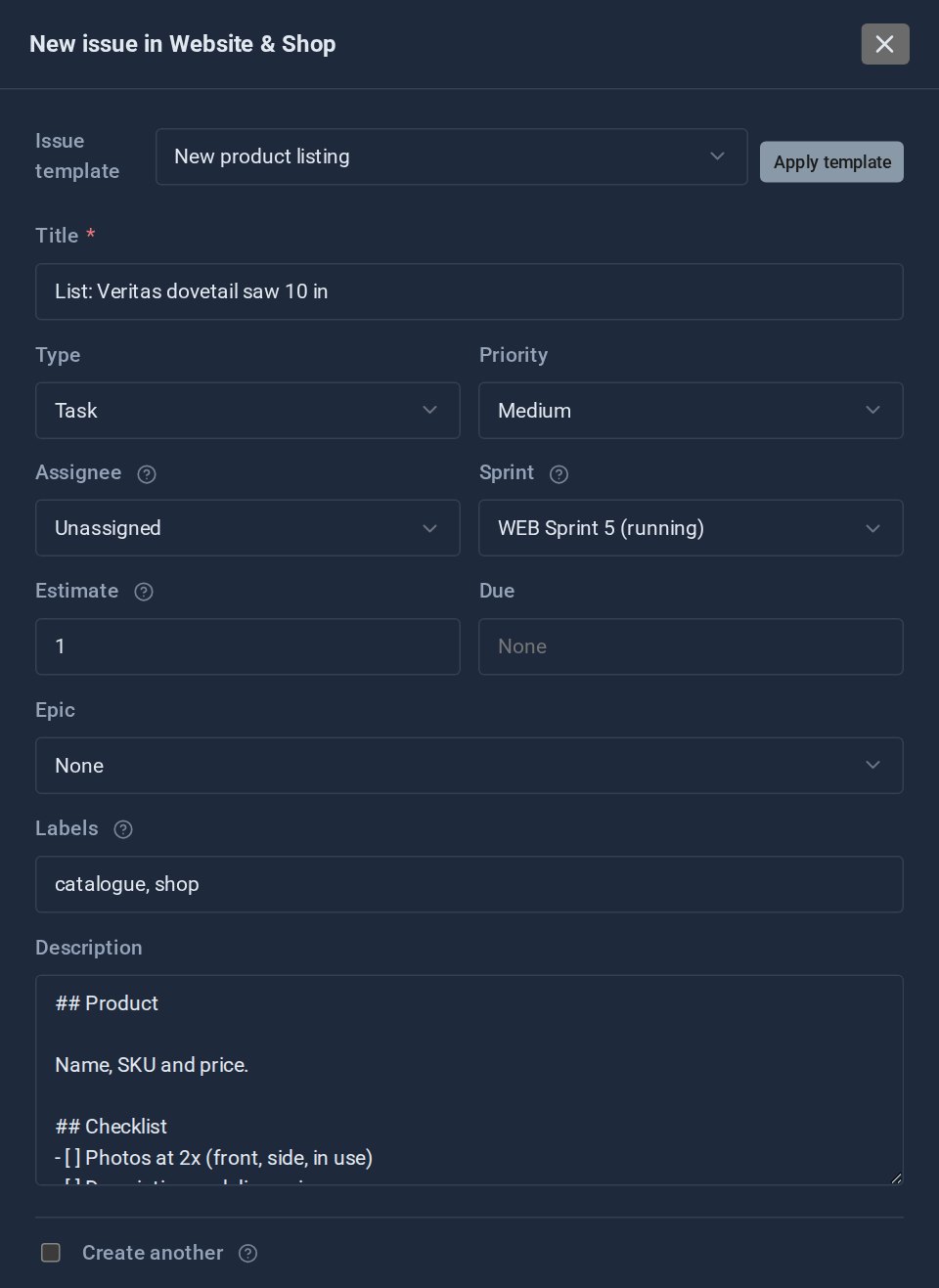
The New issue panel with the New product listing template applied: title, type, priority, sprint, estimate, labels and a description checklist
New issue from a template. Bug report, feature request and acceptance criteria come ready, and you can add your own. A template fills in the type, priority, labels, estimate and description.
The running sprint in the backlog, with its burndown chart, goal and issues
Sprint and burndown. Remaining points against the ideal line, with the sprint goal and its issues underneath.
The issue list with filters, a saved views menu and three backlog issues ticked for Edit selected
List and bulk edits. Filter, sort and save the view. Tick issues to assign, prioritise, label or schedule them in one go.
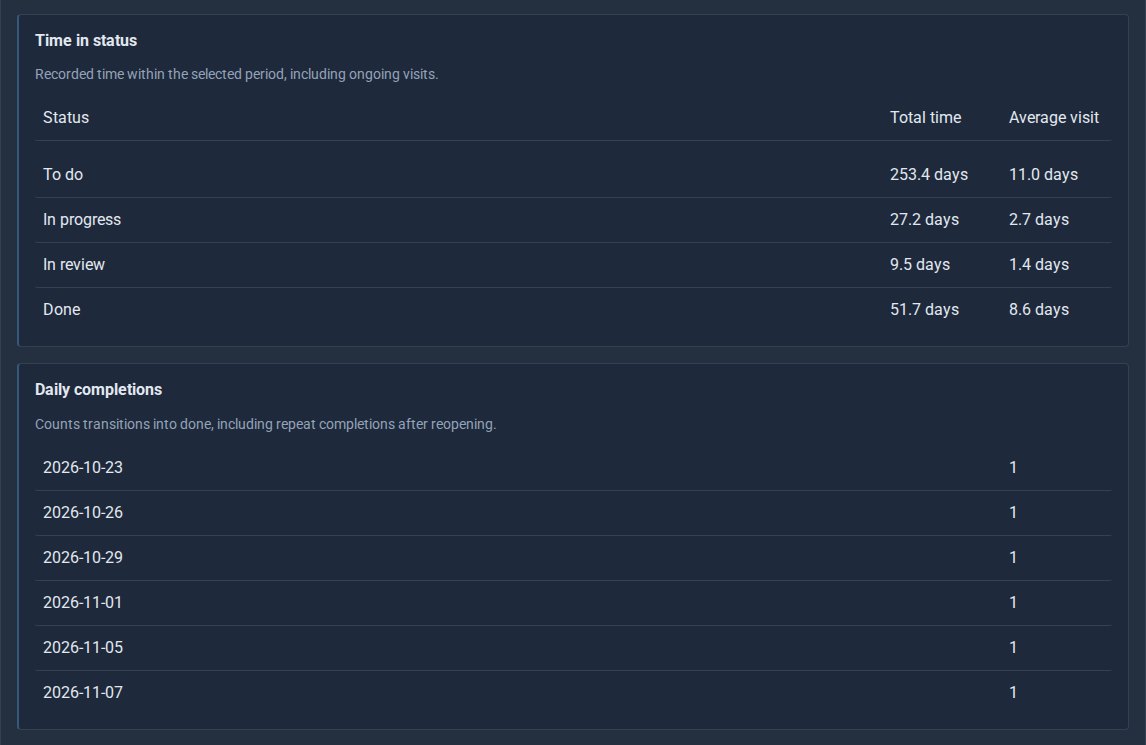
Insights for the last 30 days: time spent in each status and the issues completed each day
Insights. Where the time goes, status by status, and what finished each day, over 7, 30 or 90 days.
Project Settings: the statuses with their categories, a grid of the moves allowed between them, issue types and priorities
Your workflow. Statuses, the moves allowed between them, issue types and priorities, each project its own. The server refuses a move the workflow forbids.
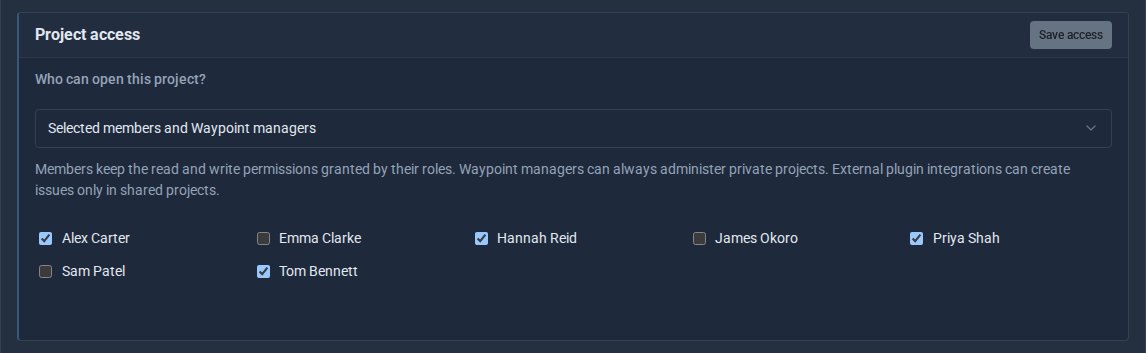
Project access set to selected members, with four of seven people ticked
Private projects. Choose who can open a project. Everyone else never sees it - not in searches, My work, badges or reports.
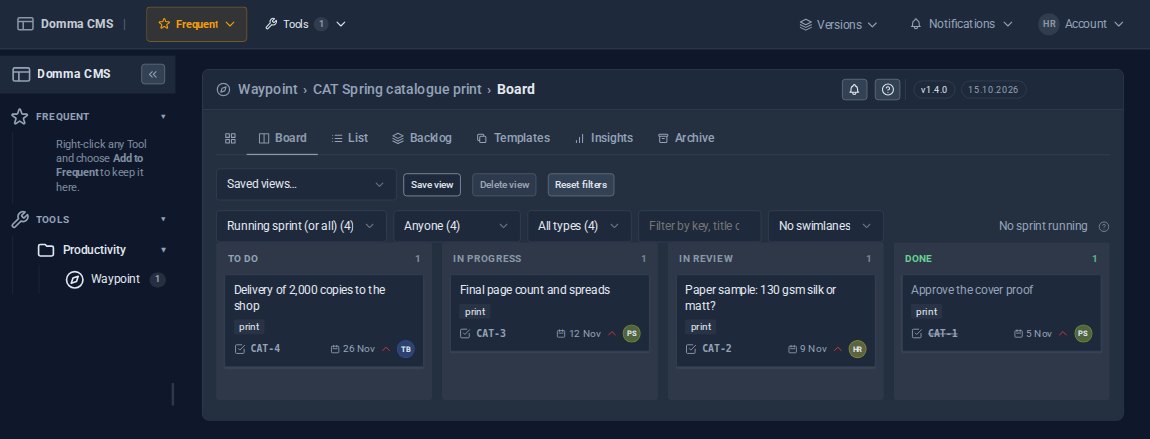
A client's view of the admin: only Waypoint in the sidebar, the private catalogue print board, no create or settings buttons
Clients see only what you share. Our printer has a See-only role kept to Waypoint, so she can follow the catalogue project and nothing else.
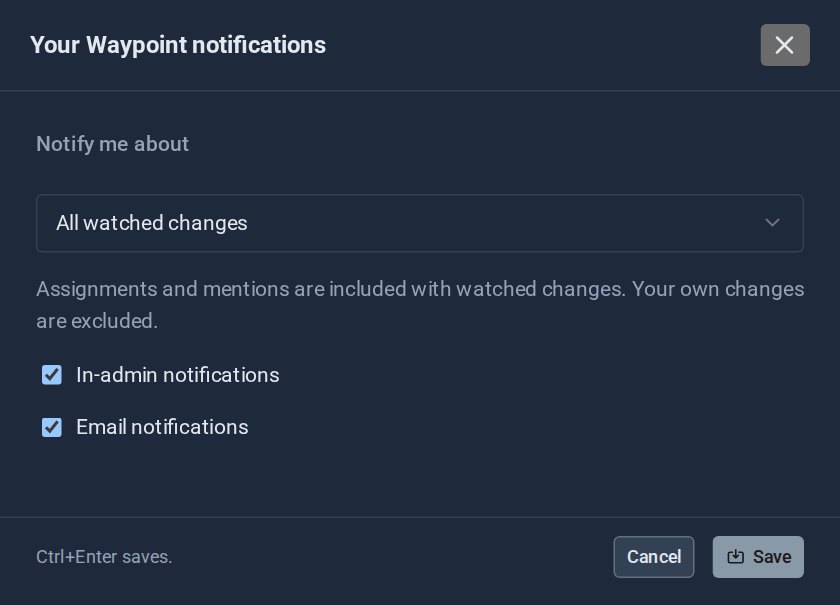
The notification preferences panel set to All watched changes, with in-admin and email notifications ticked
Your notifications. Mentions only, assignments, all watched changes, a daily digest or nothing - in the admin, by email or both.
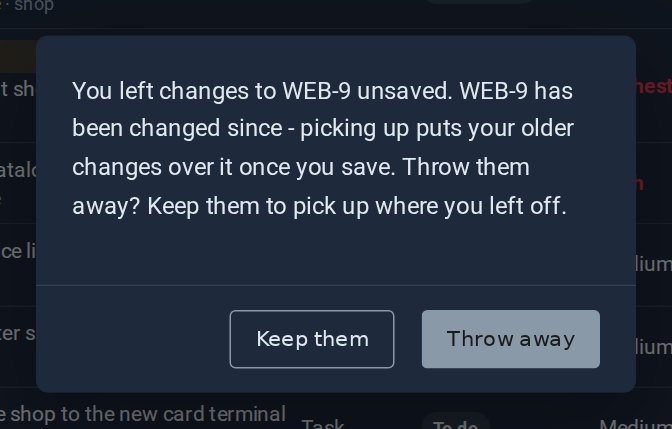
A question saying the changes to WEB-9 were left unsaved and the issue has changed since, with Keep them and Throw away
Nothing typed is lost. Leave an issue unsaved and your changes are offered back, with a warning when someone has changed it since.
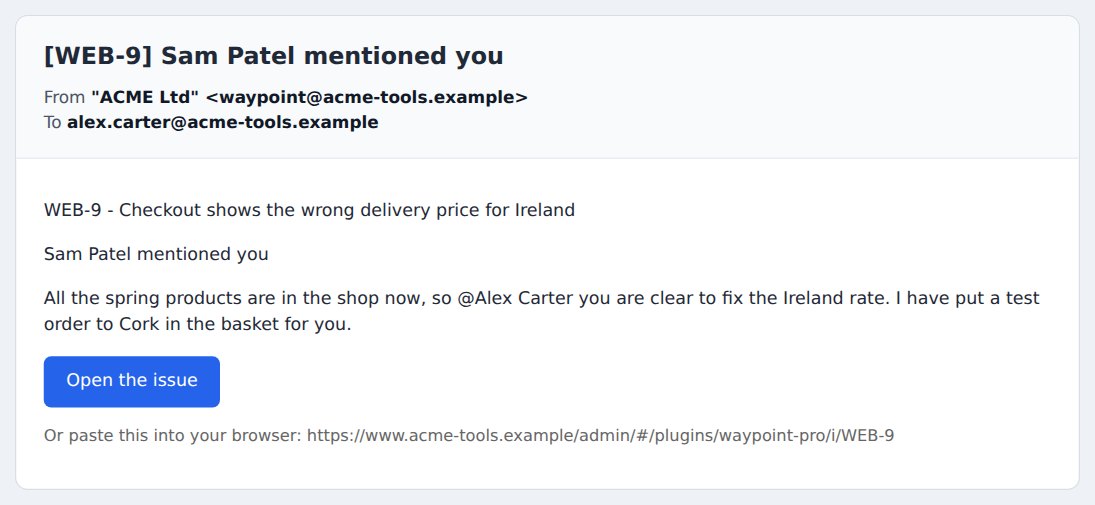
An email from ACME Ltd telling Alex Carter that Sam Patel mentioned him on WEB-9, with the comment and an Open the issue button
The email. Mention someone and they hear about it, with the comment and a link straight to the issue.

See it in 5 minutes

Your first project, board and sprint.

  1. Open Waypoint in the sidebar and press + for a new project.
  2. Give it a name and a key such as WEB. Issues are numbered WEB-1, WEB-2 and so on.
  3. On the Board, press Create issue at the foot of the first column and type what needs doing.
  4. Drag it to In progress when work starts and to Done when it is finished.
  5. For sprints, open Backlog, create a sprint, drag issues in and press Start sprint.

Made for the keyboard and the mouse.

  • New projects start with To do, In progress, In review and Done, and the types Task, Bug, Story and Epic. Change them in the project's Settings.
  • Right-click, the menu button or Shift+F10 on any issue, project, sprint or comment.
  • Unsaved work is kept as a draft and offered back. Ctrl+Enter or Ctrl+S saves.
  • Every issue has an address you can share, such as /i/WEB-12.

Who can do what.

  • Read: see projects and issues.
  • Write: create, edit, move and comment on issues.
  • Manage: create projects, change workflows, plan and close sprints.
  • One sprint runs per project at a time.

Goes well with

Something Waypoint Pro does not do?

Ask Daisy for a Tool of your own, or Dot to build the pages around it.

Give every piece of work a home.

Waypoint Pro is a Pro Tool. Tell us about your team and we will set it up for you.