Write, share and publish documents without leaving your site.
Docs is a document editor inside the admin. Documents are private until you share them - with colleagues as Viewers or Editors, or with anyone through a read-only link. Import and export Markdown, HTML and text, print to PDF, and send a finished document on as a draft page, a blog post or an email.

What Docs does for you
A proper editor
Headings, lists, checklists, tables, images, links, find and replace, an outline and a focus mode. Markdown shortcuts as you type.
Share with care
Viewers read and export; Editors edit and share. Only the owner moves, trashes or removes editors.
Public links
"Anyone with the link can view" in your site's own look, hidden from search engines. Turn it off and the link stops at once.
One editor at a time
Everyone else reads and sees who is editing. The owner can take over, and the other person's unsaved work is kept.
Version history
Preview any earlier version and restore it. The current text is kept as a version first.
Send it on
Turn a document into a draft page or blog post, or email it to up to ten people.
A look inside
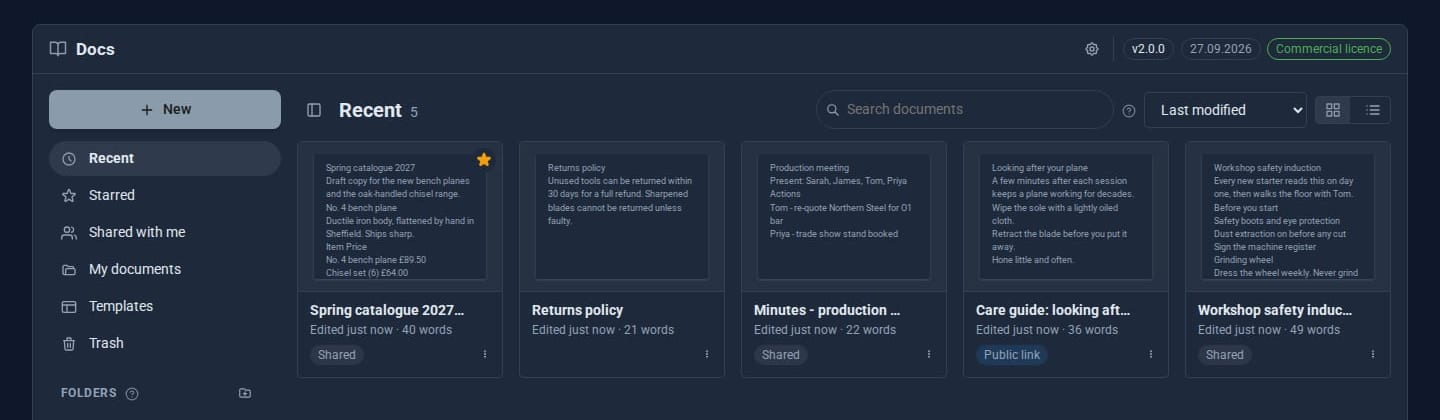
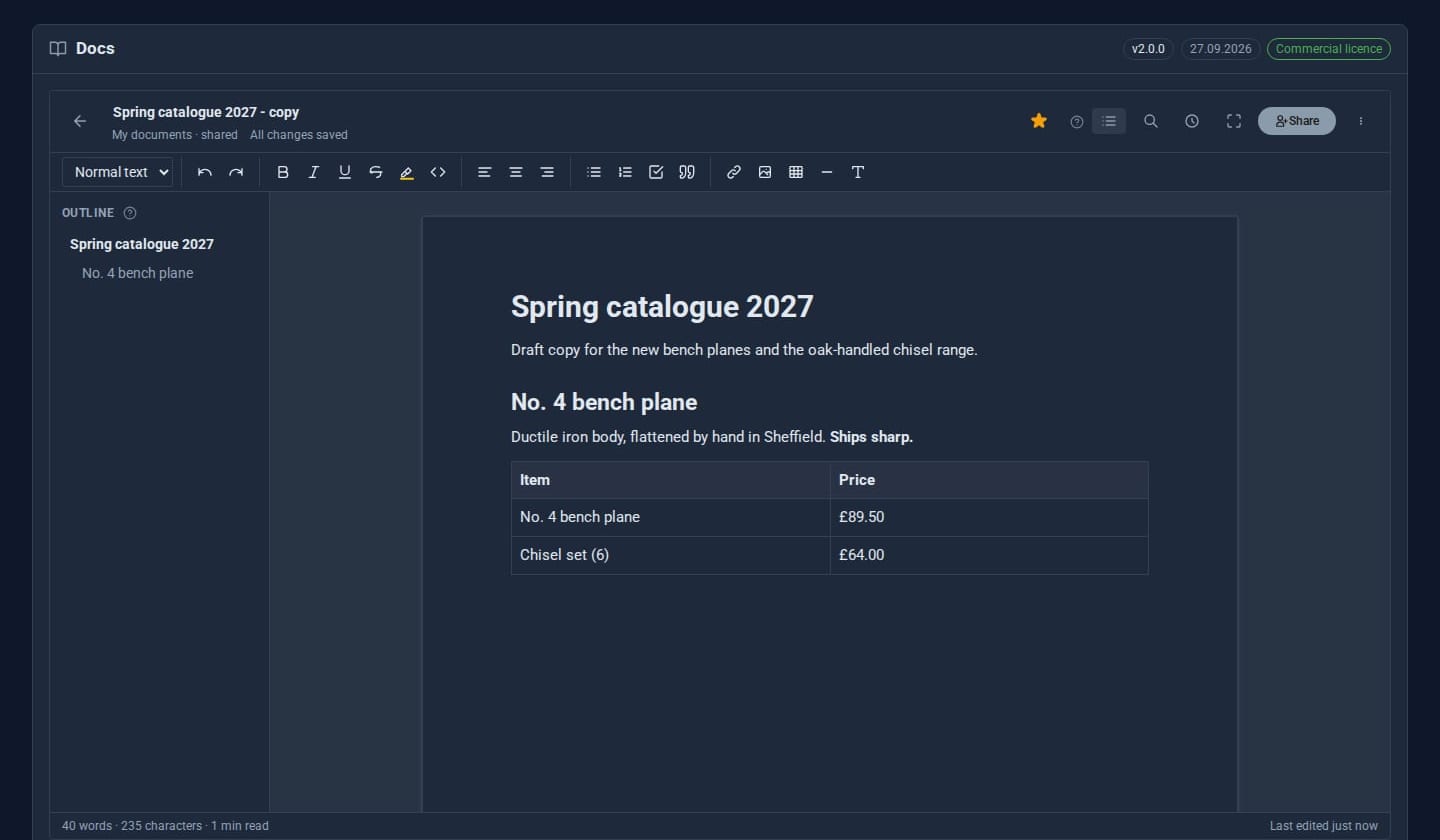
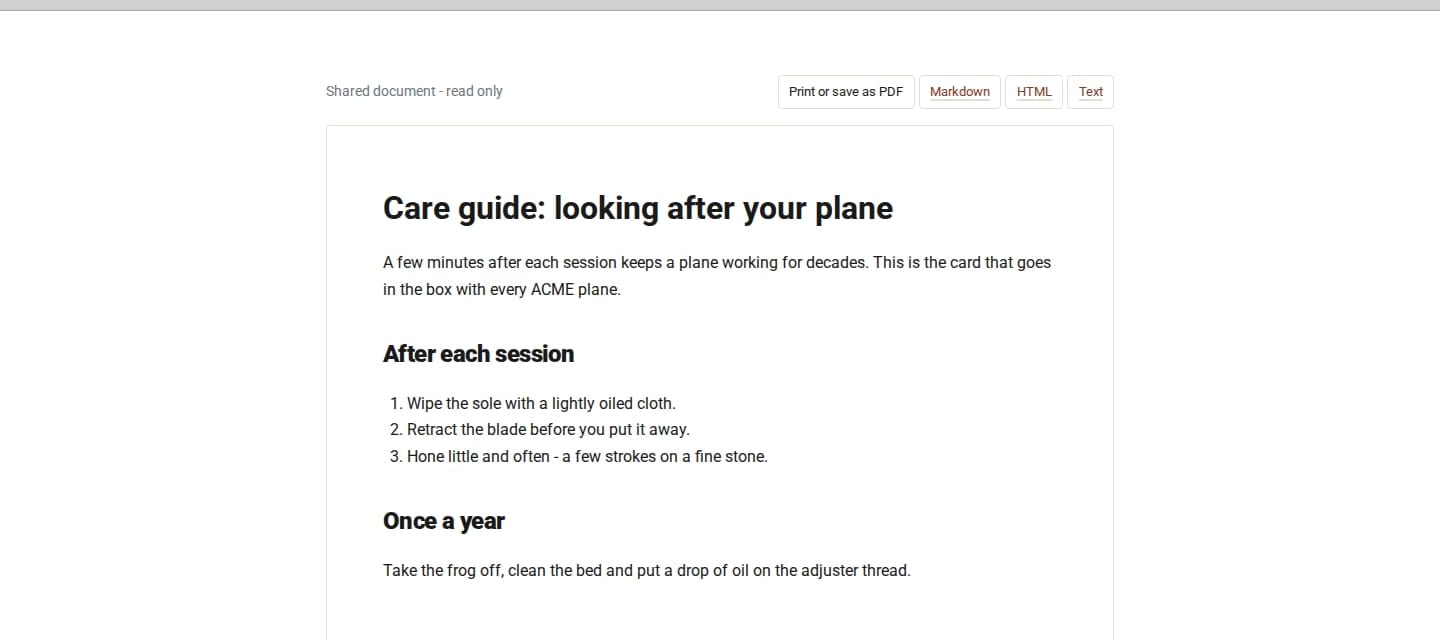
Screens from our ACME Ltd demo site. Every name in them is made up.
More with Docs Pro
Publish and read
Publish a folder as a handbook or help centre - a Space - with a Kindle-style reader.
Sign and review
Send documents for signing. Share with people as Suggesters, comment, and accept or reject suggested changes.
Fill, import, copy
Ready-made templates and merge fields from Contacts, Word files in and out, and copies in your own cloud storage.
See it in 5 minutes
- Open Docs and choose New document. Type
#and a space for a heading,-for a list,[]for a checklist. - Drop a Markdown file onto Home to import it instead.
- Choose Share, add a colleague as an Editor, and turn on the public link.
- Open the link in a private window: a clean, read-only page in your site's theme.
- When it is ready, choose Send to > New page and it becomes a draft page on your site.
Works with the rest of your site
Pages
Send a document to a new draft page.
Blog
Send a document to a new draft blog post.
Media
Pasted and dropped images go to your Media library.
Good to know
Every document is cleaned on the way in and again on the public page. A site-wide switch turns every public link off at once.
What it needs
Nothing extra. Documents are kept on your server.
Questions
Yes - Print or Save as PDF from your browser, with no extra software. You can also download Markdown, HTML or plain text.
With Docs Pro, yes: .docx files come in as documents, and any document downloads as Word.
They go to Trash and are emptied after 30 days (you can choose 1 to 365).
Goes well with
Add Docs to your site
Docs is a Pro Tool. Tell us about your site and we will set it up with you.