Know where your visitors come from, and what they do next.
Analytics Pro records every page view on your own server - no tracking script, no cookie - and turns it into visits you can follow page by page: where people came from, where they are, what they used and which campaign brought them.

What Analytics Pro does for you
Follow each visit
Every visit, newest first, with its pages in the order they were read. See how people really move through the site.
Sources and places
Channels (search, social, email, paid, referral, campaign), referring sites, UTM campaigns, and country, region and city from a location database kept on your server.
Filters you can save
Up to 20 conditions on page, source, campaign, country, device, visit length and more. Right-click any row to filter by it or exclude it.
Busiest times
A weekday-by-hour heatmap shows when people visit. Click a square to filter to that hour.
Live view
Who is on the site in the last five minutes, refreshing itself while you watch - and the same count on the sidebar badge.
Export and print
A printable report, or any breakdown as CSV or JSON for your spreadsheet or accountant.
A look inside
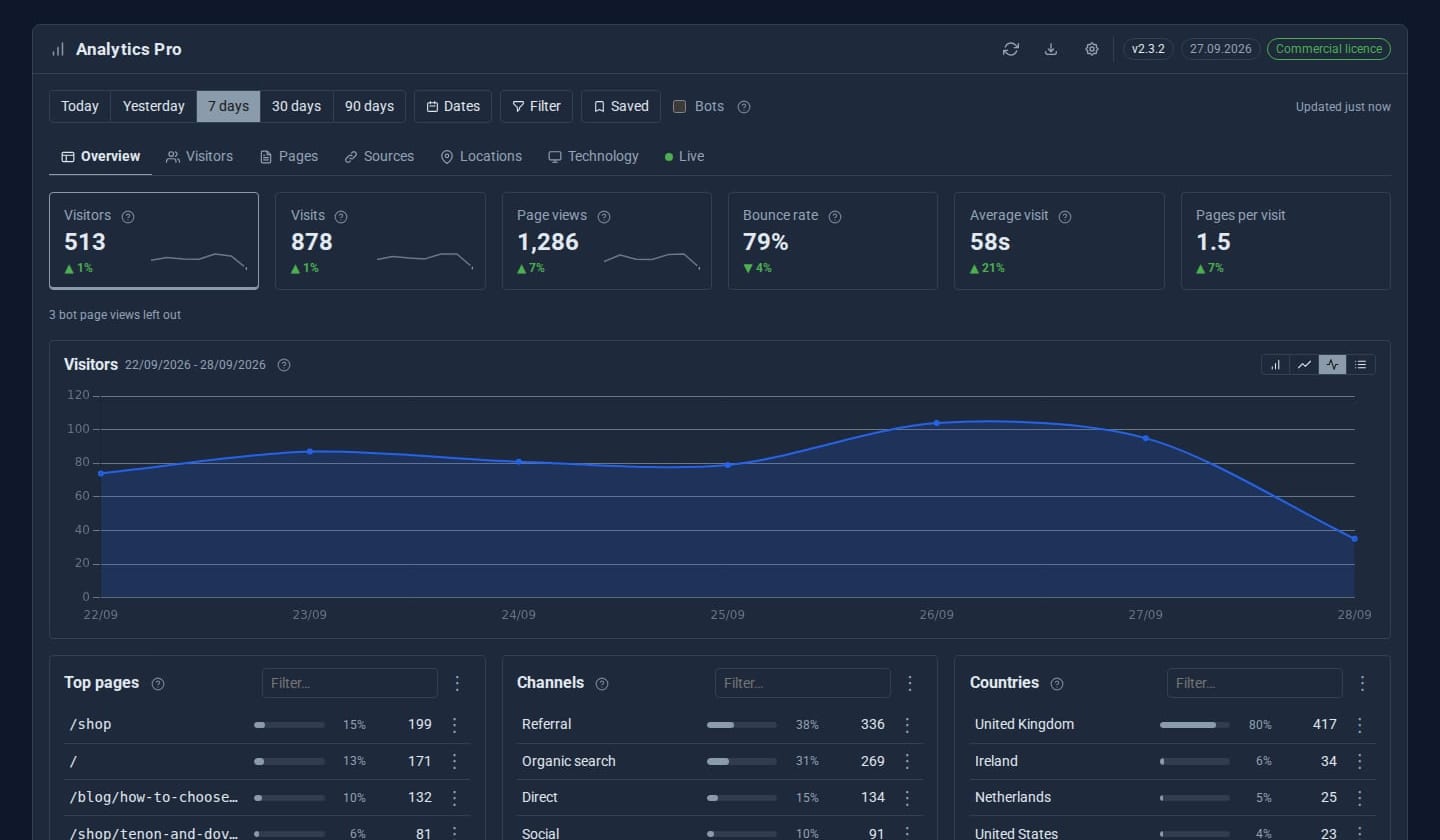
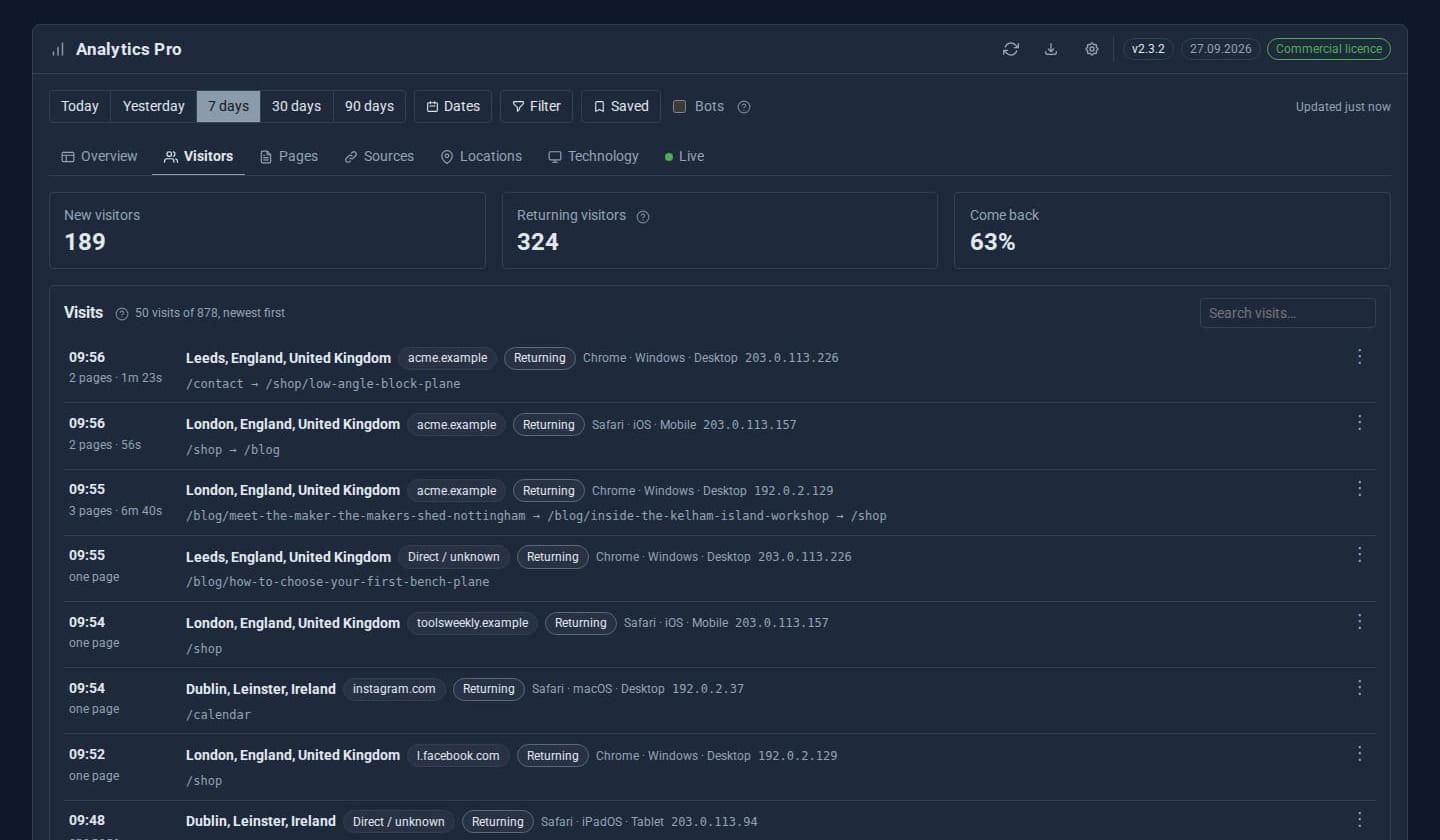
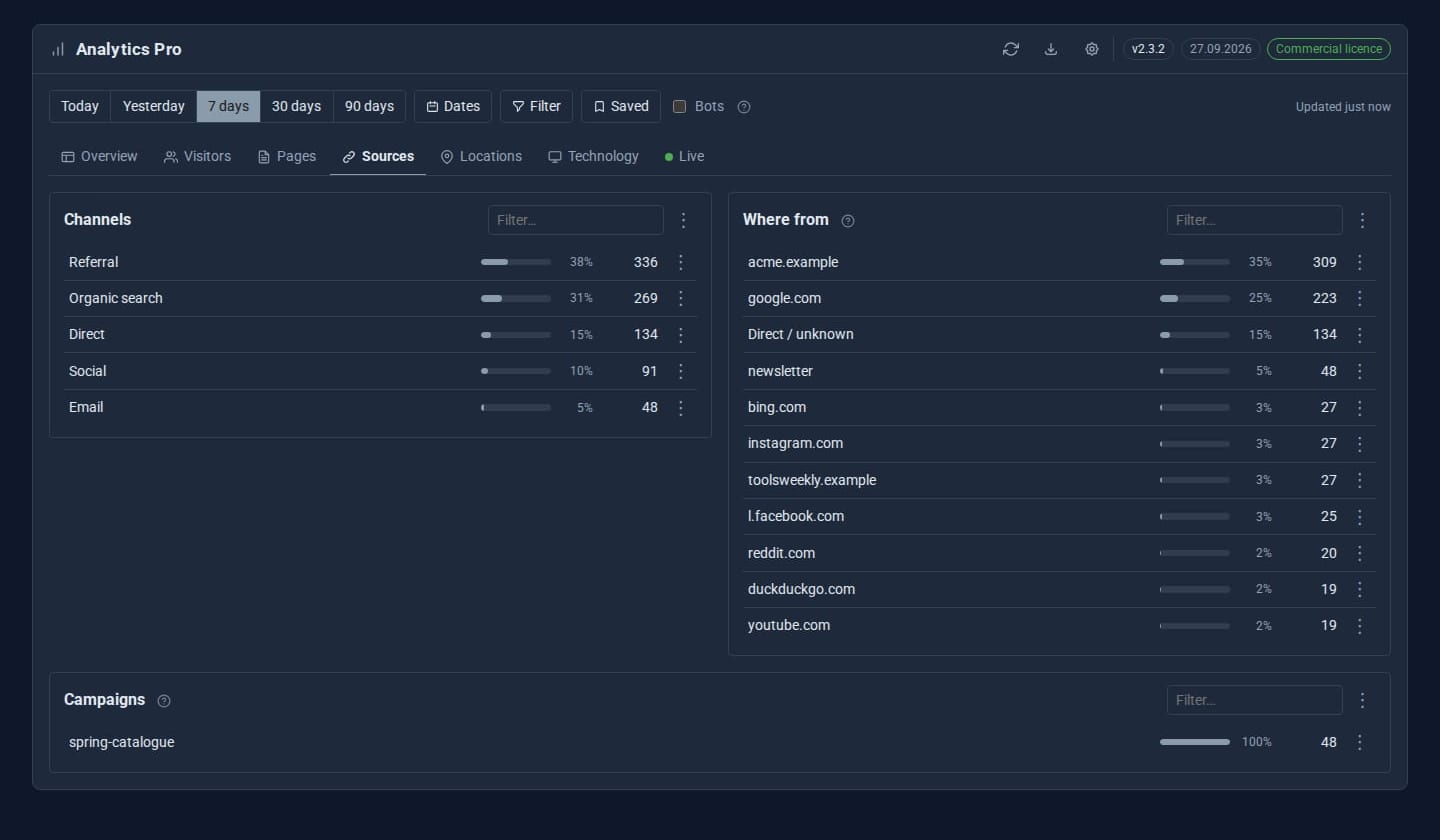
Screens from our ACME Ltd demo site. Every name in them is made up.
See it in 5 minutes
- Open Analytics Pro in the sidebar. It has been counting since it was switched on - there is no script to paste into your pages.
- Pick a period (Today, 7 days, 30 days, 12 months or your own dates) and read the Overview tiles against the same point last period.
- Open Sources to see which channels and campaigns bring people in. Tag your newsletter links with
utm_campaignand they appear here. - Right-click a page in Pages and choose *Filter by this* - every tab now shows only visits that read that page.
- Save the filter with a name, then use Export and print to send the figures on.
What Pro adds to the built-in Analytics
Analytics (built-in)
- Page views, visitors, sessions and bounce rate
- Trend chart and top pages
- Entry pages, exit pages and common paths
- Active now (last 5 minutes)
- CSV export
Analytics Pro Pro adds
- Each visit with its pages in order
- Channels, referring sites and UTM campaigns
- Country, region and city (on your server)
- Devices, browsers and systems
- Filter builder, saved filters and right-click filtering
- Busiest-times heatmap, printable report, CSV and JSON
- Choose who sees the figures, per role
Good to know
Cookieless by design. IP addresses can be kept in full, masked or not kept at all, and an admin can erase every record of one visitor or one address on request.
What it needs
Nothing extra - no MongoDB, no outside service. The optional city database is downloaded to your server and refreshed monthly.
Questions
Analytics Pro sets no cookie and runs no tracking script: visits are counted on the server when a page is served. Whether your site needs a banner for other reasons is for you to check.
Yes. Give their role the Analytics Pro permission under System > Roles. IP addresses, tracking settings and erasing stay with admins.
Known bots are recorded but left out of every figure unless you ask to include them. Scanner 404s never count.
Learn it step by step
Goes well with
Add Analytics Pro to your site
Analytics Pro is a Pro Tool. Tell us about your site and we will set it up with you.