A database of your own, set up for you.
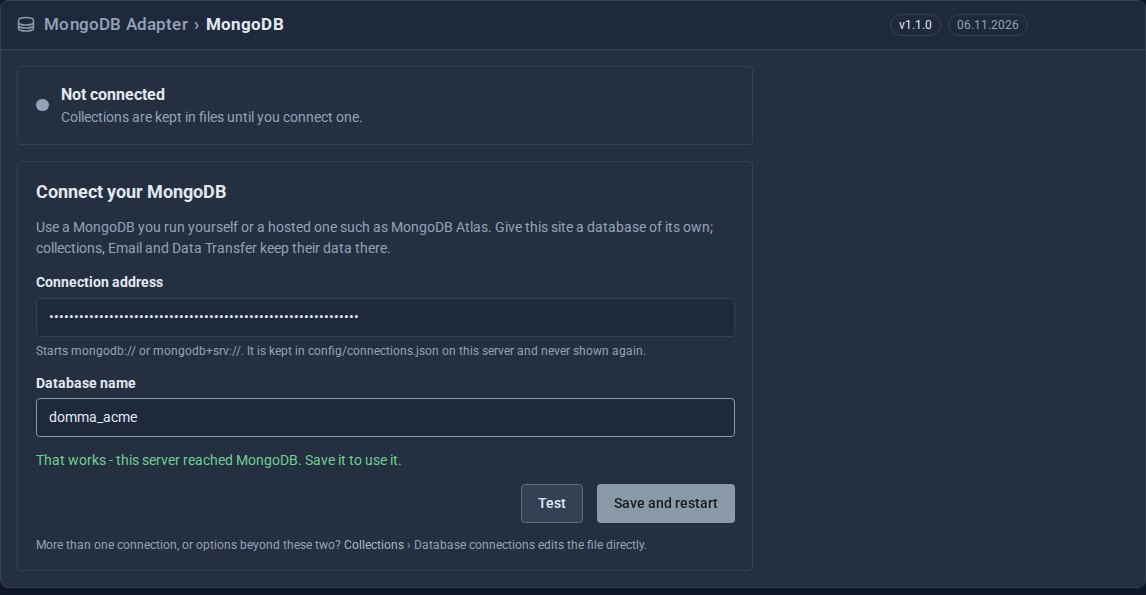
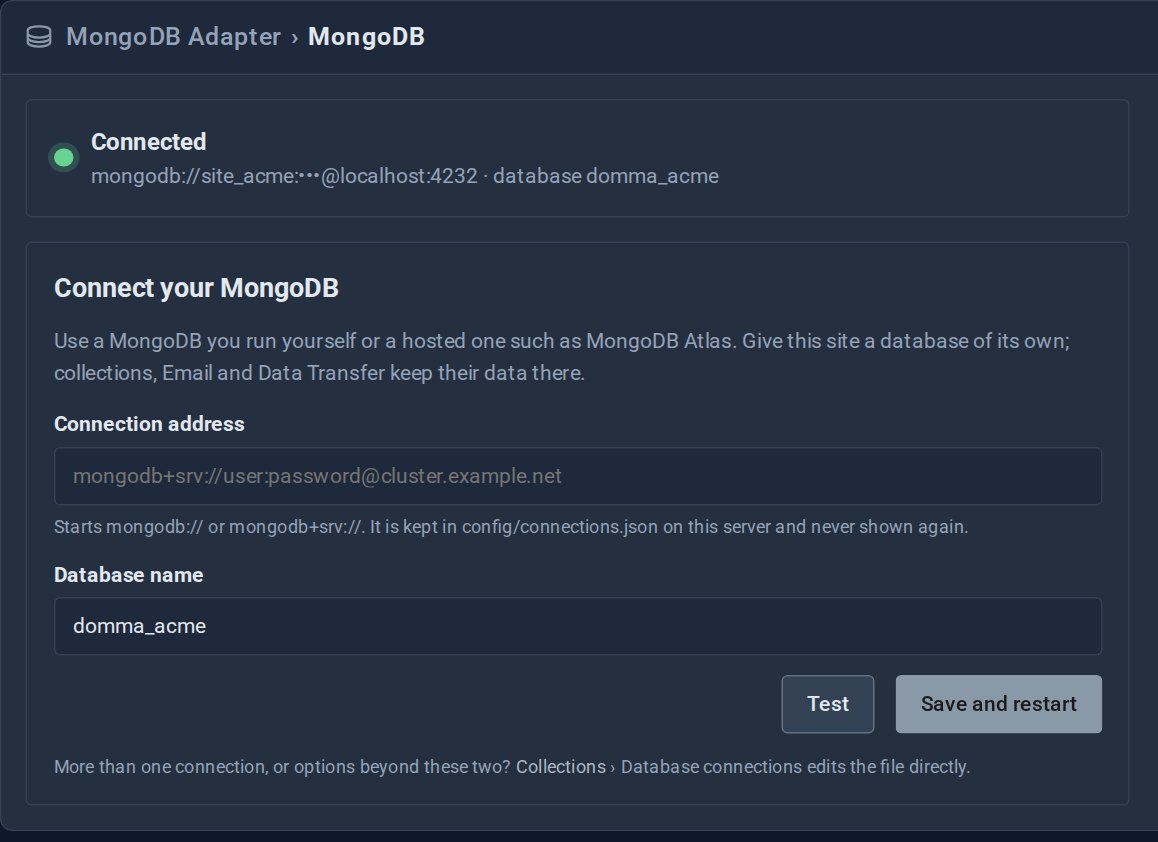
MongoDB Adapter gives your site its own MongoDB database, separate from every other site, with a login that reaches that one database and nothing else. We create it; you never type a connection string.

Room to grow, without the admin work.
Yours alone
A dedicated database per site. Your data never shares a database with anyone else's.
Its own key
The site gets a login that reaches only its own database. The master password never sits on your site.
Nothing to configure
The Domma Manager creates the database, installs the Tool and restarts your site. There is no form to fill in.
See it at work
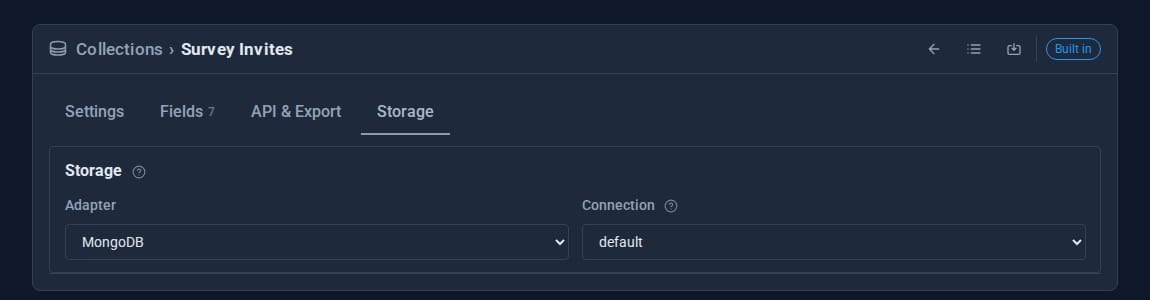
Screens from our demo company, ACME Ltd. Every name and figure in them is made up.
See it in 5 minutes
Moving a collection to MongoDB once the database is in place.
- Ask us to add MongoDB Adapter to your site. The Manager creates the database and restarts the site.
- Open Data > Collections and edit a collection.
- On the Storage tab, set Adapter to MongoDB and choose the connection.
- Save, and confirm moving the entries across. Every entry keeps its id, so links and references still work, and the old copy is set aside rather than deleted.
What it unlocks.
- Collections on MongoDB: move any collection from files to MongoDB and back from its Storage tab.
- Actions: approval workflows and state changes on your collections keep their settings in MongoDB.
- Email Pro: search, threads, rules, scheduled sends, snooze and vacation replies.
- Surveys: keeps its audiences and invitations in MongoDB when it can.
- Data Transfer: move, back up and clone collections between file and MongoDB storage.
Safe by default.
- If the database cannot be reached, the site still starts and falls back to file storage until it is back.
- If the Tool is ever removed, the database itself is kept, not deleted.
- Self-hosting? You can connect your own MongoDB server under Data > Collections > Database connections instead.
Goes well with
Ask Daisy for a Tool of your own, or Dot to build the pages around it.
Meet Dot and DaisyTool Builder, £59 a monthSite Builder, in Pro
Ready for a database of your own?
MongoDB Adapter comes with the Pro plan (£149/month) and Enterprise. It is not sold on its own. Tell us about your site and we will set it up.