Back up, restore and move your data - with a safety net every time.
Data Transfer moves collections between file storage and MongoDB, takes backups, restores them and clones collections. It works at the storage level, so every entry keeps its id and every link between entries still points the right way. Before any restore or move it takes a snapshot, and it will not start without one.
What Data Transfer does for you
Backups on demand
All collections or just some, with a label such as "before the price change".
Restore what you need
All or some collections, merged into what is there or replacing it.
Snapshot first
An automatic safety snapshot before every restore and every move. If a move fails part-way it is rolled back.
File to MongoDB and back
Move a growing collection to MongoDB without losing ids, references or who owns what.
Clone a collection
Copy a collection's design, and optionally its entries, to start something new.
A nudge when it is time
The sidebar badge turns red when your last backup is more than 30 days old.
A look inside
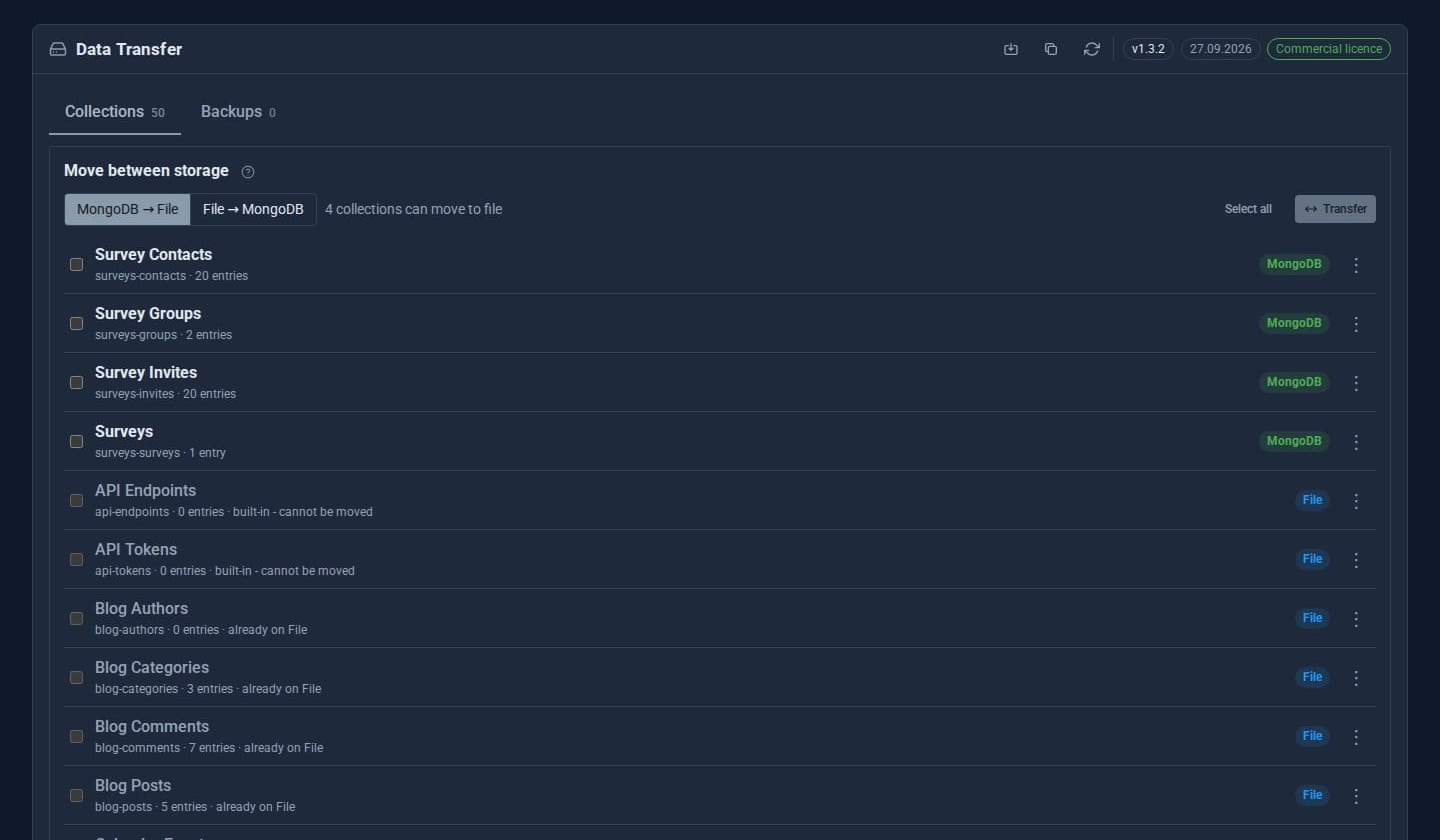
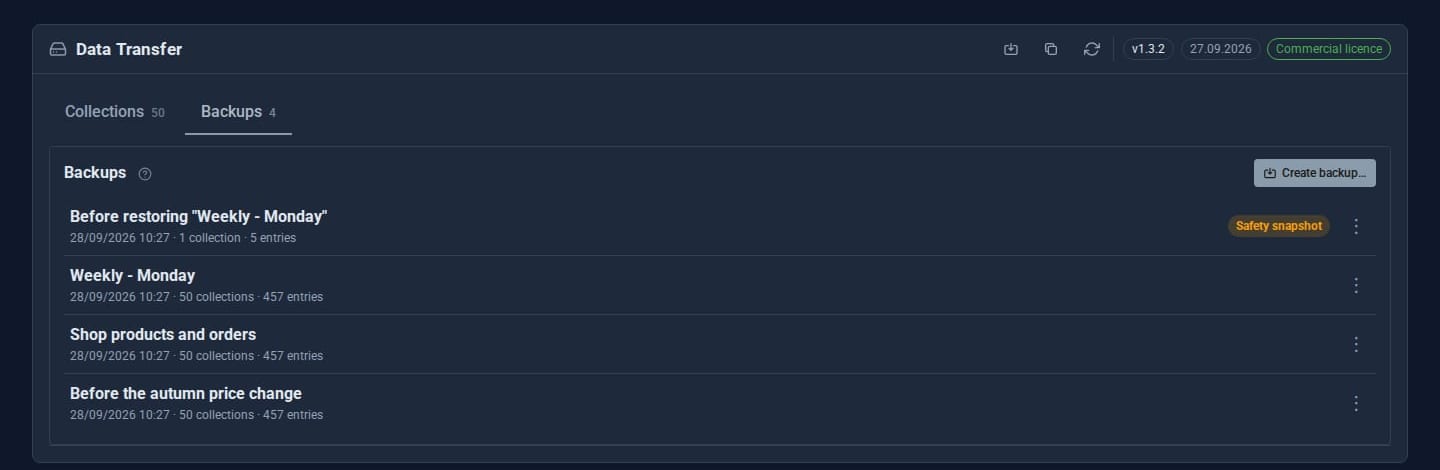
Screens from our ACME Ltd demo site. Every name in them is made up.
See it in 5 minutes
- Open Data Transfer. Every collection is listed with where it is stored.
- Choose Back up now, give it a label, and pick the collections.
- Edit some entries, then open the backup and Restore one collection with *Merge*.
- Look at the backups list: a safety snapshot was taken just before your restore.
- If your site has MongoDB, pick a collection and choose Move to MongoDB.
Why not just export and import?
Ids are kept
The built-in import gives entries new ids. Data Transfer keeps them, so references between collections survive.
One job at a time
Two operations can never run over each other.
Same format as the Manager
Backups use the same format as the Manager's Data Manager.
Good to know
Built-in collections such as roles and user profiles are never moved. Failures raise a critical notice saying where the data was left and which snapshot to use.
What it needs
Backups, restores and clones work on file storage. Moving to MongoDB needs a MongoDB connection (see the MongoDB Adapter).
Questions
Up to 50 manual backups and the latest 5 automatic snapshots, counted separately. Both numbers can be changed.
Admins only.
Goes well with
Add Data Transfer to your site
Data Transfer is a Pro Tool. Tell us about your site and we will set it up with you.