Pop-ups, slide-ins and chat, one click away.
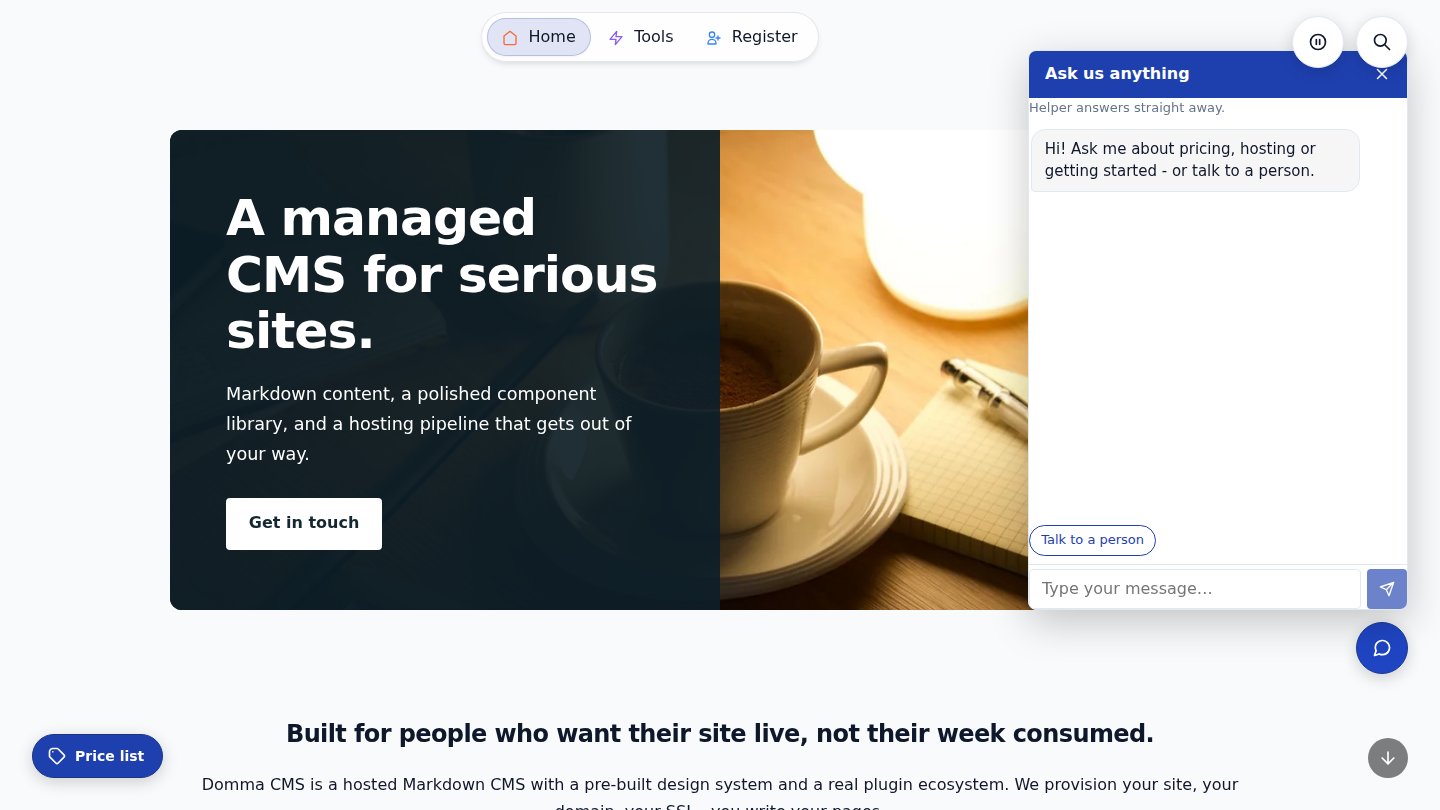
Launchers are small buttons pinned to the edge of your pages. Each one opens a page, a form or a block in a pop-up or a slide-in panel, or a chat, without taking visitors away from where they are.

What Launchers do for you
Forms without leaving the page
An enquiry or booking form slides in from the side. Visitors fill it in and carry on reading.
Pages in a pop-up
A price list, opening hours or "how it works" in a box over the page, from extra small to full screen.
A chat that answers first
A bot answers from questions and answers you write. No AI, nothing made up. Your team takes over when it can't help.
Exactly where you want it
Any corner, either side or top and bottom centre, with its own spot on phones. It keeps clear of your other buttons.
From your menu too
Any menu or sub-menu item can open a launcher, or skip the button entirely and open it only from links.
The right pages, the right people
Every page, some pages or all but some, for everyone, members only or visitors only. Switch any off in one click.
See it
Try it in 5 minutes
- Open Content > Launchers in the admin and click New launcher.
- Give it a label and an icon, and choose a disc or a pill with words.
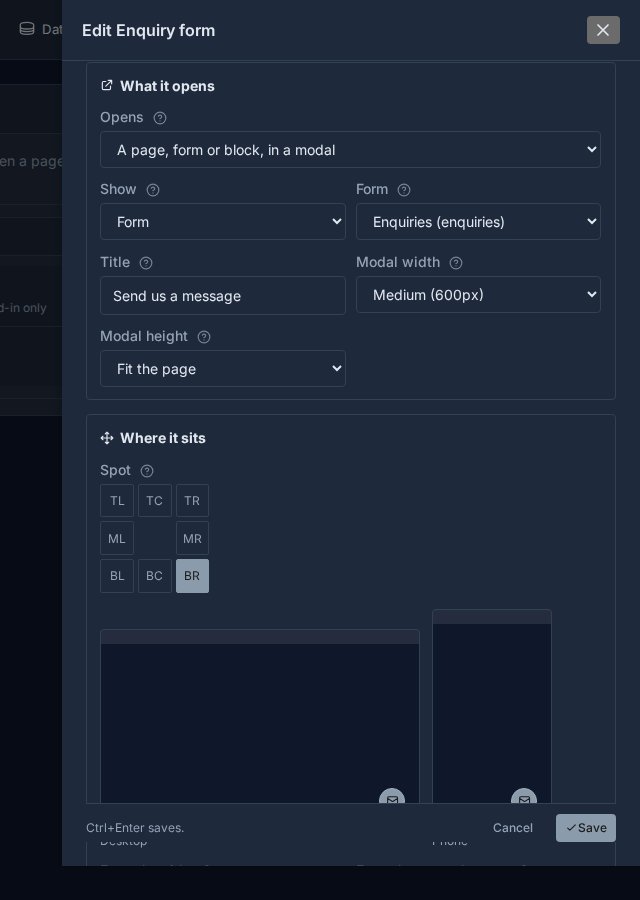
- Under What it opens, choose a modal or a slideover and pick a page, form or block, or choose a chat.
- Pick its spot, such as bottom right, and watch the previews.
- Save (Ctrl+S) and visit your site. To open it from your menu, edit a menu item in Content > Menus and choose it from the Launcher list.
Good to know
The chat's questions and answers live in Content > Chats > Knowledge. Questions the bot couldn't answer are listed for you and become new answers in one click.
What it needs
Nothing. Launchers are built into Domma CMS from 1.28.
Read more
Goes well with
Launchers come with every site
Pop-ups, slide-ins and a chat that answers, all in Domma CMS.