Ctrl+K, and your whole site answers.
Site Search gives your visitors a fast, full-screen search with results as they type. It opens from the navbar, a floating button or Ctrl+K, and only ever shows pages the visitor is allowed to open.

What Site Search does for you
Results as you type
A full-screen overlay with live results. Arrow keys move, Enter opens, Esc closes.
Opens how you like
From an icon in the navbar, a floating button, Ctrl+K or Cmd+K, or a right-click menu.
Sensible ranking
Title matches first, then tags, description and page text, with Markdown and shortcodes stripped out.
Respects access
Members-only pages appear only to visitors who could open them. Drafts and private pages never do.
Yours to tune
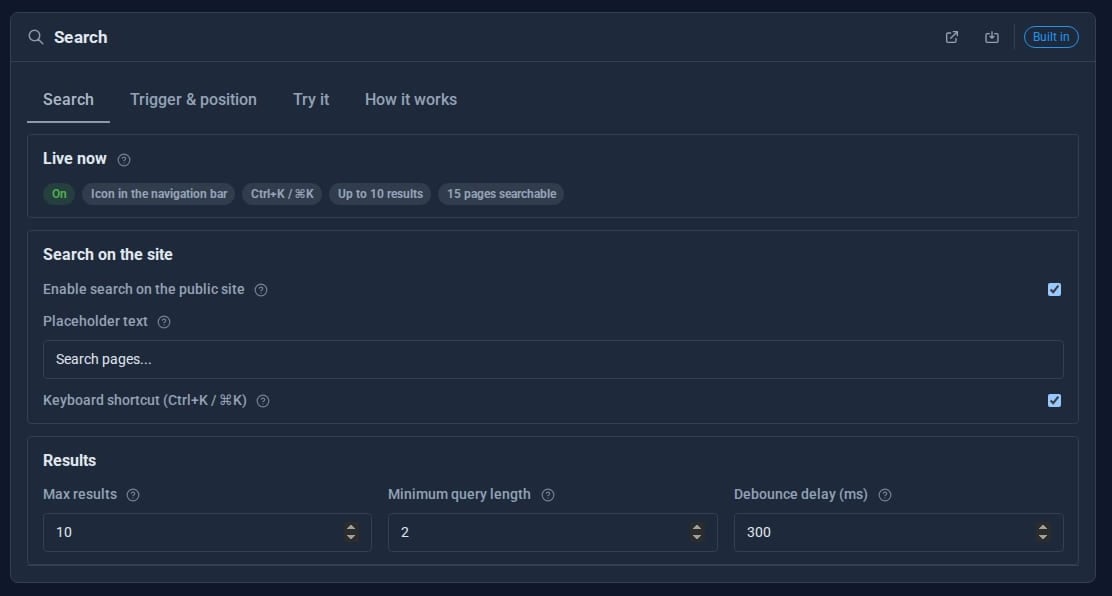
Placeholder, shortcut, number of results, minimum length, button size, position and corner radius.
Try it first
A Try it tab runs real searches from the admin before you switch it on.
See it
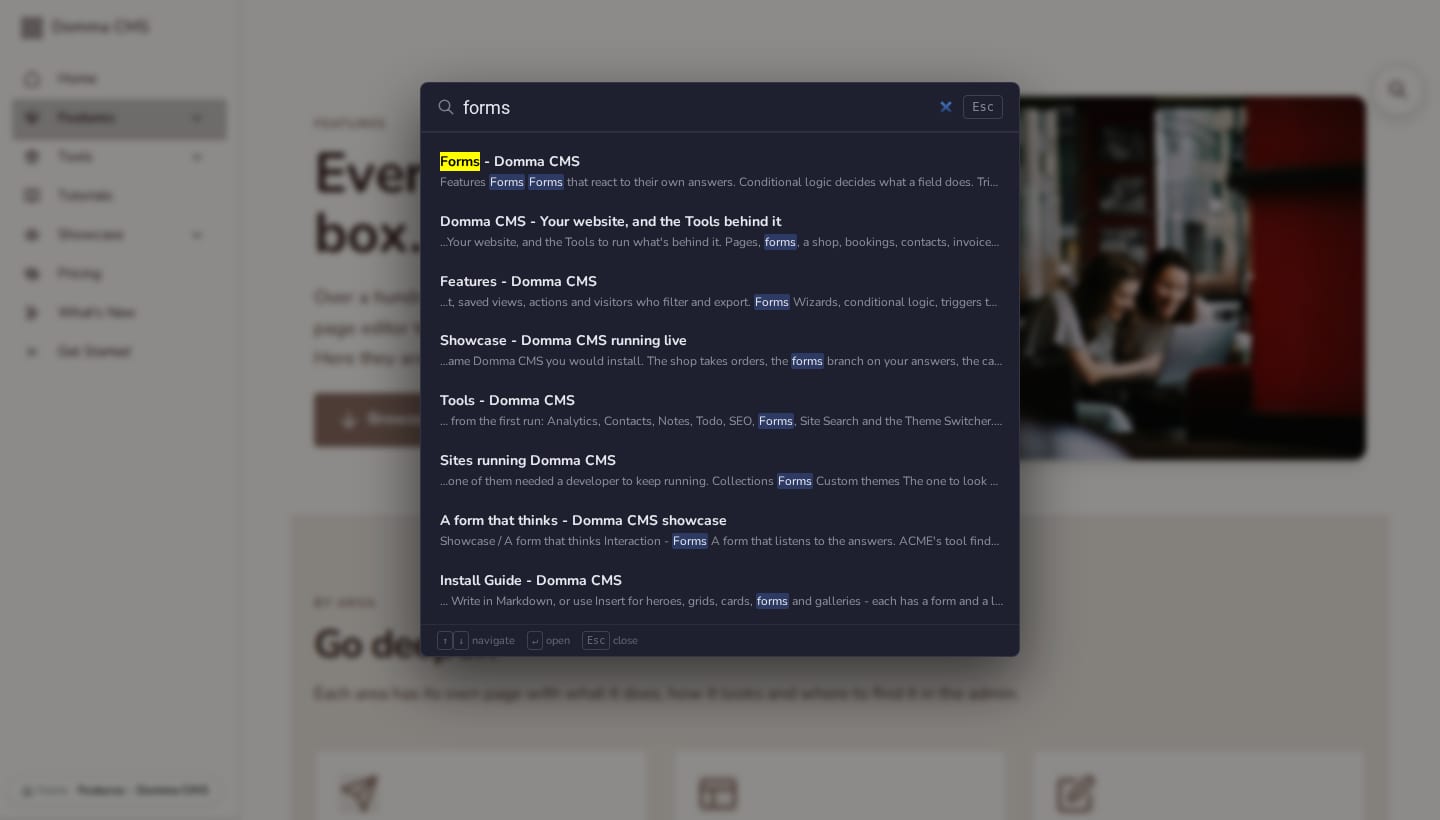
Try it on this site: press Ctrl+K (or Cmd+K on a Mac), or the search icon at the top of the page, and search for forms.
Try it in 5 minutes
- Open System > Search in the admin and switch search on.
- Choose the display: an icon in the navbar, or a floating button in a corner.
- Open the Try it tab and search for a word from one of your pages.
- Save, then visit your site and press Ctrl+K.
- Check the Left out count to see which pages are hidden from results and why.
Good to know
There is no index to build or keep up to date: each search reads your published pages, so a new page is findable the moment it is saved.
What it needs
Nothing. Site Search is part of Domma CMS.
Questions
No. A page gated to a role is listed only for visitors who could open it. Pages marked noindex are left out too.
Goes well with
Site Search comes with every site
Give your visitors a quick way to find anything, built into Domma CMS.