Locks the doors, and tells you which ones were open.
Security switches on with no set-up. It checks your site for weak spots and says how to fix each one, locks out repeated wrong passwords, sets sensible password rules and turns away the scanners that probe every site on the internet.
What Security does for you
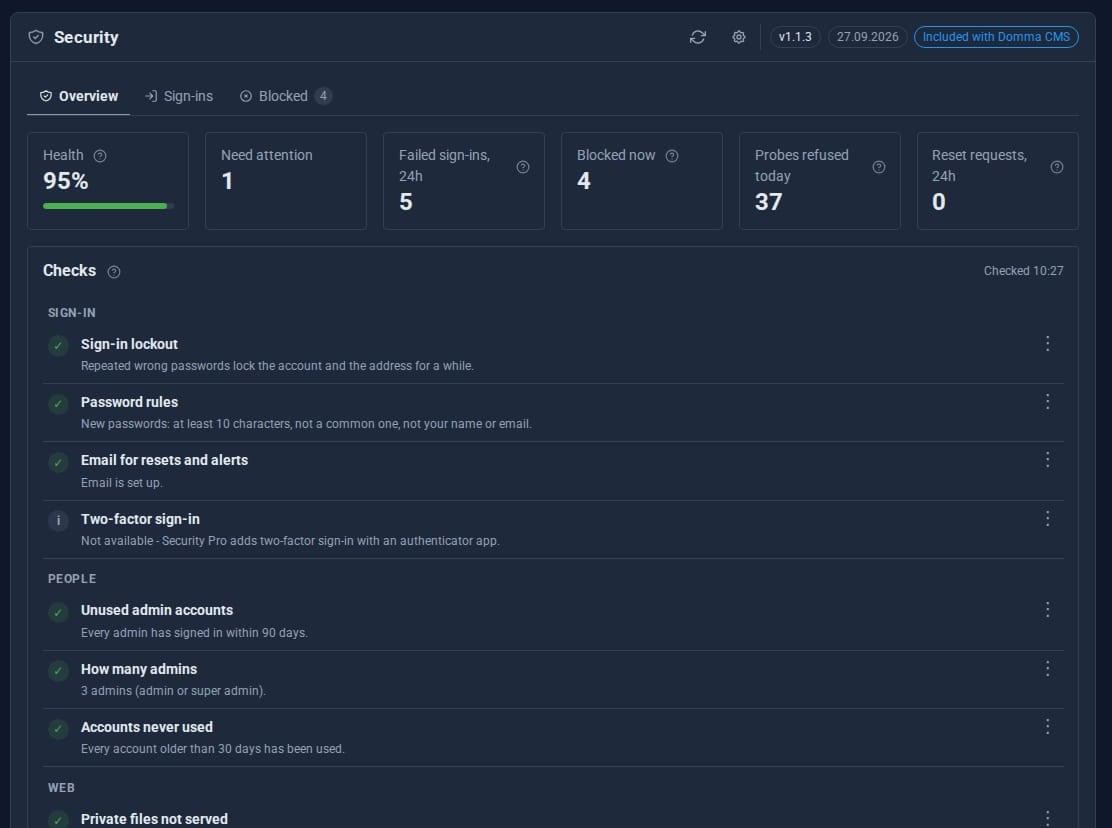
A health check
People, sign-in, server, web and licences, each check saying what is weak and how to fix it.
Sign-in lockout
Five wrong passwords lock an account, twenty lock an address, for longer each time. Refusals never reveal whether an account exists.
Password rules
At least ten characters, none of the 10,000 most common passwords, and not your own name or email.
Scanners turned away
Requests for WordPress files, .env, .git and the like get a bare 404, and repeat offenders are blocked for an hour.
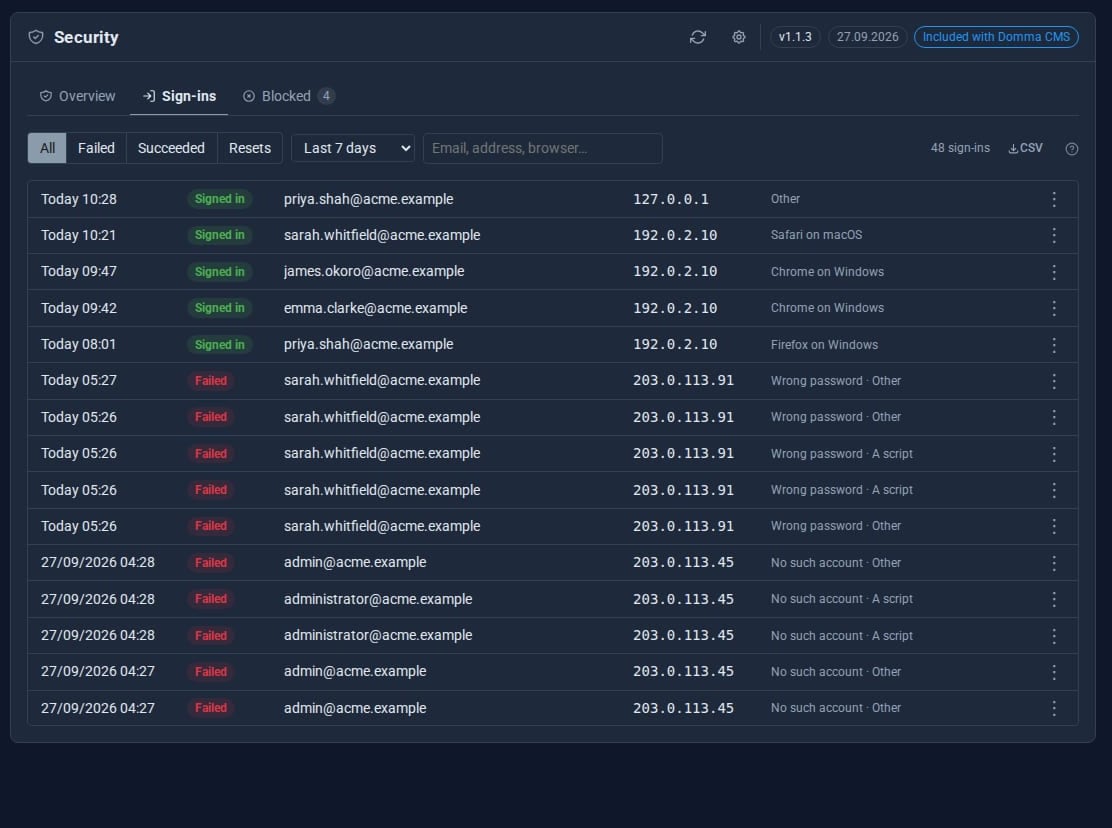
Every sign-in logged
Successes, failures and password reset requests, filtered by period and exported as CSV.
Told when it matters
Notices for lockouts, a success after many failures, and reset requests that look like probing.
See it
Try it in 5 minutes
- Install Domma CMS. Security is on from the start.
- Open Security in the sidebar and read the health check.
- Fix the items marked for attention; each one says how.
- Look at Sign-ins for the last 24 hours, then Blocked for addresses turned away.
- Open the cog to tune lockout thresholds, the password policy and which notices you receive.
Need more protection? Security Pro
Security Free
- Health check with fixes
- Sign-in lockout and password rules
- Scanner blocking
- Sign-in and reset log with CSV
- Manual block and unblock
Security Pro Pro adds
- Two-factor sign-in, required per role if you wish
- A firewall that bans repeat offenders for longer
- Per-route rate limits
- Country rules for the admin
- Breached-password checks
- Every signed-in session, audit trail and file integrity checks
Good to know
Locked yourself out? A command-line unlock tool clears a lockout within seconds.
What it needs
Nothing. Security is free, ships with Domma CMS and switches itself on.
Questions
Addresses that signed in during the last week, and the server itself, are never blocked automatically.
The scanner guard fails open: if it cannot decide, the request goes through rather than your site going down.
Learn it step by step
Goes well with
Security is free with every site
Every Domma CMS site starts protected. Install it and read your health check.