See who visits, without handing anyone your visitors.
Analytics counts page views on your own server. No Google, no tracking company, no data leaving your site: just the figures you need to know what is working, right in your admin.

What Analytics does for you
The numbers that matter
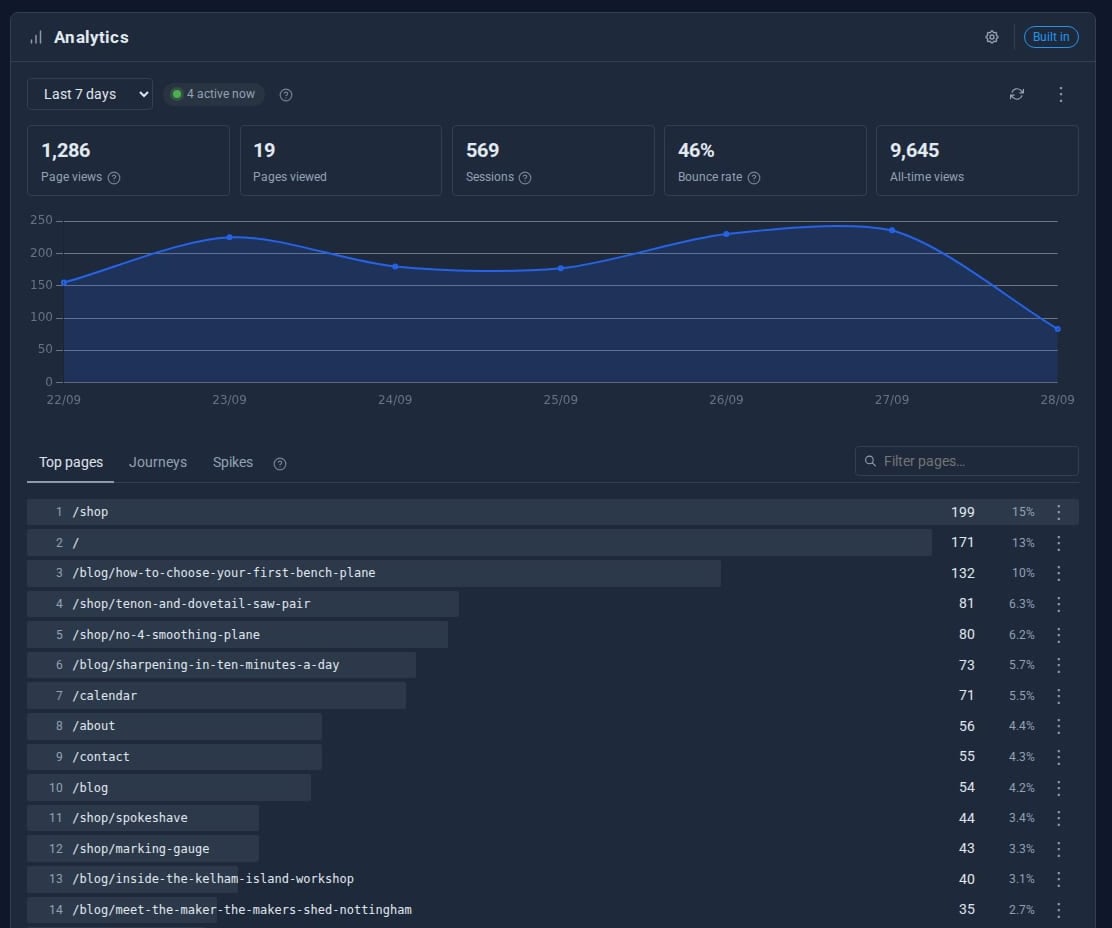
Views, visitors, sessions and bounce rate for today, 7, 30 or 90 days, all time or your own dates.
Trends at a glance
A line or bar chart of the period, with your top pages and each one's share of the traffic.
Active now
Who is on the site in the last five minutes, refreshing itself while the screen is open.
Journeys
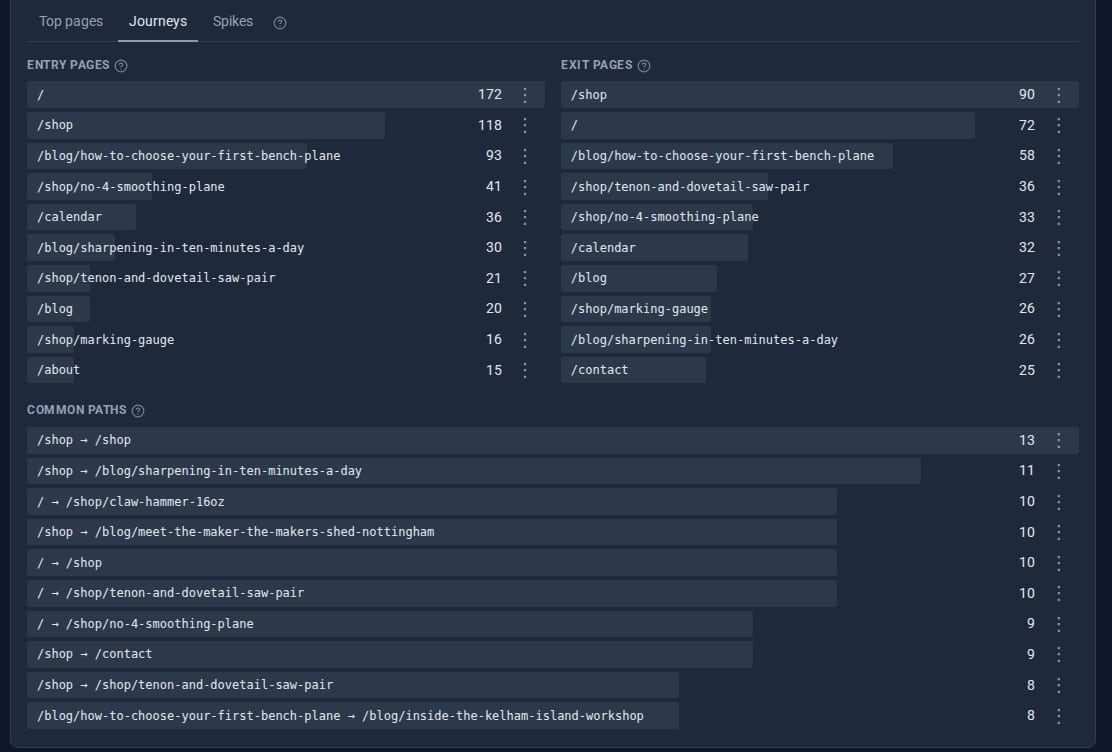
Where visits start, where they end, and the paths people most often take in between.
Spikes
Pages suddenly getting far more views than usual, so you notice when something gets shared.
Private by design
Bots, blocked scripts and Do-Not-Track visitors are left out. Your own admin pages and previews are never counted.
See it
Try it in 5 minutes
- Install Domma CMS. Analytics is already on - there is no script to paste and no account to create.
- Visit a few pages of your site in a private window, then open Tools > Analytics in the admin.
- Pick a period with the range buttons, or choose Custom for your own dates.
- Open the Journeys tab to see where visits begin and end, and Spikes for pages doing unusually well.
- Use the cog to choose the opening range, rows shown and chart type. Export gives you a CSV for a spreadsheet.
Want the full picture? Analytics Pro
Analytics Built-in
- Views, visitors, sessions and bounce rate
- Trend chart and top pages
- Journeys and Spikes
- Active now
- CSV export
Analytics Pro Pro adds
- Each visit with its pages in order
- Channels, referring sites and UTM campaigns
- Country, region and city, looked up on your server
- Devices, browsers and systems
- Saved filters and right-click filtering
- Busiest-times heatmap and a printable report
- Choose which roles see the figures
Good to know
Counters are kept in your site's own files. Nothing is sent to anyone else, so there is no third party to name in your privacy notice.
What it needs
Nothing. It ships with Domma CMS and is on from the start. Switch it off in the Marketplace if you would rather not count at all.
Questions
Analytics sets no tracking cookie and sends nothing to a third party. Whether your site needs a banner for other reasons is for you to check.
Yes. The reset button clears the counters, and the cog decides whether it asks you first.
No. Admin pages, the API and editor previews are never counted.
Learn it step by step
Goes well with
Analytics comes with every site
Install Domma CMS and Analytics is counting from the first visit. Free, self-hosted, no account needed.