Your whole site, backed up every night - and proven to restore.
Backup Pro keeps an encrypted copy of everything your site is made of: pages, collections, media, users, settings and its database. Every month one of those backups is restored somewhere safe, started and checked, so you know it works before you ever need it. And nothing happens to your backups without you being told.

What Backup Pro does for you
Every night, the whole site
Pages, collections, media, users, settings and your site's own database, encrypted. Unchanged files are stored once, so a nightly backup costs almost nothing.
Proven to restore
Once a month a backup is restored away from your live site, started, and every page and the admin checked. You see the date and the result.
Restore what you need
The whole site, or just some collections, pages or media folders. A safety backup is always taken first, so a restore can itself be undone.
You always see what Domma did
Every backup, failure, restore and change of rules reaches your notifications and a history that cannot be edited or deleted. If Domma ever restores your site, it has to give a reason, and you are told before and after.
Kept for a year
14 daily, 8 weekly and 12 monthly backups, so last Tuesday and last spring are both there.
Secrets stay secret
Passwords and keys are never in anything you can download or restore from your admin.
A look inside
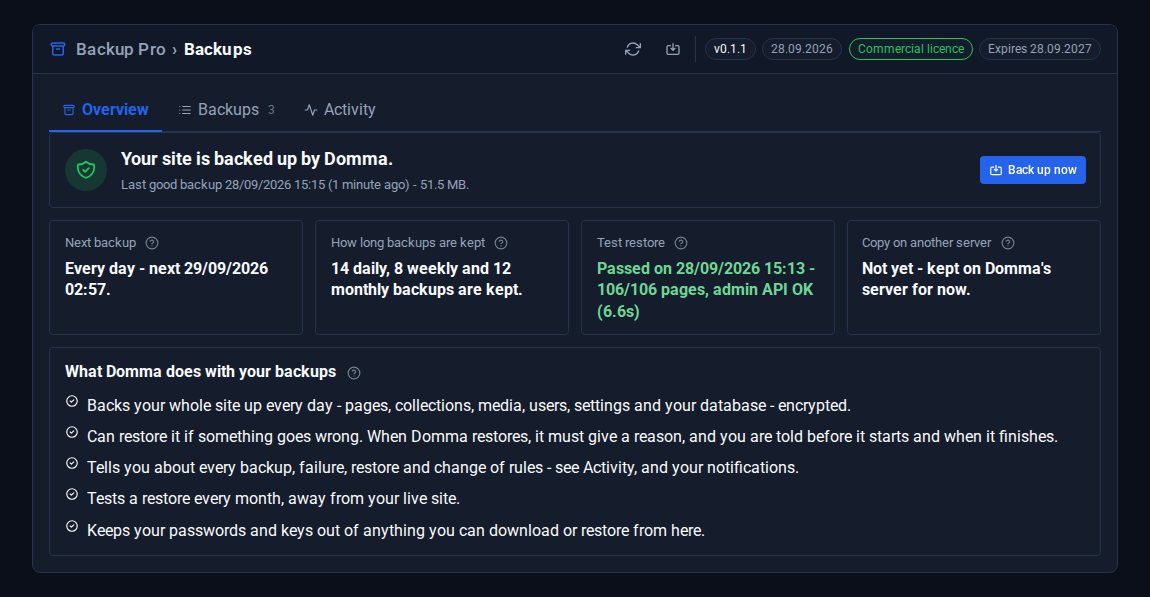
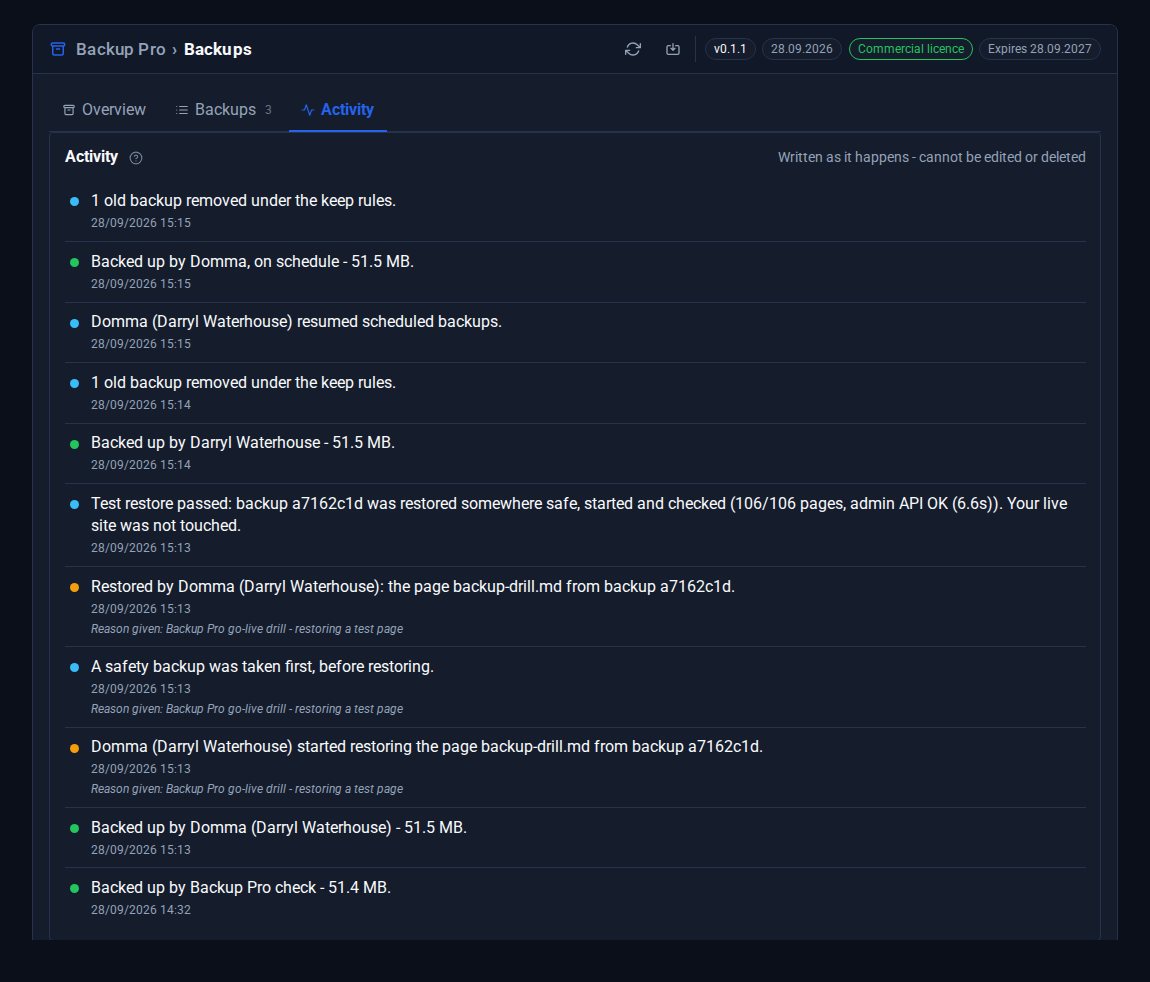
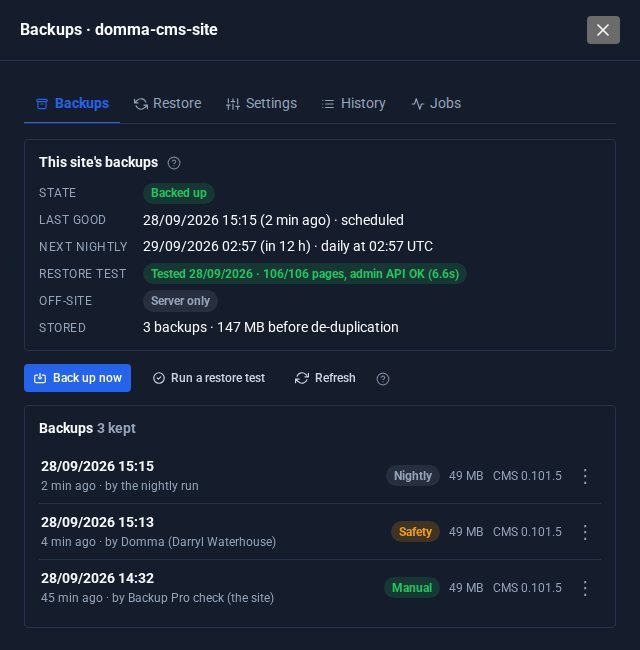
Screens from cms.dommajs.org itself, which runs Backup Pro. The restore shown was a drill on a test page.
See it in 5 minutes
- Open Backups in your admin. The Overview says when your site was last backed up and when it was last test-restored.
- Choose Back up now and give it a name, such as "before the new menu".
- Change a page, then open Backups, pick that backup and restore just that page.
- Look at Activity: the safety backup taken first and the restore are both there.
- Check your notifications: you were told about each step.
How it differs from Data Transfer
Backup Pro
The safety net for the whole site, every night, run and checked by Domma.
Data Transfer
For moving collections between file storage and MongoDB, cloning them, and backups of collections you take yourself.
Together
Use both: Data Transfer for day-to-day data work, Backup Pro so nothing is ever lost.
Good to know
Backups are encrypted and kept on Domma's server. Copies on a second server, in another place, are coming.
What it needs
A site hosted by Domma. Each part - seeing backups, taking one, restoring - is a separate permission, so not every admin has to be able to restore.
Questions
Each site has its own time in the early hours, so sites are not all backed up at once. The Overview shows your next one.
No. Domma can restore a site - that is part of looking after it - but every restore needs a reason, you are told before it starts and when it finishes, and it is written into a history you can read and nobody can edit.
Once a month a backup is restored into a private copy away from your live site, started, and every page and the admin checked. Mail and connections to other services are blocked while it runs. Then the copy is deleted.
Only if you choose that. You can restore just some collections, pages or media folders. A safety backup is always taken first.
Not yet - it needs a site hosted by Domma. Ask us if you run your own server.
Goes well with
Add Backup Pro to your site
Backup Pro is a Pro Tool. Tell us about your site and we will set it up with you.