Pictures in proper folders, and pages that never break when you tidy up.
Media Pro takes over the built-in Media screen and every "choose an image" box in your admin. Keep files in folders inside folders, move or rename anything without breaking a page, see where each file is used, and have Claude write alt text for you to check.
What Media Pro does for you
Folders inside folders
Real folders, so an address reads as it looks: /media/products/shoes/red.jpg. Drag files and folders to move them, and upload a whole folder with its shape kept.
Moves that break nothing
Move or rename anything. Pages, collections and settings that use it are updated, and the old address leads to the new one, so links from other websites and old emails keep working.
Alt text from Claude
Suggestions for one picture or hundreds, included in your plan. You check and change each one, and nothing is saved until you say so.
Lighter pictures on phones
Phones and tablets are offered smaller copies automatically, so pages load faster. Your originals stay as they are, and there is nothing to change on your pages.
A focal point
Click the part of a picture that matters. When a card, banner or gallery crops it, that part stays in view.
Know what you have
See where each file is used. Tidy up finds files nothing uses, exact duplicates, big pictures and pictures with no alt text.
Shrink big pictures
Make pictures lighter, one or many, and optionally convert them to WebP. Set upload rules so phone photos arrive a sensible size, without their location data.
Trash that remembers
Deleted files wait 30 days, and so does the old version whenever you replace, edit or shrink a picture.
A folder as a gallery
Paste one shortcode and a folder appears on your page, with captions and a full-size view.
A look inside
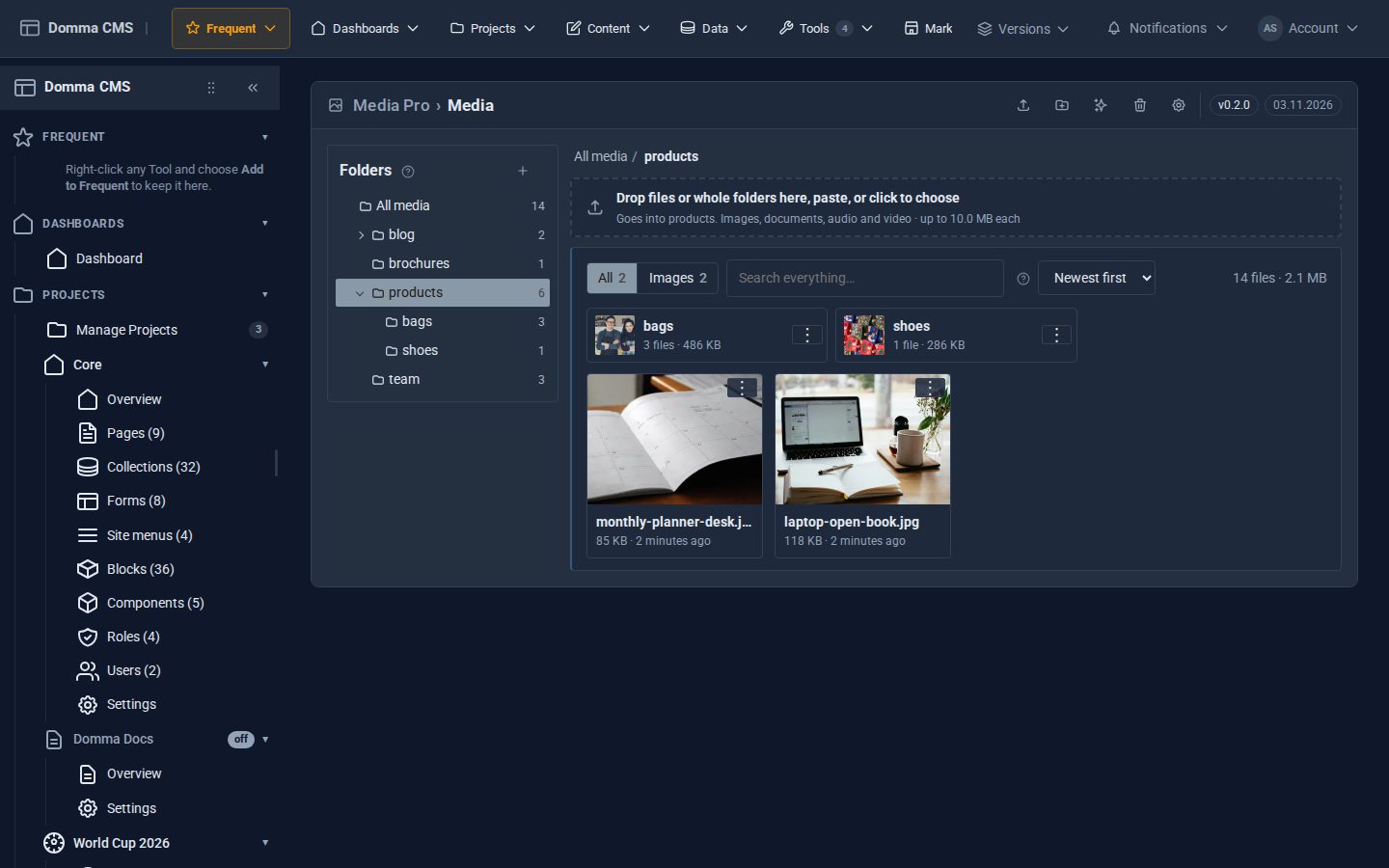
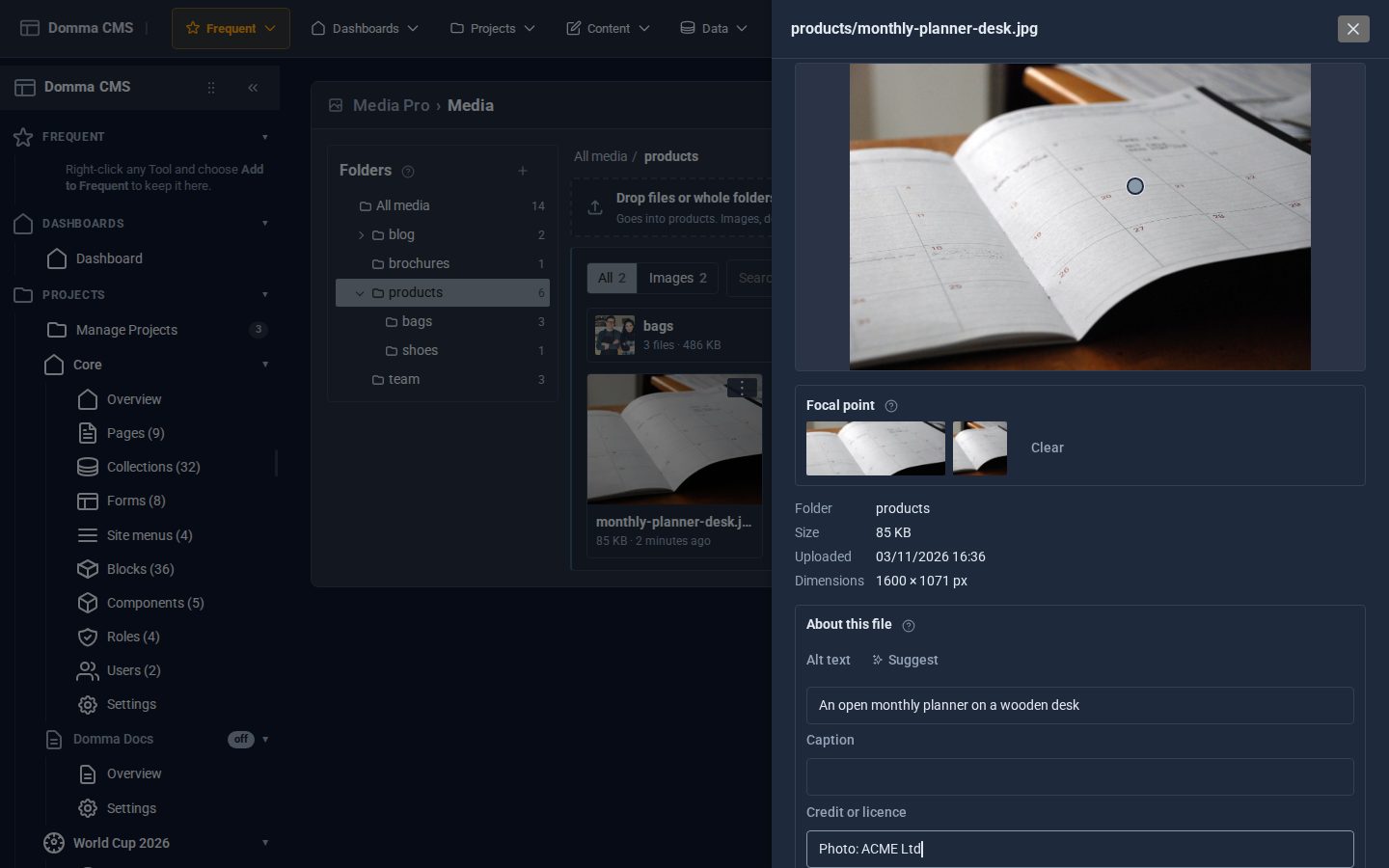
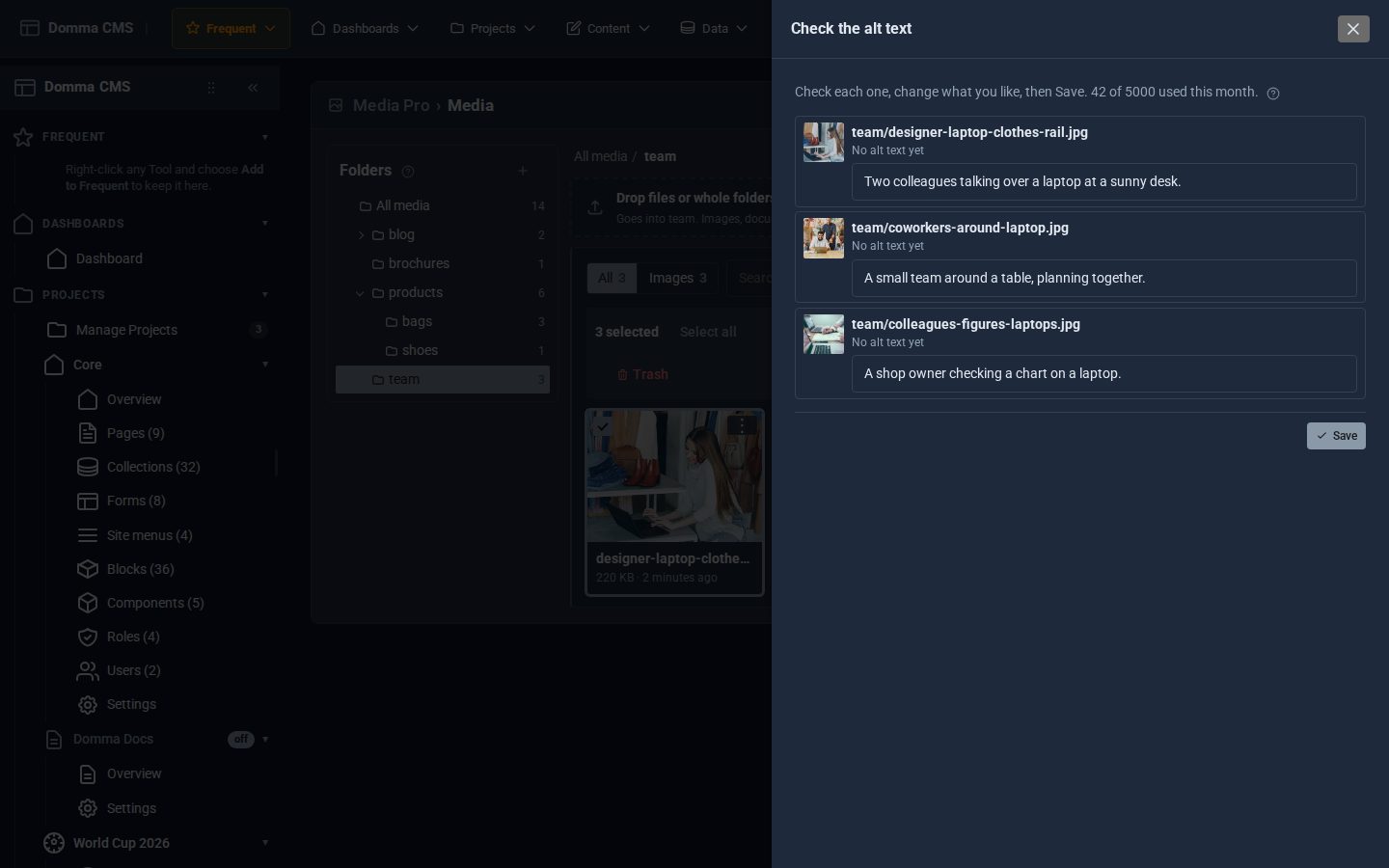
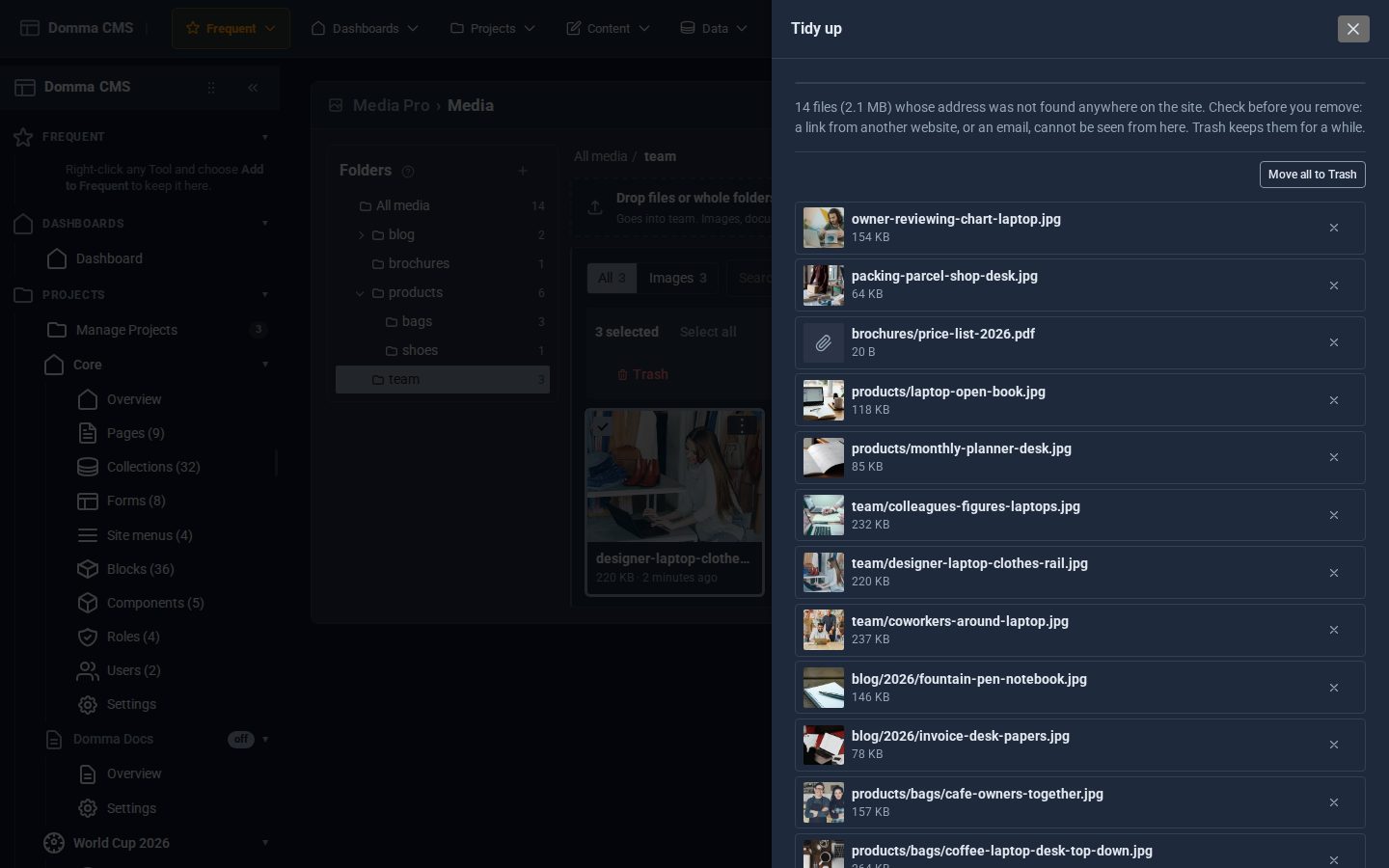
Screens from our ACME Ltd demo site. Every name in them is made up.
See it in 5 minutes
- Switch on Media Pro. The Media entry in the sidebar now opens the Pro screen, on the same files.
- Press + beside Folders and make a folder called products.
- Drag a picture from the grid onto your new folder. The message tells you which pages were updated.
- Open the old address in your browser. It leads to the new one.
- Click the picture, click the part that matters, press Suggest beside Alt text, then Save details.
- Right-click the folder, choose Copy gallery shortcode and paste it into a page.
What Pro adds to the built-in Media
Media (built-in)
- Upload by button, drag or paste, with progress
- A grid with filters, search and sort
- Rename, copy the address, edit images
- Choose images anywhere in the admin
Media Pro Pro adds
- Folders inside folders, in the screen and every image picker
- Moves and renames that update pages and leave a redirect
- Select several: move, tag, shrink, zip, Trash
- Used-on list, Tidy up, Trash and Replace
- Alt text from Claude, captions, credits, tags and a focal point
- Smaller pictures for smaller screens, Shrink, upload rules and galleries
Good to know
Media Pro works on the same files as the built-in Media. Let the licence lapse and every file stays and every address keeps working. The built-in screen comes back and says how many files are in folders.
What it needs
Domma CMS 1.36 or later. Alt text from Claude needs a site managed by us. Redirects need the SEO Tool switched on.
Questions
No. Pages, collections and site settings that use it are updated, and each page saves a revision first. A redirect takes care of links from elsewhere. Blocks, forms, menus and your stylesheet are checked but not changed: the message after a move names them, and the redirect keeps them working.
Only the pictures you choose, as a smaller copy, sent to Anthropic, the company behind Claude. It is included in your plan, up to 5,000 suggestions a site each month. There is no key to set up and nothing extra to pay.
No. Claude can be wrong, so every suggestion goes in a box for you to check and change, and is saved only when you say so.
They stay where they are, at the same addresses. Media Pro shows them straight away, and you can sort them into folders when you like.
For 30 days, from Trash, and you can change that number. The old version of a picture you replace, edit or shrink goes there too.
Only when you ask, with Shrink or Replace, or if you turn on the upload rules. The smaller copies for phones are separate files, and the original stays untouched.
Goes well with
Add Media Pro to your site
Media Pro comes with the Pro plan. Tell us about your site and we will set it up with you.